Warehouse compliance is not a folder of certificates. It is what you can produce on the day an auditor walks in and asks to see one pallet's history, one operator's shift, and one exception that was raised and closed. Most of that evidence is generated, or fails to be generated, at the moment someone pulls a trigger. This is a practical guide to what a handheld has to capture for a distribution site to answer those questions, written around three jobs that divide cleanly across three different devices. The same thinking applies to any warehouse handheld terminals you already run, because almost all of it is about the record rather than the hardware.
💡 📋 Why the Audit Trail Starts at the Trigger
The first thing any quality system asks for is a trail: who did what, to which item, and when. Sites usually assume that lives in the warehouse management system, and it mostly does. The gap is at the edges, where a scan happens and nothing is written because the operator was offline, or the app crashed, or the record was written without a device identity attached to it.
The trail has to start at the trigger. Every read should produce a row carrying the item, a timestamp, a device identifier, and an operator, and that row has to be written to local storage first and synchronised second. If the write depends on the network being up, you will have holes exactly where the auditor looks.
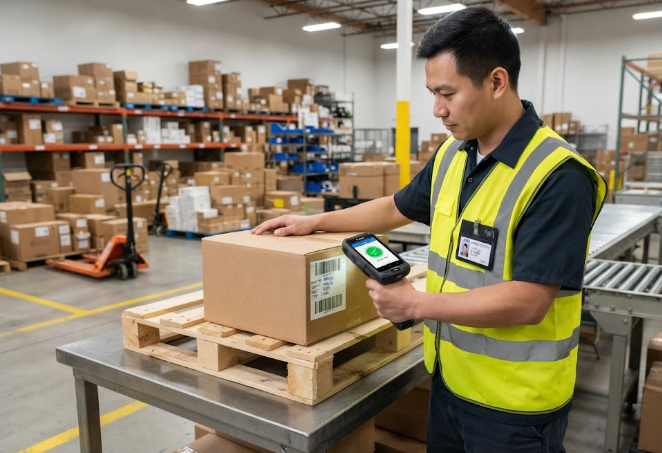
This is where the small single-hand device earns its place. The R350C is a four-inch unit built for one-handed barcode work at a bench or a shelf edge, and it is the one operators will actually keep in their hand all shift rather than setting down. Compliance is partly a hardware problem: a device that gets put down is a device that gets shared.
👤 Binding Every Scan to a Named Operator
Shared devices are the single most common audit finding in distribution, and the reason is usually practical rather than careless. A shift starts, someone is absent, and a terminal gets handed over rather than logged out. From that point the trail attributes every scan to the wrong person, and no amount of software fixes it after the fact.
The workable answer is to make login cheap and logout automatic. Badge tap or NFC at the start of a task takes under two seconds, and an idle timeout that returns the device to a locked state means a terminal set down mid-shift stops recording. The four-inch class handles this well because the same NFC hardware that reads asset tags can read an operator badge, so there is no separate reader to buy.
📦 Proving a Pallet Was Really Checked
Barcode work is easy to evidence: one scan, one record, one item. UHF work is where sites get caught. A single trigger pull can read forty tags in a second, which is the whole point, but it also means a "full pallet check" and a drive-by read from three metres away can produce very similar looking records unless the system captures enough context.
What an auditor needs to see is not just that the tags were read, but that they were read in a controlled way: a count at the start and end of the pass, a time window consistent with the walk, and signal strength consistent with the distance. Record those three and a bulk read becomes defensible.
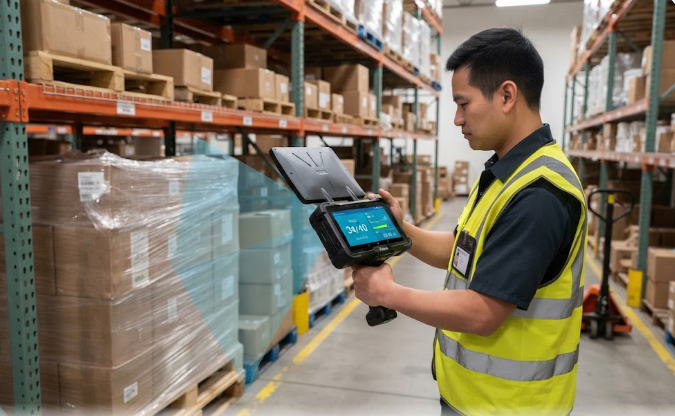
The R366C-S is the device for this job, a five-and-a-half-inch UHF reader built around a dedicated Impinj engine rather than a bolt-on sled. The distinction matters for the record: an integrated reader reports consistent signal data that an attached sled often does not, and consistent signal data is what turns a tag count into evidence.
🔐 Where Records Live and How They Leave
Two questions come up in every audit and both are about movement rather than storage. Where did the record live between the scan and the upload, and who can take a copy of it out of the building.
Local-first storage with an upload queue answers the first. For the second, the practical control is to make export a logged, permissioned action rather than a menu item anyone can use. A CSV pulled by a supervisor to answer a customer query is fine. The same CSV pulled by anyone, with no record of who took it, is a finding waiting to happen.
📶 Networks, Segregation, and the 5G Question
Handhelds that carry a cellular radio change the segregation picture. A Wi-Fi-only device stays on the site network and inherits whatever controls that network applies. A device with a SIM can leave it, and an auditor will ask what stops scan data from travelling over a public network.
The answer is usually mobile device management with a locked-down profile: corporate data in a managed container, no consumer app installs, and a VPN that routes everything back through the site. It is not exotic, but it has to be configured deliberately and evidenced, because "the devices are managed" is not an answer without a screenshot of the policy.
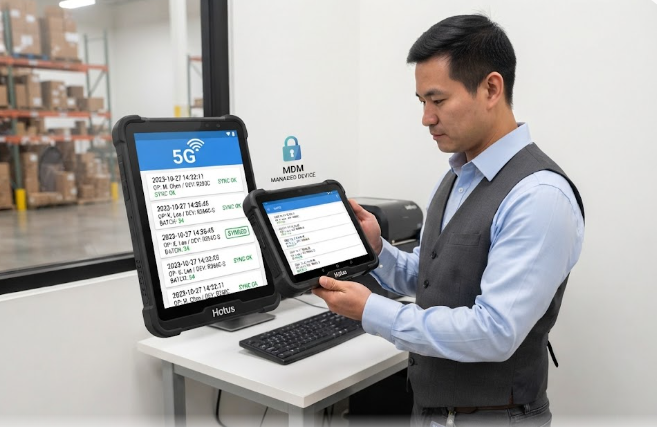
The RS50 is the largest of the three at six-point-three inches and the one that tends to end up with supervisors and exception handlers rather than pickers, because it is comfortable for reading and typing corrections. That role is worth thinking about: the people resolving exceptions are the people generating the most interesting audit records.
🧾 Retention Windows and Export Formats
Retention is where a lot of sites discover their records are technically present and practically useless. The data exists, but it is in a format nobody can produce on request, or it is purged on a schedule set by IT rather than by the quality team.
| Record | Typical window | Usable export | Who signs it off |
|---|---|---|---|
| Scan and read events | 3 years | CSV with device and operator ID | Shift supervisor |
| Operator login and handover | 3 years | CSV per shift | Shift supervisor |
| Exception and re-check logs | 5 years | PDF with linked event IDs | Quality lead |
| Device fleet and firmware state | Current plus 1 year | MDM inventory report | IT |
| Export and access history | 5 years | CSV of export actions | Quality lead |
The windows above are the ones we see most often in distribution under a general quality management regime, and they are starting points rather than legal advice. What matters more than the specific number is that the retention clock is owned by the quality team and checked against the system's actual purge schedule, because the two drift apart silently.
🔍 What an Auditor Opens First
In practice the opening requests are consistent across sites. The device fleet list, so they can see how many terminals exist and who holds them. The operator binding record for one named shift. The exception log for one named week, with the re-checks that closed each entry. And one export, produced live, of a single pallet's full history.
Three of those four are only answerable if the handheld captured the right fields at the moment of the scan. None of them can be reconstructed afterwards, which is the whole argument for getting the capture right rather than the reporting.
✅ The Week-Before Check We Recommend
A week before an audit, run the four opening requests yourself and time how long each takes. Any one that needs an engineer is a gap. Then pull a random operator's shift and confirm every scan in it carries a device ID and a name, pull one exception from open to close, and confirm the fleet list matches the devices physically on site including the spares cupboard.
The spares cupboard is the last place sites look and the first place auditors find unmanaged devices. A terminal that sits in a cupboard still has a firmware state, still has an MDM profile or does not, and still appears on the fleet list even though nobody has touched it in months.
If you are planning the hardware side of this, the same device choices apply to rugged mini PC solutions at the fixed stations that anchor each zone. And for the physical rollout order that tends to work, there is a field-proven installation plan for warehouse logistics covering the staged deployment.