Remote work support has a particular rhythm. The person on the other end is not in a building you control, the fault is described in terms of a feeling rather than a symptom, and half the time the real cause is a consumer router nobody has restarted since March. I have run enough of these calls to know that most home office problems fall into a small number of repeatable buckets. This is the order that resolves them fastest, written around the three units we see most often in these setups: the HCAR5000 MI on the desk, the ST13-J as the portable screen, and the SH5-W in a pocket or bag.
🏠 The Complaints That Actually Repeat
Before diagnosing anything, it helps to know what home office calls are really about. In the tickets we reviewed, the same four complaints accounted for most of the volume: an external display that will not wake, a call that degrades at a predictable time of day, a portable that is uncomfortably warm, and a general sense that everything is slower at home than in the office. Only rarely is any of it a genuine hardware fault. That ordering matters, because a support engineer who starts by asking about specifications spends the call in the wrong place. It is also why so many remote setups now centre on compact home office computing hardware that is simple enough to rule out quickly.
🖥️ 📺 When the External Display Refuses to Wake
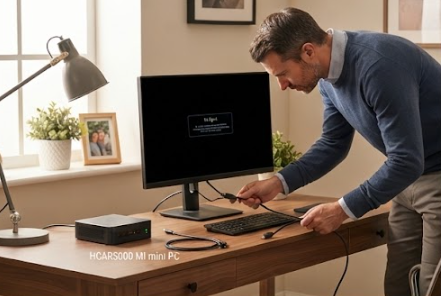
The single most common call is a monitor that stays dark after a break. Nine times in ten the computer is fine and the handshaking between the machine, the cable, and the panel is not. Check the cable first, then the input selection, then whether the machine actually resumed or merely pretended to. The HCAR5000 MI is useful here because its behaviour on resume is consistent and its outputs are simple to verify: if the unit has power and a known-good cable produces nothing, the panel is the problem. That single test ends a large share of these calls in under two minutes.
🎧 Calls That Break at the Same Minute Each Day
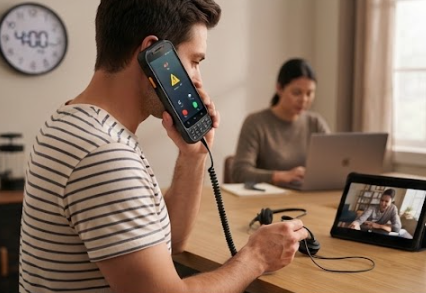
The second complaint is the one that feels supernatural until you see the pattern: a call that is fine at ten and broken at four. That is almost always contention, not hardware, because the household's bandwidth demand follows the same clock every day. The test is to run the same call at a different hour. If it holds, you have your answer, and the fix is scheduling or capacity rather than a new device. Where a device genuinely is at fault on the SH5-W, the symptom is usually a headset or port issue rather than a radio one, and swapping a known-good headset settles it immediately.
🖧 🌐 The Router Is Usually Innocent
The third complaint is blamed on the router more often than the router deserves. Consumer equipment is rarely the culprit in a specific, repeatable, time-of-day failure, and replacing it on suspicion produces a temporary improvement that everyone attributes to the wrong cause. Check the router last, after the cable, the input, the headset, and the timing have all been eliminated. That sequence is unglamorous and it is the difference between a fix that holds and a fix that generates the same ticket again next month.
📱 🔋 Portable Units That Run Warm on a Lap
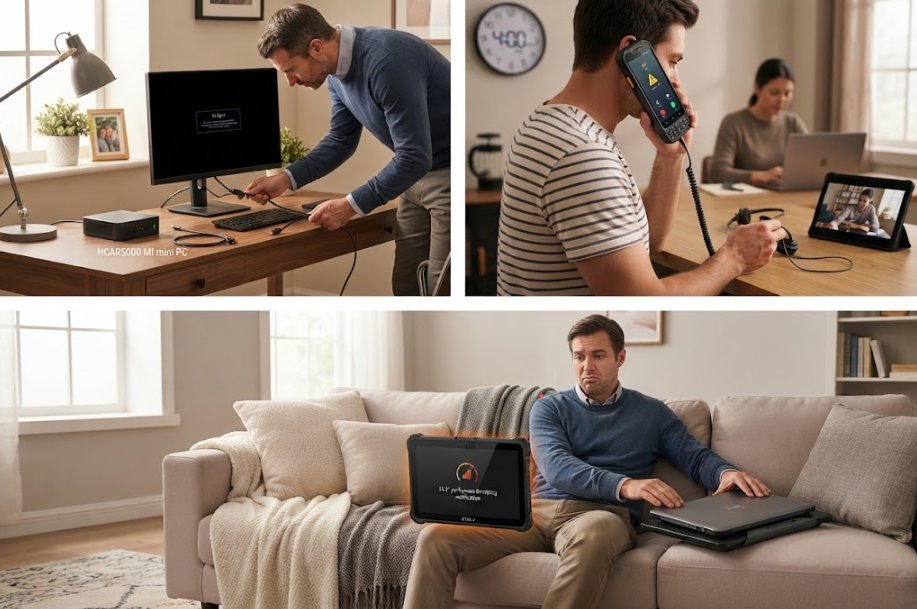
The fourth complaint is thermal, and it is usually reported as slowness. A large portable used on a lap or a soft surface has no airflow worth mentioning, and after an hour the machine protects itself by slowing down. Users experience that as the internet being slow or the machine being old. The ST13-J handles sustained portable work well, but the advice is the same for any large unit: give it a hard surface, and if the complaint is about the afternoon, ask what it is resting on before asking anything else.
☁️ 🧪 A Diagnostic Ladder for a Remote Worker
The sequence that works on a call is short enough to say out loud. Confirm power. Swap the cable. Swap the headset. Test at a different hour. Check what the device is resting on. Only then consider the network, and only after that consider the machine. Each step takes under a minute and each eliminates a whole category, which is what makes the ladder worth memorising. It also means the person on the call can run most of it themselves, which is the real win for a distributed team.
🏟️ 📋 What the Support Team Logged
After a quarter of running this ladder, the numbers were clear. Display and cable faults were the largest single category and the fastest to fix. Call quality complaints dropped once the timing question became standard, because contention stopped being mistaken for hardware. Thermal reports fell when the hard-surface advice went into the onboarding note. Genuine hardware faults turned out to be a small residue, mostly damaged cables, which is roughly what you would expect from equipment that lives in a bag.
| Complaint | Usual cause | First check | Real fix |
|---|---|---|---|
| Display will not wake | Cable or input handshaking | Known-good cable | replace the cable, not the machine |
| Call breaks at 4pm | Household contention | Same call at a different hour | Schedule around the peak |
| Portable feels slow | Thermal throttling | What is it resting on | Hard surface, not a lap |
| Everything is slow | Blamed on the router | Everything else first | Check the router last |
💡 Building a Kit That Prevents the Call
The last piece is what you send people before anything breaks. A spare cable, a known-good headset, a short printed ladder, and a note about hard surfaces prevent more tickets than any diagnostic skill. If you are putting that kit together now, you can explore our mini PC solutions for the desk tier and match portables to how people actually travel. For the setup side of the same problem, read a remote work setup guide, which covers the choices that stop these faults appearing in the first place.