During live remote technical assistance, video resolution alone rarely determines whether a repair finishes on schedule. What governs field efficiency is where the visual reference sits while a technician works at the equipment: whether one hand must hold a rugged Windows tablet, whether a larger panel can rest on a workbench for joint supervisor review, or whether a head-worn virtual display keeps schematics and live guidance in the technician's line of sight while both hands remain on tools and test leads.
Comparing the HTNJ08B (8-inch Windows rugged tablet), the HTNJ10B (10.1-inch Windows rugged tablet), and AR Smart Glasses highlights three distinct operational trade-offs across physical durability, hands-free ergonomics, shared screen visibility, and published environmental specifications.
Ergonomic Constraints at the Equipment: Hand Allocation and Shared Visibility
In electrical cabinets, pump rooms, and assembly cells, a technician diagnosing a fault with a remote specialist simultaneously manages physical tasks—turning fasteners, probing terminal blocks, or actuating valves—while framing the component for the camera and viewing annotated instructions. Holding a handheld device forces the technician either to pause mechanical work to aim the camera or to prop the display on an uneven surface where viewing angles degrade.
A second operational factor is multi-person collaboration. When a shift supervisor, quality engineer, or second technician joins a troubleshooting session, a small personal screen held against one operator's chest restricts collective verification, whereas a larger resting panel or a mirrored display enables immediate shared sign-off on replacement decisions.
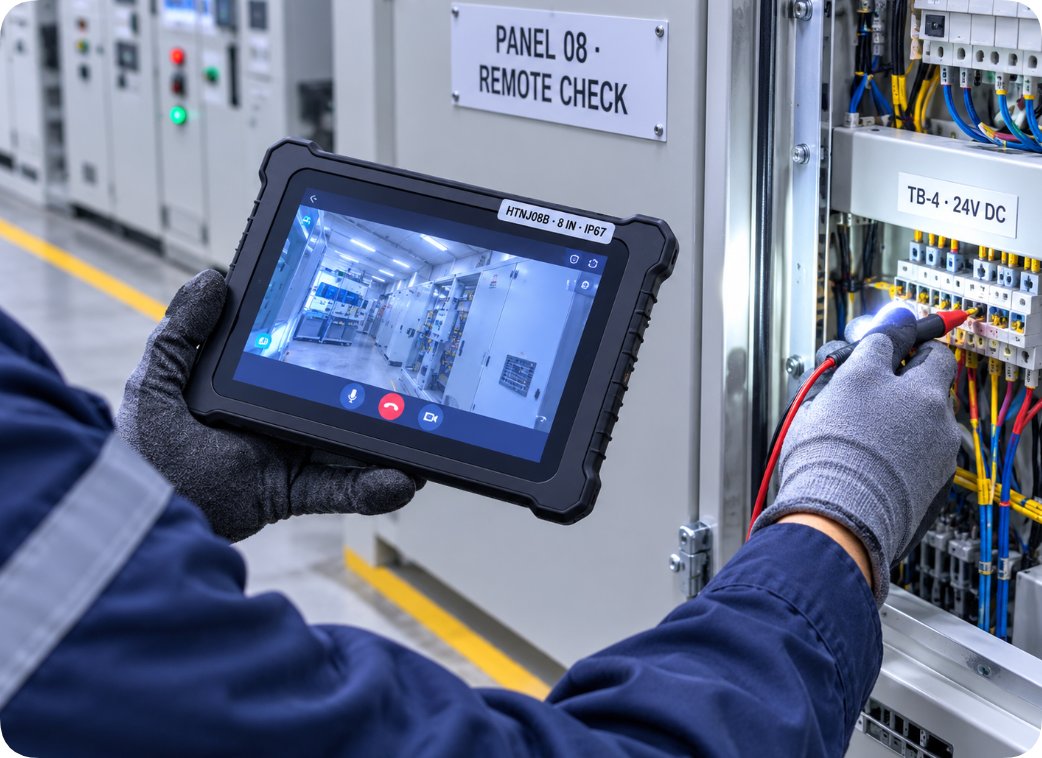
HTNJ08B: Compact 8-Inch Windows Rugged Tablet for Mobile Single-Operator Calls
The HTNJ08B 8 Inch Waterproof Rugged Tablet pairs an Intel Pentium N6000 processor and Windows 10 Pro / Windows 11 Pro support with an 8-inch 1200 × 1920 IPS touchscreen rated at 560 nits brightness, 10-point capacitive touch, 7H surface hardness, stylus input, and wet-hand operation. Dual cameras (5 MP front and 8 MP rear autofocus) capture both operator dialogue and close-up component details, while 12-pin Pogo-Pin, USB Type-A, USB Type-C, Mini HDMI, and RJ45 Ethernet ports maintain wired peripheral and network links during diagnostics.
Built into a 23.8 × 16 × 2.5 cm chassis with a gross weight of approximately 1.8 kg, IP67 ingress protection, MIL-STD-810G compliance, 1.22 m drop resistance, and a removable 7.6V 3500 mAh battery, the HTNJ08B tolerates wet, dusty plant floors and direct bench placement. Its compact 8-inch screen is optimized for single-operator portability in tight spaces, though both-hands repair steps require setting the tablet down on an available surface.
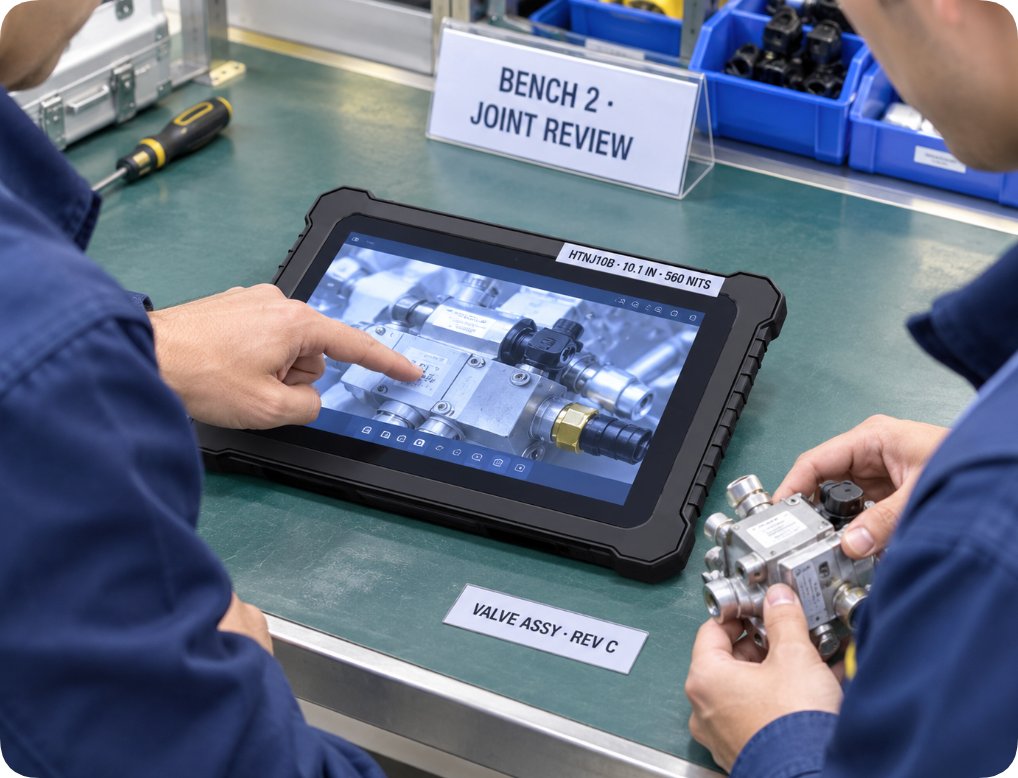
⚖️ HTNJ10B: 10.1-Inch Enterprise Rugged Tablet for Bench-Side Team Viewing
The HTNJ10B 10 Inch Enterprise Rugged Tablet retains the identical core platform—Intel Pentium N6000, Intel UHD graphics, Windows 10 Pro / Windows 11 Pro, expandable M.2 storage and high-speed RAM modules, removable 7.6V 3500 mAh battery, IP67 sealing, MIL-STD-810G certification, 1.22 m drop rating, Wi-Fi 5, Bluetooth 4.2, and global 4G LTE—while expanding the 1200 × 1920, 560-nit IPS touchscreen to 10.1 inches.
Measuring 28.4 × 19 × 2.5 cm with a gross weight of approximately 2.1 kg, the larger 10.1-inch canvas excels when placed on an equipment cart, tool case, or inspection table so a technician and supervisor can view zoomed wiring schematics and live remote annotations together without passing a device back and forth. For ladder climbs or cramped overhead conduits, however, the extra footprint and weight make sustained one-handed holding more demanding than on the 8-inch HTNJ08B.
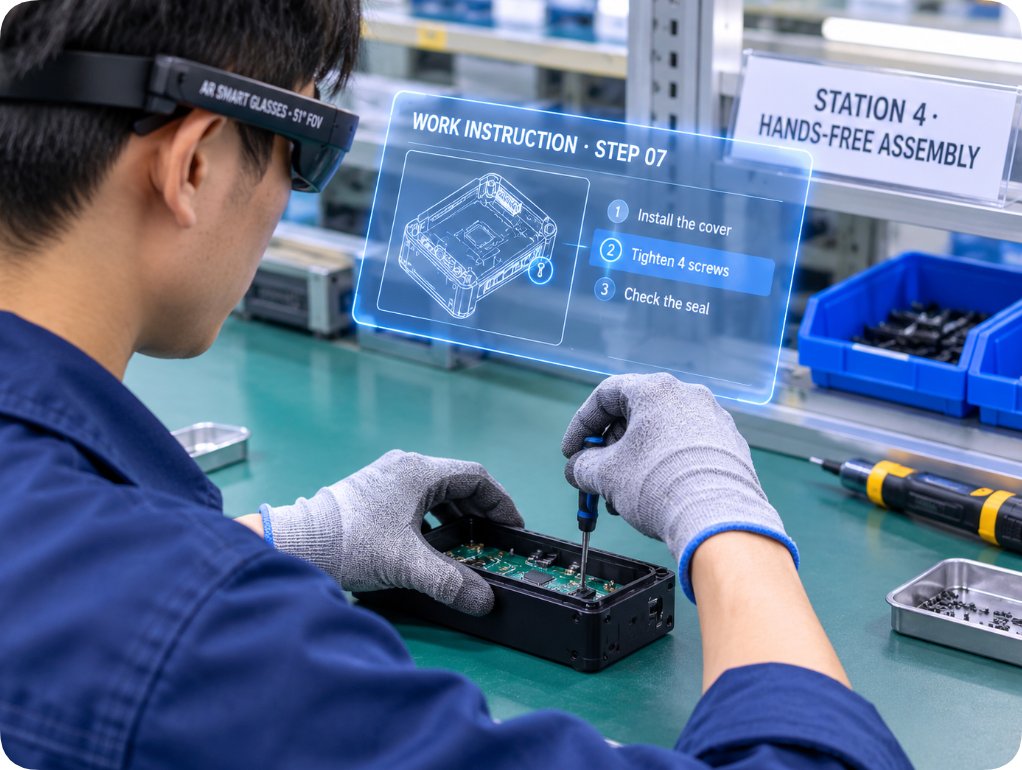
🖥️ AR Smart Glasses: Hands-Free Virtual Display Off the Workbench
The Smart AR Glasses Wireless Display Headset Supplier solution takes the screen off the workbench entirely by projecting a virtual 120-inch equivalent image at a 4-meter viewing distance across a 51-degree field of view, complete with one-button theater mode, spatial tracking, and 0 to 600-degree myopia adjustment. Connecting plug-and-play without separate driver installation to video-output smartphones, laptops, tablets, and handheld consoles, the headset keeps schematics, manuals, or mirrored remote video feeds in front of the user's eyes while leaving both hands completely free on the equipment.
At the same time, procurement and EHS teams must distinguish optical display specifications from industrial ruggedization. Designed primarily for mobile cinema, portable gaming, travel, and private virtual workspace viewing, the AR Smart Glasses product specification lists optical geometry, diopter adjustment, host device compatibility, and OEM/ODM customization—without publishing an IP ingress rating, MIL-STD drop rating, operating temperature envelope, internal shift battery capacity, or integrated industrial inspection camera.
Side-by-Side Comparison: Display Position, Protection, and Power
The comparison table below contrasts verified attributes published across the HTNJ08B, HTNJ10B, and AR Smart Glasses specifications, clearly noting where industrial metrics are unpublished rather than inferred.
| Evaluation Dimension | HTNJ08B (8" Rugged Tablet) | HTNJ10B (10.1" Rugged Tablet) | AR Smart Glasses |
|---|---|---|---|
| Display Format & Optics | 8" IPS panel, 1200 × 1920, 560 nits | 10.1" IPS panel, 1200 × 1920, 560 nits | Virtual 120" equivalent at 4 m, 51° FOV |
| Operator Handling & Collaboration | Single-operator handheld or resting panel (~1.8 kg) | Bench-rested shared panel for multi-person viewing (~2.1 kg) | Head-worn private display; keeps both hands free |
| Ingress & Drop Protection | IP67, MIL-STD-810G, 1.22 m drop resistance | IP67, MIL-STD-810G, 1.22 m drop resistance | Not published in specification sheet |
| Shift Power & Compute Platform | Pentium N6000, Windows 10/11 Pro, removable 7.6V 3500 mAh | Pentium N6000, Windows 10/11 Pro, removable 7.6V 3500 mAh | Host-driven video input (phone/laptop/tablet); no internal shift battery listed |
| Input & Vision Accommodation | 10-point capacitive touch, stylus, wet-hand & glove support, 7H glass | 10-point capacitive touch, stylus, wet-hand & glove support, 7H glass | 0 to 600-degree built-in myopia adjustment |
🖥️ Evidence Sign-Off, Environmental Boundaries, and Mixed-Fleet Deployment
How visual evidence is verified during a support call depends directly on the chosen display form factor. On the HTNJ08B, diagnostic evidence stays centered on a single mobile technician who can carry a rugged Windows PC into tight mechanical spaces, capture 8 MP autofocus component photos, and swap 3500 mAh battery packs mid-shift. On the HTNJ10B, resting the 10.1-inch 560-nit display on a work surface turns remote guidance into a shared visual reference where supervisors and technicians confirm component replacement together.
When deploying AR Smart Glasses alongside rugged tablets, operations teams should account for three published boundaries: lack of IP67 or drop-test ratings for wet or dusty environments, private single-wearer visibility unless video output is simultaneously mirrored to an external monitor, and reliance on the connected host device's battery and camera capabilities. Reviewing our Remote Assistance Application Solutions overview, remote support field test article, and Hotus Product Comparisons & Technical Insights helps match each workstation to the right hardware tier across the Hotus Smart Hardware Products Manufacturer Catalog.
Selecting the Right Hardware by Field Support Workflow
Align hardware selection with how technicians interact with the equipment during live calls: deploy the HTNJ08B for solo field engineers needing a compact, IP67/MIL-STD-810G Windows tablet with wet-hand touch and full I/O ports in tight plant rooms; deploy the HTNJ10B for bench-side inspections and supervisor-assisted troubleshooting where a larger 10.1-inch screen supports shared viewing; and deploy AR Smart Glasses in clean assembly, training, or wiring reference workflows where keeping both hands continuously on tools is the top priority.
Frequently Asked Questions
1. How do the HTNJ08B and HTNJ10B differ in size, weight, and core hardware?
Both rugged Windows tablets share the Intel Pentium N6000 processor, removable 7.6V 3500 mAh battery, IP67 and MIL-STD-810G ratings, and 1200 × 1920 560-nit touchscreen, while differing in display size (8 inches vs. 10.1 inches), chassis dimensions (23.8 × 16 × 2.5 cm vs. 28.4 × 19 × 2.5 cm), and gross weight (~1.8 kg vs. ~2.1 kg).
2. Are the AR Smart Glasses rated for wet, dusty, or high-impact outdoor worksites?
The AR Smart Glasses publish optical and viewing specifications—a virtual 120-inch equivalent image at 4 meters, 51-degree field of view, and 0 to 600-degree myopia adjustment—without IP ingress, drop-test, or operating temperature ratings, making the IP67 and MIL-STD-810G certified HTNJ08B and HTNJ10B the appropriate choices for harsh outdoor or washdown environments.
3. Which device best supports two people inspecting the same visual detail during a remote call?
The HTNJ10B provides a 10.1-inch 560-nit IPS display that rests steadily on a workbench or equipment case so a technician and supervisor can view zoomed diagrams and live video annotations simultaneously.
4. Do the AR Smart Glasses require driver installation to connect to host devices?
The AR Smart Glasses operate plug-and-play without separate driver installation across compatible smartphones, laptops, tablets, and handheld consoles equipped with video output.