Every dam site has a stretch of shore that behaves differently from the rest of the reservoir, and the crew in these photos covers theirs from a UTV rather than a pickup. The route is too rough for a road vehicle in places, too long to walk in one morning, and close enough to the water that spray and dust arrive together. Two Hotus units ride along: an RT81 rugged tablet that stays in the cockpit, and an ST11-M that comes out of the cab at every stop.
The three customer photos below were all taken on the same shift. Read together, they describe a working arrangement that took the crew several seasons to settle on, and each photo answers a different question about how the hardware is actually used.
What the Three Photos Show
Photo one is the wide cockpit view: the UTV parked on the drawdown zone with bare rock and low water visible past the windshield, a rugged tablet mounted low on the dash running a moving map, and a separate dash navigator to its right. Photo two is a bankside moment, one hand holding a second tablet with a terrain map on screen, grass and hills behind it. Photo three is a close-up of the cockpit cradle, where the same tablet sits in a heavy protective case beneath the navigator's menu screen.
Nothing in the photos is staged for a brochure. Cables are routed where they happen to reach, the navigator is a plain aftermarket unit, and both machines carry maps rather than dashboards. That ordinariness is the point: both units come from the same rugged tablet family (our rugged tablet range), and the crew treats them as tools that should disappear into the routine.
💡 Why the Morning Starts on Four Wheels
Shoreline inspection is a rhythm problem. The crew wants to pass every gauge, outfall and erosion scar within a few hours of daylight, while shadows are long and the water is calm enough to read. Walking that circuit takes the whole day; driving it in a truck skips the worst half of the track. A UTV splits the difference, and it changes what the hardware has to survive: constant vibration on bedrock and gravel, cold mornings before the sun clears the ridge, and no cabin to speak of.
It also changes the division of labor. Screens that only matter at stops can wait in a case, but the screen that matters while driving has to be on, readable and powered for the entire run. The crew's answer is one fixed unit and one carried unit, and the next two sections take them in that order.
🖥️ The Cockpit Screen That Never Leaves Its Cradle
The mounted tablet in photos one and three is the RT81 rugged tablet, and its job description explains why it was chosen for the cradle. The 10.1-inch IPS panel runs 1200 by 1920 at 400 nits, which is enough under the shadow of a windshield, and the Qualcomm SM6115 octa-core at 2.0GHz with Android 16 keeps the mapping app responsive without draws attention away from the track. Weighing under 650 grams, the unit sits in its case without loading the mount, and the IP67 enclosure plus 1.2-meter drop rating covers the vibration and spray that a UTV dash produces every single run.
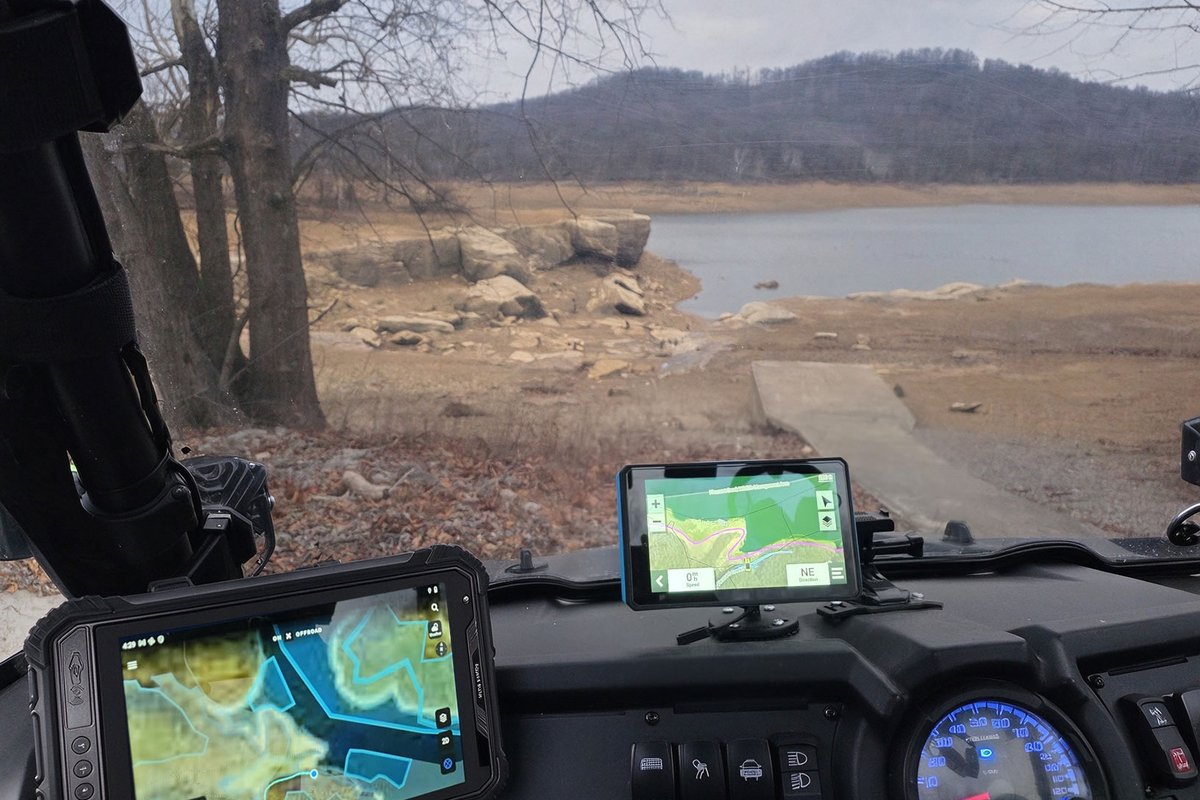
Power is the quiet detail that makes the arrangement work. The RT81 carries a 3.8V 10000mAh removable battery with fast charging support, and the crew tops it from the vehicle while rolling, so the tablet starts every morning full without anyone plugging in a wall charger. Dual SIM 4G LTE keeps the map tiles and weather layers current where coverage allows, and the two speakers are loud enough to hear alerts over the engine at low speed.
The Unit That Comes Out at Every Stop
At each marked point along the route, the second tablet leaves the cab. The ST11-M rugged tablet is the Windows side of the pairing: an Intel Core i5-8200Y dual-core at 1.30GHz, turbo to 3.90GHz, running Windows 10/11 Pro with Ubuntu available where the client's toolchain demands it. Its panel is the brightest of the two at 430 to 450 nits and rated sunlight readable, which matters away from the windshield, and the touchscreen accepts stylus and wet-hand input for the moments when the crew is filling forms with morning dew still on everything.
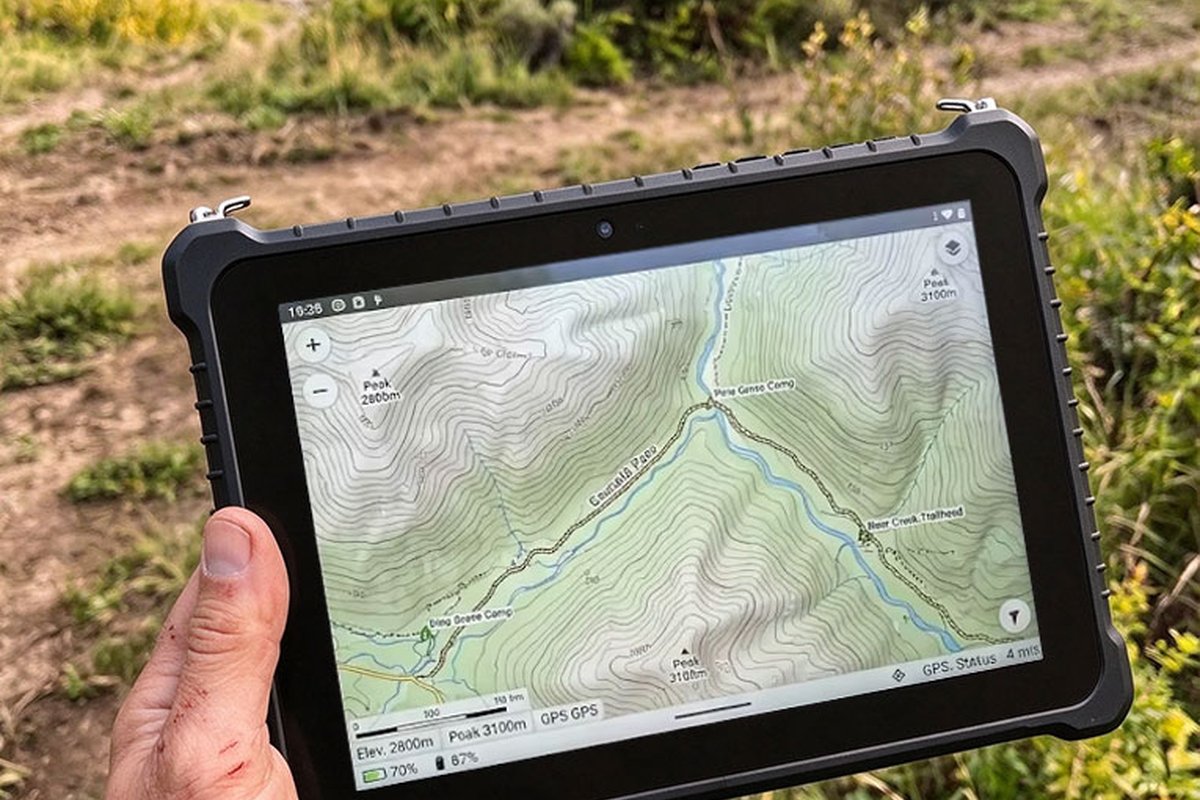
Photo two shows exactly that: one hand, a terrain map, and a shoreline that still needs walking to the next marker. The ST11-M weighs 1150 grams in its factory tolerance of 50 grams, noticeable over a long morning but reasonable for a unit that doubles as the office. Its 13-megapixel rear autofocus camera documents erosion faces and gauge readings, the IP65 enclosure with MIL-STD-810G certification absorbs the drops onto rock that are part of bankside work, and the rated operating window of minus 20 to 55 degrees Celsius is wider than the RT81's, a quiet advantage on winter surveys.
Back in the Cradle Before the Wind Picks Up
The close-up in photo three was taken after a stop, with the RT81 back in its cradle and the navigator above it resting on its on-screen menu row. Two screens doing two different jobs sit side by side without competing: the aftermarket navigator handles the road network, while the RT81 handles everything the crew adds themselves, from marker photos to track logs. Keeping the roles separate means neither screen needs a case of its own clutter, and a glance picks the right one without thinking.
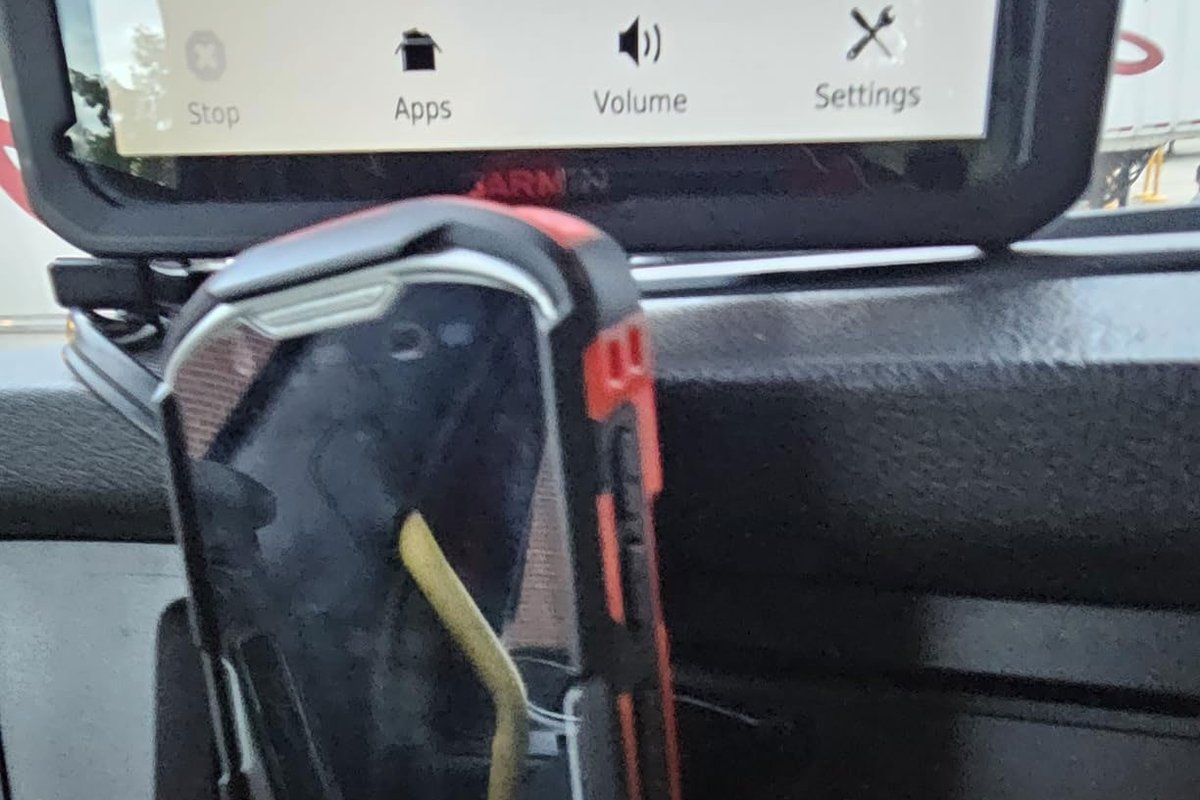
The orange-cornered case is the detail worth copying. It adds bulk, but it is the reason the same tablet has survived a full season of mounting, unmounting and the occasional knee-first landing on rock. Rugged ratings are measured in the lab; the case is what the crew trusts.
Where the Two Datasheets Part Ways
Both units are 10.1-inch FHD tablets with removable batteries and 1.2-meter drop ratings, which is why they read as siblings in the photos. The differences below are what made the crew stop treating them as interchangeable.
| Line item | RT81 | ST11-M |
|---|---|---|
| Operating system | Android 16 | Windows 10/11 Pro; Ubuntu optional |
| Processor | Qualcomm SM6115 octa-core 2.0GHz | Intel Core i5-8200Y dual-core 1.30GHz; turbo 3.90GHz |
| Display | 10.1in IPS FHD 1200x1920; 400 nits; G+G 10-point touch | 10.1in IPS FHD 1200x1920; 430 to 450 nits sunlight readable; stylus and wet-hand support |
| Battery | 3.8V 10000mAh removable; fast charging | 7.6V 6000mAh removable; 45.6Wh; about 7.5 hours per charge |
| Protection | IP67; 1.2m drop; minus 10 to 50 degrees Celsius | IP65; MIL-STD-810G; 1.2m drop; minus 20 to 55 degrees Celsius |
| Camera | 20MP rear autofocus with flash; 8MP front | 13MP rear autofocus with flash; 5MP front |
| Weight | Under 650g | 1150g class; factory tolerance 50g |
| Connectivity | 4G LTE full netcom; dual-band Wi-Fi 802.11ax; dual SIM | 4G LTE global module; Wi-Fi 5; Bluetooth 4.2; optional high-precision GNSS |
Read as a pair, the table explains the split without any editorializing. The RT81 gives up screen brightness and the Windows environment to save 500 grams and gain an IP67 seal; the ST11-M gives up the lighter body to gain desktop software and the brighter, stylus-friendly panel. Neither is a better tablet. Each is the right tablet for one half of the same shift.
⚖️ One Battery Swap Between Fuel Stops
Range discipline on the UTV and in the tablets follows the same logic. The RT81's 10000mAh pack is sized to outlast the fuel range of the vehicle, so the crew never manages tablet power and fuel at separate times; if a cold snap cuts its runtime, a charged spare slides into the same cradle routine. The ST11-M's 6000mAh pack is rated about 7.5 hours, which comfortably spans the walking portion of the loop, and a fresh pack lives in the cab for afternoons that run long.
The removable design is what keeps the two-screen arrangement honest. A sealed device would force the crew to plan around a charge cycle; a removable one lets them treat batteries as fuel cans, topped up whenever the UTV is, and swapped in seconds when a morning runs long.
Frequently Asked Questions
1. Why run Android and Windows side by side instead of two identical tablets?
Because the two halves of the shift use different software. The cockpit screen lives in a mapping app all morning, which Android 16 on the SM6115 handles smoothly at low power draw. The carried unit has to open gauge report forms, client spreadsheets and desktop survey tools the same afternoon, which is desktop Windows territory. Matching both to one OS would force a compromise on one side or the other.2. Is 400 nits really enough for a dash-mounted screen in open daylight?
In this cockpit it works because the mount sits low and the windshield frame throws partial shadow across it for most of the route. Out on the bank there is no shadow at all, which is why the carried unit is the brighter of the two at 430 to 450 nits with a sunlight-readable rating. Brightness requirements follow mounting position, not fashion.3. What happens when a battery dies in the middle of the loop?
Both units use removable packs, so the answer is a swap rather than a shutdown. The RT81's 10000mAh pack charges from vehicle power between runs, and the ST11-M's 6000mAh pack is rated for roughly 7.5 hours, with a charged spare kept in the cab. Neither unit has ever ended a scheduled loop waiting on a wall socket.4. Do these surveys need barcode scanning or centimeter-grade positioning?
Not on this route, but both platforms can grow into it. The RT81 accepts an optional 2D barcode engine and NFC reading, and the ST11-M accepts an optional high-precision GNSS module with BDS, GPS and GLONASS support. The units in these photos are stock configurations; options are quoted per project, and the crew added none of them for shoreline work alone.Shoreline work rewards hardware that survives being ignored, and the pairing in these photos has settled into exactly that role. If the same split fits your routes, the full Hotus industrial hardware line is worth a look, as is our product comparisons and competitor analysis section, where the same two units are lined up against their rivals in detail.