- Select Language
RT82 5G Rugged Tablet | 10.1" FHD 400nit | Qu...
R366C-S 5.5-inch Industrial UHF RFID Reader | Qual...
This dual touchscreen gaming laptop combines cutti...
Enterprise Flagship SeriesEngineered for mission-c...
RT80 5G Rugged Tablet | 10.1" FHD 400nit | Un...
R366-S Thin 5.5-inch Industrial PDA | Qualcomm Oct...
As someone who has helped several outpatient clinics modernize their point-of-care computing, I can tell you the difference between a smooth go-live and a frustrating one almost always comes down to hardware choices made before the first cable is run. A typical consultation room or nursing station has to survive constant wiping, occasional drops, power hiccups, and clinicians who have no patience for a device that lags. That is why a purpose-built, rugged deployment kit matters far more than a repurposed consumer tablet ever will. In this guide I walk through a proven installation workflow built around three complementary Hotus devices, and show how they come together into a dependable clinical workstation.
Consumer laptops and tablets are designed for an office desk, not a care environment. In a clinic, equipment is shared between shifts, cleaned with harsh disinfectants several times a day, and sometimes knocked off a tray. A sealed, drop-resistant device reduces both downtime and infection-control risk. If you are planning a rollout, start from a dedicated medical workstation solutions approach rather than bolting consumer gear onto a cart, because the enclosure, ports, and thermal design all change how the system behaves after months of use.
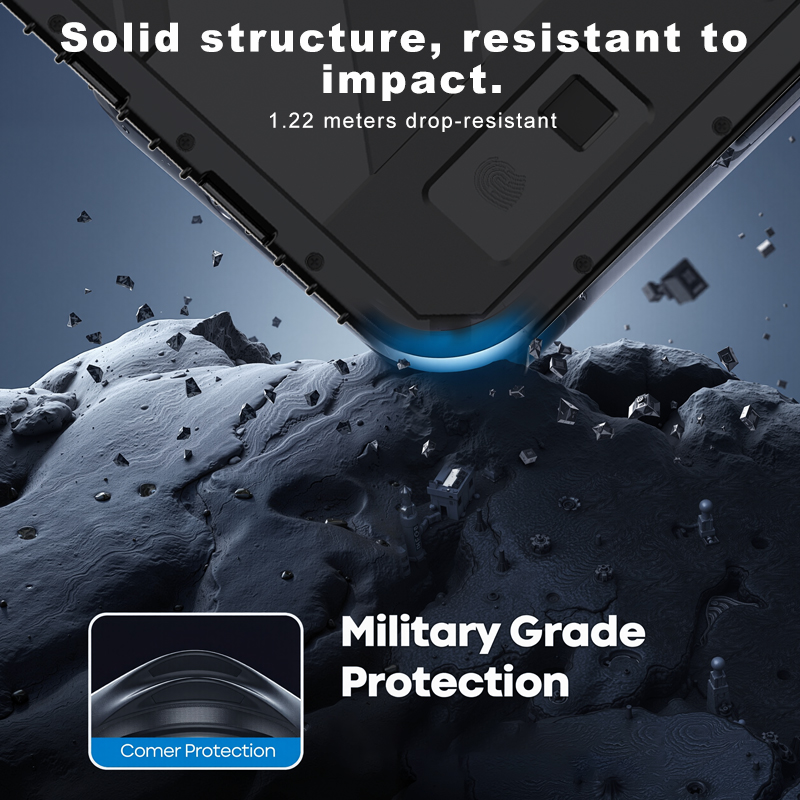
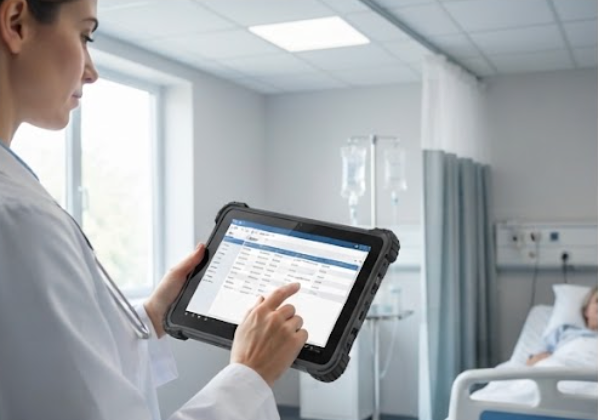
The HTYJ08A Rugged Tablet is an 8-inch handheld built for movement. Inside sits a 10th-generation Intel Core i5-10210Y or i7-10510Y, paired with a 1200x1920 sunlight-readable screen at 560 nits and a 10-point capacitive touch panel rated to 7H hardness. It carries IP67 sealing and 1.22 m drop resistance, which is exactly what you want when a device lives in a pocket, on a tray, or at a bedside. Connectivity covers WiFi 6, Bluetooth 5, and an RJ45 port for a wired nursing-station dock, with optional 4G, NFC, barcode scanning, and fingerprint modules. A 7.6 V / 3500 mAh cell and a 12-pin POGO charging dock keep it ready between rounds. Use it for patient identification, vitals capture, and mobile charting where a larger screen would get in the way.
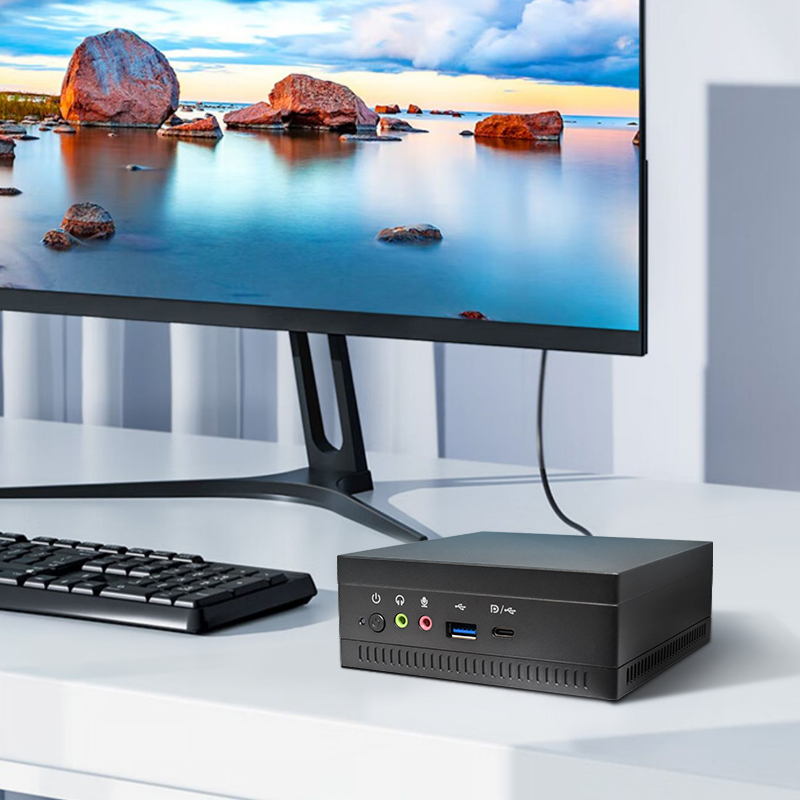
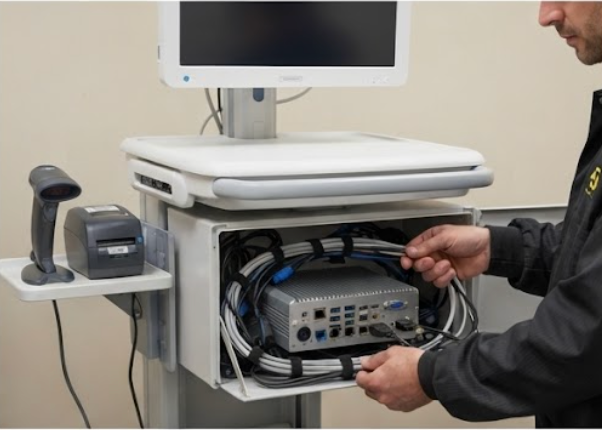
Behind every reliable workstation there is a compute node that nobody notices. The HCAR5000 MI Mini PC runs an AMD Ryzen 5000H-series processor (up to 5900HX) with Radeon graphics, supports up to 64 GB of DDR4-3200 memory, and takes SSD or HDD storage from 128 GB to 1 TB. At 202 x 212 x 65 mm and about 2.45 kg, it tucks into a cart bay or mounts behind a monitor, and it runs Windows 10/11 or a Linux thin-client image. In a clinic it serves as the local EMR cache, a VDI client, or an edge node that keeps the front desk and exam rooms responsive even when the network wobbles. Its rich port selection (RJ45, three USB 3.0, two USB 2.0, DisplayPort, and Type-C with video) means you can wire a barcode reader, a label printer, and a secondary display without a mess of hubs.
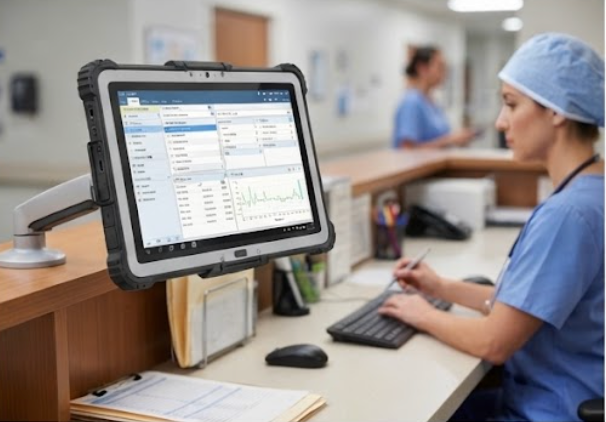
For the fixed surface - a nursing station, a triage desk, or a rolling cart top - the ST13-J gives you a 13.3-inch IPS panel at 1920x1080 with wet-hand and stylus touch. It runs an Intel Celeron N5100 with 8 GB RAM and 256 GB storage, carries IP65 protection and 1.2 m drop resistance, and operates from -20 to 55 degrees Celsius. An 8000 mAh battery bridges short power gaps, while WiFi 5, Bluetooth 4.2, and 4G LTE keep it online. Optional TPM 2.0, a scanner, a dock, and a vehicle mount let you turn it into a sealed, always-on terminal, and CE, FCC, and 3C markings cover the compliance box for most facilities.
| Attribute | HTYJ08A Rugged Tablet | HCAR5000 MI Mini PC | ST13-J 13.3-inch Tablet |
|---|---|---|---|
| Form factor | 8-inch handheld | Compact desktop node | 13.3-inch fixed or cart |
| Processor | Intel Core i5/i7 10th Gen | AMD Ryzen 5000H up to 5900HX | Intel Celeron N5100 quad-core |
| Memory and storage | Onboard, SSD-class | Up to 64 GB RAM, 128 GB-1 TB | 8 GB RAM, 256 GB storage |
| Protection rating | IP67, 1.22 m drop | Enclosed bay mounting | IP65, 1.2 m drop |
| Display | 8-inch 1200x1920 560 nit | Headless or external monitor | 13.3-inch 1920x1080 |
| Battery | 3500 mAh, POGO dock | External power | 8000 mAh |
| Connectivity | WiFi 6, BT 5, RJ45, 4G opt | RJ45, USB, DP, Type-C | WiFi 5, BT 4.2, 4G LTE |
| Best placement | Bedside and rounding | Cart bay or monitor back | Nursing station or cart top |
A clean install protects the hardware and the schedule. First, walk each zone and note where power, network, and a disinfecting routine already exist. Second, place the HCAR5000 MI in its enclosed bay and run a single shielded cable to the display and the wired peripherals. Third, seat the ST13-J on its dock or arm mount and confirm the hinge holds against daily wipe-downs. Fourth, image the devices from your standard build, join the domain, and pre-load the EMR client or point it at the VDI session on the Mini PC. Fifth, apply a screen protector and seal unused ports, because a covered port outlasts an open one. Finally, verify latency at the bedside and confirm the handheld charges on its POGO dock before you sign off.
Not every room needs the same device. Exam and consultation rooms benefit most from the HTYJ08A handheld, since clinicians move between patient and screen. The nursing station and any rolling cart want the larger ST13-J as the primary terminal. The back office, the cart controller, and any room that needs local processing are best served by the HCAR5000 MI tucked out of sight. Matching the device to the task keeps the cart light and the budget honest, and it makes training shorter because each role touches one familiar screen.
A rugged clinic workstation is less about a single gadget and more about a kit that fits the room, the network, and the cleaning routine. With the HTYJ08A at the bedside, the HCAR5000 MI doing the quiet compute work, and the ST13-J as the station display, you get a setup that survives real shift pressure. If you want to compare enclosures, mounts, and build options side by side, take a moment to explore our mini PC solutions and talk to our team about a configuration that matches your floor plan.