A clinic does not have a maintenance window. The ward round starts whether the hardware is ready or not, the consulting room fills up from eight in the morning, and the person who would normally fix a tablet is at a desk on the other side of the building, usually doing something else. What makes clinical hardware awkward is not that it breaks more often than office equipment. It is that a fault picks its moment, and the moment it picks is almost never one where somebody technical is standing nearby. I have sat through enough of these call-outs to notice the pattern: the report arrives late, and by the time it arrives the fault has already shaped three or four other decisions. The three tablets below are all sealed, all drop-rated, and all built for this environment - the three-proof class of device exists precisely because a clinic floor is not an office.
Where they differ is in the exposure each one carries. One is a thirteen-inch panel that spends its life on a bracket. One is a ten-inch tablet that travels the corridor and comes home to a charging bay. One is an eight-inch unit that lives in a hand, at a bedside, often through a glove. Size decides where the device sits, and where it sits decides which fault surfaces first. That is the order I want to take this in: not a list of hardware categories, but the hours of a clinic day and what each hour tends to reveal.
The Delay Between a Fault and Its First Report
Most hardware faults are noticed immediately and reported much later. A nurse sees a screen go dim during a round, finishes the round, hands over verbally, and the written note reaches engineering the next morning. By then the device has been restarted twice and the symptom has moved. The cost of that delay is not the repair. It is that the fault gets described in the wrong words, and the next person to look at it starts from a misleading description. Anything that shortens the gap between the moment a fault appears and the moment it is written down is worth more in a clinic than another point of processor performance.
Six in the Morning, Off the Charger
The first round of the day begins with three tablets coming off charge at once, and this is the only time of day when all of them are tested within the same ten minutes. A cabinet that has been sitting at room temperature overnight is a fair test bench: either the unit wakes and holds, or it does not. The useful discipline is to log what happens in that window, because a device that takes an extra twenty seconds to settle at seven in the morning will be the one that drops out at eleven. Cold starts also expose the charging side of the story. A unit that came off a bay only partly charged will not show it until the middle of the round, when the meter is already low and the next bay is on another floor.
Moving Between Rooms, Screen Awake
A tablet that travels is asked for something a fixed screen is never asked for: continuity. Wi-Fi roaming between two rooms, a hand that shifts its grip every few steps, a screen that has to stay legible in a corridor with windows down one side and strip lighting down the other. The HTNJ10C Rugged Tablet is shaped for exactly this leg of the day - a ten-inch panel at 1200 by 1920 and 560 nits, ten-point touch with a 7H surface, Wi-Fi 6 and Bluetooth 5 on board, and a 3500mAh battery at 7.6V that suits a device which returns to a bay between rounds rather than running a full shift. Its interfaces matter here too: a Mini HDMI, an RJ45 and a 12-pin POGO connector mean the same unit can be docked at a station between rounds and carried the rest of the time, and each of those contacts is a place where a fault can start.

Bedside, Through a Glove
At the bedside the device is used differently again, and this is where an eight-inch unit earns its place. A gloved hand, a wet hand, a stylus, and a screen that is being read at an angle while the clinician is standing rather than sitting. The ST13-J is a thirteen-inch unit - 1920 by 1080 at 260 or 400 nits, an Intel Celeron N5100 quad-core, 8GB with 256GB of storage, an 8000mAh battery at 7.6V, weighing 1450 grams give or take fifty - and in a clinic it usually ends up somewhere it does not move: a consulting room desk, a trolley top, or a vehicle mount. A device that stays on a bracket is on for nine hours at a stretch, and that changes which fault appears first. Thermal behaviour, a power supply that is never cycled, a cable that is never unplugged, and a screen showing the same interface all day are all conditions a travelling tablet never sees. IP65 and a 1.2 metre drop rating cover the physical side, but they say nothing about a device that is simply always on.
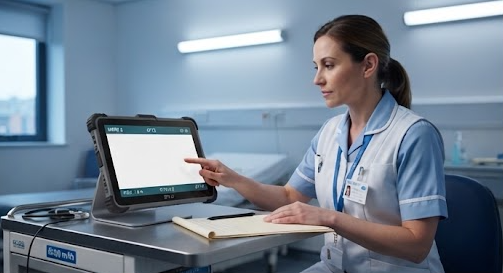
Seven in the Evening, Desk Empty
After the support desk closes, the decisions get shorter. Whatever the evening shift can do in the room is what gets done, and the job is to make sure the work done at that hour does not destroy the information the morning needs. The three units sit on different footing here. The range as a whole is built for a sealed, serviceable-in-place approach rather than a send-it-away one, and knowing which parts of a fault a shift can safely touch - and which it should leave alone - is worth writing down before the situation arises.
What the Fault Sheet Should Carry Forward
A fault sheet that says a screen failed is close to useless. A fault sheet that says a ten-inch unit lost touch on the lower left corner after a drop, while running on battery, and that the unit was in a corridor at the time, gives the next person a starting point. The practice I would push for in a clinic is a fixed line of questions: which device, at what point in the day, off the charger or on it, moving or mounted, and through what kind of hand. Four answers turn a vague complaint into something diagnosable, and they take under a minute to record. Field service teams arrived at the same list years ago, and the pattern that works outdoors tends to work indoors as well.
| Item | ST13-J | HTNJ10C | ST9-M |
|---|---|---|---|
| Screen | 13.3-inch IPS, 1920x1080, 260 or 400 nits | 10-inch LCD, 1200x1920, 560 nits | 8-inch IPS, 1200x1920, 400 nits |
| Touch | 10-point, stylus and wet hand | 10-point capacitive, 7H surface | 10-point, stylus and wet hand |
| Processor | Intel Celeron N5100 quad core | Intel N100 quad core, 3.4GHz | Intel Core i5-8200Y dual core |
| Battery | 8000mAh at 7.6V | 3500mAh at 7.6V | 5000mAh at 7.7V, 6.5 hours rated |
| Protection | IP65, 1.2m drop resistance | IP67, 1.22m drop resistance | IP65 |
| Wireless | Wi-Fi 5, Bluetooth 4.2, 4G LTE | Wi-Fi 6, Bluetooth 5 | Wi-Fi 5, Bluetooth 4.2, 4G LTE |
| Dimensions | 331.7 x 203.2 x 19.5mm | 284 x 190 x 25mm | 236 x 144 x 17.4mm |
The table is deliberately narrower than a datasheet. Weight is left out because the three pages do not publish it on the same basis - one gives a bare figure with a tolerance, one quotes a gross weight in the box, and one does not list it at all - and a column that mixes those three would be a comparison in name only. Storage and operating system are also absent for the same reason: they are listed for two of the three units, not all three. What remains is the set of figures a clinic actually argues about when it decides which size goes on which station.
| Hour of the day | What usually surfaces | Who is on site | What can be settled then |
|---|---|---|---|
| Before the first round | A unit that will not settle after a cold start, or came off a bay short | Ward staff, no technician | Swap the unit, log the bay it came from |
| Mid-round, moving | Touch dropouts, roaming gaps, grip-related knocks | Ward staff | Note the room and the direction of travel |
| Bedside, gloved | Corner touch loss, case not sitting flush, battery running short | Clinician at the bedside | Record the posture, not just the symptom |
| Screen left on all day | Heat, a supply that is never cycled, a cable never unplugged | Room staff | Schedule the check for a quiet period |
| After support hours | Anything already degrading, plus the consequences of the first fix | Evening shift only | Stop, document, hand over intact |
Read down that second table and the pattern is hard to miss: none of the five moments arrives with a technician attached to it. That is the argument for treating the fault sheet as clinical equipment in its own right, and for choosing hardware whose failure modes can be described by the person who happens to be standing there. A sealed tablet in the right size does not remove the call-out. It makes the call-out shorter, because the description that reaches engineering is already the right one.