Most advice about rugged tablets in bonded logistics stops at the device. The harder question, and the one a 12,000-square-metre bonded warehouse outside Shenzhen asked its integrator last autumn, is which person carries which device, because customs entry work does not fail on hardware specs. It fails when the gate clerk shares a tablet with the ledger desk, when the runner borrows whatever is charged, and when every exception queues at a single screen. This article walks through the staffing pattern the warehouse settled on, pairing three Hotus units to three roles and letting the customs entry queue prove the assignment.
The starting condition was familiar: a bonded zone with supervised goods moving under seal, daily entry attachments that must reconcile against the ledger the same day, and a customs audit window that arrives twice a year without warning. The warehouse ran twenty-eight floor staff across three shifts, and entry paperwork touched five distinct posts between arrival and release. Where rugged tablets were concerned, the warehouse had been treating them as interchangeable pool devices. The pool model collapsed the first week of peak season, which is how the reassignment exercise started, beginning with the rugged tablet category page and a blank org chart.
Three Roles Behind Every Customs Entry
The exercise began by naming the roles rather than the devices. In this warehouse a customs entry passes through a gate post, where incoming cartons are scanned and matched against the manifest at the dock; a ledger post, where the entry file is assembled and reconciled against the bonded-goods account; and a runner post, which physically walks the exception list between racks, the cage, and the clerk's counter. Three posts, three different relationships to the building: the gate post never leaves the apron, the ledger post rarely leaves its desk, and the runner lives on the floor. Any device plan that ignores those three patterns will be quietly overridden by the staff within a month, because the work does not move for the hardware.
The Gate Desk: Where Scans Meet the Ledger
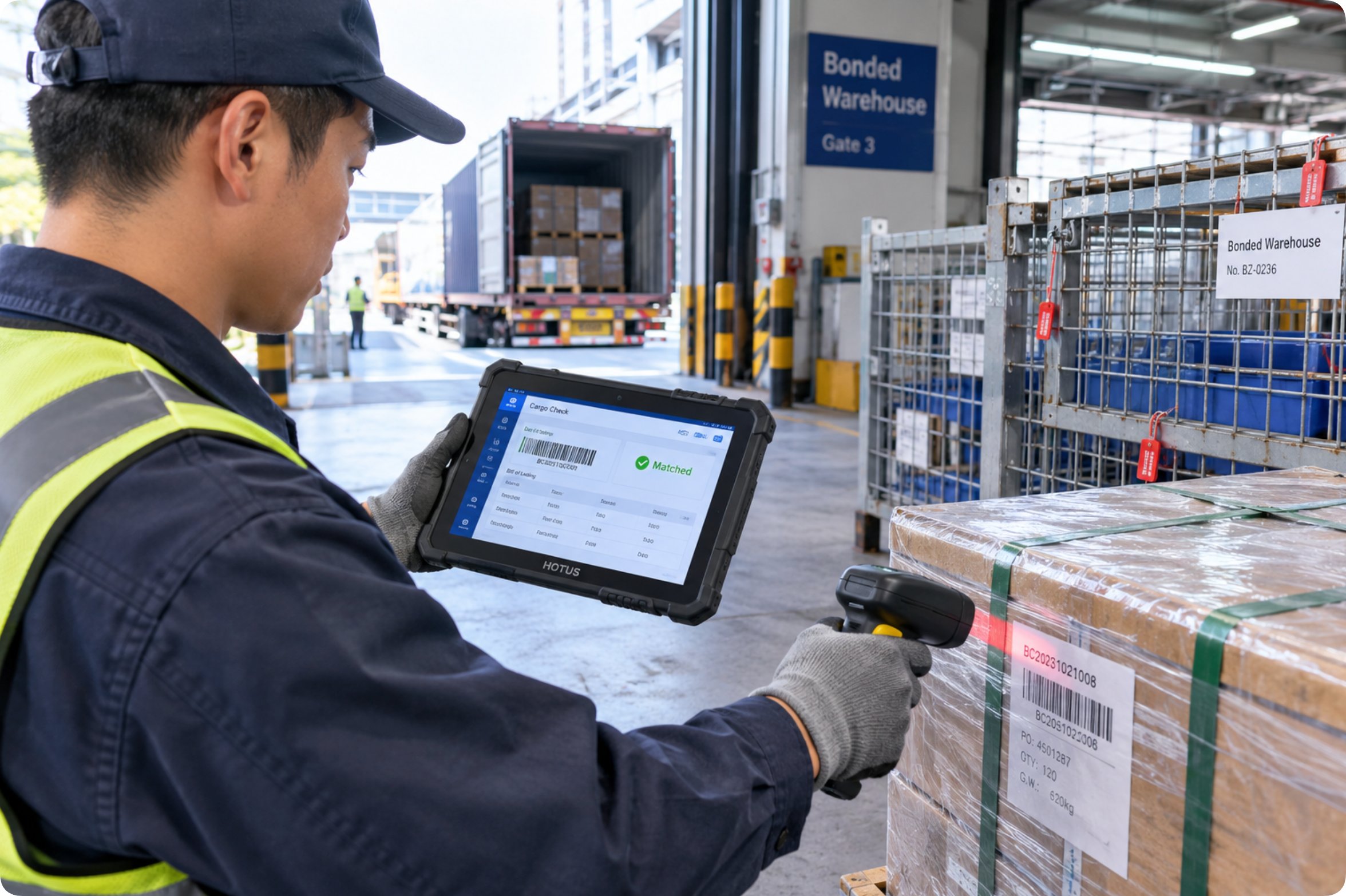
The gate post got the HTNJ08A. Under the shell sits Intel's Celeron N5100, a four-core chip peaking at 2.8 GHz that keeps the warehouse management client and the manifest browser open together without stutter. What sealed the choice, though, is a port most tablets omit: a full-size RJ45 Ethernet jack. The apron desk in a bonded zone sits close to the caged fibre uplink, and a wired link means the entry record leaves the device the second it is captured, with no queue of unsynced scans accumulating on a radio network that the rack lighting also shares. The 8-inch 560-nit panel with 7H hardness survives dock glare and strap abrasion, and the 7.6V 3500mAh removable battery swaps at shift change in seconds, which the gate clerk does before every handover as a matter of routine.
The rest of the argument is structural: an IP67 double-layer body, MIL-STD-810G on file, and a rated 1.22-metre drop tolerance. Dock work means pallet corners, steel bumpers, and weather at the open bay, and the double-layer chassis has absorbed every drop the apron has offered so far. The optional UHF RFID module on this unit reads the cage-level tags in one sweep, which trimmed the gate post's per-truck time enough that the warehouse moved its second truck window forward by fifteen minutes.
🖥️ The Ledger Desk: A Bigger Screen for Slower Questions
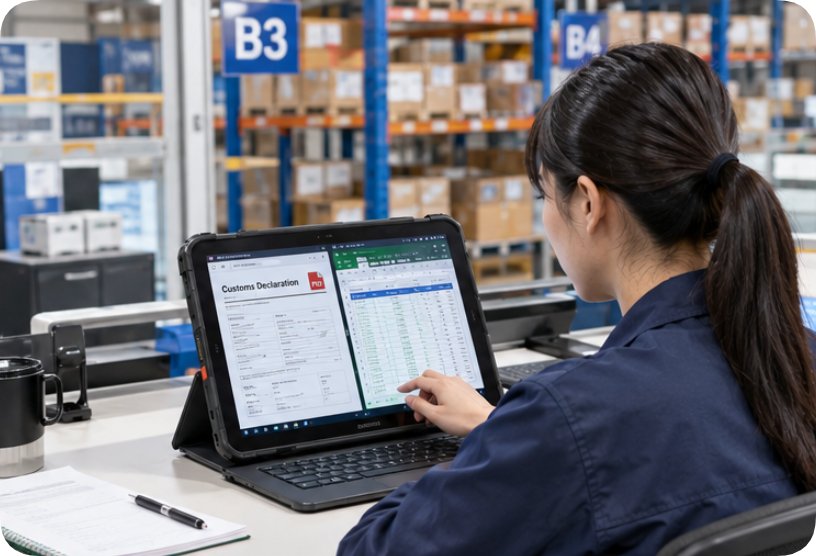
The ledger post is the opposite tempo. Its questions are long: does the declared quantity reconcile with the bonded account, does the attachment set match the entry number, which of yesterday's exceptions is still open. At this post sits the HTNJ10C, and its 10.1-inch 560-nit panel displays the entry PDF next to the account ledger, ending the window-juggling the old 8-inch pool devices forced on the clerk. Intel's N100, a four-core chip that peaks at 3.4 GHz, matters here less for raw speed than for staying responsive while the customs portal runs its verification passes in a second browser tab.
The desk-side case for this unit also rests on its radio. On the radio side, the Wi-Fi 6 plus Bluetooth 5.0 combination holds a stable session across the dense shelving between the ledger desk and the archive cages, where the older 802.11ac pool clients used to renegotiate mid-upload. The same 3500mAh removable battery means the unit survives a full shift on the desk and still has charge when the auditor borrows it for a walkthrough. Physical interfaces mirror the gate unit, so the RJ45 cable the desk keeps as a fallback works on either device, and optional TPM2.0 hardware security on this unit satisfies the warehouse's policy that bonded-goods data never sits on storage without it.
The Runner: Light Enough to Cross Ten Thousand Pallets
The runner post carried the old pool devices the hardest, and it got the ST9-M. Its 700-gram body is the lightest of the three by a wide margin, and over a shift that walks ten thousand square metres of aisle, the difference shows up as a job people volunteer for rather than avoid. Its Intel Core i5-8200Y, idling at 1.30 GHz and peaking at 3.90 GHz, carries the exception form, the photo capture of a damaged carton, and the GPS/BDS/GLONASS location check in a single pass, which is the runner's entire workload condensed into one screen.
The unit's IP65 rating and MIL-STD-810G certification cover aisle dust and the occasional rack bump, and its 5000mAh 7.7V battery returns 6.5 hours of real use per the spec sheet, which matches the runner's morning loop and hands off cleanly to the charged spare at lunch. At 400 nits the 8-inch panel reads fine indoors where this role actually lives, and the rear 13MP camera has quietly become the exception workflow's most-used feature, because a photograph of the disputed pallet settles arguments that used to take a second trip.

What Each Device Carries Into the Bonded Zone
The warehouse filed its assignment sheet as a simple grid, reproduced below with the figures that decided each row. Units were ordered against the role, not against a ranking, and the optional modules were added only where a post's workflow demanded them: the gate unit took the UHF RFID reader, the ledger unit took TPM2.0, and the runner stayed lean.
| Comparison Dimension | HTNJ08A (gate) | HTNJ10C (ledger) | ST9-M (runner) |
|---|---|---|---|
| Processor | Intel Celeron N5100, burst 2.8 GHz | Intel N100, burst 3.4 GHz | Intel Core i5-8200Y, burst 3.9 GHz |
| Display | 8-inch, 1200×1920, 560 nits, 7H | 10.1-inch, 1200×1920, 560 nits, 7H | 8-inch, 1200×1920, 400 nits |
| Battery | 7.6V 3500mAh removable | 7.6V 3500mAh removable | 7.7V 5000mAh, ~6.5 h use |
| Protection | IP67, MIL-STD-810G, 1.22 m drop | IP67, MIL-STD-810G, 1.22 m drop | IP65, MIL-STD-810G |
| Network | Wi-Fi 5, BT 4.2, 4G LTE, RJ45 | Wi-Fi 6, BT 5.0, 4G LTE, RJ45 | 802.11ac, BT 4.2, 4G LTE |
| Weight | 23.8 × 16 × 2.5 cm body | 28.4 × 19 × 2.5 cm, ~2.1 kg gross | 700 g, 236 × 144 × 17.4 mm |
Reading the grid by row explains the roster better than any specification sheet could. Two of the three units share the same battery and the same port set, which shrank the spare-parts shelf to one drawer. The third gives up a little sealing for a lot of weight, which is exactly the trade the runner's knees voted for. Nothing in the assignment required a custom device; every row was answered by a catalogue configuration from the wider Hotus product range.
Staffing the Roster Around Three Shifts
Device assignment only pays off if the shift pattern respects it. The warehouse keeps one gate unit per active apron lane, two ledger units for the day desk and the audit desk, and one runner unit per shift with a charged spare at the cage, which totals seven devices across three shifts and twenty-eight staff. The handover ritual is thirty seconds: battery out, battery in, exceptions list synced, device logged to the next name. Since the reassignment, the entry queue no longer pools at any single post, the customs audit walkthrough used ledger devices that already held the right session, and the runner role's exception closure time dropped from the next shift to inside the same one. Managers weighing a similar move can compare the deployments in product comparisons and competitor analysis before drafting their own roster.