Field notices and enforcement records undergo a complex lifecycle before entering official archives. When a public safety officer opens an electronic form on a mobile tablet, specific fields are pre-determined: the device carries a permanent asset tag, the application loads an active template version, and the user session locks the squad and badge credentials. Conversely, incident-specific fields must remain strictly empty—occurrence timestamps, GPS coordinates, witness statements, and signatures do not exist until an officer arrives on scene. A third category of data arrives asynchronously from dispatch servers once a task is assigned. Treating these three distinct data types identically creates operational friction, forcing officers to re-key duplicate data or defend records where headers contradict active shift logs.
This field data architecture represents an infrastructure provisioning decision rather than a basic software setting. Configuration choices made during initial device deployment determine which fields are pre-populated via device image, which fields are strictly locked against auto-fill, and which fields populate upon server sync. While IT procurement frequently focuses on drop ratings and display nits, the critical operational factor is defining write-authorization rules for each data cell. Evaluating hardware options—from 8-inch handhelds to 13.3-inch dual-hand terminals—determines how many unassigned, blank fields an officer can review on screen without scrolling. As outlined by specialized Public Safety & Security Industrial Hardware Solutions Suppliers, establishing precise data write-rules ensures evidentiary compliance in field operations.
What a Commissioning Sheet Fixes Before the Van Leaves
A formal commissioning sheet serves as the sole authoritative source for device-level metadata. Executed on the staging bench prior to field deployment, it locks parameters that remain static throughout an operational shift: hardware asset tags, department/district identifiers, badge block rendering schemas, cached regulation versions, system clock synchronization sources, and cryptographic export certificates.
Relying on mobile applications to generate system metadata upon initial launch introduces vulnerabilities. Reassigning a tablet across districts or updating regulatory templates mid-season can cause single cases to open under conflicting headers. Staging hardware with a dated commissioning sheet provides a centralized audit log for IT administrators and legal reviewers. Hardware configurations across product lines are detailed in the Hotus Smart Hardware Products Manufacturer Catalog, offering a baseline for enterprise procurement.
Blank by Design: Enforcing On-Site Field Input Integrity
The second category of form data comprises fields that must remain intentionally unpopulated until on-scene acquisition occurs. Occurrence timestamps, exact geo-location, verbatim statements, photo indexes, and digital signatures belong strictly in this tier. Auto-populating timestamps or caching location coordinates from previous entries compromises evidentiary integrity.
System configuration must enforce validation rules: fields reject all data unless sourced directly from active hardware sensors (GPS lock, system clock, integrated camera) or live screen inputs during an active session. The matrix below categorizes form fields by authorization source and timing:
| Form Line / Field | Input Origin | Generation Window | Pre-Fill Restriction Rationale |
|---|---|---|---|
| Asset Tag & Template Version | Bench Staging Crew | Device Commissioning | Defines hardware/system profile, not event data |
| District & Badge Block | Bench Staging Crew | Device Commissioning | Modifies only upon formal reassignment |
| Case ID & Dispatch Line | CAD / Dispatch Back-End | Task Assignment | Non-existent prior to active dispatch release |
| Occurrence Time & Coordinates | On-Scene Hardware Sensors | Active Encounter | Requires real-time location and clock validation |
| Statements, Photos, Signatures | Present Individuals / Camera | Active Encounter | Generated strictly by on-scene participants |
Asynchronous Server Sync and Pending Record Workflows
Case numbers, dispatch task descriptions, and dynamic clause references originate from CAD (Computer-Aided Dispatch) back-ends—frequently syncing after officers depart the depot. Applications requiring an active server case number prior to opening forms force workarounds when operating in RF-shielded environments (underground parking, remote corridors).
Effective system architectures allow forms to open in a "Pending Sync" state. Server-side data merges automatically upon network re-connection without modifying locally captured timestamps, photo arrays, or officer notes. Comparative analysis regarding offline handling and storage persistence is detailed in our Hotus Product Comparisons & Technical Insights library.
8-Inch Compact Form Factor: HTNJ08C Hardware Evaluation
The HTNJ08C Rugged Industrial Tablet OEM ODM features an 8-inch IPS display (1200 x 1920, 560 nits), Intel N100 quad-core processor, 7.6V 3500mAh removable battery, IP67 rating with MIL-STD-810G certification (1.22m drop protection), Wi-Fi 6, Bluetooth 5.0, 4G LTE, and Windows 10/11 Pro support.
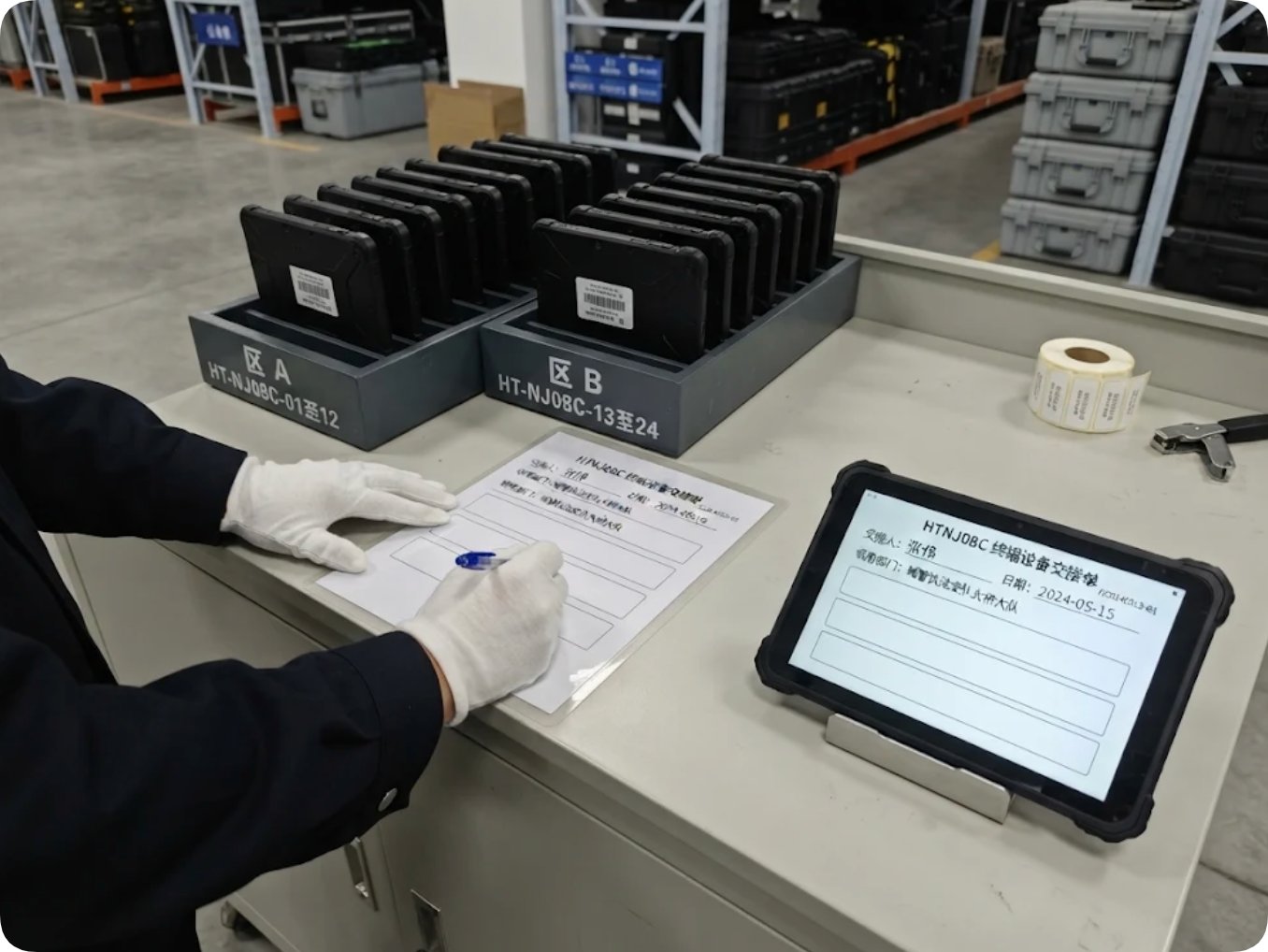
An 8-inch panel displays fixed header metadata alongside two to three open form fields simultaneously without scrolling. Removable battery packs enable seamless shift handovers at command counters, eliminating charging downtime during active duty cycles.
13.3-Inch Wide-Screen Layout: ST13-J Display Architecture
The 13.3 Inch Heavy Duty Industrial Tablet ST13-J provides a 13.3-inch IPS display (1920 x 1080, 260–400 nits), Intel Celeron N5100 processor, 8GB RAM, 256GB storage, 7.6V 8000mAh (60.80Wh) removable battery, IP65 protection, Wi-Fi 5, Bluetooth 4.2, 4G LTE, and Windows 10/11 Pro compatibility (weight: 1450g ±50g).
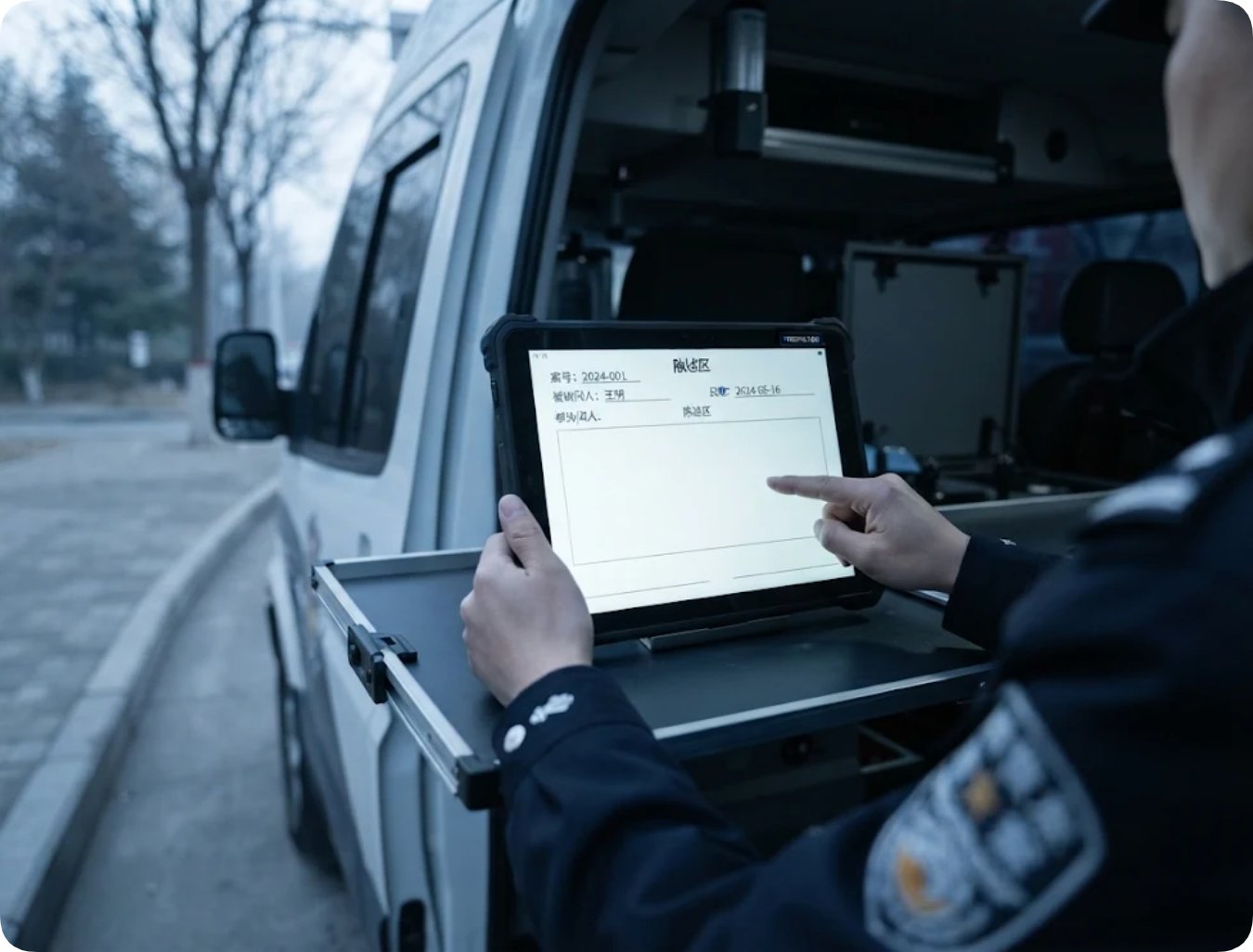
The expanded 13.3-inch canvas accommodates full form layouts—including fixed headers, expanded statement blocks, and dual signature rows—on a single screen. This eliminates tab switching during formal witness interviews or vehicle-desk operations.
Standardized Staging & Verification Procedures
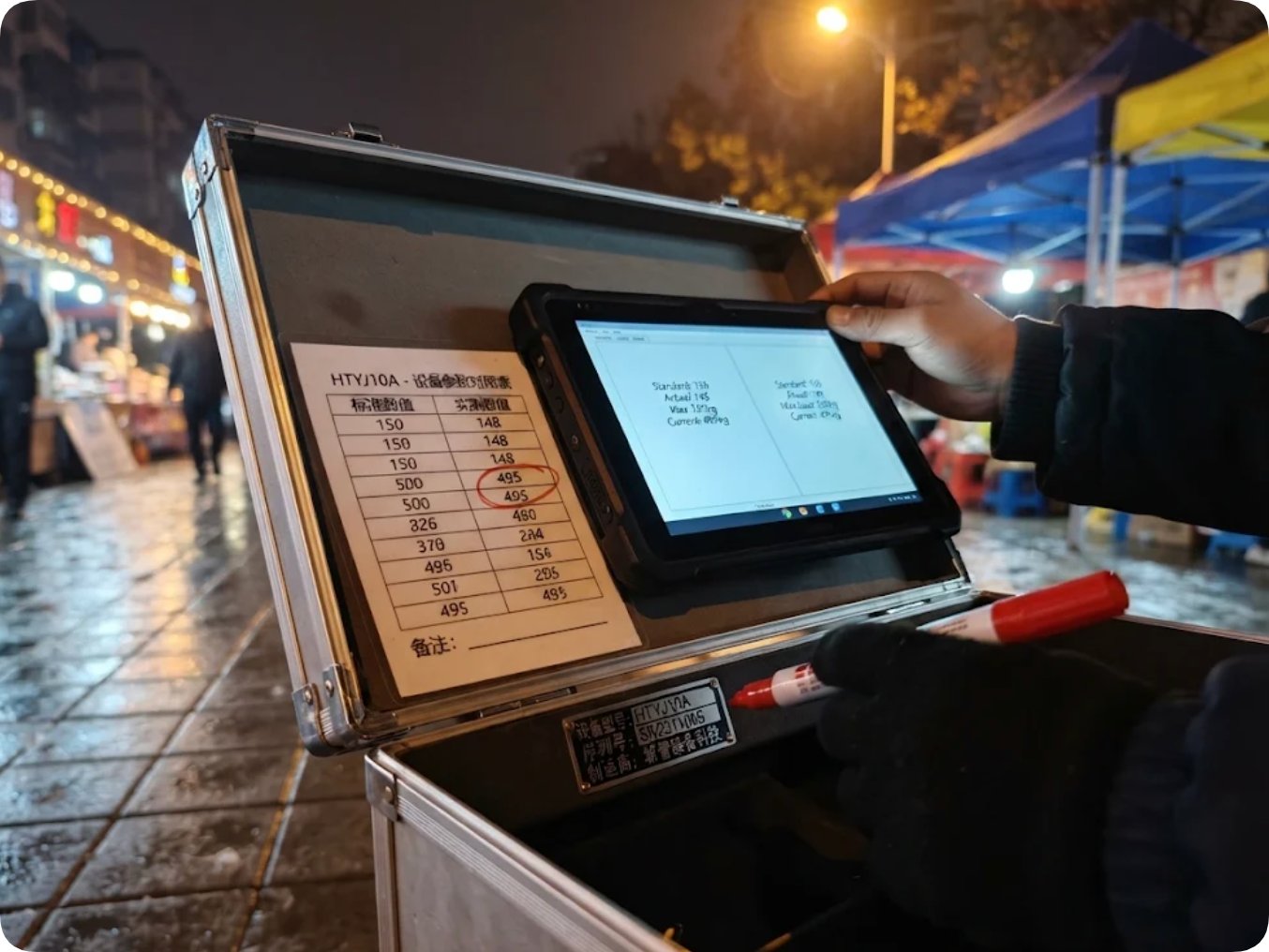
When product documentation contains varied technical blocks (as seen on the HTYJ10A Dustproof Waterproof Rugged Tablet PC page), deployment teams must verify hardware parameters against physical serial nameplates and formal supplier documentation before imaging.
Hardware Platform Comparison Matrix
The matrix below outlines verified hardware specifications across the three evaluation models:
| Model | Verified Hardware Profile | Deployment Considerations |
|---|---|---|
| HTNJ08C | 8" IPS (1200x1920, 560 nits); Intel N100; 7.6V 3500mAh removable; IP67 / MIL-STD-810G; Windows 10/11 Pro | Optimal for mobile foot patrols requiring high outdoor legibility and single-hand operation |
| ST13-J | 13.3" IPS (1920x1080, 260-400 nits); Intel N5100; 8GB/256GB; 8000mAh (60.80Wh); IP65; 1450g | Ideal for vehicle mounts, fixed command desks, and complex multi-signature documentation |
| HTYJ10A | 10.1" Class; Intel Core i5/i7; 560 nits; 10-point capacitive touch; 3-Year Limited Warranty | Mid-sized workstation balance; requires physical serial sheet validation during staging |
For related legal compliance frameworks regarding post-encounter record verification, review our technical analysis on Who Reads an Identity Check After the Officer Walks Away.
Frequently Asked Questions (FAQ)
1. Should field software pre-fill occurrence timestamps using the tablet clock?
No. While system clocks provide time data, fields must populate only when an officer explicitly opens a new record on scene. Pre-filling timestamps creates ambiguous records that appear complete before actual field encounters occur, undermining evidentiary chain-of-custody.
2. How does the system handle offline form creation when CAD case numbers are unavailable?
Forms generate under a "Pending Sync" state, allowing officers to capture timestamps, statements, and photos without network connectivity. When connection is re-established, the dispatch server appends official case IDs additively without altering locally captured field data.
3. Why is strict hardware verification required during device staging?
Variations in published technical parameters require staging technicians to verify hardware specs directly against physical serial nameplates. Locking verified hardware profiles during initial bench setup ensures IT asset management databases align with physical fleet units.
4. Does display size impact field form completion compliance?
Larger displays (such as 13.3-inch panels) present complete forms—including header metadata, statement blocks, and signature fields—on one screen, improving visual clarity. Compact 8-inch tablets prioritize mobility and outdoor legibility during active foot patrols.