One property management firm runs eleven residential blocks and two office floors off a single facilities team, and every fault on the estate — a jammed refuse-room door, a chiller that will not modulate, a corridor light hanging by two conductors — travels through the same piece of paper: the repair docket. The firm re-equipped its team this year with three machines, one for each stop the docket makes in a day, and after a full quarter on site they sent back notes that were specific enough to quote. This case follows one docket from the morning badge-in to the closeout desk, using the handheld terminal range the team settled on, and lets their own feedback explain why each machine sits where it does.
The three stops are fixed by the estate's geography. The docket is raised at the staff door and the lobby, verified on the rooftop plant deck where the air handling lives, and closed at the facilities office where the building manager signs. Nothing about that route is exotic, which is exactly why the team's comments are useful: every observation below was earned on ordinary days, in work clothes, with residents walking past.
Six-Thirty at the Staff Door
The day starts before the residents are awake. The caretaker badges through the staff door, checks the overnight list, and picks up whatever the night concierge could not resolve — and this is where the X501 earned its place. The unit's 5.5-inch Gorilla Glass screen takes input with gloves on and with wet hands, which matters at six-thirty in a stairwell that the cleaner has just mopped. Its octa-core processor at 2.0 GHz opens the docket queue fast enough that the first entry is typed before the kettle boils, and the 4G LTE radio keeps the queue synced in the basement plant corridors where the estate Wi-Fi has never reached. X501 Handheld PDA — the team's verdict after a quarter, copied from the feedback form: "it survives the pocket, the rain and the one drop we do not talk about."
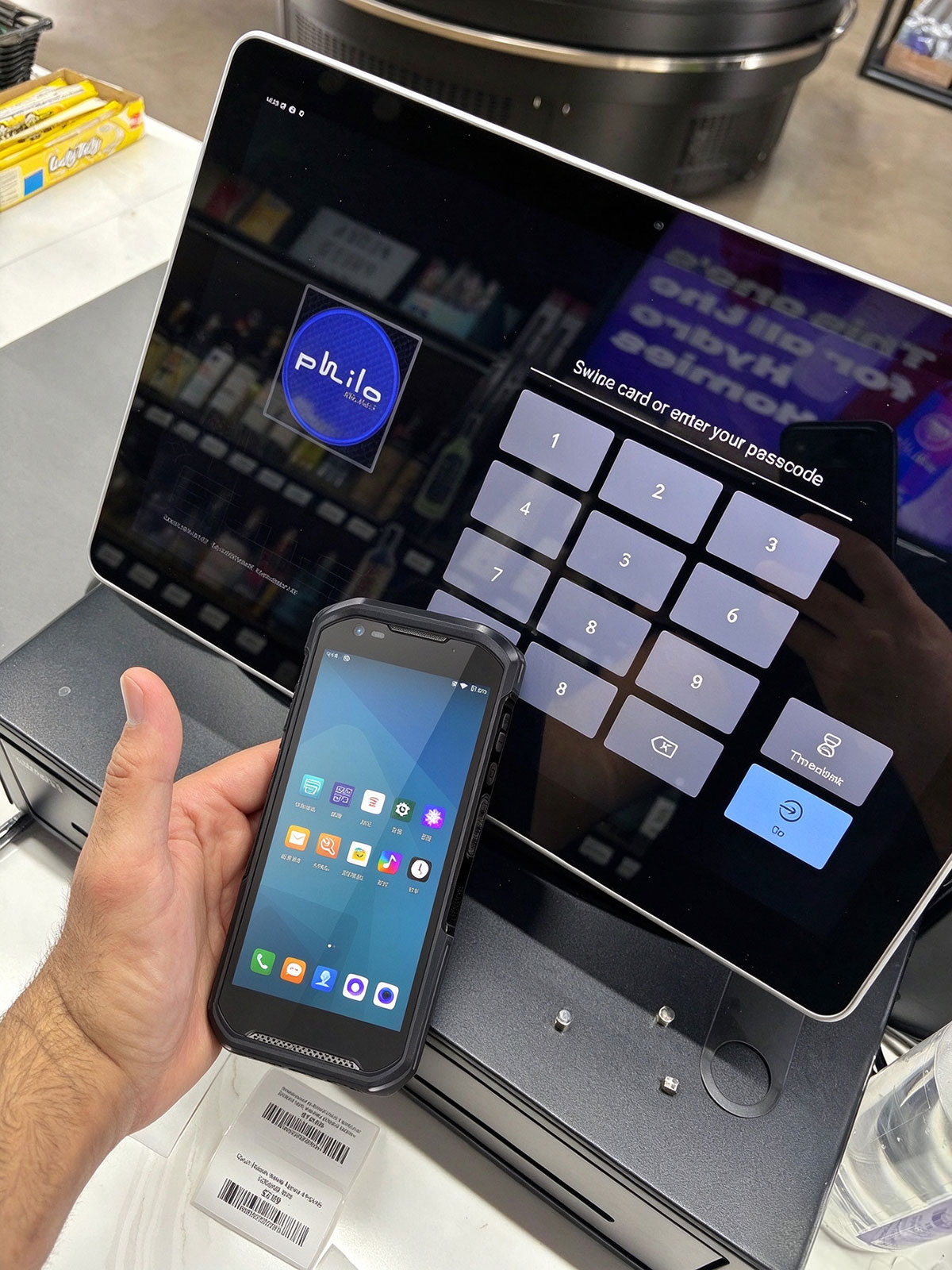
That drop comment is not bravado. The X501 is rated IP67 against dust and water and tolerates falls onto concrete from 150 centimetres, and the feedback notes record one verified fall from a third-step ladder onto the loading dock, after which the unit was picked up, wiped on a sleeve, and used to finish the inspection. The removable 5000mAh battery matters more than the crew expected: night shift swaps the pack at handover instead of parking the unit on a charger, so there is exactly one device for the whole estate and no argument over who holds it.
The Plant Deck Round Before Heat Builds
Mid-morning belongs to the roof. The plant deck carries two chillers, four air handling units and the estate's water pumps, and the quarterly round requires readings from every panel before the afternoon heat makes the deck unpleasant. The HTXUK10A-55 Rugged Tablet does this leg, and the choice came down to one line on its sheet: a 10.1-inch IPS panel at 550 nits. The feedback form puts it plainly — the old consumer tablet was unreadable on the deck by ten o'clock; this one stays legible in full sun, and the 1200 x 1920 resolution lets the caretaker zoom into a wiring diagram without climbing back down to the office printer.
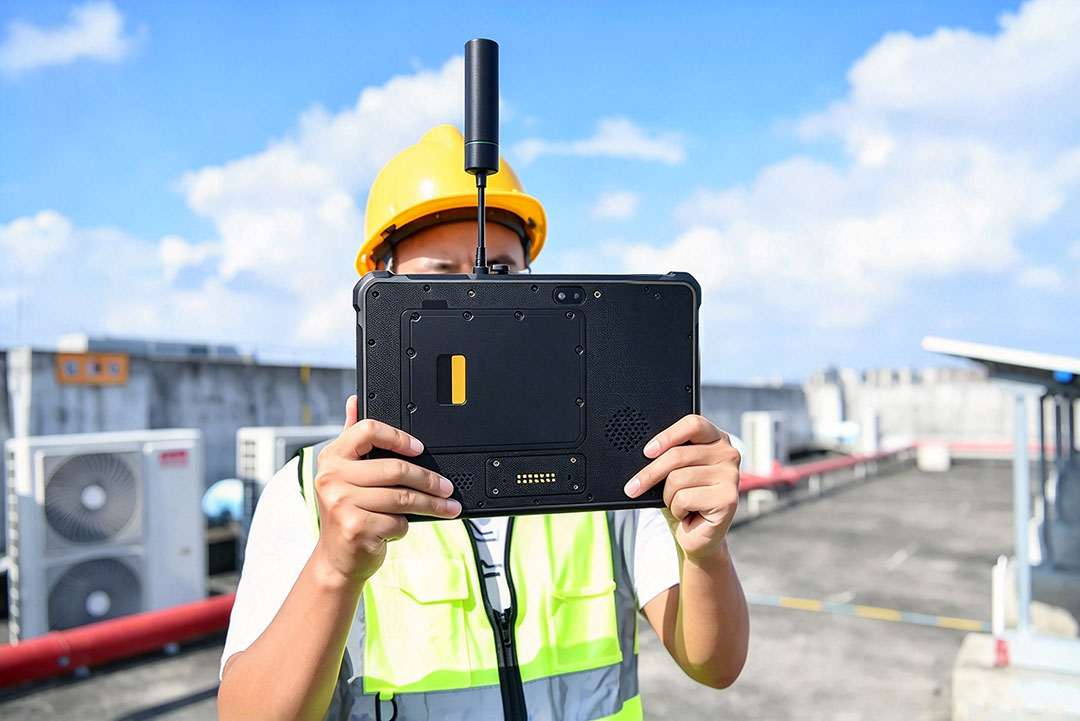
The rest of the quarter's feedback on this unit clusters around three details. The IP65 sealing and MIL-STD-810G certification covered a season of deck dust and one storm that caught the round half-finished. The 7.6V 6000mAh removable battery, 45.6Wh with quick charging, spans the morning round and the follow-up checks without a midday charge, and the second pack the office bought rotates through the desktop cradle so a fresh one is always waiting at the stairwell door. And the rear 13-megapixel autofocus camera with its flashlight has quietly replaced the torch-and-photocopier routine: a corroded terminal is photographed, annotated with the stylus on the 10-point capacitive touch screen, and attached to the docket before the caretaker has left the deck.
Scanning Parts Out of the Cage
Between the roof and the desk sits the parts cage, and this is where the X501's second job lives. Every docket that needs a component — a contactor, a fan belt, a door closer — is fulfilled against the cage shelf, and the old clipboard system produced exactly the kind of argument the feedback form describes: parts taken but never booked, stock counts that disagreed with reality, and one memorable week when two different dockets claimed the same last door closer. The hardware 2D scan engine settled it. Shelf labels, supplier barcodes and even the screen of the supplier's own portal decode on paper and on glass, and the team's note records that a full cage count now takes forty minutes instead of an afternoon.
The same note asks for credit where it is due on the small things. The 4500mAh standard pack, swappable in seconds over Type-C fast charging, means the cage scanner and the door unit are the same device, so there is no second charger to lose. Dual-band Wi-Fi reaches the cage through two fire doors. And the front 5-megapixel camera, chosen mostly for video calls with the contractor's helpdesk, turned out to be how the newest caretaker gets shown a valve assembly by someone three hundred kilometres away.
The Desk Where Dockets Close
By late afternoon the docket comes home to the facilities office, and the machine waiting there is the WTR PRO AMD. The team's feedback on a mini PC is naturally less dramatic than on the handhelds, but it is the machine they would fight to keep. The AMD R3 5450U with Radeon graphics drives the docket dashboard, the CCTV wall feed and the supplier portal at once across three screens — one HDMI, one DisplayPort and one USB Type-C output — so the closeout clerk no longer alt-tabs between windows while a resident waits at the counter. The dual 2.5G LAN ports carry the camera feed and the office network on separate lines, which the IT contractor flagged as the reason the desk has not dropped a session since installation.
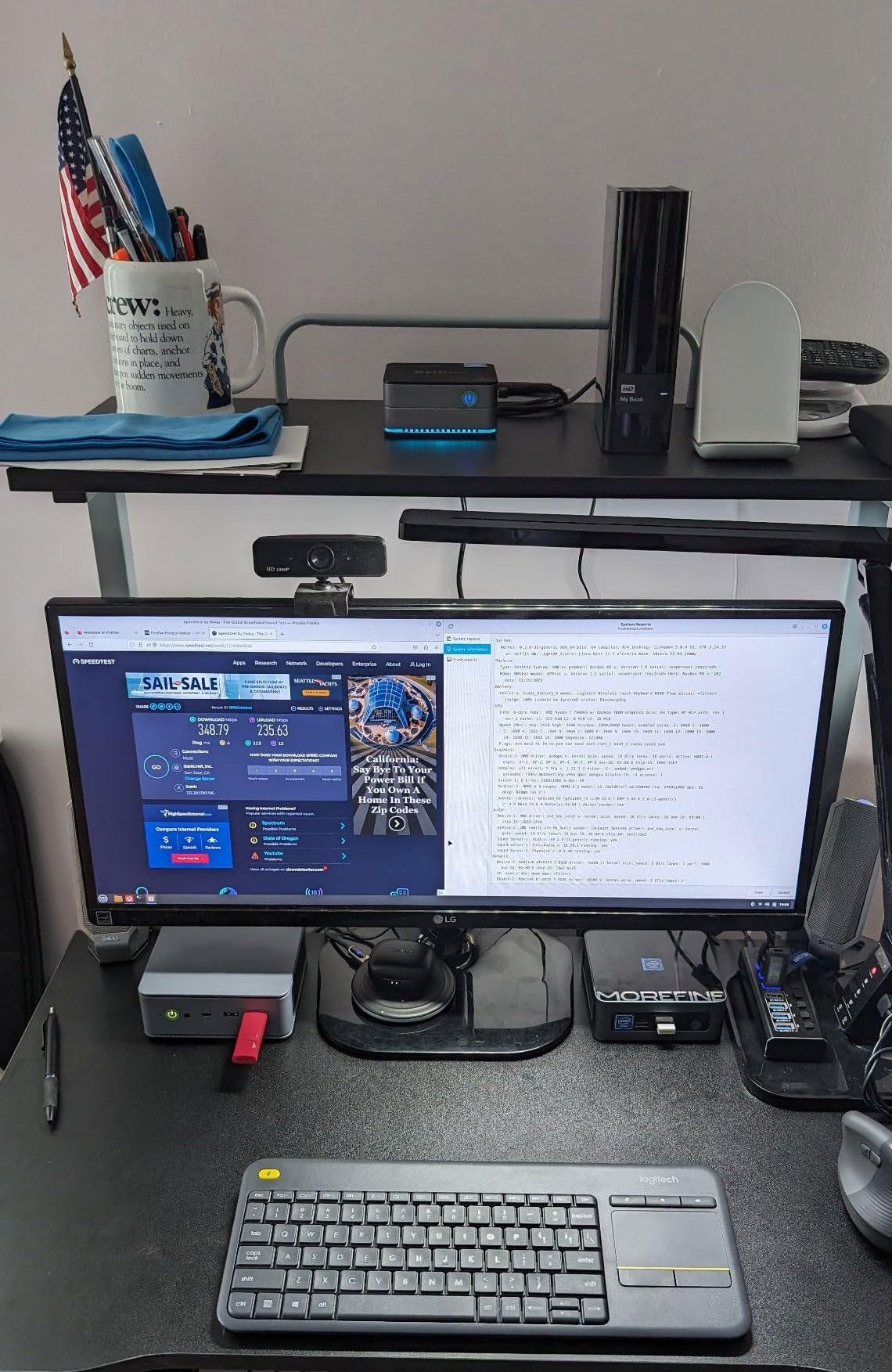
The storage layout earned its own paragraph in the feedback. The dual M.2 NVMe slots run the system and the docket database, while the four 3.5-inch SATA bays swallow a rolling archive of job photos and corridor footage that previously clogged the old desk machine. Up to 32GB of DDR4-3200 keeps the database, the dashboard and a video call open together without complaint, and the whole unit sits behind the monitor on a shelf 22.8 by 15 by 18.5 centimetres, which the clerk measures by the fact that her lunch now lives where the tower used to be.
Numbers the Building Manager Quoted Back
The firm's director asked for one page of evidence after the first quarter, and the building manager sent numbers rather than adjectives. Average docket closure time fell from just over two days to just under one. Repeat visits — the measure of a fix that did not fix — dropped by roughly a third, which the manager attributes to the photo-and-annotate habit on the roof leg. The parts cage stock count now agrees with the ledger every week instead of every audit. None of those numbers came from the machines directly; they came from what the machines stopped getting in the way of.
| Unit | Stop on the docket | Field-critical specification | Protection rating |
|---|---|---|---|
| X501 Handheld PDA | Badge-in door, lobby, parts cage | 5.5-inch glove-compatible screen; hardware 2D scan engine; swappable 5000mAh pack | IP67, 150 cm drop |
| HTXUK10A-55 Rugged Tablet | Rooftop plant deck round | 10.1-inch 550-nit panel; 7.6V 6000mAh removable battery; stylus annotation | IP65, MIL-STD-810G, 120 cm drop |
| WTR PRO AMD | Closeout desk, records office | R3 5450U; triple independent displays; dual 2.5G LAN; four SATA bays | Desk deployment, filtered air |
🔮 What We Would Change Before the Next Contract
The feedback form ends with a wish list, quoted here because it is more useful than another round of praise. The team wants a second desktop cradle for the X501 so the night pack charges at the loading dock instead of the office. They want a keyed mount for the tablet on the plant deck wall, so the roof unit lives at the stairwell door rather than travelling in the bag. And they want the estate's next batch of asset plates reprinted with larger barcodes, because the scan engine turns out to be faster than the small print the plates were bought with. The full product line stays on their shortlist for all three requests.