- Select Language
Technical SpecificationsModel: Palm-sized miniPCTy...
R366-S Thin 5.5-inch Industrial PDA | Qualcomm Oct...
The U9000 handheld PDA combines advanced barcode s...
Full SpecificationsModelHotus ST11‑UOSWindows 10 P...
RS50 5G Rugged Handheld Terminal | 6.3" FHD+ ...
R366-S Thin 5.5-inch Industrial PDA | Qualcomm Oct...
From the unknown so simpleUsed for mobile phones, ...
Technical SpecificationsModel: Palm-sized miniPCTy...
A logistics park runs access control from more than one machine. The barrier gate at the truck entrance needs a host that fits inside the gate cabinet. The registration booth where visitors collect their badges needs a desktop that sits next to an ID scanner and a monitor. The back office that keeps plate records and staff databases needs storage above everything else. Three shifts of drivers, clerks and archive keepers pass through every day, and the hardware at each post ages at a different speed. A single maintenance manual cannot cover all three, because each corner of the park attacks its machine differently.
That is why the upkeep plan should be split by location rather than by model. The same checklist that saves a booth desktop will waste the time of a crew servicing a cabinet host, and the dust pattern inside a barrier box looks nothing like the one behind an office chair. Below, each duty point gets its own list, built around the unit that actually lives there and the failures that corner actually produces.
The lane controller has the hardest address in the park. A Palm-sized miniPC fits this spot because an 800g chassis tucks into a barrier cabinet beside the motor and the control board, where a full tower would never go. Its PC+ABS shell handles the daily temperature swing as the summer sun heats the metal box and the evening cools it fast, and condensation on a cold, damp morning is the real enemy here, not raw heat.
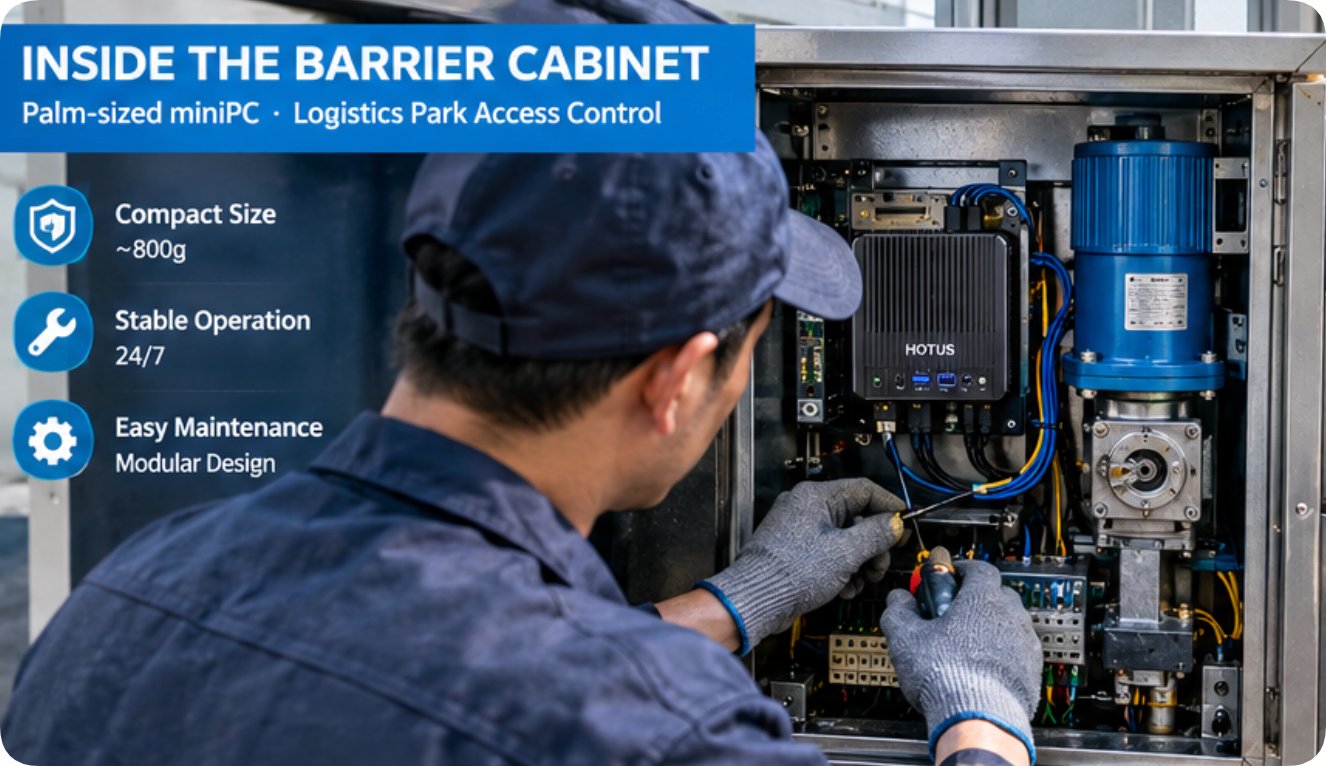
The list for this corner is short and physical. Every month, kill the power, open the cabinet and blow the ventilation channels clean, because road film and diesel soot from idling trucks settle faster here than anywhere else on site. Check that the mounting bracket has not loosened under the constant shudder of the barrier arm, and confirm the boot drive still comes back after a forced power cut. In the rainy season, look for water stains on the cabinet floor before they reach the chassis, and re-seat the antenna if the Wi-Fi signal drops after a storm. A unit chosen from the mini PC line for the gate lane should also get its USB media ports inspected during the same visit, since drivers and inspection crews swap flash drives at this post all day long.
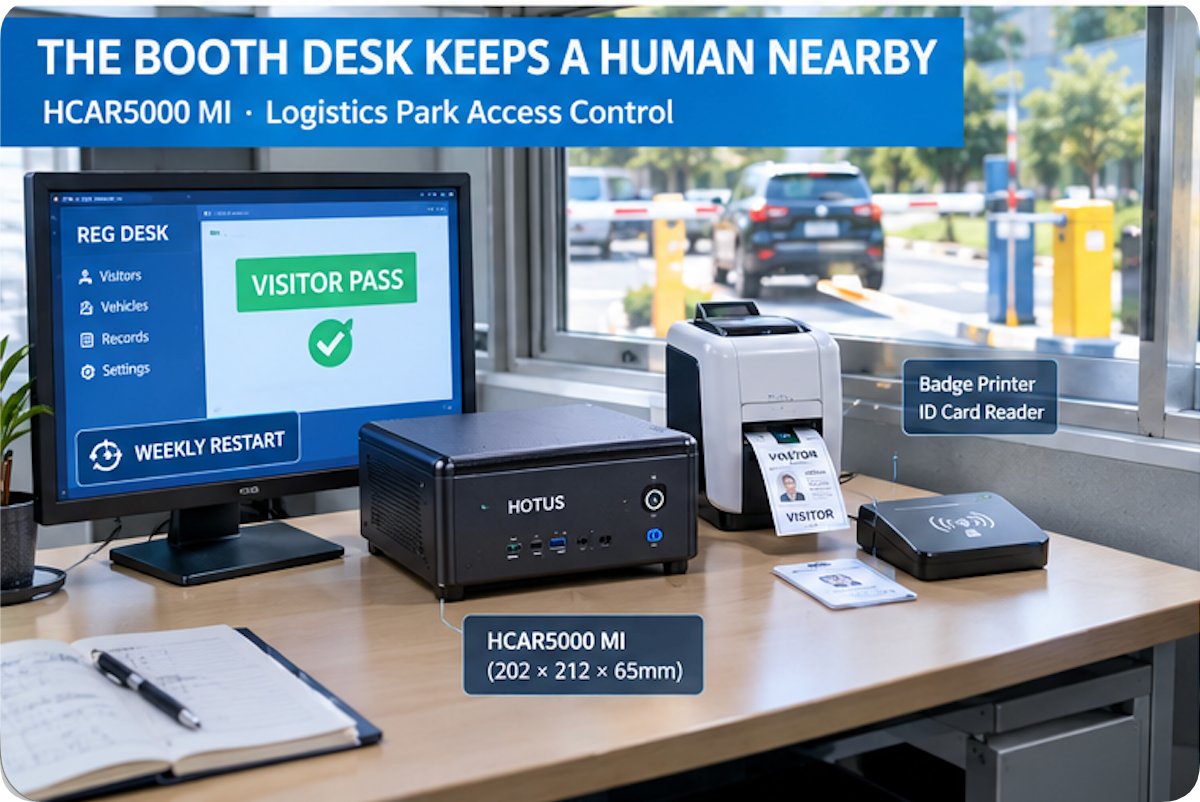
At the registration desk the situation flips. A HCAR5000 MI sits on the booth desk next to the visitor badge printer, and its 2455g AMD Ryzen chassis stays put while clerks rotate through shifts. This corner never lacks attention; the problem is that attention is inconsistent. Spilled coffee, desk dust and a habit of leaving the machine on for weeks at a time shape the plan here more than any datasheet does.
So the list becomes a rhythm instead of a repair. Restart the unit on a fixed weekly slot rather than letting it run until a freeze forces the issue, because the registration software leaks memory over long sessions. Once a month, lift the chassis and clear the dust mat underneath, then check the SSD free space, since scanned permits and camera clips pile up quietly. Give the USB ports a fifteen-second test with the badge scanner and the ID reader, because a worn port at this desk stops the whole visitor queue. The RJ45 link and the DP output to the desk monitor both deserve a glance during the same visit, and the audio jacks should be tested if the booth broadcasts arrival announcements over its counter speaker.
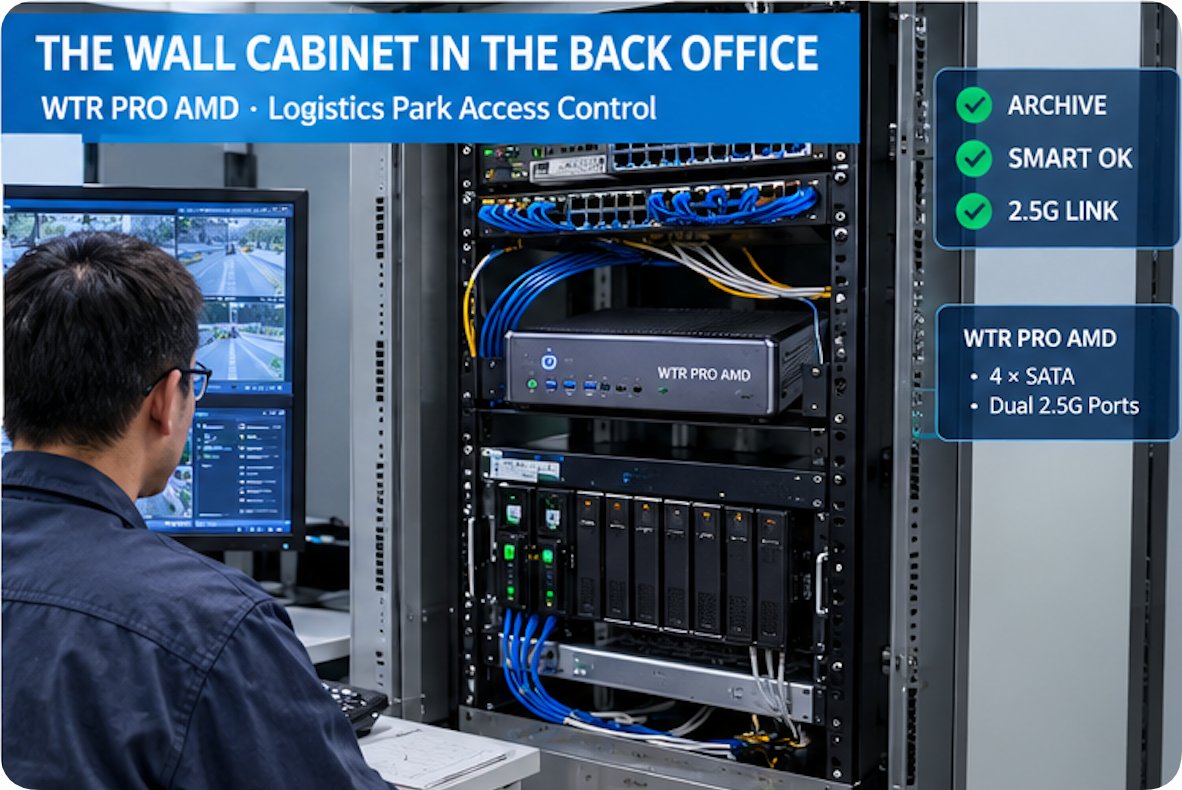
The record keeper lives in the cleanest room but carries the heaviest load. A WTR PRO AMD anchors the back office wall cabinet, where its metal body, dual 2.5G Ethernet ports and multi-drive storage layout make it the park's archive anchor. Nothing spills here and nobody bumps it, yet this is the corner where a missed check costs the most, because every plate image and visitor record captured at the other two corners lands on its drives overnight.
The list here is about watching numbers, not wiping surfaces. Read the SMART state of each drive quarterly and retire any disk that starts reallocating sectors, before it takes the archive down with it. Confirm both 2.5G links negotiate at full speed during the monthly pass, since one degraded port silently splits the archive traffic and slows every lookup at the gate. Keep the cabinet door closed outside of service windows so the drives stay in a stable temperature band, and log the SSD wear level after each quarter so the replacement date is a decision rather than a surprise. The 120W power adapter and its airflow path need a seasonal blow-out, and after any park-wide power cut, verify the BIOS brought the unit back up on its own without a technician walking over from the booth.
| Item | WTR PRO AMD | Palm-sized miniPC | HCAR5000 MI |
|---|---|---|---|
| CPU options | AMD R7 5825U or Intel N100 | Intel 12th Gen Core, i3-1215U up to i9-12900HK | AMD Ryzen 5000H: 5600H, 5800H or 5900HX |
| Storage layout | 2x M.2 NVMe 2280; 4-SATA version optional | 2x M.2 NVMe plus 2x 2.5in SATA bays | SSD 128GB to 1TB, or 500GB/1TB 7200rpm HDD |
| Network ports | Dual 2.5G Ethernet; Wi-Fi 6 | 2.5G Ethernet; Wi-Fi 6 and BT 5.2 | RJ45 (link speed not published) |
| Display outputs | HDMI, DP and Type-C, triple-screen 4K | 2x HDMI 2.1 plus Type-C, up to 8K | DP 2.0b and Type-C with video support |
| OS options | Windows 11 | Windows 11 or Linux | Windows 10/11 or Linux soft route OS |
The spec table shows why the three corners cannot simply swap roles. The gate lane needs a body light enough to mount sideways inside a cabinet; the booth needs CPU headroom for the registration suite and its peripherals; the back office needs drive capacity and dual NICs above all. Weight and size follow the same logic and the published numbers are not directly comparable: the WTR PRO AMD lists 5 KG for its 228x150x185mm metal chassis, the HCAR5000 MI gives 2455g at 202x212x65mm, while the Palm-sized miniPC publishes only an 800g figure and no chassis dimensions on its page. A booth desk takes the heaviest box without complaint, but the same box would never close inside a barrier cabinet. Treat them as three different classes of machine that happen to share one product family.
Storage is the one theme that crosses all three addresses. Gate lane units accumulate flash wear from constant media swaps, booth units fill their SSD with scanned permits faster than anyone predicts, and the back office carries the whole archive. A quarterly review of free space and drive health across all three posts takes one technician less than an hour, and it prevents the most expensive failure in the park: losing the plate record that a dispute or an insurance audit actually needs. Put the review on the shared calendar with an owner's name attached, not on a sticky note inside the booth, and keep the exported health report with the shift log so the next technician sees the trend instead of guessing at it.
Some jobs never change with location. Firmware and BIOS batches should be identical across the fleet, so one verified update file rolls out to all three corners on the same day and no unit drifts onto its own version. Each unit also needs its BIOS power-on-after-failure setting confirmed, because the barrier lane, the booth and the archive all face grid cuts during storm season, and a machine that stays down until Monday morning is a machine the park cannot see. Label the spare cables and adapters per corner while you are at it, because a missing 120W brick discovered at midnight is the wrong time to learn which post it belongs to.
Put the whole park on a single calendar to keep the lists honest: a monthly physical pass for the gate cabinet, a weekly restart rhythm for the booth desk, and a quarterly drive and link review for the back office. Three corners, three lists, one sheet that the duty supervisor can actually sign off.
If you are mapping Mini PC deployments across a logistics site, start from the location and work back to the hardware. The product range covers all three duty points described here, and the comparison notes walk through how the models differ once the address is fixed. Match the machine to the corner first, then write the maintenance list that corner deserves.