Wave picking punishes the wrong handheld faster than almost any other workflow. When the warehouse management system releases a wave — forty orders, six hundred lines, a dock appointment in ninety minutes — every picker on the floor inherits the same clock, and the device in the hand either keeps pace or quietly taxes every line. This checklist is built backwards from that moment: not from spec sheets, but from the questions our own customers asked after their first quarter of running outbound waves on the industrial PDA family that covers this job.
The three machines in the running are deliberately different sizes. The K401 is the pocket-class terminal, the U9000 is the classic gun-height 5-inch workhorse, and the D802 is an 8-inch unit that behaves more like a small tablet. A buying team that treats them as interchangeable will pay for the wrong one twice — once in unit price, and again in every shift that follows.
The Afternoon Wave Releases, and Three Devices Answer
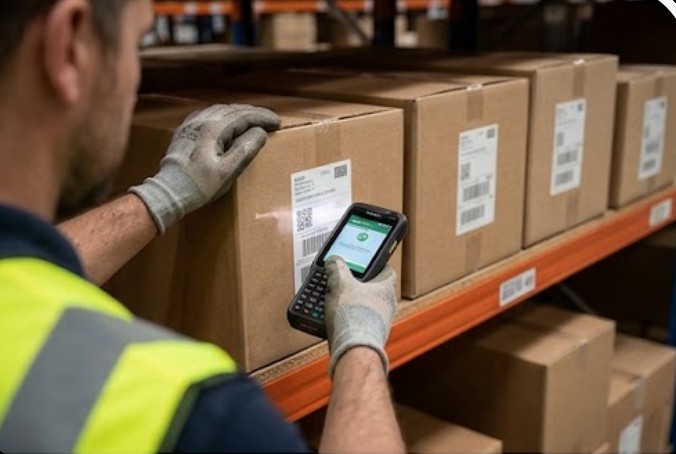
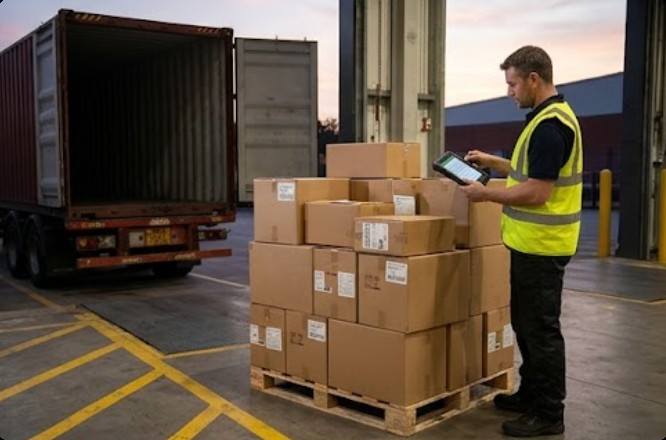
Picture the release. The WMS drops the wave at two o'clock, pick paths print or push to devices, and the floor divides into zones. At the carton face, a picker needs a screen that shows the next four lines without scrolling. At the shelf, a scan engine needs to read a shrunken-label tote from arm's length. At the outbound door, a team lead needs to reconcile the pallet against the manifest before the trailer doors close. Three jobs, three interaction patterns — and the checklist starts by naming which device rides with which job instead of averaging the floor into one compromise.

🖥️ Screen Size Decides How Fast a Carton Face Gets Read
Screen real estate is a throughput decision disguised as a comfort decision. On a 4.2-inch panel, a picker sees the current line and reaches for the next one with a swipe; on an 8-inch panel, the same picker sees the pick path branching ahead. Our take from watching both: small screens win on zones with tight aisles and one-handed work, large screens win on multi-line picks and exception handling. The K401 Handheld PDA runs a 4.2-inch IPS panel at 720x1280 on Android 13, and its sub-300-gram body is why pickers on twelve-hour racking routes stop noticing the device is there.
The 8-inch alternative flips the trade. The RFID Industrial PDA D802 shows a 1920x1200 full-HD map of the wave on Android 13, which zone leads use to rebalance work mid-wave instead of walking back to a wall-mounted screen. Put the two on the same wave and the pattern that emerges is simple: one device per picker, the large screen per lead, and no argument about who carries what after the first week.
🔋 Battery Math Runs in Waves, Not in Brochure Hours
Brochure battery hours are measured against idle time, and a picking shift is never idle. The honest calculation multiplies scans per hour, screen-on time, and radio traffic, then compares that against the shift length including overtime. For a two-shift operation, the removable battery is the actual feature — swapping a pack at the shift break returns the device to the floor in under a minute, while a sealed unit spends its night on a charger instead of in a picker's hand.
Here the three answers differ enough to matter. The K401 carries a 5200mAh removable pack around its MT6769 octa-core platform, the D802 steps up to a 9000mAh removable polymer battery behind its larger screen, and the U9000 Handheld PDA keeps a removable high-capacity pack whose exact figure the product page does not publish — so the pilot shift, not the datasheet, is where its true per-charge line count gets measured. Write the measured number into your own checklist; it is the one figure no vendor will guarantee for your specific wave profile.
Scan Engine and RFID: Buy for the Line Item, Not the Logo
The scanning column of any checklist deserves two separate rows, because 1D/2D barcode capture and RFID inventory verification solve different failures. Barcode engines handle the line-level truth: the tote label, the carton, the shelf bin. RFID answers the pallet-level question — confirming forty mixed cartons on an outbound pallet without opening a single one. Devices that carry both let a team lead close a wave with a doorway read instead of a twelve-minute roll count.
On this checklist the K401 pairs its standard 2D barcode engine with optional RFID and NFC, the U9000 adds an optional professional 1D/2D capture module, and the D802 makes RFID part of its 8-inch identity for teams reconciling full outbound pallets. The correct question to your supplier is not "does it scan" but "which of my wave failures does this engine actually remove" — phrased that way, the option columns stop being upsell lines and start being scope.
Gloves, Dust and the Grip Test
Outbound areas concentrate the worst physical conditions in the building: dock dust, cardboard lint, cold-chain condensation near the doors, and gloves from October to April. An IP67 rating has become the baseline expectation on this floor — the K401 and the U9000 both carry it — but the checklist adds a line the datasheet cannot score: how the device behaves with work gloves on at line forty of the wave. Touch panels differ, weight distribution differs, and the only honest test is a borrowed unit on a live shift.
Two Lines That Outrank the Unit Price
Every procurement sheet we have seen has a price column, and the two columns that should sit above it are warranty and roadmap. A three-year limited warranty, standard across all three machines here, converts the drop on the concrete from an unbudgeted expense into a service ticket. Radio roadmap matters just as much: dual-band Wi-Fi and full WWAN support on the U9000, and 5G options on the D802, decide whether the devices you buy this quarter still fit the network you upgrade to next year. The rugged mobile computing solutions behind all three share that warranty posture, which is worth more per dollar than any spec-sheet delta.
The last line is spare-part logistics. A fleet of thirty units needs battery pools, charging bays, and a repair path that does not cross an ocean. Buying from a manufacturer that stocks its own consumables shortens the failure-to-floor interval from weeks to days — ask any operation that has waited on a courier for a battery during peak season.
Run the Pilot Shift Before the Volume Order
The checklist ends where it should begin for any skeptical buyer: a pilot. Put the K401 in the tightest aisle zone, the D802 with the zone leads, and the U9000 on the longest shift, and measure three numbers across one week — lines per hour, scans per charge, and drops per hundred picks. Every claim in this article survives contact with those three numbers or it does not deserve your purchase order.
When the pilot data comes back, the volume decision usually makes itself: the fleet sizes itself by zone, the battery pool sizes itself by shift, and the negotiation moves from unit price to support terms. Teams that skip the pilot buy the average and pay for the exceptions; teams that run it sign with evidence. If the three machines here leave gaps for your operation, product comparisons and competitor analysis on our news desk cover how these choices stack against rival platforms before you commit the budget.
| Checklist item | K401 | U9000 | D802 |
|---|---|---|---|
| Display and OS | 4.2-inch IPS 720x1280, Android 13 | 5.0-inch IPS 720x1280, Gorilla Glass, Android 9 | 8.0-inch FHD IPS 1920x1200, Android 13 |
| Processing | MT6769 octa-core 2.0GHz, 6GB+64GB | Cortex-A53 quad-core 2.0GHz, 2GB+16GB (3GB+32GB max) | 4GB+64GB, 6GB+128GB optional |
| Scanning | 2D engine standard; RFID and NFC optional | 1D/2D engine, optional professional module | Optional 1D/2D engine plus RFID |
| Battery | 5200mAh removable | Removable, capacity not published | 9000mAh removable polymer, Type-C |
| Rugged rating | IP67, under 300g | IP67, 178 x 78 x 24mm | Rugged sealing, IP figure not published |