A hotel's technology failures sort themselves by one question before any diagnostic runs: is a guest standing there watching? A housekeeping scanner that dies at two in the afternoon can wait for the empty corridor; a check-in terminal that will not wake with a queue at the desk cannot. The night engineer's desk in the properties we work with is built around that sorting, and the three devices on it — the R366-S PDA that carries room status through the corridors, the RT82 Rugged Tablet that runs facility rounds, and a palm-sized miniPC at the front desk — each fail in their own recognizable way.
This article walks the three failure patterns the way a night engineer actually meets them: from the symptom a guest or a housekeeper reports, to the twenty-minute fix that keeps the evening moving, to the line where a repair stops being a hotel problem and becomes a warranty ticket. No section assumes a workshop, because the workshop is a luggage trolley and a service corridor.
The Lobby Clock Sets the Order of Repairs
Every fault arrives with a clock attached. A guest waiting at the counter with a confirmed booking measures patience in seconds; a supervisor noticing that last night's inspection rounds never synced measures it in hours; the minibar audit that will not export can wait until the quiet hours after midnight. Experienced hotel engineers triage on that clock first and on the device second, because the same fault on the same unit is a five-minute fix at three in the afternoon and a career-defining event at seven in the evening with coaches arriving.
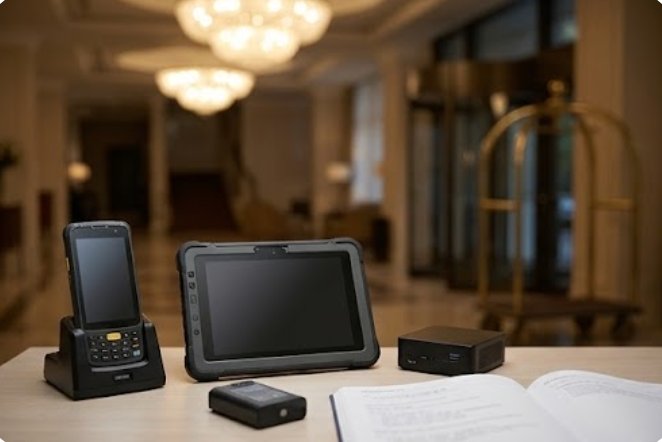
The desk itself stays deliberately boring: one charging dock per device, a labeled spare battery, a shortnotebook of the property's own failure history, and nothing else. The discipline matters because the engineer who reaches for the wrong box first loses the lobby while fixing the corridor. Everything below follows that order — the waiting guest gets the first section, and the mini PC control terminals behind the counter get their own section before the corridor does.
When the Room-Status Scanner Goes Quiet
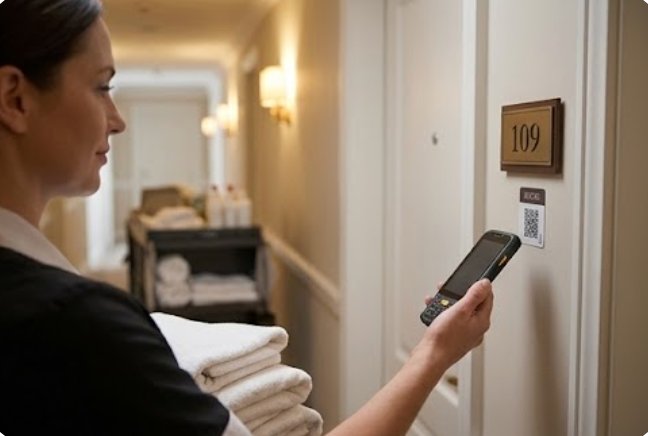
The R366-S lives in housekeeping's hands, and its failure signature is silence: the unit stops syncing room status, the supervisor's dashboard freezes at the ten o'clock count, and guests start standing at the counter asking for rooms that may or may not be clean. The pattern behind almost every one of these quiet spells is wireless, not hardware — a 5.5-inch Android unit on Qualcomm's SM6115 platform holds its session well until the laundry lift doors and the service elevator shafts start eating the corridor's access points, and the handheld roams itself onto a dead corner.
The field fix is ordered and boring. Walk the affected floor with the unit, watch the Wi-Fi indicator through the dead stretch, and note where the icon drops — that map, drawn once, becomes the property's permanent knowledge. The 4600mAh removable battery means a mid-shift power suspicion is settled in ten seconds with the spare from the dock rather than a reboot argument, and the UHF RFID read, when it stops triggering, almost always traces to a guard that a housekeeper's trolley clipped overnight. A unit that still refuses after a clean battery, a known-good corridor and an intact scan window goes to the product comparisons and competitor analysis file with a warranty note — those cases exist, and pretending they do not wastes evenings.
A Tablet That Survived the Drop but Not the Touch
The RT82 runs facility rounds, and it fails in the opposite direction: nothing stops working, but the 10.1-inch touchscreen starts ignoring the corner where the Night Auditor swipes. These units carry an IP67 seal and a MIL-STD-810G drop record, so a fall down the linen-chute stairs rarely produces a crack — it produces a pressure point behind the glass that the touch layer reads as a ghost press. The symptom report is always the same sentence: "it types by itself near the edge."
The hotel-side confirmation takes one minute. Open any drawing app, rest a finger lightly on the suspected corner, and watch the canvas fill without contact — a ghost zone, not a software hang. Until the replacement arrives, the round sheet can be completed with the stylus from the opposite edge, and the 10000mAh battery means the tablet does not need to visit the desk at all between rounds. Units that pass the drawing test but still drop their Wi-Fi 6E connection at the pool level are a different note entirely: tri-band 6E radios hold perfectly around concrete, and a poolside dropout points at the property's own access point map, not the tablet's seal.
🏨 The Front Desk Host Wakes Slow Before It Dies
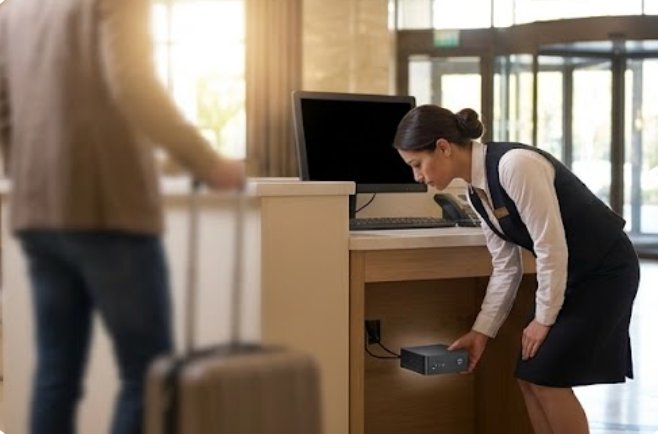
The palm-sized miniPC behind the counter fails the way elderly managers retire: gradually, then suddenly. Week one, the check-in application opens a beat slower after the midday sleep mode; week three, the monitor needs two tries on a Monday morning; the Friday it fails, a coach party is at the door and the screen stays black through every keystroke. The 113-millimeter square box runs the property management system over dual HDMI outputs, and its compact fanless-style body collects dust in the exact proportion that the lobby collects flowers.
The preventive half of this section is the one that matters. Blow the vents at every linen change, keep the box off the carpeted shelf it keeps sliding onto, and log the wake-time drift weekly — the trend line is visible a month before the failure, and the Monday that a coach party lands is not the Monday to discover it. The acute fix is equally unglamorous: a power-cycle with the peripherals held back, screens first, printers later, and the desk running on the guest-facing minimum while the smoke clears. A unit that wakes only when the room is cold, then not at all by June, has told the whole story in its own timeline.
The Ticket That Leaves the Building
Three signatures belong in an envelope addressed to the manufacturer rather than the engineering log: a scanner window damaged by more than a trolley clip, a touch layer with a documented ghost zone, and a desk unit whose wake drift ended in a no-start. Everything else in this article is hotel-solvable; those three are warranty conversations, and the quality of the conversation depends entirely on what the log captured before the unit was boxed.
The properties that file clean tickets share a habit: the boxed unit leaves with its battery behavior, its failure timeline and the one-page symptom note from the night it died. A three-year warranty is only as strong as the paperwork riding in the same carton, and the manufacturer's repair bench can reproduce in an afternoon what the log describes in three lines.
🔧 Quiet-Hours Maintenance That Waits for Empty Corridors
Everything that failed without a guest watching moves to the maintenance window, where the full rugged mobile computing solutions line gets its attention in one pass, and the window has a fixed order. Corridor Wi-Fi dead spots get walked and mapped while the floors are empty, because a roaming test at noon produces the same map with fifty interruptions. The tablet's ghost-corner gets re-verified after a full charge, since thermal drift can mimic a pressure point. The desk box gets its vents, its shelf, and a measured cold boot while nobody is checking in.
The order survives because it respects the same clock the article opened with: guests first, evidence second, cosmetics third. Properties that invert it — running diagnostics in the lobby at peak hours because the engineer is available now — trade a quiet fix for a visible one, and the front office remembers.
The Morning Note That Prevents the Repeat
The last artifact on the desk is a one-page note that crosses shifts, and it earns its keep by preventing the same failure from being discovered twice. A corridor mapped on Tuesday is on the note by Wednesday, so the day engineer does not re-walk it; a tablet with a documented ghost corner carries a line in the note, so the next auditor does not diagnose it from zero; the desk box with a drifting wake time gets a date, a number, and a decision already made about when it leaves for service.
Over a quarter, the note turns the property's failures into a maintenance calendar: batteries swapped before their seasons, vents blown before the summer, and the fleet's three devices replaced on evidence rather than on age. The guest never sees any of this machinery, which is the entire point — a hotel's technology succeeds when the only thing anyone remembers from the stay is the room.
| Failure sign | Device involved | Guest waiting? | First response |
|---|---|---|---|
| Room status stops syncing mid-floor | R366-S PDA | Yes, at the counter | Spare battery, walk the corridor, map the dead zone |
| Touch types by itself near one corner | RT82 tablet | No, rounds still run | Drawing-app ghost test, stylus workaround, ticket |
| Check-in screen slow to wake, then black | Palm-sized miniPC | Yes, queue forming | Power-cycle, guest-facing minimum, vents when calm |
| Wi-Fi drops only at the pool level | RT82 tablet | No | Point at the access-point map, not the seal |