A store that converts its paper price tags to electronic shelf labels does not buy hardware so much as it hires a temporary crew. The conversion runs on three jobs that happen at the same time but never in the same place: someone runs the pricing software in the back room, someone configures the label base stations up and down the aisles, and someone walks the shelves confirming that what the tag displays matches what the system claims. A crew that carries one device per job finishes in days; a crew that shares devices finishes in arguments.
This staffing guide maps those three desks to three HOTUS machines, each chosen for the work its desk actually does. The back desk runs on the palm-sized mini PC line, the aisle desk carries the ST11-U rugged tablet, and the shelf desk hands out the N60. The split follows one rule: the device stays where the work happens, and nobody queues behind anyone else.
📱 The Back Desk: One Mini PC Runs the Price Engine
The pricing backend is the least visible job and the first bottleneck. Every template change, every batch price update, and every push to the label base stations originates at a desk in the stockroom, and that desk needs a computer that can drive the vendor's ESL management software on one screen while a second screen shows the base station map and a third shows the push queue. The Palm-sized Mini PC (MQi12) was chosen for this desk because its triple-display output covers all three views from one 113mm-square box: two HDMI 2.1 ports plus a full-function Type-C that carries an 8K signal if the store's monitor stock demands it.
Under the chassis the MQi12 takes Intel 12th Gen Core processors from i3 up to i9, reaching 14 cores and 20 threads at the top of the range, with either dual SO-DIMM DDR4 expanding to 64GB or onboard LPDDR5 configurations at 12GB, 16GB, and 24GB. A five-store chain syncing thousands of tags per night rarely needs that ceiling, but the headroom means the pricing database and the ESL vendor's own console run on one machine instead of two. Five USB 3.2 Type-A ports absorb the programming dongles and the label programming pad, and the 2.5G RJ45 jack links the desk to the store's wired network without a USB adapter in the chain.

At 800g and a 113x113mm footprint, the box also travels: when a district specialist visits to audit the price engine, the whole back desk fits in a laptop bag and reappears on any store's desk with the same three screens. Windows 11 comes standard with Linux as an option, which matters for chains whose ESL vendor ships a Linux-based push daemon.
The Aisle Desk: ST11-U Carries the Config Toolkit
Base station commissioning is walking work. The engineer who mounts and configures the label access points covers every aisle twice on conversion day, and the tool for that job has to run the ESL vendor's full Windows configuration suite, survive an eight-hour shift in dusty stockrooms, and read clearly under the mixed lighting of a refrigerated aisle. The ST11-U rugged industrial tablet takes that desk: Windows 11 Pro on an Intel Core i5-1235U with ten cores reaching 4.4GHz, upgradeable at order time to an i7-1255U clocking to 4.7GHz.
The screen is the reason this desk stays productive past noon. The 10.1-inch IPS panel runs at 1200x1920 with 450 nits of brightness and accepts ten-point touch with stylus and wet-hand input, so the engineer toggles base station settings with a gloved thumb in the cold aisle. The enclosure carries IP54 dust and water protection with MIL-STD-810G certification and a 1.2m drop rating, and the rated operating window of -20°C to 55°C covers both the freezer aisle and the loading bay in the same shift.
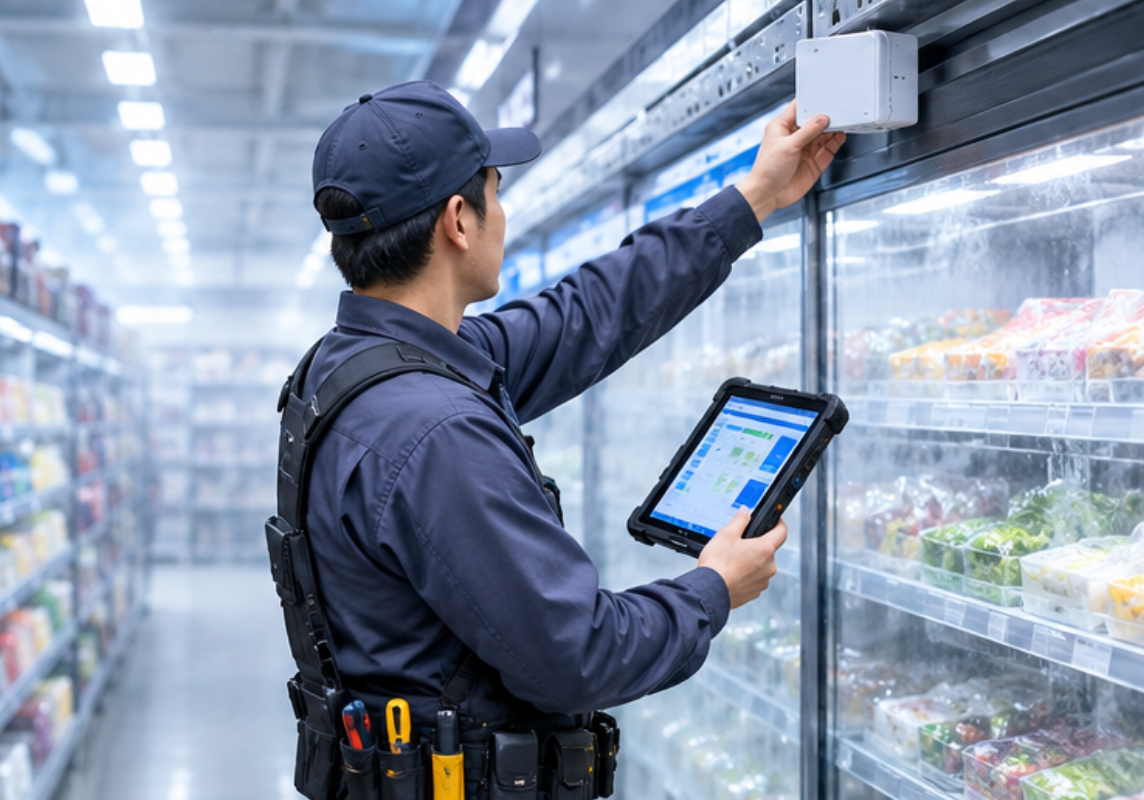
Battery practice on this desk is swap, not wait. The ST11-U runs a 7.6V 6000mAh removable pack rated at 45.6Wh, with 65W Type-C fast charging refilling it in about two and a half hours and yielding roughly five and a half hours of screen-on work. A second pack on the charger turns the walking shift into a two-battery day without a stop, and WiFi 6 with Bluetooth 5.2 keeps the config session on the store network while global 4G LTE covers the parking-lot deliveries between stores.
The Shelf Desk: N60 Verifies What the Tags Claim
The third desk belongs to the checker, and its work is scanning: every converted shelf edge gets read back against the system price before the crew signs it off. The N60 Inventory Management PDA is built for exactly this lap. The 5.99-inch display at 1080x2160 shows the scanned SKU and the tag's claimed price on one screen, the Cortex-A76/A53 octa-core processor at 2.0GHz on Android 10.0 runs the verification app and nothing else, and the optional 1D/2D scan engine reads both the product barcode and the tag's own code in one pass.
The N60's operating details fit a checker's hand rather than an engineer's toolkit. At 164.5 x 79.4 x 12.3mm it works one-handed down a narrow aisle, the multi-touch panel accepts gloves and wet fingers, and the fingerprint unlock keeps each checker's session signed to their own login, which is what makes the sign-off record worth keeping. The chassis carries IP67 industrial protection, and connectivity spans dual-band WiFi, 2G through 5G WWAN, and GPS constellations including Galileo, GLONASS, and Beidou for the yard and dock checks outside the store.
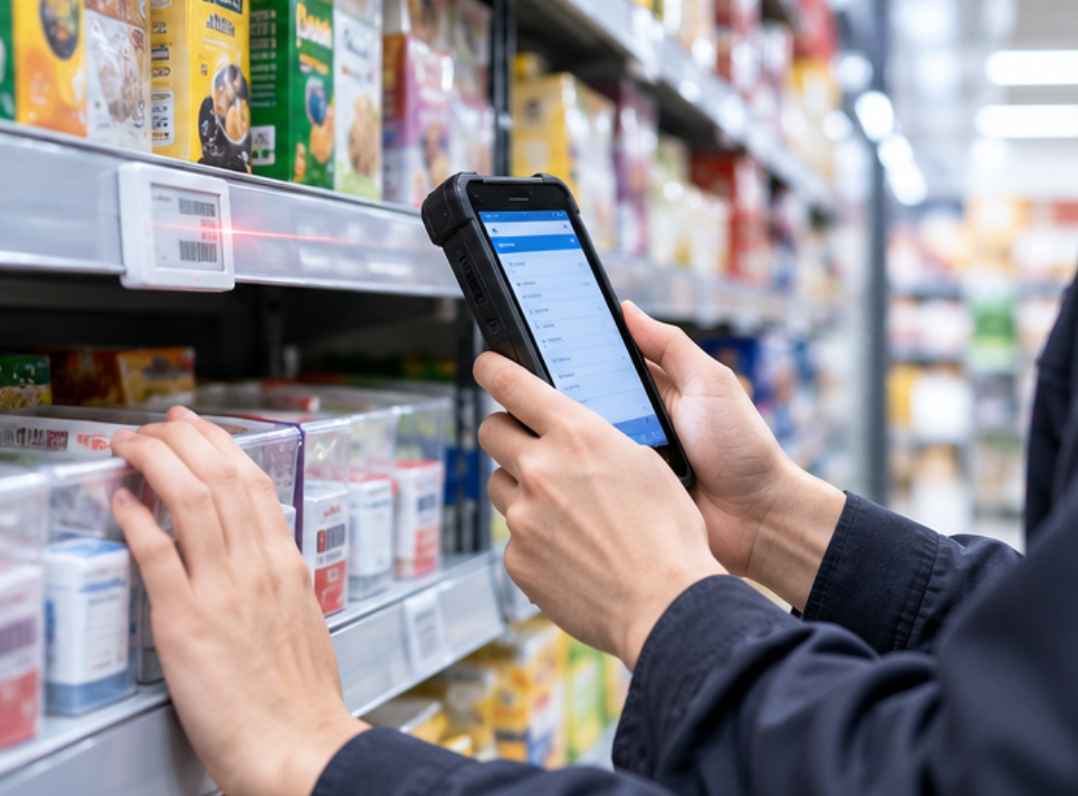
Storage starts at 4GB of RAM and 64GB of ROM with configurations up to 6GB and 128GB, which is room enough for a week of verification logs offline. Optional NFC covers the tag families that program over a tap rather than a radio push, and the optional camera captures the occasional shelf-edge photo that a dispute file needs.
What the Three Spec Pages Can Fill
| Specification | MQi12 Mini PC | ST11-U | N60 |
|---|---|---|---|
| Processor | Intel 12th Gen Core i3 to i9 (up to 14 cores, 5.0GHz) | Intel Core i5-1235U, optional i7-1255U | Cortex-A76/A53 octa-core 2.0GHz |
| Operating system | Windows 11 or Linux | Windows 11 Pro | Android 10.0 |
| Display | Triple output: 2x HDMI 2.1 + USB-C 8K | 10.1-inch IPS 1200x1920, 450 nits | 5.99-inch IPS 1080x2160 |
| Certification | CE, FCC, RoHS | MIL-STD-810G, CE, FCC, 3C | CE, FCC, RoHS (IP67 build) |
| Warranty | 3-year limited | 3-year limited | 3-year limited |
Where the Spec Pages Go Quiet
Two fields stay out of the table because the three pages do not answer them in the same units. Durability is the first: the ST11-U publishes IP54 with MIL-STD-810G and the N60 publishes IP67, while the MQi12 lists no ingress rating at all, which is consistent with a desk-bound box rather than a walked device. Battery is the second: the mini PC runs on mains power and publishes no battery, the ST11-U publishes its 6000mAh removable pack in full, and the N60 describes only a high-capacity battery system without a published capacity figure, so any runtime comparison between the two mobile units would be guesswork rather than arithmetic.
What the pages do agree on is the service picture: all three carry the same three-year limited warranty and the same CE, FCC, and RoHS baseline, so a chain buying all three desks inherits one support policy instead of three. For buyers weighing these machines against other brands' bundles, the running record of direct comparisons is kept in the product comparisons and competitor analysis section.
Training the Crew Around the Three Desks
Staffing the rollout is easier when each desk's training fits inside one shift. The back-desk operator learns the pricing software, the base station map, and the push queue on a fixed screen layout that the mini PC's triple output keeps stable all day. The aisle engineer learns the base station commissioning flow once on Windows, and the same ST11-U image clones to every store's tablet so the second store never feels like the first. The checkers need the shortest session of all: scan, compare, confirm, and the N60's single-app setup keeps the temptation to multitask off the device.
The staffing rule that closes the guide is the one it opened with: devices stay at desks, and nobody queues. A crew of three covers a mid-size store in a single long day, and a crew of six covers two aisles at once with the same three device types and no new training. The conversion ends when the last shelf edge reads back clean, and the devices separate to their next jobs without any of them having left their desk. Full published specifications for every machine in this guide are kept current in the HOTUS industrial hardware catalog.