A long-haul fleet that moved its proof-of-delivery paperwork onto rugged tablets learned the same lesson every season: the devices do not wear out on the road — they wear out where they sit still. The cab cradle bakes in summer sun, the dock room hums with charging current overnight, and the trailer toolbox freezes in January. Maintenance that treats all three spots the same way ends up replacing hardware that was never driven hard. This guide splits the care routine the way the fleet itself splits the hardware: the rugged Windows tablets behind the fleet's paperwork divide into a bench unit, a dock unit and a large-display unit, and each one lives at a different stop along the route.

💾 Three Storage Spots, Three Different Enemies
The dispatcher's map of the route doubles as a maintenance map. The cab cradle is a heat problem: a windshield-adjacent mount in July turns the cabin into an oven, and a tablet left in it all weekend ages its battery far faster than a month of driving would. The dock room is a current problem: eight units drawing charge overnight through tired power strips trips breakers and cooks connectors that were never faulty. The trailer box is a cold problem: overnight January lows push the hardware well below its comfortable range before the first signature of the morning. Each spot gets its own checklist, and each checklist belongs to a different device in the fleet. The pattern that made this split stick was failure archaeology: every warranty return the fleet had logged traced back to one of the three storage spots, never to the road itself — a swollen pack from the cradle summer, a browned pogo pin from the dock bank, a delaminated screen corner from the trailer freeze. Once the blame landed on storage rather than driving, the checklists wrote themselves.
What the Published Numbers Say About Surviving the Road
Everything in the table comes from the three product pages; where a figure is not published, the cell says so rather than guessing.
| Item | ST11-M | ST11-U | ST13-U |
|---|---|---|---|
| Display | 10.1" IPS 1200×1920, 430 nits | 10.1" IPS 1200×1920, 450 nits | 13.3" IPS 1920×1080, 400–450 nits |
| Processor | Intel i5-8200Y dual core, up to 3.9 GHz | Intel i5-1235U, 10 cores, up to 4.4 GHz | Intel i5-1235U, 10 cores, up to 4.4 GHz |
| Battery | 6000 mAh fixed, ~7.5 h use | 6000 mAh removable (45.6 Wh), 65 W Type-C fast charge | 8000 mAh removable (60.8 Wh); 6000 mAh optional |
| Protection | Not published on the product page | IP54, MIL-STD-810G, 1.2 m drop, -20°C to 55°C | IP65, 1.2 m drop, -20°C to 55°C, storage -40°C to 60°C |
| Wireless | 802.11ac + BT 4.2, 4G LTE | Wi-Fi 6 + BT 5.2, global 4G LTE | Wi-Fi 6 + BT 5.2, global 4G LTE |
| Weight | Not published | 1190 ± 50 g | 1450 ± 50 g |
| Extras | HDMI, RJ45, RS232, pogo pin dock | Optional barcode / UHF RFID / fingerprint | Optional Honeywell N4680 scanner |
Three rows drive the whole maintenance split. The removable batteries on the newer two units turn battery care into a rotation problem instead of a soldering problem. The published storage floor of -40°C on the large unit decides what may live in the trailer over a weekend layover. And the missing protection figure on the bench unit is a reminder that its home is indoors, where the rating question never comes up.
Charging Discipline at the Dock
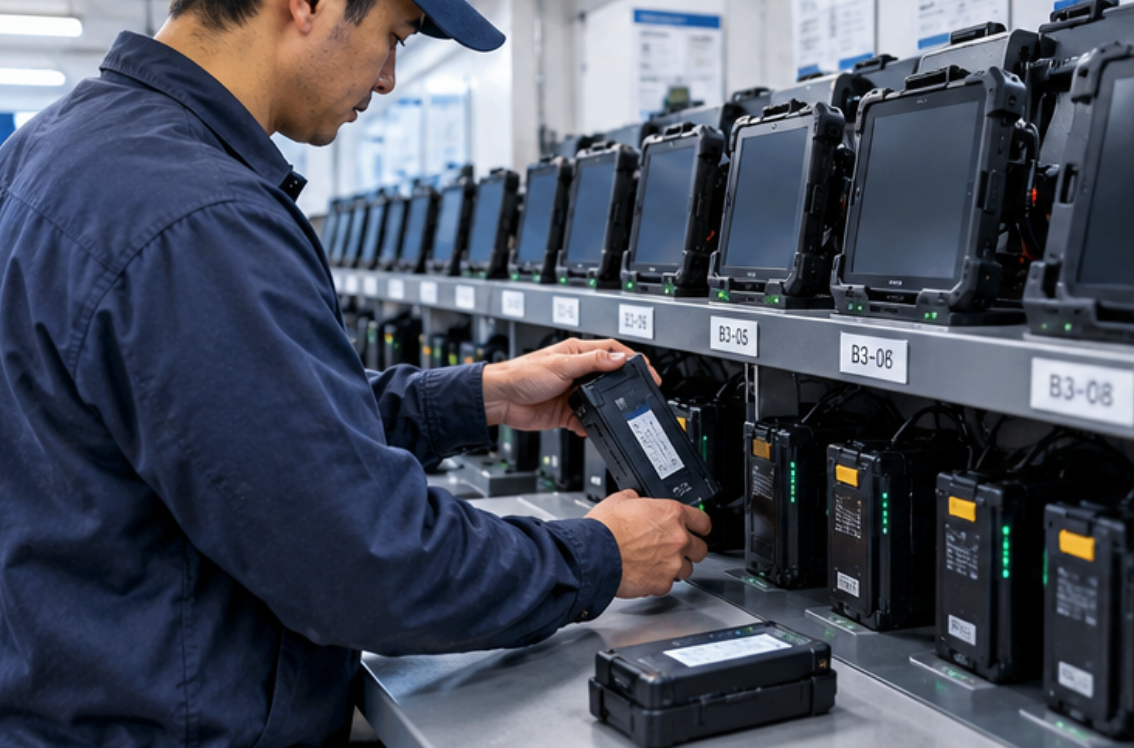
The dock room runs on the ST11-U rugged tablet and its removable 45.6 Wh pack, and the routine that emerged is rotation rather than topping-off. Drivers swap a depleted pack for a charged one in seconds — no cable, no waiting — and the spare packs charge on their own schedule at the wall bank. The published 65 W Type-C fast charging handles the morning shortfall case: a pack forgotten overnight reaches working level during the pre-trip walkaround. Maintenance here is mostly electrical housekeeping: the dock's pogo pins and the pack contacts get a monthly isopropyl wipe, because roadside dust films over contacts long before they fail, and a unit that boots at the desk but browns out on the cradle is almost always a contact film, not a fault.
🔧 Cleaning to the Rating, Not Beyond It
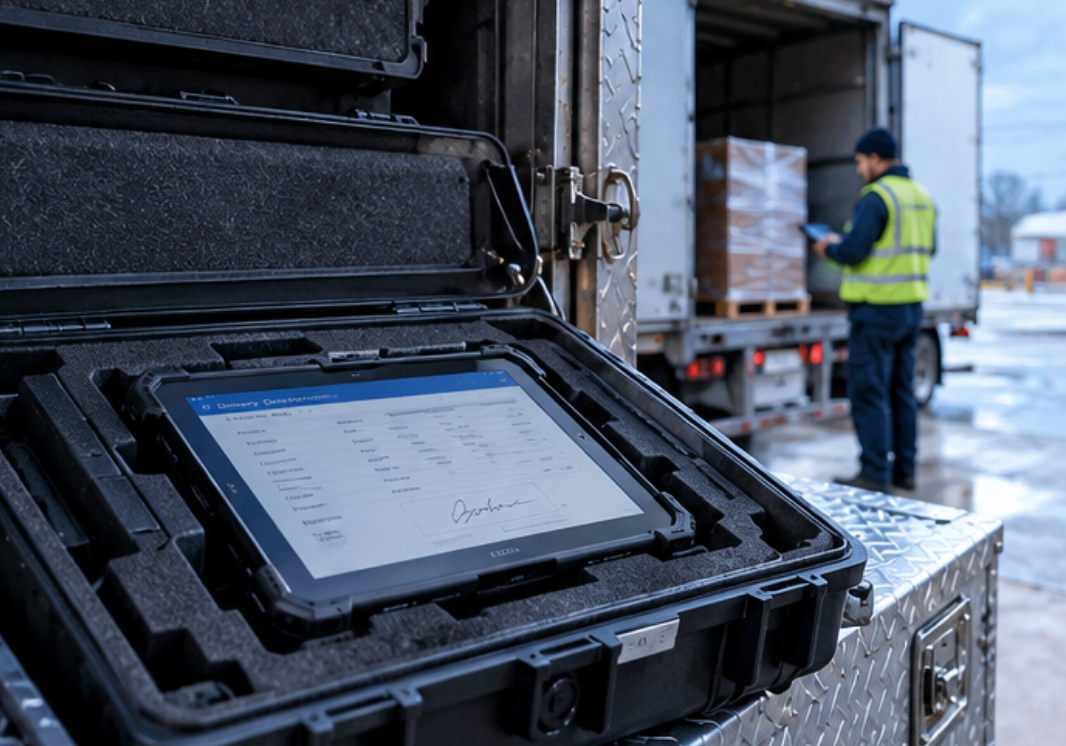
The ST13-U large-display tablet rides in the trailer box and signs manifests at the loading bay, so it sees the worst dust and splash in the operation — and its published IP65 rating earns it a specific cleaning privilege: a damp cloth with mild soap is sanctioned, while the crew's old habit of rinsing gear under a tap is not, because IP65 is ingress protection against jets, not submersion. The published storage range of -40°C to 60°C also settles the winter argument: the unit may ride in the trailer over a layover weekend, but it gets fifteen minutes in the warm cab before a cold boot, because a display that transitions from -30°C to a heated cab too fast fogs from the inside and stays unreadable through the morning window. Between runs, the 13.3-inch glass gets a microfiber wipe only — the anti-glare finish on a panel this size is the most expensive thing in the trailer box to replace.
The Bench Unit Stays Indoors on Purpose
The fleet's oldest unit, the ST11-M industrial tablet, never rides at all: it anchors the dispatch desk, where PODs sync at the end of each shift and exceptions get worked on its published HDMI and RJ45 outputs. Its fixed 6000 mAh battery is the one part that ages with no swap option, so the bench routine monitors rather than intervenes — a monthly full-cycle observation of the published ~7.5 hour runtime, logged against the meter, and a recalibration of expectations as the number drifts. Because its product page publishes no IP rating, the bench unit also sets the boundary rule for the whole fleet: desk work only, no rides in the cab cradle, no stints in the trailer box, whatever the weather argument at handover.
The Monthly Fleet Walk
Once a month the three checklists merge into one hour. Packs rotate front-to-back so no cell sits fully charged for a full month. Contact films get wiped while cradles are empty. The trailer box gets aired and its foam inserts checked for the crushed corner that stops holding a tablet still. The desk unit's runtime log gets a line. The hour also covers the small paperwork that keeps warranty claims clean: each unit's serial number is photographed next to its storage spot, so when a pack does swell or a screen corner does lift, the claim shows where the device lived rather than relying on a driver's memory. Nothing here needs a technician, and that is the point — fleets that push tablet care onto bench technicians pay for labor that drivers can deliver in minutes. Operators comparing rugged tablet families for mixed duties like these can browse the side-by-side comparisons before committing a purchase order, and the full Hotus product line shows where each of these units sits in the range.