Why Exam Week Is the Only Full-Capacity Stress Test a Lab Faces
Daily classroom instruction absorbs minor hardware faults effortlessly. If three terminals boot an outdated image, one monitor flickers, or a student tablet starts at 12% charge, instructors simply reassign seats or share workstations. Exam week eliminates every margin for improvisation: every terminal must boot synchronously, every battery must sustain full-session runtime, and every biometric or credential login must authenticate on the first attempt.
The operational controls enforced during assessment fortnight—strict kiosk browser lockdown, hardware-backed identity verification, controlled print release, and sub-two-minute spare swaps—mirror the exact criteria external accreditation auditors inspect. Evaluating datasheets for this environment requires verifying what each machine guarantees under peak concurrent load rather than average daily classroom use.
The Invigilator Command Station That Never Reboots Mid-Paper
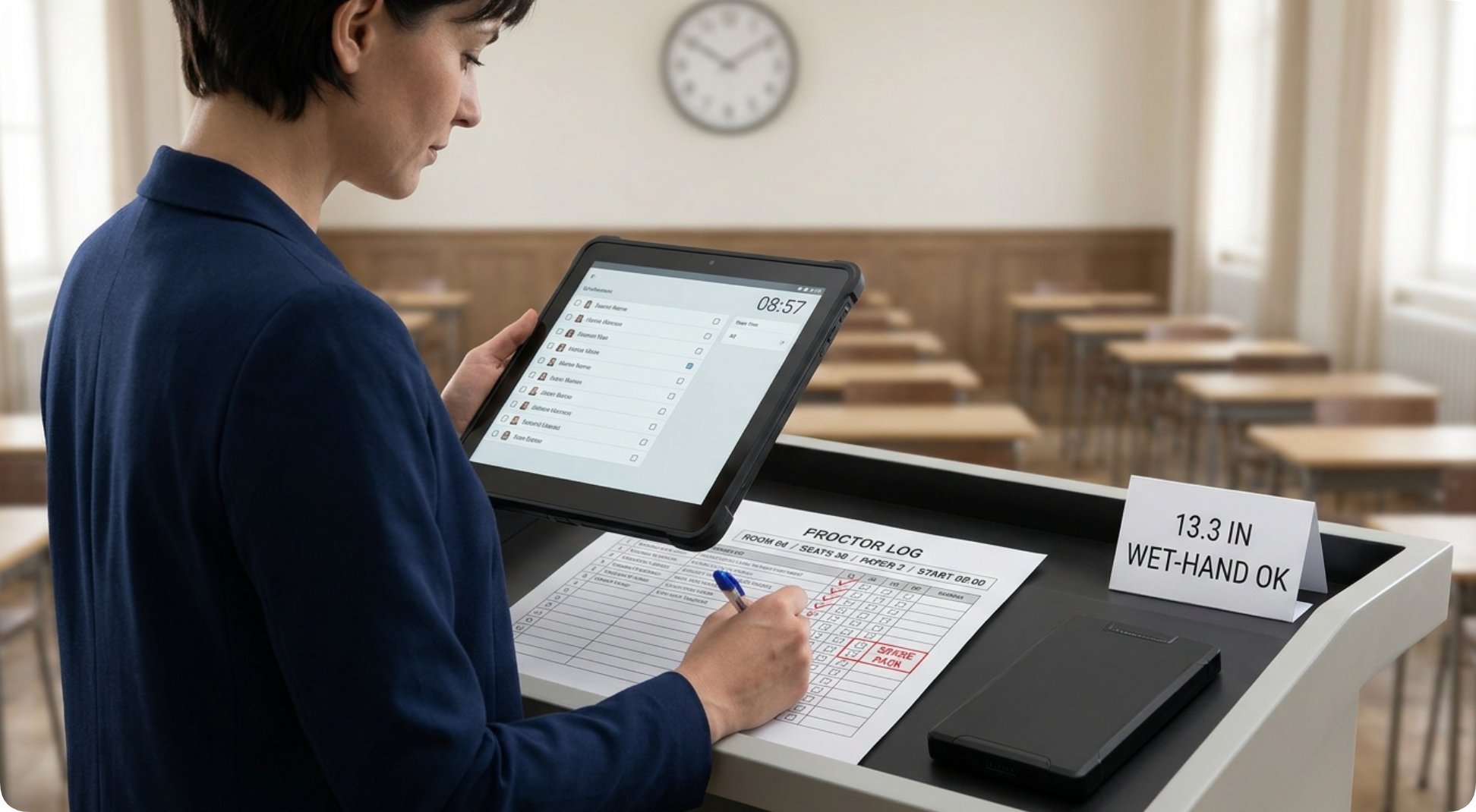
At the front of the examination hall, proctors require a wide, glare-resistant console capable of displaying seating rosters, live proctoring feeds, and synchronized countdown timers without thermal throttling or unexpected restarts. The 13.3 Windows Industrial Rugged Tablet ST13-U Price platform fulfills this command role. Its 13.3-inch Full HD (1920 × 1080) IPS screen delivers 400 to 450 nits of luminance, keeping exam timers and seat maps legible across the room even with window blinds partially open. Driven by a 12th-Generation Intel Core i5-1235U processor (10 cores, 12 threads) running Windows 11 Pro, the ST13-U handles simultaneous attendance logging, live screen monitoring, and local server telemetry smoothly.
Power independence is equally decisive at the front desk, where wall outlets are routinely occupied by overhead projectors and document cameras. Equipped with a removable 7.6V 8000 mAh (60.80 Wh) battery pack, the ST13-U powers through consecutive three-hour exam sessions completely untethered from AC mains, while hot-shelf spare batteries swap into the chassis in under sixty seconds. Adding the optional TPM 2.0 cryptographic module satisfies institutional IT security requirements for safeguarding live assessment logs and candidate records.
Student Terminals Engineered for Physical Durability and Hardware Lockdown
Student-facing exam devices endure rough handling—carried one-handed through crowded corridors, stacked on distribution carts, and occasionally knocked off narrow desks by backpacks. Built at a manageable 700 grams, the 8 Inch Rugged Field Tablet Computer ST9-M pairs an 8-inch 1200 × 1920 IPS display (400 nits standard, with a 1,000-nit high-brightness option for sun-lit lecture halls) with verified IP65 dust-and-water sealing, MIL-STD-810G environmental compliance, and 1.2-meter concrete drop survivability. That certified drop envelope prevents accidental desk falls during morning checkout from becoming emergency hardware failures.
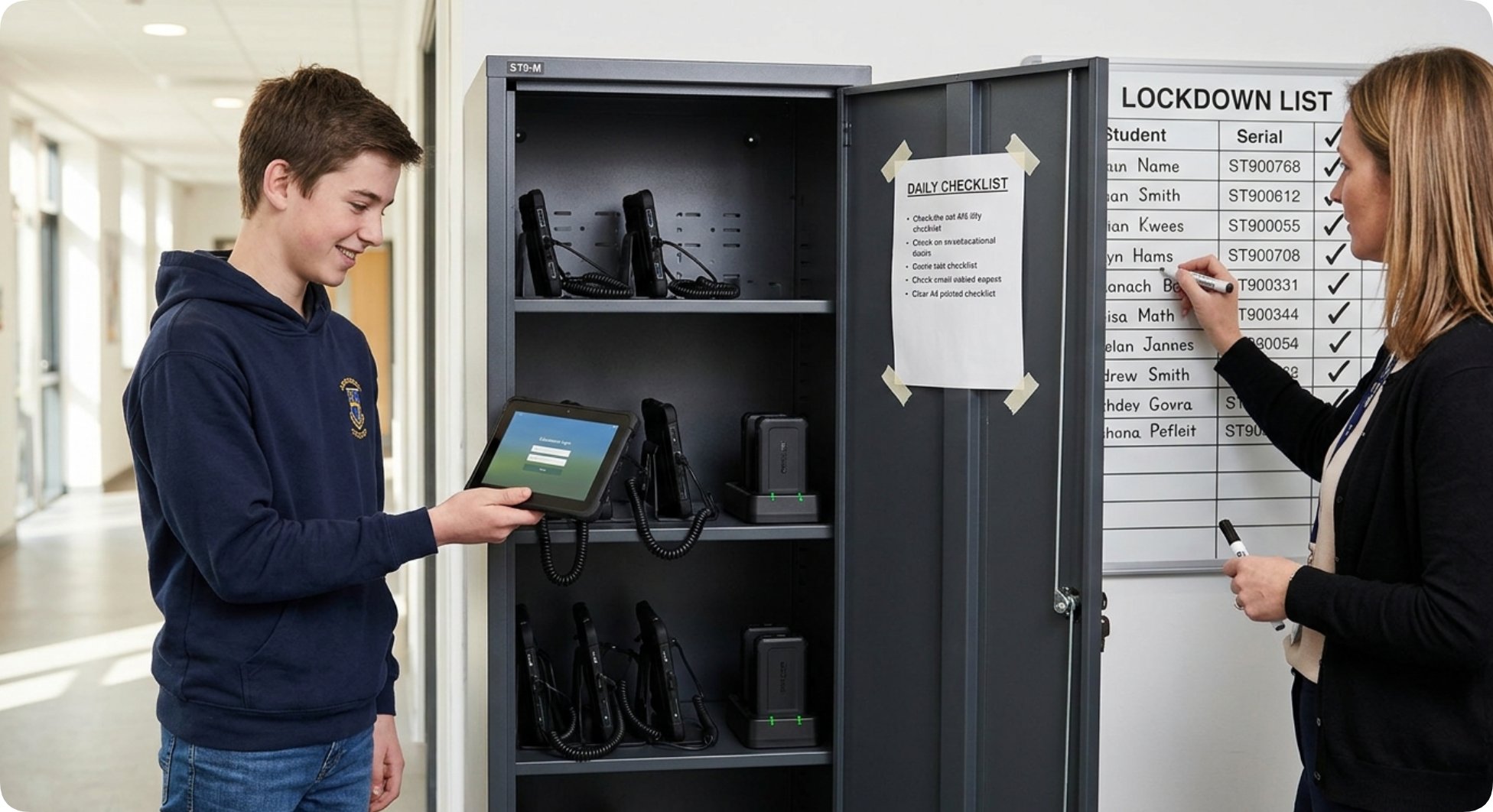
On the security side, the ST9-M supports Windows 10 Pro or Windows 11 Pro alongside modular authentication hardware—including an optional integrated fingerprint scanner, 13.56 MHz NFC reader, UHF RFID, and TPM 2.0. By combining biometric or smart-card candidate login with Group Policy USB port locks and single-app exam browser pinning, IT administrators create an auditable, tamper-resistant testing environment on every desk.
Removable Battery Logistics Sized for Multi-Hour Assessment Sessions
Standard laptop battery benchmarks assume intermittent web browsing, whereas exam fortnight demands uninterrupted runtime across two-to-three-hour papers plus a thirty-minute pre-exam check-in buffer. The ST9-M's removable 5000 mAh battery delivers approximately 6 hours and 30 minutes at 60% screen brightness and 50% audio volume—and exceeds that baseline during locked-down exams where screen brightness is capped and background radios are restricted.
Because both the ST13-U (8000 mAh) and ST9-M (5000 mAh) feature user-removable battery packs, lab technicians replace tangled power-strip cabling across thirty desks with a centralized multi-bay battery charging rack. Rotating two charged packs per tablet eliminates trip hazards and guarantees 100% starting charge across back-to-back morning and afternoon exam sittings.
| Exam Audit Checkpoint | Assessment Fortnight Requirement | Assigned Hardware | Verified Datasheet Specification |
|---|---|---|---|
| Proctor Desk Continuity | Zero mid-exam reboots or outlet dependency | ST13-U Rugged Tablet | Removable 8000 mAh (60.80 Wh) battery, Core i5-1235U |
| Student Desk Survivability | One-handed carry and accidental desk drop protection | ST9-M Field Tablet | IP65 sealing, MIL-STD-810G, 1.2 m drop rating, 700 g weight |
| Candidate Identity Verification | Prevent shared logins or proxy test-taking | ST9-M Field Tablet | Optional fingerprint reader, 13.56 MHz NFC, TPM 2.0 |
| Local Exam Server Hosting | Automated pre-dawn boot and low-latency LAN delivery | MQi12 Mini PC | BIOS RTC timed boot, UEFI diskless boot, TPM 2.0, 2.5G LAN |
| Rapid Spare Seat Recovery | replace a faulted terminal in under two minutes | ST13-U & ST9-M | Tool-free removable batteries and accessible M.2 storage |
The Compact Local Server Hosting the Exam Network
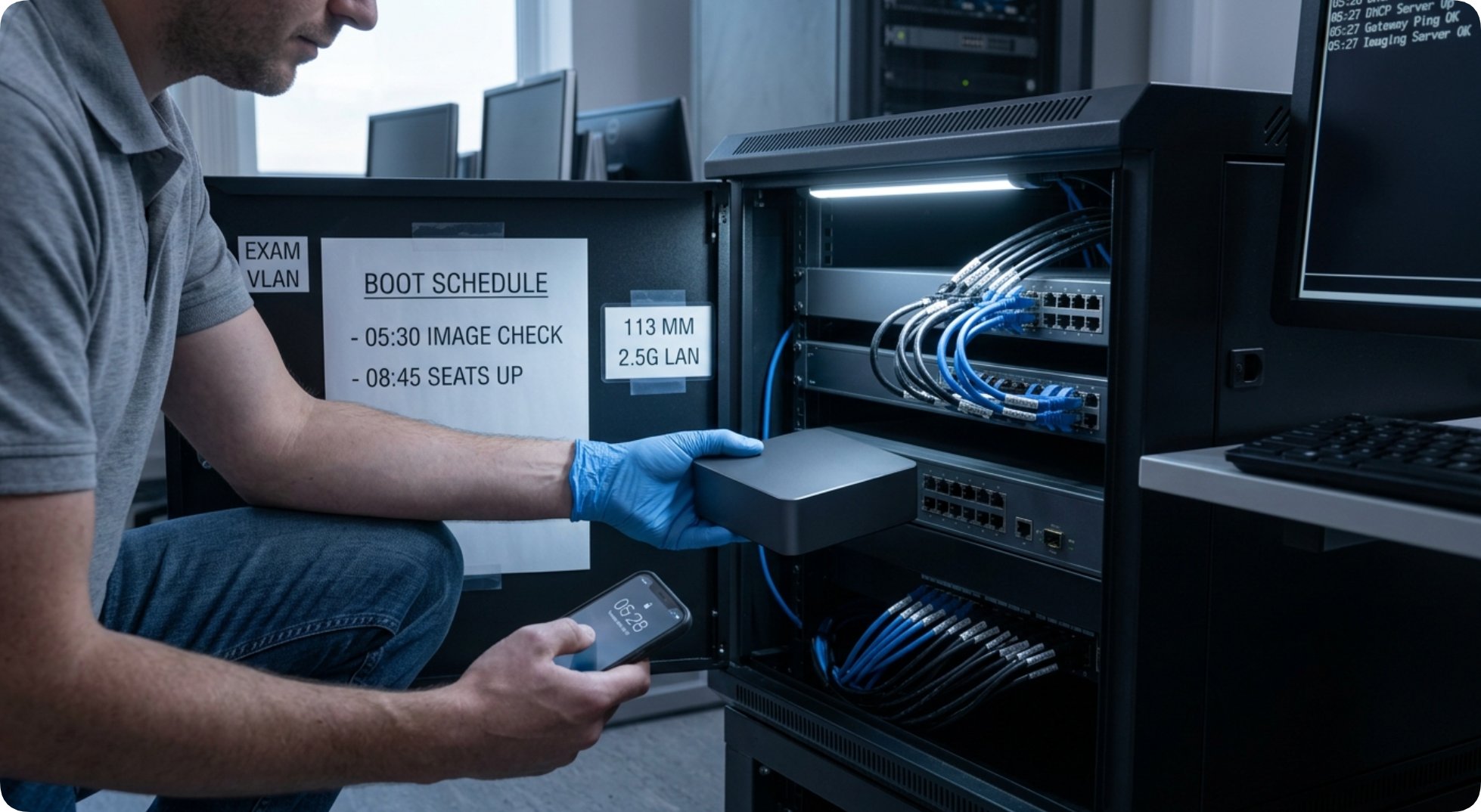
Anchoring both tablet tiers is a compact local host engineered for deterministic exam delivery. Measuring just 113 mm × 113 mm and weighing 800 grams, the Palm Sized Mini PC Windows Computer Manufacturer MQi12 unit consolidates three essential room functions: serving local assessment packages, mirroring countdown displays to both the classroom wall screen and proctor monitor via dual HDMI 2.1 ports plus full-function USB Type-C, and maintaining a filtered high-speed uplink over 2.5G Ethernet with Wi-Fi 6 failover.
Its firmware feature set directly eliminates early-morning IT fire drills. BIOS Auto Power-On boots the server immediately when the classroom master breaker engages, while Real-Time Clock (RTC) timed boot wakes the system automatically at 05:30 for automated fleet image verification before staff arrive. UEFI diskless startup enables clean network OS booting independent of local drive state, and CPU-integrated TPM 2.0 satisfies institutional encryption audits without add-on modules.
Rapid Spare-Seat Recovery, USB Lockdown, and Post-Exam Data Erasure
Sub-Two-Minute Seat Swap: When a terminal exhibits a fault minutes before doors open, technicians pull a pre-charged 700 g ST9-M from the spare cabinet, log the serial on the loan ledger, and sign into the candidate's exam session—completing full seat recovery in under two minutes with zero cable rewiring. On the proctor desk, the ST13-U's accessible M.2 2242 SSD slot allows an entire pre-imaged system drive to be swapped just as quickly. Tracking checkout frequency using the fleet rotation discipline outlined in ST13-J and SH5-W: The Lift Log Behind a Screen Mix ensures high-wear units rotate into maintenance before failing mid-session.
USB & Print Release Discipline: While the MQi12's five USB 3.2 Type-A ports accelerate pre-term provisioning, exam-day policy locks local USB storage across all seats so exam files travel exclusively over the filtered 2.5G LAN, while physical formula sheets route through authenticated print-room release queues tracked digitally on the proctor's ST13-U.
Audited Post-Exam Sanitization: Once grading concludes and retention windows expire, IT teams purge candidate logs and browser caches across the fleet. The MQi12 resets in minutes via UEFI diskless boot, while the ST13-U (128 GB–512 GB M.2 SATA) and ST9-M (128 GB–512 GB M.2 or eMMC configurations) undergo rapid batch re-imaging followed by documented spot-checks. When planning multi-year lab refreshes, hardware managers can inspect full specifications across our Hotus Smart Hardware Products Manufacturer Catalog and review cross-platform deployment architectures on the Hotus Product Comparisons & Technical Insights portal.
Frequently Asked Questions (FAQ)
1. Can the ST13-U rugged tablet run consecutive exam sessions without AC wall power?
Yes. The ST13-U features a removable 7.6V 8000 mAh (60.80 Wh) battery pack that sustains full multi-hour proctor sessions independently, and a pre-charged spare battery swaps into the chassis in under one minute between exam sittings.
2. Is the ST9-M field tablet durable enough for daily student distribution and accidental desk drops?
Yes. Weighing 700 grams, the ST9-M is certified to IP65 dust-and-water protection and MIL-STD-810G durability standards with a verified 1.2-meter drop rating, protecting the 8-inch terminal against routine classroom knocks and distribution cart handling.
3. Can the MQi12 mini PC boot and verify exam images automatically before IT staff arrive?
Yes. The MQi12 supports BIOS RTC timed boot for scheduled early-morning startup, Auto Power-On when room power engages, and UEFI diskless boot, allowing IT teams to automate pre-dawn image integrity checks across the entire lab.
4. How do IT administrators verify complete candidate data erasure after exam fortnight concludes?
Administrators re-image the MQi12 server via UEFI diskless boot and wipe the ST13-U and ST9-M tablets through their M.2 storage modules, concluding with a documented spot-check against the exam seating log to confirm zero residual candidate data remains.