The hardest part of a warehouse mobility rollout is rarely the device itself; it is the quiet misalignment between what the WMS team ordered, what the receiving dock unboxed, and what the floor actually used on a Wednesday afternoon. After walking through enough of these rollouts, the pattern is familiar: the company buys three compatible units, mounts one set in a place nobody touches, leaves another set in a charging cabinet, and only discovers the gap when pick rates stop moving. If the goal is real throughput, the install has to begin with dedicated warehouse logistics hardware mapped to specific picking, mounting, and scanning roles before any pallet is touched.
💡 💡 Why Device Choice Drives Rollout Success
A warehouse install fails in two places: the moment a picker has to walk back to a fixed scanner, and the moment a forklift driver tilts the tablet into the sun. The two failure modes are different, but the fix is the same: pick hardware that fits the role and the environment. Mobile picking wants a unit that disappears in the hand and survives the third drop of the day. Forklift mounting wants a panel that holds up to vibration and stays readable under warehouse lights. Both want a sealed chassis so a knocked-over drink ends the shift, not the fleet. When these conditions are met, the install becomes a configuration task rather than a recovery project.
🖐️ Picking Tasks Handled at Aisle End
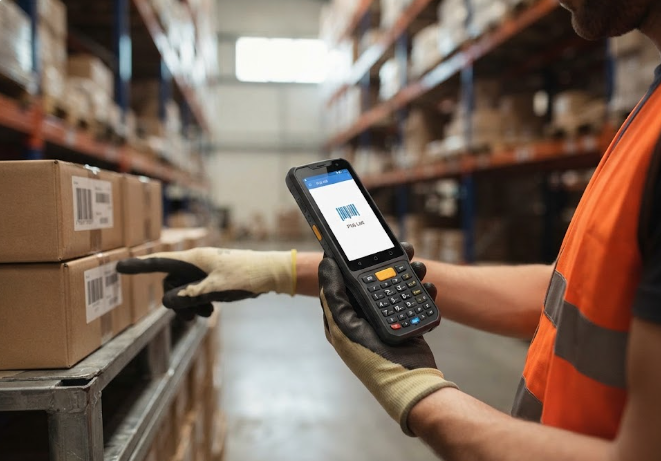
The U9000 Handheld PDA is the unit I drop on a picker's belt clip. Its 5.0-inch IPS panel runs 720 by 1280 behind Corning Gorilla glass, and the capacitive stack accepts gloved or wet-hand touches, which matters more than the spec sheet implies during cold-storage aisles. A Cortex-A53 quad-core at 2.0 GHz with Android 9.0 is enough headroom for WMS browsing, real-time pick-list sync, and a scanner trigger app running concurrently. The 4800 mAh removable cell clears two shifts on a single charge, and the dual-band Wi-Fi plus 2G/3G/4G/5G modem means the unit does not lose the WMS in a metal-clad aisle. At 178 by 78 by 24 millimetres it slips into a holster without catching on jacket seams.
🛡️ Mounted Tablets Survive Forklift Vibration
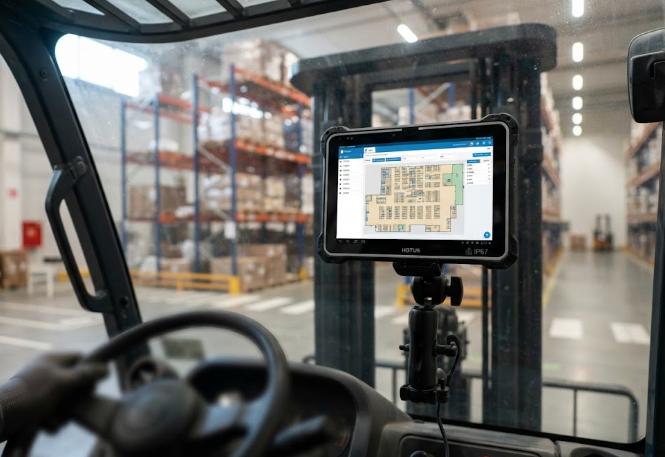
The RT81 rugged tablet belongs on the forklift mount, not in a hand. Its 10.1-inch FHD panel at 400 nits is bright enough to read a pick face under warehouse fluorescents without forcing the driver to shade the screen, and the 10-point capacitive layer still takes glove input when the cabin warms up. A Qualcomm SM6225 octa-core at 2.4 GHz with 8 GB of memory and 128 GB of storage handles mapping, slotting, and a WMS conversation side by side without lag, and the optional 2D imager reads shipping labels at aisle speed. The 9600 mAh cell covers a shift, IP67 sealing tolerates the condensation that forms on a winter dock, and the 1.2 metre drop rating covers the rare moment the mount loosens. The optional independent Beidou RTK module brings sub-five-centimetre accuracy for slotting audits without dragging in a separate GNSS receiver.
📡 Bridging Devices into Existing WMS Stacks
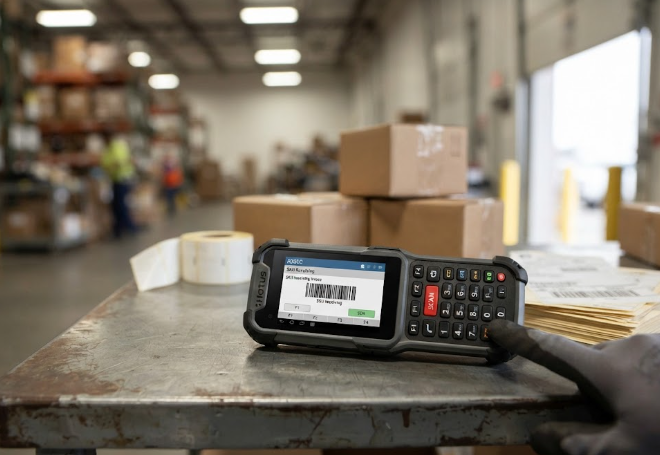
The R350C industrial PDA is the unit I hand to the smallest operators who still need a real keyboard. Its 4.0-inch IPS panel at 480 by 800 is bright enough for a backroom receiving desk, and the physical keypad handles SKU entry, lot capture, and container reconciliation faster than any on-screen keyboard ever will. A Qualcomm QCM2290 quad-core at 2.0 GHz on an 11 nanometre process pairs with 4 GB of memory and 64 GB of storage, and Android 13 sits close enough to AOSP that the existing MDM profile deploys without modification. The 4000 mAh removable cell is hot-swappable in the field, and the optional 2D imager plus NFC reader covers label and tag workflows in receiving, returns, and audit. At under 300 grams with full alphanumeric keys, it is the lightest of the three and the easiest to issue across a large casual-workforce pool.
📊 Specs Compared Side by Side
The table below is the one I hand to a procurement committee before anyone quotes a number. It is organised by install position, because in a warehouse the position decides the spec.
| Model | Display | Processor | Sealing | Battery | Best install role |
|---|---|---|---|---|---|
| U9000 Handheld PDA | 5.0" IPS 720x1280 | Cortex-A53 quad-core 2.0 GHz | Ruggedised, gloved touch | 4800 mAh removable, 12h | Aisle-end picking, belt-clip carrier |
| RT81 Rugged Tablet | 10.1" FHD 1200x1920 400 nit | Qualcomm SM6225 octa-core 2.4 GHz | IP67, 1.2 m drop | 9600 mAh, 12-14h | Forklift mount, slotting, mapping |
| R350C Industrial PDA | 4.0" IPS 480x800 | Qualcomm QCM2290 quad-core 2.0 GHz | Ruggedised, full keypad | 4000 mAh removable, 10-12h | Receiving desk, returns, casual labour |
💼 Procurement Steps That Close on Schedule
A clean install treats the devices as one fleet with three mount points rather than three separate purchases. Buy the U9000 for pickers, the RT81 for the forklift cabs, and the R350C for the receiving desk and casual labour pool, then standardise the charging cradle, the WMS image, and the MDM profile across all three. The U9000 and the R350C share Android with the RT81, so the same policies and update rings cover all roles without a second console. The right logistics and warehouse solutions partner will pre-load these images at the dock and ship pre-paired cradles, which turns a multi-week rollout into a one-week project.
🌐 Phasing Rollout Beyond 2026
Expect more fleets to consolidate around Android over the next year, more RTK-equipped tablets in slotting audits, and more rugged key-based PDAs in receiving. The pattern is clear, and the unit that is already in the WMS image is the unit that gets the next slot. For a deployment-economics view that complements this install plan, the recent write-up on how to cut warehouse deployment costs walks through the same three-device mix and the rollout savings that follow.