A customer came to Hotus with a room that had to do two incompatible things. On weeknights it was a games room for two teenagers and their friends, with consoles, a racing rig, and a lot of shouting. On weekends the same room had to become a quiet film space for the whole family, with the lights dimmed and the sound low enough not to wake anyone upstairs. One screen and one source could not serve both uses well, and the family had already learned that a bright gaming picture looks wrong in a dark film scene while a cinema-tuned picture feels sluggish in a racing game. This case study follows how the room was built around three Hotus devices: the WTR PRO AMD as the shared source, the 4K Home Projector as the main screen, and the HT2500 Pro for the second viewing position. The same home entertainment planning applies whether the room is a dedicated cinema or a shared family space.
Two Uses That Pull the Picture in Opposite Directions
The problem in this room was not budget or space; it was that the two uses want opposite picture settings. Competitive and racing games benefit from a bright image with fast response and higher refresh behaviour, because a dark or laggy picture costs the player reaction time. Films want the opposite: a dimmer, contrast-rich image where dark scenes stay dark and the brightness does not wash out shadow detail. Asking one projector to hold both profiles means either the games look muddy or the films look flat. The family's first attempt was a single mid-range projector with two picture modes, and the result was that nobody used the modes because switching them meant a trip into a menu every time the room changed purpose.
💡 Why the Source Came Before the Displays
The first decision was the source, and it came before the displays for a simple reason: both uses run on the same machine. The WTR PRO AMD sits in the room as the single source for games, streaming, and local media, and it holds both libraries so nothing has to be unplugged when the room changes purpose. A mini PC rather than a console-only setup also means the racing rig and the console both feed the same machine, and the same machine feeds whichever projector is in use that evening. Putting the source decision first removed the usual mess of switching inputs and hunting for the right remote, which was the family's second-biggest complaint after picture quality.
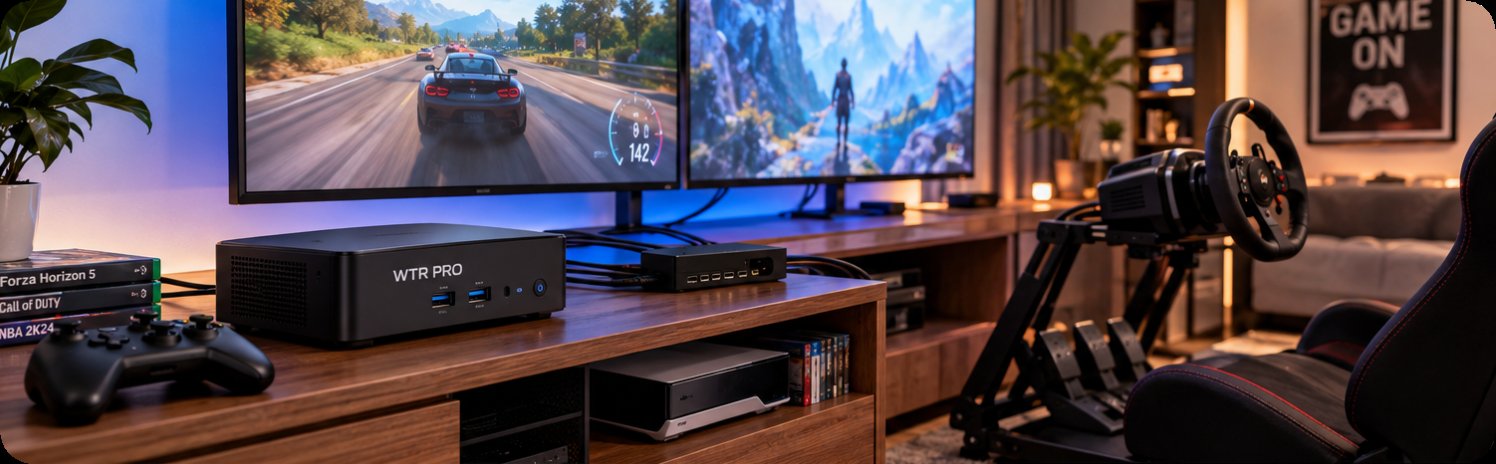
The source setup above shows the WTR PRO AMD holding both libraries and feeding whichever display the evening calls for. One machine means one input to switch and one library to organise, which is what removed the daily friction from a room that changes purpose twice a day.
🖥️ Weekend Configuration: The Fixed Main Screen
The main screen is the 4K Home Projector, and it was chosen for the weekend use because that is when the whole family is in the room and the picture matters most. Its 4K panel carries the detail in a dark film scene in a way that a smaller or lower-resolution unit cannot, and the family's film nights now run with the lights down and the picture doing the work. The projector is mounted for the fixed seating position, so the image fills the wall the family actually watches from, and the sound is routed through the same source so the volume stays low enough for the rest of the house. Weekend film night went from a compromise to the room's best use, which is the outcome the family cared about most.
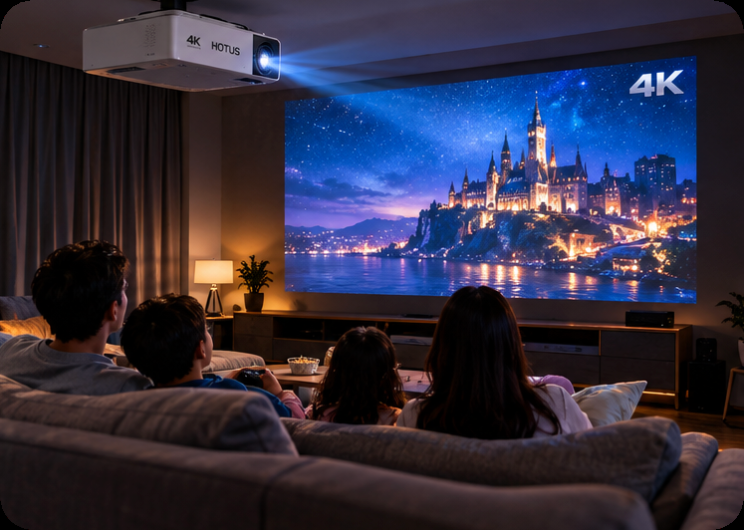
The film-night setup above is the weekend configuration: lights down, the 4K Home Projector carrying the picture, and the shared source routed through the room's sound. The main screen is specified for the use where the whole family is watching, because that is when picture quality is judged hardest.
Weeknight Configuration: The Near-Wall Unit
The second display is the HT2500 Pro, and its job is the weeknight use. As an ultra-short-throw unit it sits close to the wall rather than across the room, which matters in a family space where a ceiling-mounted throw would put the beam through the middle of the room and through anyone standing up during a game. The short throw also keeps the picture bright enough for a room that is not fully darkened, which is exactly the condition of a weeknight games session. The family now runs games on the near wall with the lights partly up and films on the main screen with the lights down, and neither use requires moving furniture or re-aiming a projector.
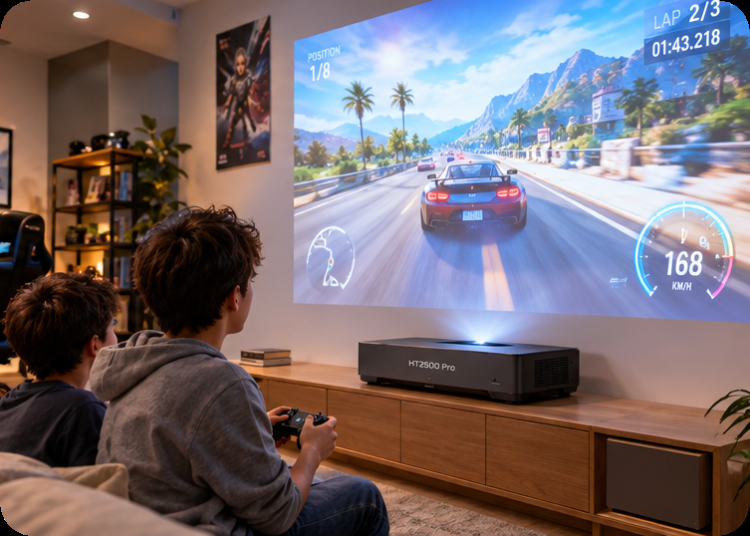
The near-wall setup above is the weeknight configuration: the ultra-short-throw unit sitting close to the wall so the beam stays clear of anyone standing up mid-game, and bright enough to hold a picture with the lights partly up. This is the display the family set once for games and then left alone.
What Changed After a Month of Real Use
A month of real use produced three changes worth reporting. First, the family stopped switching picture modes entirely, because each display is now set once for its own use and left there. Second, the racing rig moved closer to the second display, because the shorter throw let the rig sit against the near wall instead of in the middle of the room. Third, the source machine gained a small backup routine for the game library, because it had quietly become the single point of failure for both uses. None of those changes were in the original plan, and all of them came from watching how the room was actually used rather than how it was specified.
Lessons for a Space With Two Jobs
The general lessons from this build are straightforward. Decide the source before the displays, because the source is what both uses share. Give each use its own display rather than asking one display to hold two profiles, and place each display for the seating position its use actually needs. Keep the throw short in a room where people stand up during use, and keep the main screen for the use where the whole family is watching. Accept that the room will change after the first month and leave space for that change, because the specification that survives is the one the family adjusts to their habits rather than the one they adjust their habits to.
| Use | Display | Source | Room condition |
|---|---|---|---|
| Weeknight games | HT2500 Pro, near wall | WTR PRO AMD | Lights partly up, people moving |
| Weekend films | 4K Home Projector, fixed position | WTR PRO AMD | Lights down, family seated |
| Shared | Both, set once each | One machine, one library | No input switching between uses |
The table summarises the room in one view: each use has its display, its source, and its room condition, and the source is the single thing both uses share. Reading it before buying anything is the fastest way to avoid the compromise the family started with.
Sequencing Your Own Build
For anyone planning a similar room, the sequence is to list the uses, name the room condition for each, and then pick one display per use rather than one display for all. Start with the source, because a single machine holding both libraries removes most of the daily friction. Place the short-throw unit where people move and the fixed unit where people sit, and set each display once for its own use instead of relying on picture modes. A related gaming and home entertainment case study covers a similar room built around a different device mix, and the wider rugged handheld tablets range is worth a look for the control tablet that some families add to run the room from the sofa.