A logistics park does not close. The last container truck of the day rolls over the weighbridge around 21:40, the day crew signs out, and a smaller night crew walks from the gatehouse to the monitoring room carrying nothing but a thermos and a clipboard. Whatever the day shift knew about the awkward visitor, the half-registered trailer, and the courier van that still owes a delivery permit has to survive that walk. In most parks it does not, because the handover lives in three people's memories instead of in the equipment that stayed at its post all along.
This article walks through that night with three machines that are already installed at fixed posts across the park — a palm-sized box at the gate window, a Ryzen tower behind the camera wall, and a four-bay storage unit in the record room — and asks one question at every stop: what does this box remember so the humans do not have to?
What the Day Crew Leaves Behind
A day shift at a park gate accumulates loose ends faster than it resolves them. The visitor from the freight forwarder who arrived without an appointment and was waved in on a verbal confirmation. The trailer that was weighed but whose gate pass printer jammed halfway. The driver who will come back at 06:00 and expects his paperwork to be found. None of these live in the access-control database; they live in sticky notes, in a WeChat group that mutes itself at midnight, and in the head of a supervisor who is going on leave tomorrow.
A night crew of two cannot inherit all of that verbally and still watch forty cameras. The only workable division is this: the paperwork that was digitized stays in the machines, the machines keep running the same way they ran at noon, and the verbal handover shrinks to the two or three items that genuinely need human judgment. Everything below is about what makes that division possible.
The Gatehouse Box That Never Logs Off
The first post is the registration window inside the gatehouse, where every visitor and every driver without a transponder gets checked in. The machine on that desk is the Palm-Sized miniPC MQi12, an 113 × 113 mm square that mounts behind the monitor arm and leaves the counter clear for helmets, clipboards, and signature pads. Its spec sheet lists the full 12th Gen Intel Core range, from the i3-1215U up to an i9-12900HK with 14 cores and 20 threads, so the park can size the chip to the queue: a light gate with 300 visitors a day runs comfortably on the low end, while the main truck gate that also drives an LED lane sign benefits from the headroom.
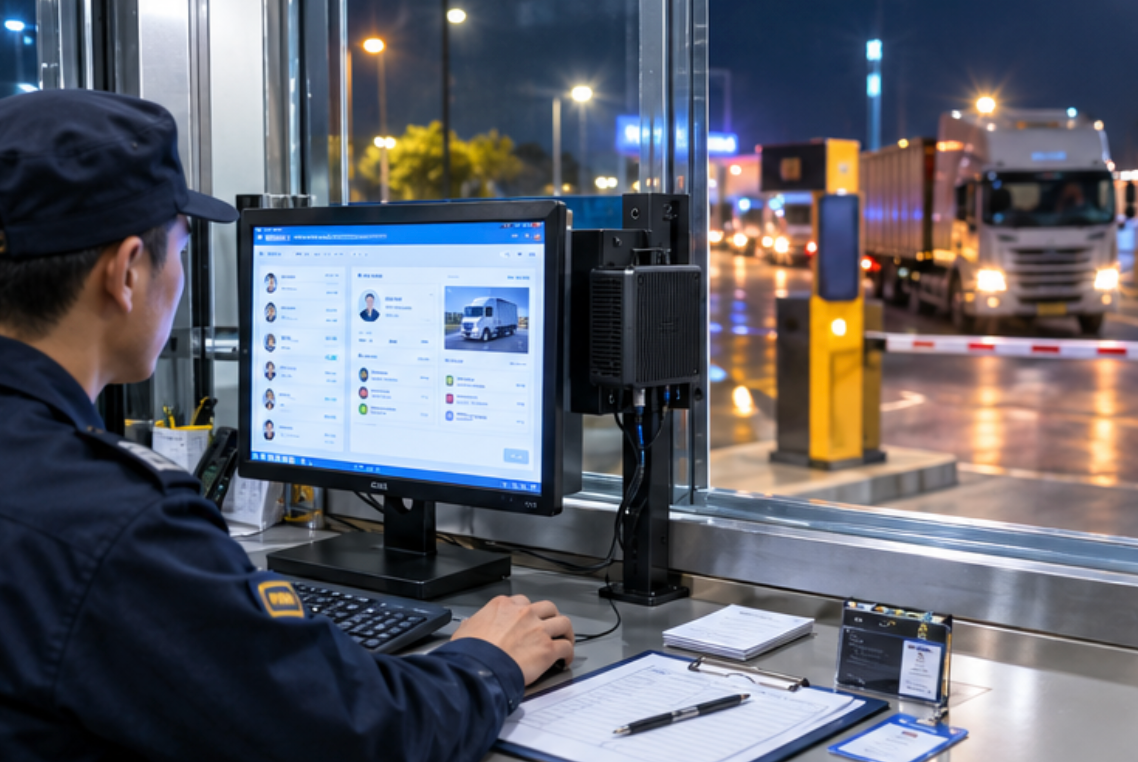
Two published details matter more than raw clock speed at 22:00. The MQi12 supports auto power-on and RTC timed power-up, so when the park's feeder line trips a breaker at 02:00 and the gatehouse goes dark, the box comes back on by itself before the guard has found a torch; the machine does not join the list of things the night crew must remember to restart. It also integrates CPU TPM 2.0, which keeps the visitor database credentials sealed to the hardware — a nightly concern in parks where the same PC handles both the gate register and the tenant billing portal. On the connectivity side it carries one 2.5G RJ45 port plus Wi-Fi 6 and Bluetooth 5.2, and its power draw runs through a DC 19V / 3.42A adapter, which is small enough that the gatehouse keeps one spare in the drawer rather than a spare machine.
The Camera Wall Picks Up Where the Ledger Stops
The second post is the monitoring room, where a two-person night crew faces a wall of feeds: the weighbridge, the truck queue, the container yard gates, and the fuel island. The tower under that desk is the Mini PC XiaoYouXia HCAR5000 MI, built around the AMD Ryzen 5000H series with options from the Ryzen 5 5600H up to the Ryzen 9 5900HX. Decoding thirty-odd streams while the video-management software writes detections to disk is the kind of load that separates a 5000H chip from the low-power boxes that look similar on a price list.
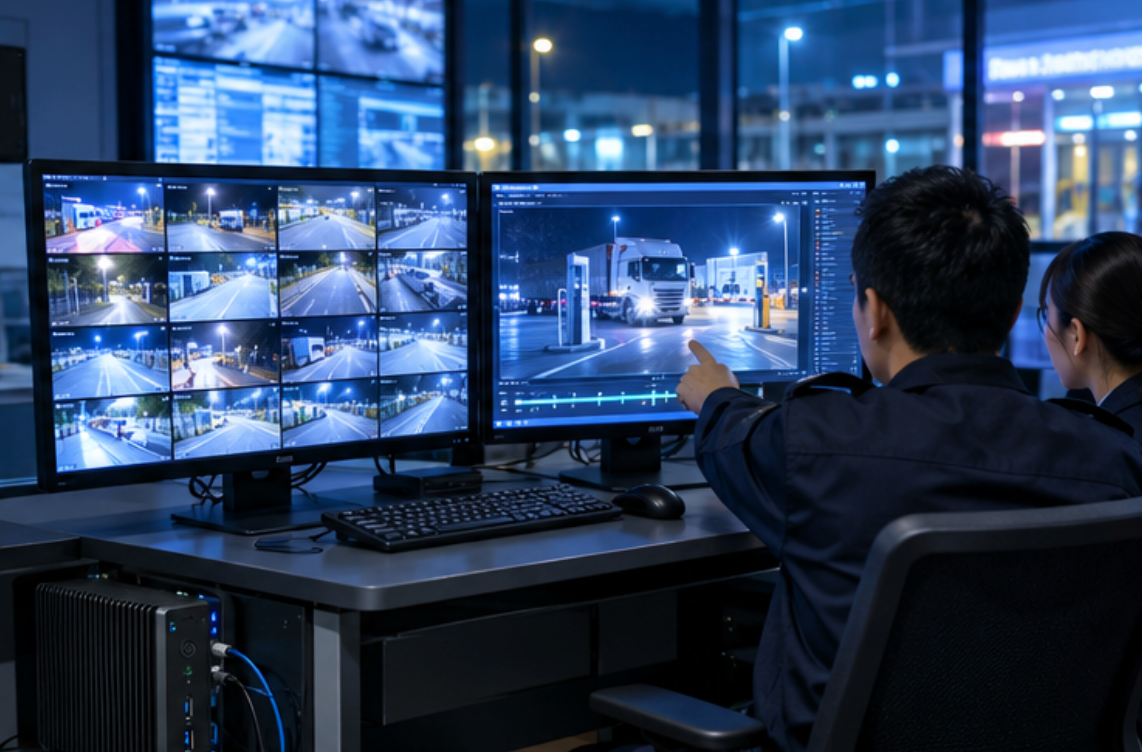
Its published expansion list explains why it sits at this post rather than the others: one RJ45 LAN port, three USB 3.0 and two USB 2.0 ports for the keyboard-video switch and the licence-plate whitelist dongle, a DP 2.0b output plus a full-function Type-C that drives the second monitor where operators replay an incident frame by frame. Memory is DDR4 3200, expandable to 64GB, and storage pairs an M.2 2280 SSD from 128GB up to 1TB with a 2.5-inch 7200rpm HDD of 500GB or 1TB for the rolling footage buffer. One honest gap belongs in the handover binder: the page does not publish a power-adapter rating or a Wi-Fi module for this model, so the room keeps it on wired power and wired network only — which, for a machine that must not drop a frame, is the safer choice anyway.
The Record Room Hands Over Nothing
The third post is the record room, the windowless space where entry logs, weighbridge tickets, and scanned delivery permits have to survive for years. The unit on the rack shelf is the WTR PRO AMD, an R3 5450U machine whose spec sheet reads less like a desktop and more like a small archive appliance: dual M.2 2280 NVMe slots for the working set, and four 3.5-inch SATA drive bays for the long tail. Its network is the reason it can sit anywhere in the park — two 2.5G RJ45 ports, one for the camera VLAN and one for the office VLAN, with Wi-Fi 6 and Bluetooth 5.2 on top.
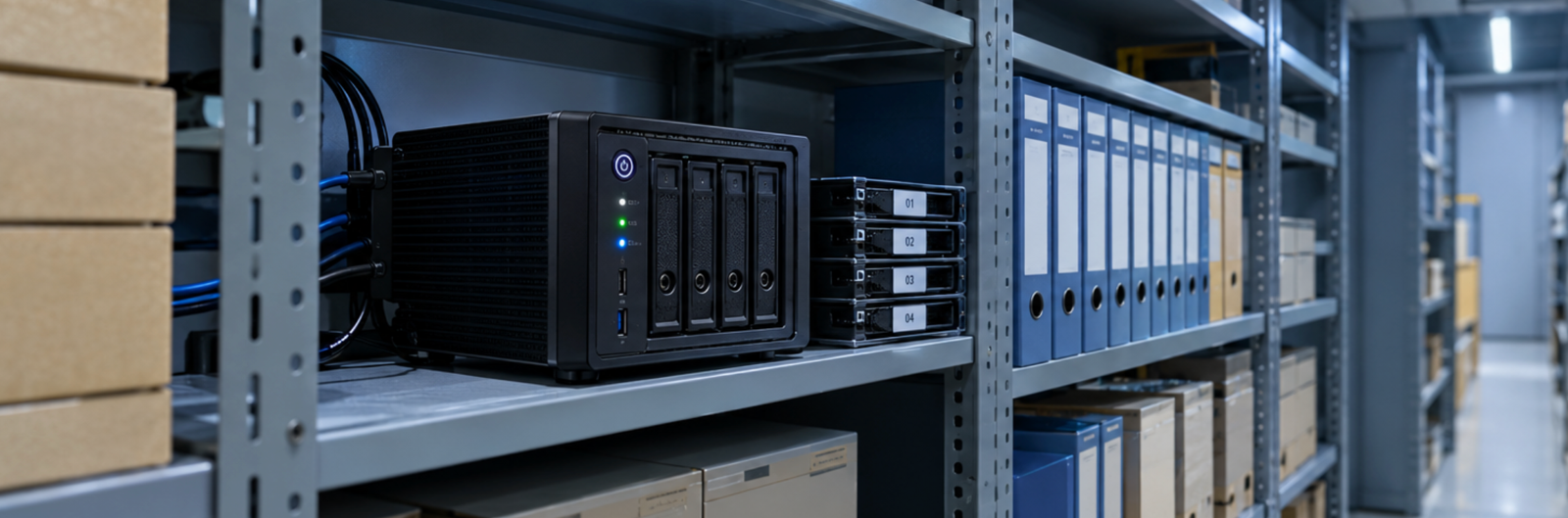
Display duty is modest by design — one HDMI, one DP, and a Type-C output that together support a triple-display setup for the quarterly audit days — because this box's real job is to accept what the other two machines hand it. The gatehouse pushes the day's visitor ledger at shift end; the monitoring box copies the flagged clips. The record room's operating-system list is unusually wide for a park machine — Linux, iStoreOS, Windows, and Feiniu OS are all listed — which matters when the park's IT contractor insists on running the archive under a specific NAS-style system instead of a general desktop. Its 120W DC adapter is sized for four spinning drives, and the published dimensions of 22.8 × 15 × 18.5 cm make it a shelf unit rather than a rack unit. The sheet lists its weight as five kilograms without stating whether that figure includes packaging, so the mounting shelf is rated conservatively.
What the Three Boxes Share Across Shifts
The table below collects the published figures that decide which machine takes which post. Weight is left out on purpose: the MQi12 and the HCAR5000 MI both quote net weights (800g and 2455g respectively), while the WTR PRO AMD sheet gives five kilograms without a basis, and mixing the two kinds of figure in one column would mislead more than it informs.
| Post decision | Palm-Sized miniPC MQi12 | HCAR5000 MI | WTR PRO AMD |
|---|---|---|---|
| Processor options | Intel 12th Gen Core, i3-1215U up to i9-12900HK (14C/20T) | AMD Ryzen 5000H, R5 5600H up to R9 5900HX | AMD R3 5450U |
| Memory | DDR4 3200 SO-DIMM up to 64GB, or onboard LPDDR5 12–24GB | DDR4 3200, up to 64GB | DDR4 3200 SODIMM, up to 32GB |
| Storage path | 2× M.2 NVMe slots, up to 4TB | M.2 2280 SSD 128GB–1TB + 2.5" HDD 500GB/1TB | 2× M.2 NVMe + 4× 3.5" SATA bays |
| Video outputs | 2× HDMI 2.1 + Type-C, triple display up to 8K | DP 2.0b + Type-C, dual output | HDMI + DP + Type-C, triple display |
| Footprint | 113 × 113 mm | 202 × 212 × 65 mm | 228 × 150 × 185 mm |
Read the rows as staffing decisions rather than rankings. The smallest footprint belongs at the window where counter space is scarcest; the most video-facing outputs belong at the camera wall; the only machine with four spinning-drive bays belongs in the room where nothing is ever deleted.
After the Last Truck: The Night Desk Roster
Once the three posts are machine-backed, the night roster stops being a copy of the day roster. Two people cover the monitoring room and the gatehouse in alternating rounds, and the record room needs no human at all between 22:00 and 06:00 — its transfers are scheduled, its drive bays are logged by serial number, and its only nightly event is the 03:00 automated copy job. Parks that are planning this kind of skeleton crew usually start from the hardware lineup and work backwards to the roster, but the sequence that works is the reverse: decide which handover items must survive in a database, then place a machine at every post those items pass through.
The arithmetic is easiest to see on the busiest night of the month, when a tenant unloads past midnight on a special permit. The supervisor writes the permit number once at the gatehouse window; from that moment it appears at the camera wall as a searchable tag and in the record room as part of the nightly manifest. Nobody carries a note across the yard, and the 06:00 day crew inherits a completed story instead of a rumor about one. Parks comparing machine classes for this kind of duty often find the detailed trade-offs laid out more systematically in the comparison library than in single product pages.
When a Box Restarts Mid-Shift
The failure that tests a handover design is not theft or fire; it is the 02:00 power blink. A desktop that boots to a login prompt has just converted an electrical fault into a staffing problem — someone now walks to the gatehouse in the rain. The MQi12's auto power-on and RTC scheduled start exist precisely for that walk: the box returns to service on its own, and the guard's only task is to glance at the LED status indicator. The HCAR5000 MI and the WTR PRO AMD do not publish an equivalent wake feature, so the park's procedure keeps their power strips on a labelled, guard-accessible panel — an honest division between what the hardware does and what the binder must say. Machines in this class get replaced or upgraded far more often than gates or cameras, and a full lineup review every second budget cycle is usually enough to keep the three posts matched to their loads.