A returns reverse-QC scanning station sits at the back of every retail, e-commerce, and distribution operation where goods come back through the door. Each returned item has to be identified, graded, and routed before it can be resold, refurbished, or sent to disposal, and that work happens on a handheld computer rather than a desktop. The rugged handheld terminal range gives operators three tools that fit different points on that line: the RS50 for photo-grade inspection, the D802 for a large shared screen on the sort table, and the R350C for fast counter-level keying. This article looks at how to keep all three running through a busy returns shift.
Reverse logistics is harder on hardware than forward shipping. Boxes arrive opened, dusty, and sometimes damp. Operators swap every few minutes. Batteries drain across long weekend surges. The devices that survive are the ones with a simple, repeatable care routine, not the ones with the longest spec sheet. The notes below are written for a team that runs a returns bay eight hours a day and cannot afford a scanner dying at hour six.
🛒 What the Reverse-Logistics Counter Asks of the Hardware
A returns station is not a quiet warehouse aisle. The handheld lives within arm's reach of torn cardboard, packing foam, and loose label stock. It gets dropped onto a metal counter, wiped with whatever rag is nearby, and plugged into a charger that someone else already yanked half out. The first job of any maintenance plan is to accept that environment instead of fighting it. Devices rated for the shop floor handle it; consumer phones do not, and the difference shows up as cracked scan windows and dead ports within a month.
The second job is to match the device to the task. A heavy eight-inch tablet is right for a stationary sort table where two people share one screen. A four-inch keypad unit is right for a counter where a clerk processes one item every twenty seconds. A six-inch camera-first terminal is right when the return needs a photo attached to the record. Picking the wrong shape creates strain that no cleaning routine can fix.
🪧 The Handheld Terminal Built for All-Day Scanning
The HOTUS RS50 5G rugged handheld terminal earns its place when the return needs evidence. Its 48MP rear camera captures a clear photo of a cracked hinge or a missing accessory, and that image travels with the QC record so a later reviewer trusts the grade. The 6.3-inch FHD+ screen is large enough to show the photo and the form side by side, which cuts the mis-taps that happen on smaller panels.
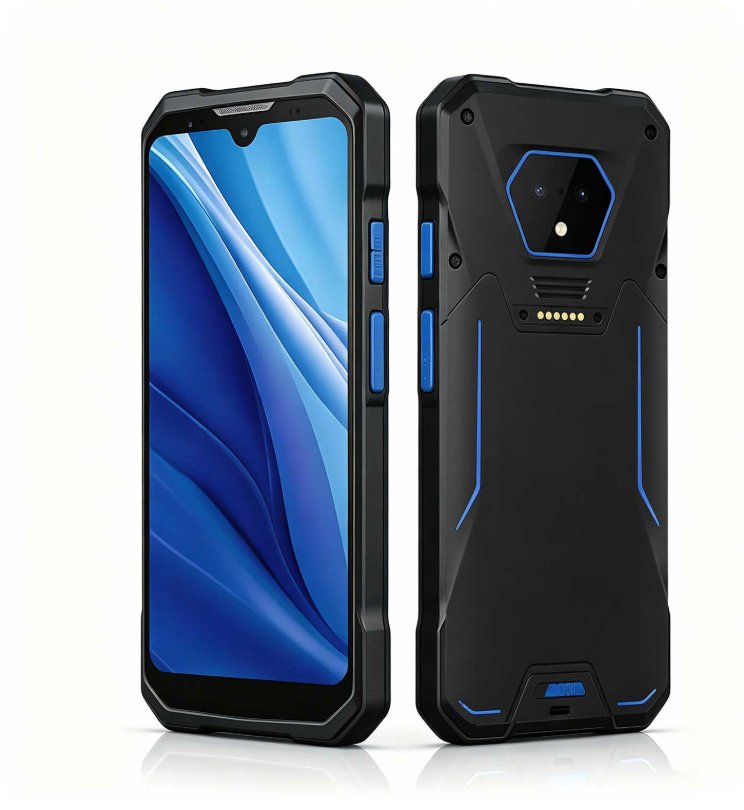
On the care side, the RS50 runs a removable battery with Power Delivery fast charging. Treat that as a pit stop, not a full recharge: a ten-minute top-up between waves keeps a shift moving without a second battery pool. The unit is sealed to IP67 with 1.2m drop protection, so a quick wipe after a dusty return is enough; do not let grit sit against the scan window, because that is where scratches start.
The RFID PDA That Reads Tags on the Sort Line
The HOTUS D802 8-inch barcode and RFID industrial PDA is the shared screen of the sort table. Its 1920x1200 panel lets two operators read the same routing decision without crowding, and the Android 13 platform with SDK support fits into warehouse management systems that a returns team already runs. Dual scan keys mean either hand can trigger a read while the other steadies the box.
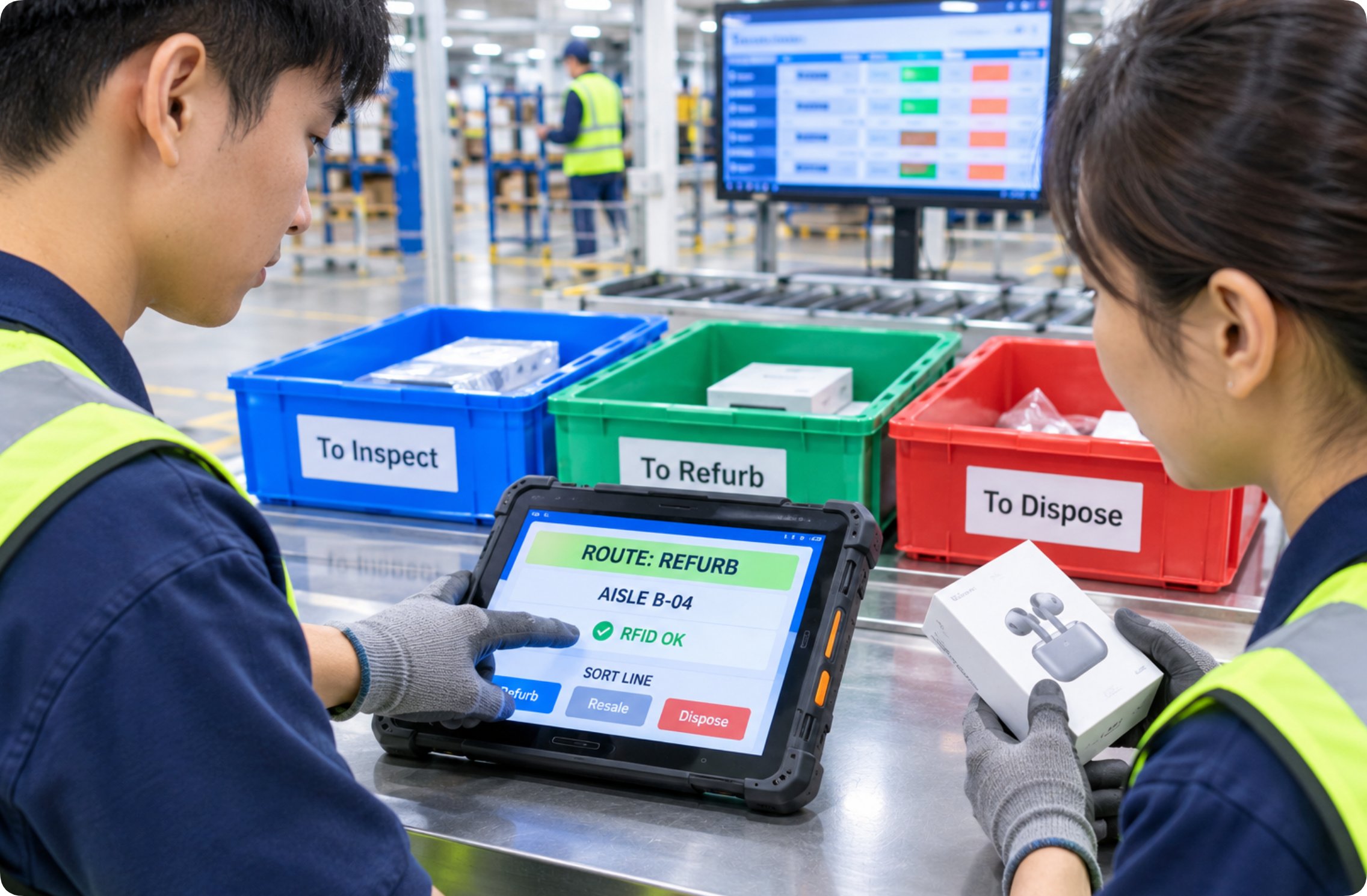
The D802 carries a removable 9000mAh battery, the largest of the three, which is why it suits a fixed station that runs continuously. Keep one charged spare at the table and swap at the shift change rather than mid-surge. Because the screen is the main surface, wipe it with a soft cloth only; the rugged build shrugs off drops, but a scratched panel is a readability problem no rating can fix.
📱 The Compact Keypad Unit for Counter-Level Returns
The HOTUS R350C 4.0-inch keypad industrial PDA is built for speed at the counter. The physical numeric keypad lets a clerk enter a quantity or a bin code without looking down, which matters when gloves are on and the queue is long. At under 300g with a 155x70x20.5mm body, it disappears into one hand through a whole shift.
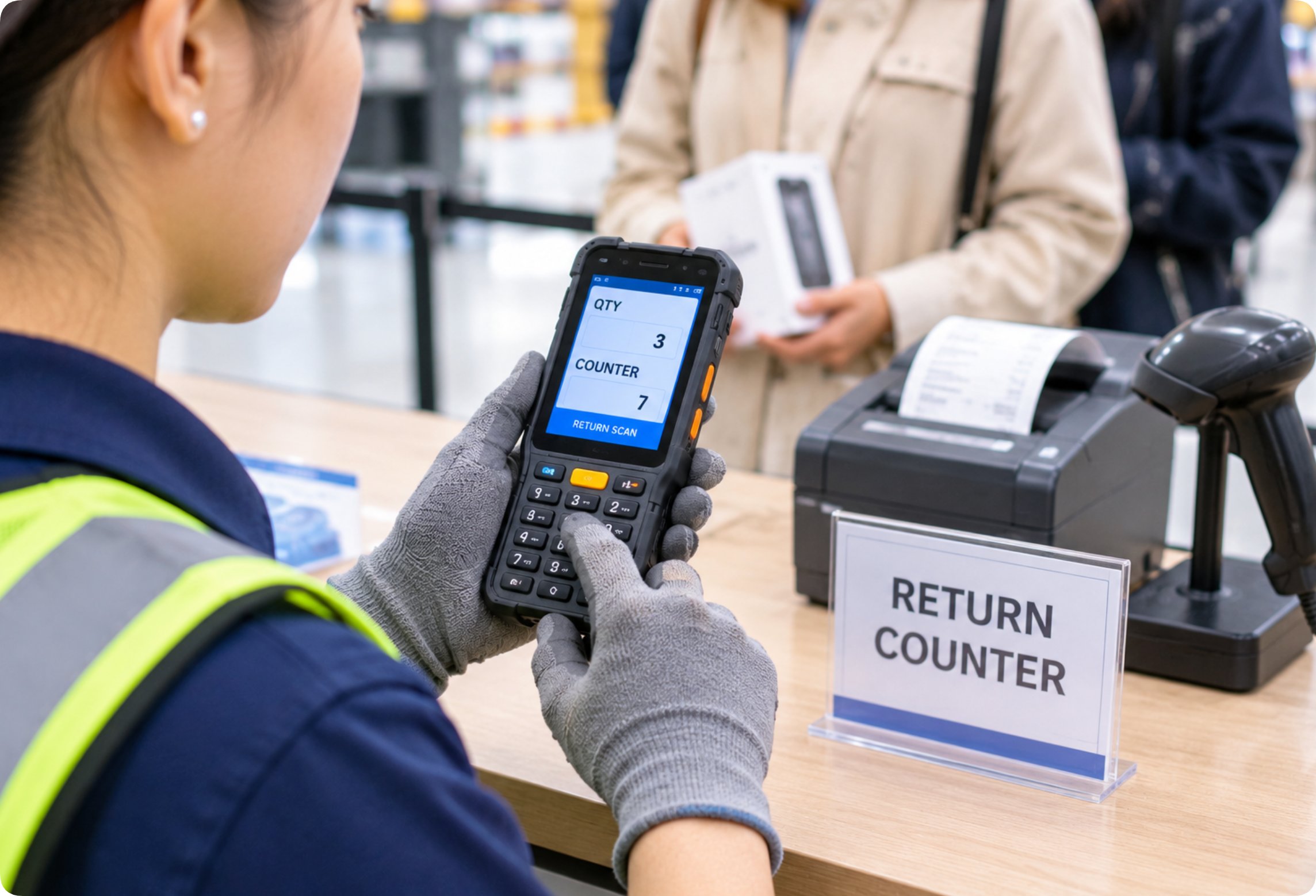
Its removable 4000mAh battery is the smallest of the three, so the R350C suits a counter with frequent short exchanges rather than a continuous sort line. The keypad is the part that wears: crumbs and tape residue collect between the keys, and a weekly brush-out keeps the tactile feedback crisp. Carrying a spare battery in the drawer covers the rare double shift.
| Attribute | RS50 | D802 | R350C |
|---|---|---|---|
| Screen | 6.3-inch FHD+ (1080x2340) | 8-inch FHD (1920x1200) | 4.0-inch HD (480x800) + keypad |
| Primary data entry | Dual scan keys + 48MP camera | Dual scan keys | Physical numeric keypad + dual scan keys |
| Cellular | 5G with 4G | 5G with 4G fallback | 4G LTE |
| Battery | Removable, PD fast charge | Removable 9000mAh | Removable 4000mAh |
| Protection | IP67, 1.2m drop tested | IP-rated rugged build (no grade published) | Rugged build (IP not published) |
Keeping the Scan Window Clear Through a Returns Shift
The scan window and the camera lens are the two surfaces that decide whether a return gets read on the first pass. Dust from opened cartons settles on both within an hour. A dry microfiber wipe at the start of each shift, and a second pass after the lunch rush, prevents the slow build that eventually forces multiple scans. Never use a solvent or a paper towel; both leave scratches that scatter the laser and blur the photo.
If a return arrives wet, dry the device before docking it. The rugged rating covers brief exposure, not a puddle on the counter, and the weak point is always the seam around the window. A small stand or a hook near the station keeps the terminal off the wet steel and out of the drip line from a leaking box.
🔋 Battery and Hot-Swap Discipline Across Three Devices
All three terminals use a removable battery, which is the single biggest maintenance advantage on a returns line. The discipline is to plan the swap, not react to it. The D802's 9000mAh cell carries a full continuous shift, the R350C's 4000mAh cell suits short counter bursts, and the RS50's removable cell with PD top-up covers a mixed day. Keep the full rugged terminal range stocked with one charged spare per active device and you never stop a line for a charge.
Store spares at room temperature and away from direct sun; heat is what quietly shortens every lithium cell's life. Rotate them so the oldest sees use first, and retire any cell that will not hold a shift. A battery log sounds like overhead until the fourth dead unit in a month shows it was the same batch all along.
Sealing Ports and Surviving Dust From Opened Packaging
Opened returns shed fiber, foam, and fine dust that loves a port. The USB-C, pogo, SIM, and TF openings on these terminals are where grit collects first. After a dusty batch, a quick blow-out with clean air and a visual check of each cap keeps the contacts clean. The RS50's IP67 seal handles the worst of it, the D802 is rated rugged without a published grade, and the R350C is a rugged build, so none of them should be submerged, but all of them benefit from a closed cap between scans.
Tape residue is the quieter enemy. A sticky label peeled off a return leaves a film that attracts more dust and eventually jams a scan key. A lint-free cloth with a drop of isopropyl on the corner, used only on the exterior, clears it before it hardens. Keep liquids away from the seams and the job stays simple.
🔧 A Practical Daily and Weekly Care Routine
A routine only works if it fits the shift, so keep it short. Daily: wipe the scan window and lens, check each battery for swelling, and dock the device clean. Weekly: brush the R350C keypad, blow out the ports, and confirm the chargers seat fully. Monthly: review the device comparison notes when a new model joins the bay, and check that firmware and OS builds are still on the supported line your warehouse system expects.
None of this needs a technician. It needs a two-minute habit at the start and end of each day, owned by the operator who uses the terminal, not a separate team. The returns station that treats its scanners this way sees fewer mid-shift failures and a longer life out of every device on the counter.
Frequently Asked Questions
1. How often should the scan window be cleaned on a returns line?
A returns bay sheds cardboard dust fast, so wipe the scan window and camera lens with a dry microfiber cloth at the start of the shift and again after the lunch rush. In our station that is roughly every four hours of active scanning. A window left to build residue forces repeated scans and eventually scratches, which no rating can undo.2. Which of the three batteries needs the most spare coverage?
The D802 draws the largest cell at 9000mAh and runs a continuous sort table, so one charged spare per active unit covers a full shift change. The R350C at 4000mAh suits short counter bursts and also wants a spare in the drawer for a double shift. The RS50 uses a removable cell with PD fast charging, so a ten-minute top-up between waves can replace a second battery entirely.3. Can these terminals be cleaned with disinfectant wipes?
Use only a soft cloth with a small amount of isopropyl on the exterior, and keep any liquid away from the USB-C, pogo, SIM, and TF seams. The RS50 is sealed to IP67 and the others are rugged builds, but none are made to be wiped down with a dripping pad. Paper towels and solvents are out; they scratch the scan window and cloud the lens.4. What fails first if the routine is skipped?
The scan window and camera lens cloud with dust, the R350C keypad collects crumbs and loses tactile feel, and ports fill with fiber that breaks the charge seat. In a returns environment those show up within weeks, not years. A two-minute start-and-end habit prevents all three and is cheaper than replacing a dead terminal at hour six of a surge.Across a returns reverse-QC scanning station, the RS50, D802, and R350C each cover a different point of the line, and all three share the same simple truth: a removable battery and a daily wipe beat any spec sheet once the boxes start arriving opened. Build the habit, stock one spare per device, and the station stays live through the longest return surge of the season.