Cold-chain operations live and die by paperwork that survives the environment it describes. A temperature excursion is only manageable if someone captures the reading, the pallet ID and the time at the moment of handling — not back at a warm desk an hour later. The hardware in the operator's hand decides whether that capture actually happens, because a consumer phone fogs over, drops in the condensation, or dies at 3% battery halfway down a freezer aisle.
This guide reads a cold-chain compliance checklist the way an auditor would, then maps each evidence requirement onto three Hotus devices that cover different points of the same flow: the rugged tablet and PDA lineup splits into the ST13-J 13.3-inch Windows tablet, the N60 5.99-inch Android PDA and the N40 compact Android terminal.
💡 Why Cold Rooms Break Ordinary Record-Keeping
Three physical conditions attack a handheld inside a cold facility. Condensation forms on any surface that moves between a 2°C room and a 22°C corridor, which blinds capacitive touchscreens and kills unsealed ports. Thick gloves or numb fingertips turn small icons into miss-taps. And battery chemistry simply delivers less capacity at low temperatures, so a device rated for a full warm-weather shift can shut down before the pallet is done.
On top of the physics sits the paperwork problem. Food-safety programs in the HACCP tradition and traceability rules under FSMA both expect records to exist at the moment of handling, with the person, the item and the timestamp attached. A record reconstructed from memory at the end of the shift is exactly the kind of gap an auditor writes up, because nobody can prove what the cooler actually held at 09:40.
The Evidence a Cold-Chain Checklist Asks For
Strip any cold-chain audit down to its evidence list and four items survive. First, a temperature context for every handled item — where it sat and for how long. Second, an identity capture: which pallet, which case, which tote. Third, a person and a time for each reading, so a corrective action can be traced to a shift and a name. Fourth, retention — the record has to persist in a system, not on a soggy paper tag.
Each of those four maps to a hardware capability. Temperature context comes from sensors or logged inputs the terminal can read. Identity capture needs a scanner that still decodes frosted or condensation-beaded labels. Person-and-time needs an authenticated login, which is where a fingerprint reader earns its place. Retention needs storage and connectivity so the record leaves the device the same hour it is created.
ST13-J: Built for the -20°C to 55°C Shift
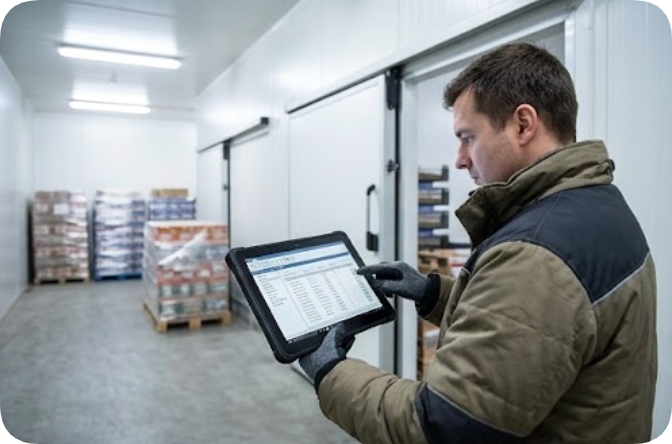
The ST13-J is the device that stays outside the coldest rooms but never leaves the facility. Its published environmental envelope covers operating temperatures from -20°C to 55°C with storage rated at -40°C to 60°C, an IP65 dust-and-water rating, and 1.2m drop resistance — the combination a loading corridor and a staging area actually demand. The 13.3-inch IPS panel runs 1920×1080 at 260–400 nits with ten-point capacitive touch that supports stylus and wet-hand operation, which matters when the same tablet moves from a dry dock office into a fogged anteroom.
Under the housing, an Intel Celeron N5100 quad-core processor (1.10 GHz, bursting to 2.80 GHz) runs Windows 10 Pro with Windows 11 Pro optional, backed by a standard 8GB RAM and 256GB storage configuration with 4GB, 128GB and 512GB builds available. The 7.6V 8000mAh removable battery carries 60.80Wh — enough for a document-heavy shift — and a 6000mAh pack is optional. Positioning comes from BDS, GPS and GLONASS; connectivity from WiFi 5 (802.11ac), Bluetooth 4.2 and global 4G LTE on the SLM770A module. An optional 1D/2D barcode scanner, a 13.56MHz NFC reader (ISO14443A) and TPM2.0 hardware security round out the compliance features. Full parameters sit on the ST13-J product page.
The comparison below collects the fields all three devices publish on their own spec sheets, so every cell traces to a vendor page rather than an inference.
| Requirement | ST13-J (13.3-inch tablet) | N60 (5.99-inch PDA) | N40 (compact PDA) |
|---|---|---|---|
| Operating system | Windows 10 Pro (Windows 11 Pro optional) | Android 10.0 | Android 10.0 |
| Processor | Intel Celeron N5100 quad-core, 1.10 GHz (burst 2.80 GHz) | Cortex-A76/A53 octa-core 2.0 GHz | Cortex-A53 quad-core 64-bit 2.0 GHz |
| RAM & storage | 8GB + 256GB (4GB / 128GB / 512GB optional) | 4GB + 64GB, expandable to 6GB + 128GB | 2GB + 16GB, TF card up to 128GB |
| Battery | 7.6V 8000mAh removable (60.80Wh); 6000mAh optional | 4200mAh removable polymer, 12h+ working, fast charge under 1.5h | 4500mAh removable polymer, 12h+ working, 350h+ standby |
| Positioning | BDS / GPS / GLONASS | GPS / Galileo / GLONASS / Beidou | GPS |
| Data capture | Optional 1D/2D scanner, NFC 13.56MHz (ISO14443A), TPM2.0 | Barcode scanning, NFC ISO14443A/B + 15693 (2-5cm), fingerprint unlock | Optional 1D/2D engine (QR, Aztec, DataMatrix), RFID reader configuration |
N60: FHD Scanning Where Condensation Fogs the Lens
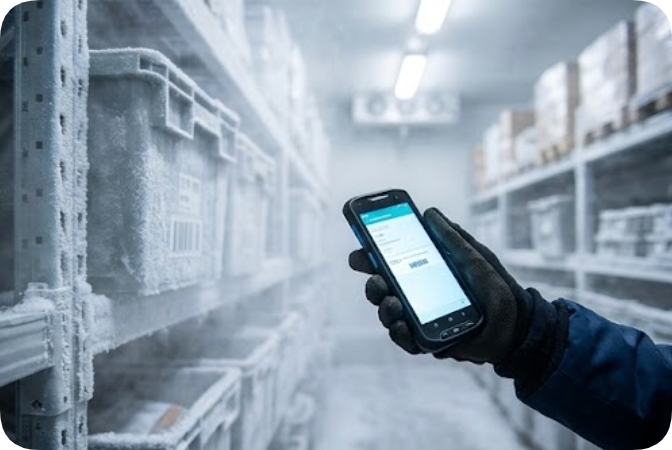
Inside the cold room itself, the N60 carries the scan workload. Its 5.99-inch IPS panel runs 1080×2160 FHD with multi-touch rated for gloves and wet hands — a direct answer to the condensation-and-gloves problem described above. The Cortex-A76/A53 octa-core 2.0GHz platform and Android 10.0 drive inventory, WMS and traceability apps without stutter, and the 4GB + 64GB memory pair expands to 6GB + 128GB for sites that cache long item histories.
For identity evidence, the N60 pairs barcode capture with an NFC module operating at 13.56MHz under ISO14443A/B and 15693 protocols at 2-5cm, plus fingerprint unlocking so each record carries an authenticated operator. Dual-band WiFi (2.4GHz/5GHz, 802.11 a/b/g/n/ac), 2G through 5G WWAN and GPS, Galileo, GLONASS and Beidou positioning keep records syncing from anywhere in the yard. The certification listing adds CE, FCC, RoHS and IP67 industrial protection, and the removable 4200mAh battery delivers over 12 hours of working time with fast charging in under 1.5 hours — swap, not charge, between shifts. Specifications and options are listed on the N60 product page.
N40: High-Volume Scan Capture at the Dock
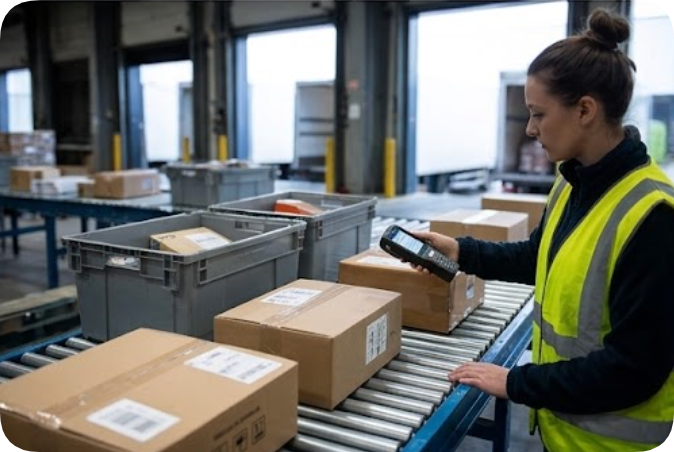
The N40 is the throughput terminal for the dock face, where parcels and totes move fast and the device mostly scans. Its Cortex-A53 quad-core 64-bit processor at 2.0GHz runs Android 10.0 on 2GB + 16GB, with a TF card pushing storage to 128GB for long offline queues. The published display is a 480×800 high-resolution color panel with multi-touch; the diagonal is not stated on the spec sheet and Hotus does not publish one, so treat the screen as compact by design.
Capture options are what make it fit the dock: an optional professional 1D/2D engine decoding QR, Aztec and Data Matrix symbologies, an optional NFC reader, and an RFID reader configuration for sites that run UHF tagging on returnable totes. GPS positioning and data logging support the courier-style proof-of-flow records a dock generates by the thousand. The 4500mAh removable polymer battery charges fast and holds over 12 hours of working time with 350+ hours of standby. One honest gap: the certification line reads CE, FCC, RoHS and ISO 9001 with Industrial Sealing Protection, but no numeric ingress rating is published for the N40 — that figure is not inferred here, and buyers who need a number on paper should request it in writing. Details live on the N40 product page.
One Kit Across Dock, Cold Room and Office
Read together, the three devices form a coverage map rather than a ranked list. The ST13-J anchors the office, staging area and vehicle cab, where its 13.3-inch screen, Windows applications and 60.80Wh battery handle manifests, exception reports and integration work. The N60 owns the cold room and the wet zones, where FHD scanning with gloves, IP67-listed sealing and fingerprint sign-off turn handling into evidence. The N40 works the dock face, where scan volume per hour matters more than screen real estate.
Support terms matter for compliance budgeting too: Hotus publishes a 3-year limited warranty on the main units of its industrial PDAs, rugged tablets and Mini PCs, with accessories covered for 1 year. For a fleet that gets swapped, dropped and recharged daily, a three-year main-unit term is the difference between a planned battery rotation and an unplanned capital request.
Reading a Quote Without Guessing
A cold-chain procurement shortlist should demand three things in writing. First, the numeric ingress rating per device — published here as IP65 for the ST13-J and IP67 for the N60, and not yet published as a number for the N40. Second, the operating temperature envelope per device, which the ST13-J publishes as -20°C to 55°C and the two Android terminals do not state as a range. Third, the exact scanner and NFC builds ordered, since both PDAs list capture modules as options rather than defaults.
Where a gap matters, ask the factory rather than the internet. Hotus manufactures these terminals directly and the product catalog marks each model's optional builds, so an OEM/ODM quote can lock RAM, storage, scanner modules and wide-temperature components into the purchase order instead of leaving them to assumption.
Frequently Asked Questions
1. Which of the three devices is rated for inside the freezer?
The ST13-J publishes the widest environmental envelope: -20°C to 55°C operating with an IP65 rating. The N60 carries an IP67 listing in its certification line but does not publish an operating temperature range, and the N40 publishes no numeric ingress rating. For sub-zero rooms, the ST13-J is the only one of the three with a published figure on paper.2. Can the two Android PDAs survive a full shift without charging?
Both publish removable batteries with over 12 hours of working time — 4200mAh on the N60 and 4500mAh on the N40 — and both are removable, so a cold facility typically issues one spare per operator and swaps at break instead of charging mid-shift. The N60 additionally publishes 350+ hours of standby and fast charging in under 1.5 hours.3. Do the devices support wet or gloved hands?
Yes, where it is published: the ST13-J lists stylus and wet-hand operation on its 13.3-inch touchscreen, and the N60 lists multi-touch rated for gloves and wet hands on its FHD panel. The N40 publishes multi-touch on its 480×800 display but does not call out glove or wet-hand support, so confirm with the factory if that is a requirement.4. What happens when a temperature excursion is found mid-shift?
The record-keeping chain matters more than the device: capture the affected pallet IDs by scan, attach the reading and the time, record the corrective action against an authenticated operator login — the N60's fingerprint unlock exists for exactly this — and sync it the same hour so retention starts immediately. Hardware only determines whether those steps happen at the pallet or back at a desk.Choosing between the ST13-J, N60 and N40 is less about which device wins and more about which corner of the cold chain each one is built to hold, and more side-by-side hardware breakdowns for logistics buyers are collected on the comparisons news feed.