Evaluating this hardware ecosystem highlights three distinct operational roles. A palm-sized industrial computer operates behind display arrays without an integrated screen; an Android rugged tablet facilitates mobile floor inspections and content verification; and a Windows industrial tablet manages maintenance tracking and diagnostic logs directly at the point of work. Each manufacturer product specification publishes stable, immutable hardware characteristics, whereas physical installation venues dictate local screen counts, electrical power delivery, and environmental exposure. By examining these factors through structured procurement rules, engineering teams can standardize multi-venue rollouts without risking compatibility mismatches.
Core Deployment Judgements for Multi-Venue Signage Networks
- Judgement One (Carry Over): Specifications naming intrinsic device properties—such as model nomenclature, operating system, display resolution, Ingress Protection (IP) grade, and manufacturer warranty—travel directly with the hardware specification sheet.
- Judgement Two (Rewrite): Parameters describing physical venue infrastructure—including display counts, AC outlet locations, charging dock positions, and environmental weather exposure—must be re-surveyed and rewritten for every new address.
- Judgement Three (Dependency Rule): Any parameter whose modification forces consequential changes in adjacent rows (such as adding a fourth display altering port requirements, player counts, and power draw) constitutes a site-specific point row.
- Judgement Four (Pre-Quote Verification): Distinctions must be established before copying procurement sheets, providing suppliers with a transparent ledger isolating fixed hardware definitions from open site variables.
The Sheet That Fit the First Lobby
The initial procurement schedule was engineered around a single concourse comprising a unified display wall, an enclosure cabinet, and a mobile inspection tablet. Its line items segregated naturally into hardware definitions, site infrastructure, and service agreements. While broader network strategies outlined in Digital Signage Application Solutions provide overarching architectural guidance, individual purchasing sheets must explicitly reference the specific architectural point of installation.
The temptation to duplicate procurement templates stems from the inherent stability of hardware definitions. A 10.1-inch touch panel, Windows 10 Pro environment, or IP67 enclosure rating remains identical across geographical locations. Once verified against official data sheets, hardware rows require no re-evaluation. Errors occur when administrative teams copy neighboring site-infrastructure rows in the same stroke. Explicitly categorizing site rows prevents systemic deployment errors during multi-site expansion.
Where a Carry-Over Row Stops Working
The validity of a carry-over row depends entirely on dependency testing. Modifying a single line item requires auditing all associated dependent variables. If no secondary modifications are triggered, the parameter is intrinsic to the device and eligible for replication. Conversely, if altering a parameter forces adjustments across multiple categories, it belongs to the physical installation point. Peripheral interface counts fail carry-over testing immediately: scaling from a three-screen video wall to a four-screen configuration demands additional video outputs, secondary media players, dedicated power feeds, and revised quantity tallies. Similarly, environmental sealing grades fail carry-over validation when transitioning from indoor climate control to uncovered exterior entryways.
The HTQ10A Android Rugged Tablet IP65 Rated (noting its advanced IP67 protection standard) serves as the primary mobile inspection unit. Its published specification defines a 10.1-inch IPS touchscreen operating at 1200 × 1920 resolution, 400 nits brightness, and 10-point capacitive touch supporting glove and wet-hand operation. Powered by Android 12 with 4GB RAM and 64GB ROM, it features an IP67 enclosure backed by MIL-STD-810G certification and 1.2-meter drop resistance. Its 3.8V 10,000mAh removable battery supports hot-swap replacement and fast charging within dimensions of 275 × 178 × 18 mm at approximately 950 grams. An octa-core processor, dual-band Wi-Fi, Bluetooth 5.0, 4G LTE, and multi-constellation satellite positioning (BDS/GPS/GLONASS) complete its core specification, alongside modular options for 1D/2D barcoding, NFC, UHF RFID, and biometric fingerprint scanning. These hardware rows remain invariant across deployment sites.
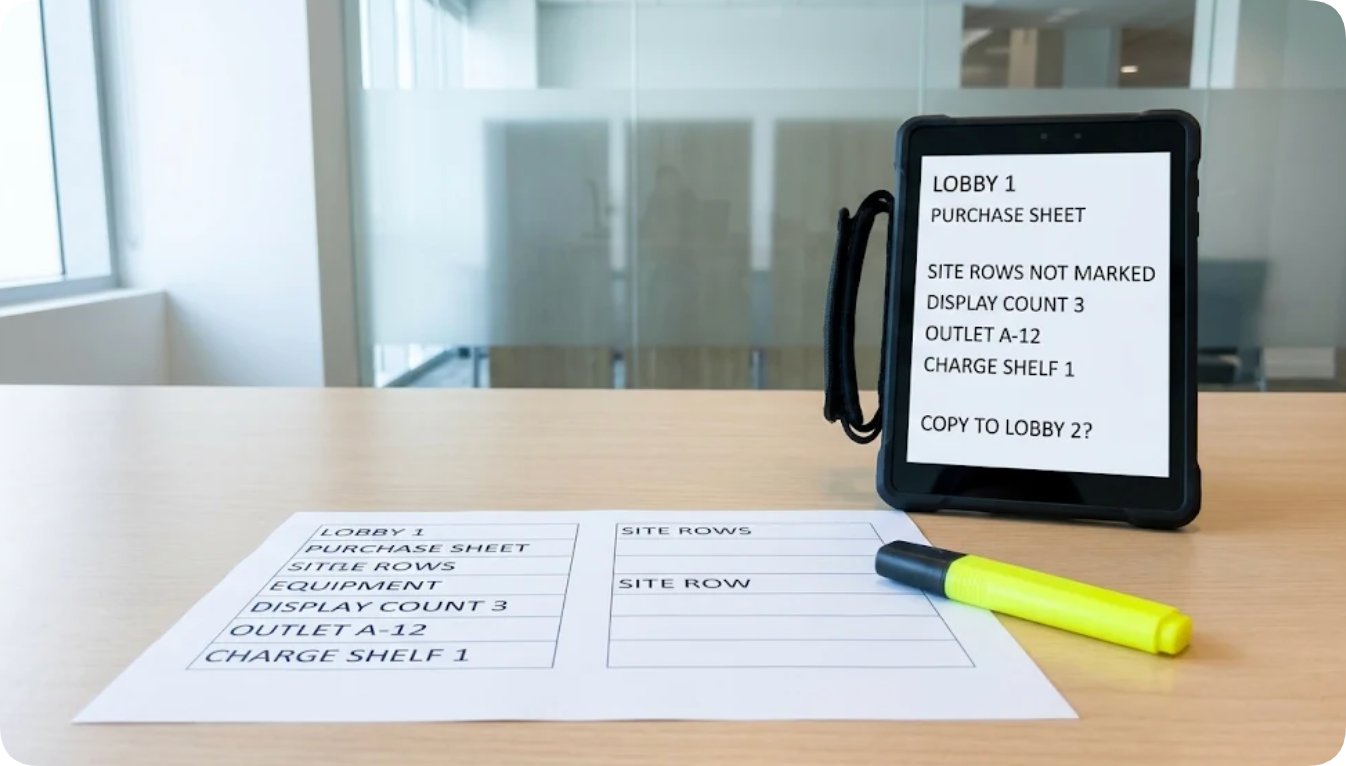
Primary lobby purchasing schedule paired with the Android rugged tablet prior to multi-site site infrastructure re-surveying
However, device quantities do not automatically transfer between venues. While a single concourse may require one mobile inspection tablet, a secondary facility with segmented entrances requires independent walk-through schedules, localized charging infrastructure, and distinct purchasing line items. While battery capacity characteristics transfer perfectly, operational device quantities remain strictly venue-dependent.
Port Counts Scale Directly With the Display Video Wall
The Palm Sized Mini PC Windows Computer Manufacturer architecture exemplifies point-dependent scalability. The MQi12 hardware platform provides two HDMI 2.1 outputs supporting resolutions up to 4096 × 2304 at 60Hz and one full-function Type-C port delivering 8K video at 60Hz, 10Gbps data transfer, and power delivery—enabling three independent display streams from a compact 113 × 113 mm chassis weighing 800 grams. Additional specifications include a 2.5G RJ45 Ethernet interface, Wi-Fi 6 with Bluetooth 5.2, five USB 3.2 Type-A ports, dual M.2 NVMe storage expansion slots, and full compatibility with Windows 11 or Linux operating systems. Enterprise features such as TPM 2.0 security, auto power-on, real-time clock (RTC) scheduled wake-up, and UEFI diskless boot ensure unattended digital signage reliability. Each parameter is an intrinsic device attribute.
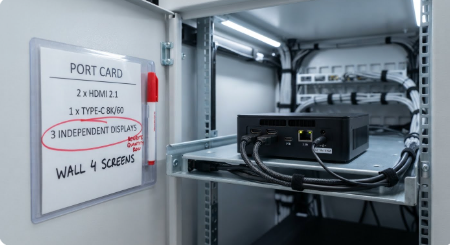
Cabinet port card evaluation mapping published mini PC display outputs against a four-screen architectural video wall
Conversely, architectural video walls are never fixed device properties. Three hardware video outputs support a three-display wall from a single compact computer; transitioning to a four-display layout necessitates secondary media player hardware or alternative signal distribution, instantly modifying procurement quantities, cabinet spatial allocations, and electrical load planning. Treating display counts as fixed hardware attributes rather than venue-specific constraints causes critical logistical oversights upon delivery.
Power Requirements Demand Verification at New Electrical Outlets
Technical specifications for the mini PC mandate a DC 19V / 3.42A power input driven by an external 100V–240V AC adapter, omitting internal battery backup. Consequently, cabinet electrical distribution represents a vital site infrastructure row rather than a static hardware attribute. Operating a single media player behind a standard display array requires one protected circuit feed; powering multiple high-performance players behind expansive video walls demands dedicated secondary circuits, augmented thermal ventilation, and robust cabinet enclosures absent in standard lobby builds. While AC adapter specifications remain constant, local socket availability and branch circuit ratings must be verified independently at each destination address.
Rugged mobile tablets utilize internal energy reservoirs—such as the Android tablet's removable 3.8V 10,000mAh battery pack and the Windows tablet's removable 7.7V 5,000mAh battery pack—designed for hot-swap maintenance without wall tethering. However, multi-bay charging docks remain strictly site-dependent, requiring designated physical space, secure anchor points, and dedicated AC feeds. Establishing a separate charging dock row for every new venue prevents delivery-day shortfalls where fully operational fleets lack proper charging infrastructure.
Operating System Selection Aligns With Software Ecosystems
The 8 Inch Windows Industrial Tablet ST9-J Manufacturer platform provides standard Windows 10 Pro architecture (with factory options for Windows 10 Home and Windows 11 Pro), driven by an Intel Celeron N5100 quad-core processor paired with 8GB RAM and 256GB solid-state storage. Its 8-inch IPS display operates at 1200 × 1920 resolution with 400 nits standard brightness (upgradable to an optional 1000 nits sunlight-readable panel), housed within an IP65-sealed chassis featuring MIL-STD-810G drop resistance across a -20°C to 55°C operating temperature range. A removable 7.7V 5,000mAh battery supports approximately 7 hours of continuous operation within physical dimensions of 236 × 144 × 17.4 mm at approximately 700 grams, complemented by Wi-Fi 5, Bluetooth 4.2, and 4G LTE cellular connectivity with integrated multi-constellation GPS/BDS/GLONASS positioning.
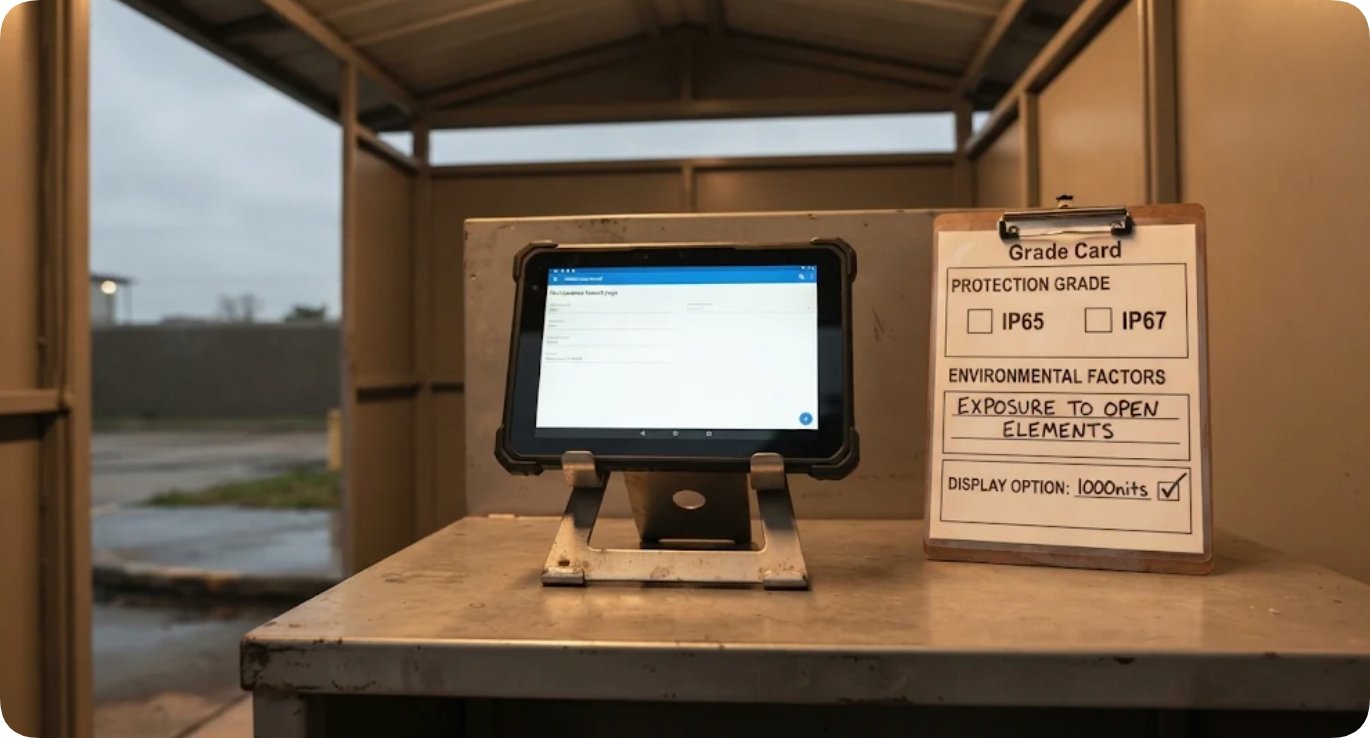
ST9-J industrial tablet environmental grade card evaluated against covered architectural entryways
Operating system definitions represent foundational hardware rows tied directly to deployed network management software. Windows maintenance clients integrate seamlessly with Windows industrial tablets, whereas Android content-verification suites require Android mobile hardware. Selecting the appropriate platform depends on facility workflow requirements: indoor maintenance desks benefit from compact Windows tablets, whereas exposed exterior environments justify rugged Android handhelds equipped with high-nit sunlight-readable displays.
Ingress Protection Grades Require Environmental Verification
Comparing rugged tablet specifications reveals distinct environmental sealing thresholds: the Android rugged unit maintains IP67 certification, whereas the Windows industrial unit is rated to IP65, with both sharing MIL-STD-810G shock resistance and identical thermal operating ranges. At primary climate-controlled lobbies, this sealing variance is negligible. However, deploying hardware near semi-exposed exterior entryways transforms the ingress protection specification from a static manufacturer feature into a critical site-specific engineering decision. Matching enclosure ratings to actual weather exposure prevents moisture ingress and premature hardware degradation.
Comparative Analysis of Hardware Carry-Over vs. Site Rewrite Rows
Analyzing technical documentation across the hardware ecosystem yields a clear bifurcation between immutable device parameters and mutable site variables. Official manufacturer data sheets establish equipment capabilities, while physical venue characteristics govern installation requirements.
| Procurement Spreadsheet Row | Manufacturer Specification Data | Venue Installation Factor | Procurement Verdict |
|---|---|---|---|
| Media Player Outputs | Dual HDMI 2.1; 1× full-function Type-C; 2.5G RJ45 Ethernet | Active display count on architectural video wall | Rewrite |
| Power & Charging | DC 19V / 3.42A input; removable tablet battery packs | AC outlet availability & charging bay allocation | Rewrite |
| Operating System | Android 12; Windows 10 Pro; Windows 11 / Linux support | Standardized software management ecosystem | Carry Over |
| Ingress Protection | IP67 / IP65 certification with MIL-STD-810G | Canopy exposure & weather precipitation | Rewrite |
| Warranty Terms | 3-year manufacturer limited warranty across all hardware | Universal manufacturer coverage | Carry Over |
The verdict column provides field engineers with an immediate logistical guide during expansion projects. Parameters marked for carry-over replicate automatically without technical review, whereas items designated for rewrite remain blank until verified through physical site surveys. While broader equipment catalogs such as the Hotus Smart Hardware Products Manufacturer Catalog assist with hardware selection, they cannot substitute for local site evaluations.
| Hardware Device Model | Published Core Technical Specifications | Documentation Reference |
|---|---|---|
| HTQ10A Android Rugged Tablet | 10.1" IPS (1200 × 1920); 3.8V 10,000mAh removable battery; IP67; 275 × 178 × 18 mm | Technical Specifications & Feature Index |
| Palm-Sized Mini PC | 2× HDMI 2.1, 1× full-function Type-C; DC 19V / 3.42A; 113 × 113 mm, 800 g | Technical Specifications Datasheet |
| ST9-J Industrial Tablet | 8" IPS (1200 × 1920); 7.7V 5,000mAh battery (~7h runtime); IP65 sealing | Full Specifications & Operational Guide |
Establishing Master Procurement Templates Before Replication
The practical outcome of this auditing process is a master procurement template featuring clearly highlighted site-variable cells. Prior to duplicating documentation for subsequent venues, installation rows—display counts, player quantities, electrical receptacle layouts, environmental exposure ratings, and ingress protection grades—are visually designated as open fields. Hardware definitions remain locked as published manufacturer specifications. When technicians survey a new architectural space, only highlighted cells are populated, providing suppliers with an unambiguous procurement document separating verified hardware characteristics from site-specific engineering requirements. This disciplined approach streamlines pre-installation inspections, ensuring player outputs match display matrices, power supplies align with local branch circuits, and ingress protection ratings correspond to actual weather exposure.
Maintaining strict separation between equipment characteristics and venue infrastructure follows core operational principles outlined in writing some cells at setup and leaving others alone. Procurement documentation remains highly maintainable when environment-dependent cells are explicitly segregated from immutable hardware specifications. Primary lobby schedules remain intact as historical engineering records, while secondary deployment points acquire precise infrastructure parameters without redundant re-derivations of core device capabilities. For further comparative insights, technical evaluation methodologies are detailed in Hotus Product Comparisons & Technical Insights.
Frequently Asked Questions (FAQ)
1. Which hardware specification rows carry over unchanged to a new digital signage point?
Yes, intrinsic device identity rows carry over without modification: exact model nomenclature, operating system platform, display resolution, published ingress protection rating, and the 3-year manufacturer limited warranty. All official product data sheets establish these parameters as permanent hardware attributes.
2. Does the published video output configuration turn the mini PC port row into a site rewrite?
Yes, the palm-sized mini PC provides two HDMI 2.1 outputs and one full-function Type-C output supporting up to three independent displays. Because architectural display configurations vary by venue—such as upgrading to a four-screen video wall—the port allocation and media player quantity rows must be re-evaluated and rewritten for every new address.
3. Why does deploying hardware near exterior entryways alter the ingress protection row?
Yes, while the ST9-J industrial tablet features IP65 sealing and the HTQ10A rugged tablet offers IP67 protection (both backed by MIL-STD-810G drop resistance), deploying devices under open exterior canopies exposes them to direct precipitation, requiring site-specific verification to ensure selected ingress ratings match actual environmental conditions.
4. Which electrical and battery figures must be validated against local venue infrastructure?
Yes, the mini PC's DC 19V / 3.42A power input, the HTQ10A tablet's removable 3.8V 10,000mAh battery, and the ST9-J tablet's removable 7.7V 5,000mAh battery tie each hardware unit to physical venue infrastructure, necessitating dedicated verification of local AC receptacle layouts, branch circuit loads, and multi-bay charging station positions.
The video below illustrates digital signage hardware deployment, multi-display video wall configuration, and rugged tablet field inspection workflows.