ST11-J and HTYJ08A: One Kit per Truck on a Solar Farm
The ground-mount plant we follow in this case sits on forty megawatts of former grazing land — roughly seventy-two thousand modules laid out in long east-west rows, four pickup trucks, and four crews that used to close out every inspection day with a shoebox of handwritten forms. The shoebox era ended this spring. Each truck now carries one sealed case with a fixed manifest: one large Windows tablet for the engineer, one eight-inch Windows tablet for the round-walker, and two handheld scanners for the modules themselves. The fleet behind the case is the rugged tablet line the site standardized on, and the case exists because the first paperless month nearly failed — not from the hardware, but from three people doing the same job three ways.
📄 Forty Megawatts, Four Crews, Paper Everywhere
Before the kits, a single inspection day produced about three hundred and forty handwritten records: flash-test readings copied from the test instrument's tiny screen, module serial numbers transcribed twice, and thermal anomalies described in four different shorthand systems by four different technicians. The office spent the following morning re-keying all of it, and the re-keying was where the money leaked. In one February audit, forty-one of the month's seven hundred thermal findings could not be matched to a module at all, because the row-letter convention on the paper sheet was ambiguous for exactly the blocks where two crews had worked the same day. The site did not need better instruments. It needed the record to be born digital, at the panel, in the hand of the person standing there.
🖥️ 🖥️ The Big Screen Owns the Folder
The engineer's tablet in each kit is the ST11-J, and its job description fits on a card: it owns the commissioning folder and nothing else. The ten-point-one-inch IPS screen at 1200 by 1920 is what makes that possible — the IV-curve traces and the as-built PDFs are legible at arm's length without zooming, and the 420 to 450 nit panel is bright enough for open-rack work as long as the crew respects the site's own shadow rules. The Intel Celeron N5100 running Windows 11 Pro talks to the test instruments over USB the way the office versions do, so the engineer runs the same desktop software used in the commissioning phase, on the same file naming. Battery life is rated at about eight and a half hours from the 45.6 Wh removable pack, which covers a full shift plus the drive back; the site bought one spare pack per truck and stopped thinking about midday charging. The ST11-J's full specification lives here, including the optional 1000-nit screen that two of the four trucks ended up ordering after one desert-edge summer.
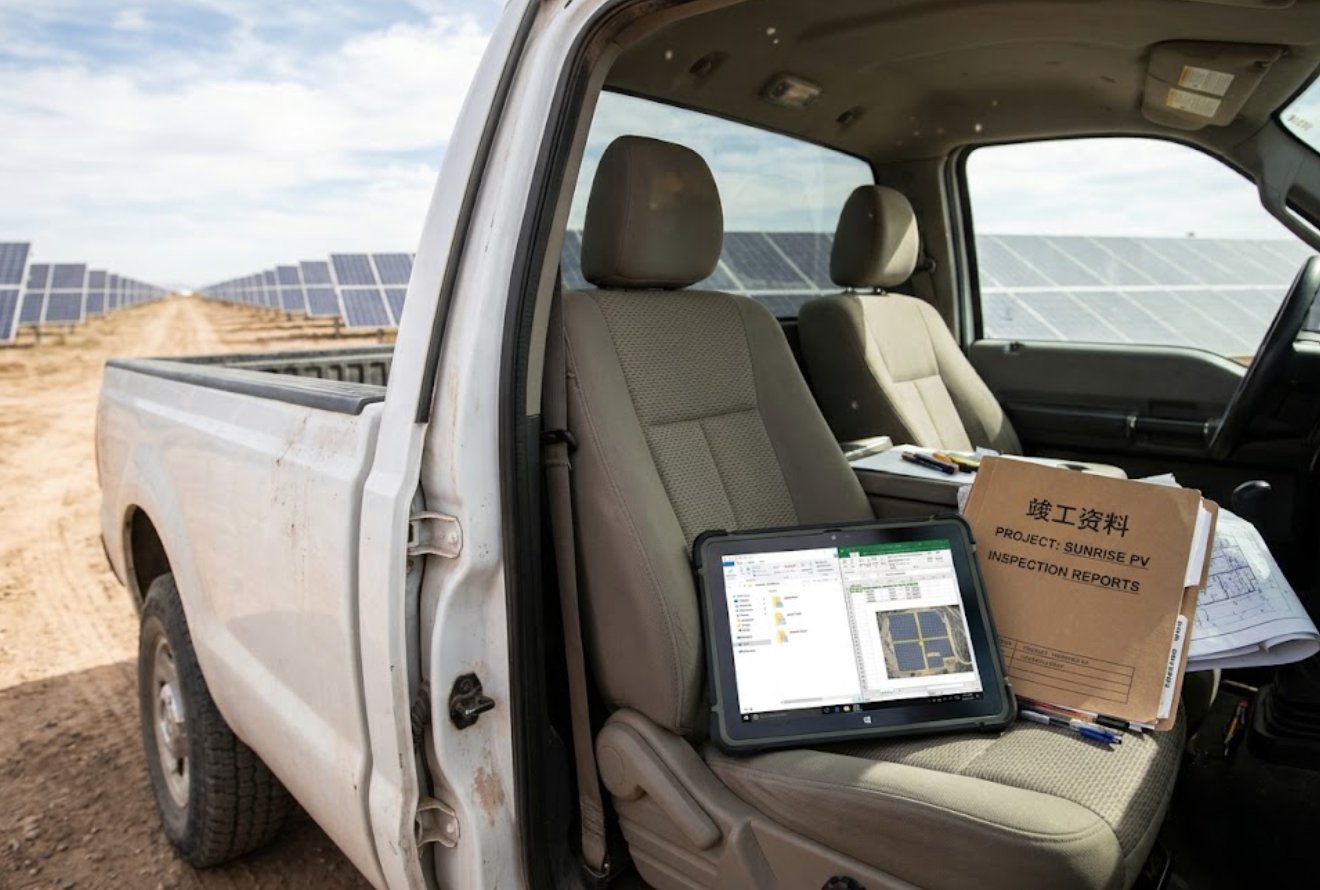
The folder discipline is the part worth copying. Every truck's large tablet holds one directory tree per electrical block, and the engineer's rule is that nothing is retyped — flash-test files land in the folder directly from the instrument, annotated in place. When a warranty claim went to the module vendor in April, the evidence pack took eleven minutes to assemble, because the readings, the serial context and the date-stamped annotations had never been separated. Under the paper system, the same claim had taken nine working days the previous year, most of it spent proving that a handwritten row letter meant the block the vendor thought it meant.
🖥️ 🔢 The Eight-Inch Screen Runs the Round
The round-walker's device is the HTYJ08A, the eight-inch member of the same Windows family, and the split between the two tablets is the single most useful decision the site made. The morning round is a different job from engineering: it is a fixed loop past the combiner boxes, the trackers' drive ends and the thermal-camera checkpoints, and it produces short, structured entries rather than long documents. The 560-nit eight-inch panel stays readable through the whole loop, the 7H glass surface has so far shrugged off grit carried on work gloves, and wet-hand touch matters more than the crew expected during the two weekly wash-down mornings. At 238 by 160 by 25 millimetres it clips into the door pocket of the truck, which is where it lives between rounds. The HTYJ08A's own page carries the variant options; the site runs the Core i5 build because the round software is light and the i7 price bought nothing the loop needed.
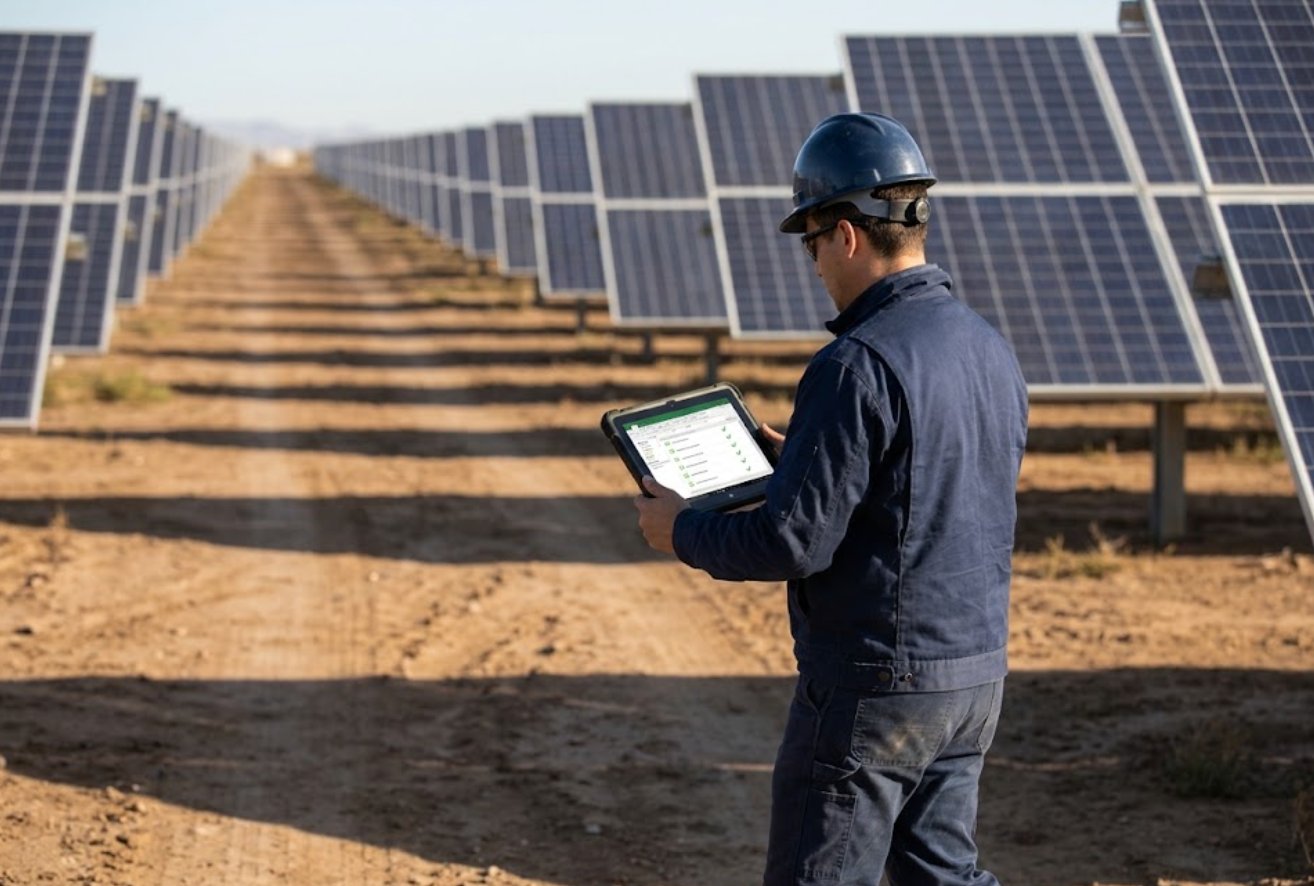
The eight-incher also carries the escalation path. When the round-walker finds something the loop cannot close — a cracked module edge, a connector sitting proud of its seat — the device photographs it, tags it to the electrical block, and the finding appears on the engineer's large tablet the moment both trucks are back in coverage. Before the kits, that handoff was a verbal report at the lunch truck, and the site's own log shows it failed silently at least twice a week: the finding was described, but never tied to a row, so it drifted until the next full thermal flight rediscovered it months later.
📷 Serial Numbers End at the Handheld
Both tablets deliberately do not scan modules. That job belongs to the two U9000 handhelds in every kit, and keeping it off the tablets is what protects the tablets' batteries and their owners' patience. The U9000 is a five-inch Android device built around one motion: reach, scan, confirm. Its 2.0 GHz quad-core chip and 720p Gorilla Glass screen are modest by design, and the scanner reads the module barcode in about two seconds with gloves on, which the tablets' cameras never managed without removing gloves in winter. The 4800 mAh removable pack runs the whole shift — the specification quotes more than twelve hours of working time — and a full recharge takes under four hours in the truck's inverter socket. The U9000's scanning options are documented here; the site chose the 2D imager head because the newer module labels switched to data-matrix codes in 2024.
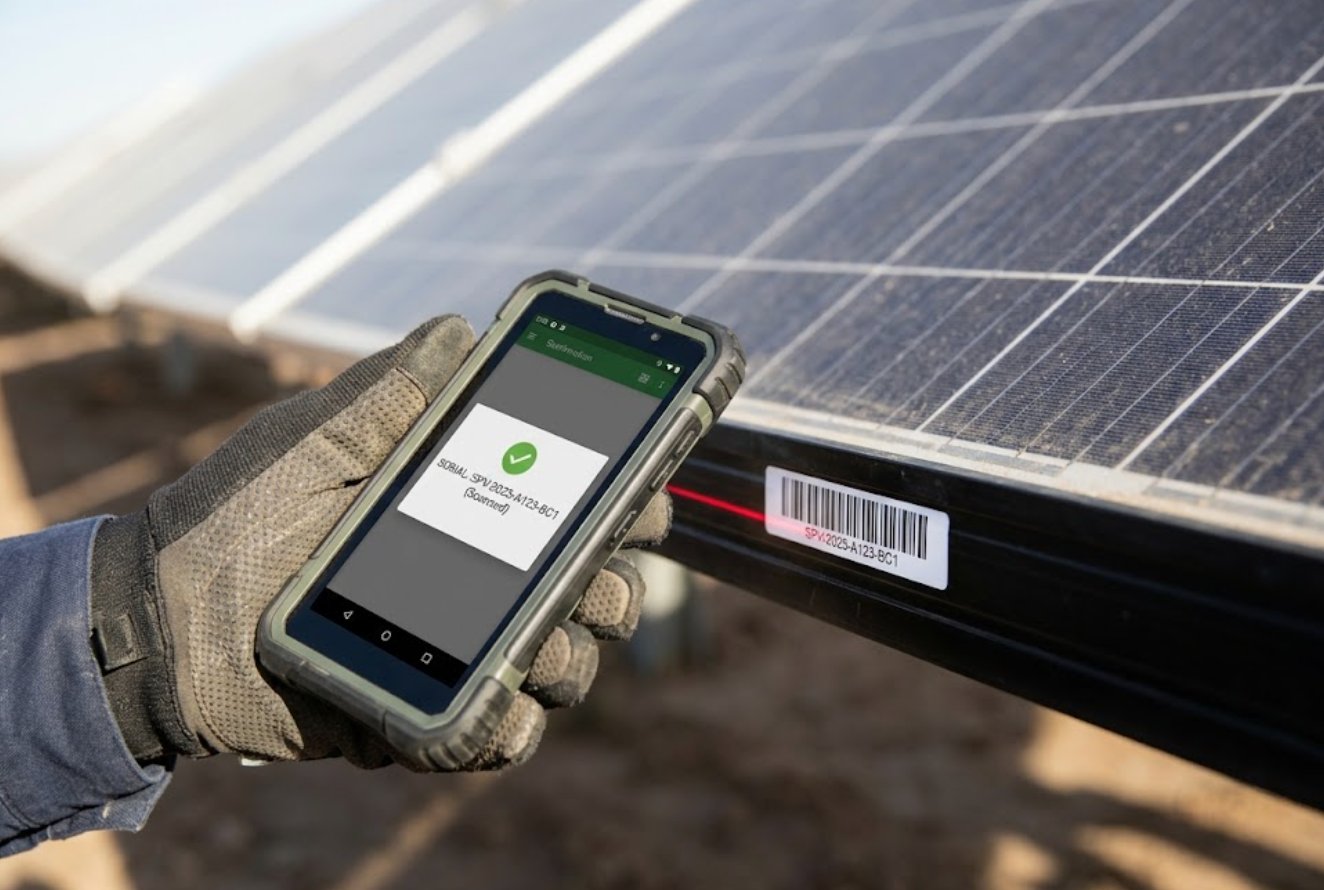
The scanning rule has one exception that the crew learned the hard way: the handheld stops at the electrical block boundary. Serial-level scans belong to fault confirmation and warranty paperwork, not to routine walk-throughs. The first month's log showed an over-eager technician scanning nine hundred modules in a day "to build the database faster", which flattened both handhelds' batteries by two in the afternoon and produced a dataset nobody had asked for. The revised procedure scans on trigger events — a thermal finding, a physical anomaly, a warranty query — and the serial database filled in naturally over six weeks without a single dedicated scanning day.
📋 Where the Three Devices Stop Overlapping
The kit's logic is easiest to see in the specification the site actually bought, because the three devices are similar enough on paper to tempt a shortcut and different enough in practice to make one obvious:
| Device | OS | Processor | Display | Battery | Dimensions |
|---|---|---|---|---|---|
| ST11-J | Windows 10 Pro / 11 Pro | Intel Celeron N5100 quad-core, burst to 2.80GHz | 10.1in IPS 1200×1920, 420–450nits (1000nits optional) | 7.6V 6000mAh removable, 45.6Wh | 268.9×176.8×18mm |
| HTYJ08A | Windows 10 Pro / 11 Pro | Intel Core i5 or i7 | 8in IPS 1200×1920, 560nits, 7H glass | 7.6V 3500mAh removable | 238×160×25mm |
| U9000 | Android 9.0 | Cortex-A53 quad-core 2.0GHz | 5.0in IPS 720×1280, Gorilla Glass | 4800mAh removable, 12h+ working | 178×78×24mm |
Two rows of that comparison are deliberately absent, and the omissions are honest ones. The vendor publishes a net weight for the large tablet — 1150 grams, give or take fifty — but lists the eight-incher only as a gross shipping figure of about 1.8 kilograms, which is a different measurement wearing the same clothes, so the column was dropped rather than mixed. The handheld's ingress rating is likewise not stated on its own page as a standard grade; the plant's units are the site's OEM configuration, so the crew verified sealing on their own units instead of quoting a number they were not sold. Both gaps were resolved by asking for the specific unit's paperwork, which is what the plant now recommends to anyone copying the kit.
🌡️ Dust, Heat and the Noon Shutdown Window
A solar farm in summer punishes electronics in a specific order. Grit comes first — the tracks between rows throw dust at anything riding in a door pocket, which is why both tablets ride in sealed cases until used. Heat comes second, and it restructured the working day: the large tablet is rated to 55 degrees Celsius at the boundary, and a black module surface at two in the afternoon can exceed that by a comfortable margin, so the site moved its close-contact device work into the morning and the last two hours before sunset. The middle of the day belongs to the thermal flight and to truck-mounted work, where the air-conditioned cab keeps the electronics inside their ratings. The crews resisted the split for exactly one week, then adopted it permanently once the log showed zero heat-related lockups in the following month, against four in the fortnight before.
📈 What the First Quarter Changed
The quarter-one ledger, measured against the last paper quarter, reads as follows. Matchable records went from ninety-four percent to effectively all of them, because a record that is born digital and barcode-anchored has nowhere to drift. The office's re-keying morning — four hours, two staff — disappeared entirely. Warranty claims that previously took nine working days to evidence now take under thirty minutes, and the vendor has stopped asking for clarification on row letters because there are no row letters. The most surprising line is crew behaviour: the round-walkers, who had been the most sceptical of the three devices, became the strongest advocates once the eight-inch tablet started carrying their escalation photos, because their findings stopped being argued with. The plant's maintenance manager sums the kit up in one sentence: every device got smaller as the system got bigger, and the shoebox is gone.
🚜 A Second Site Without a Second Guess
The operator's second plant, a twenty-five megawatt site two hours north, was kitted out in May using the first site's manifest unchanged, and the rollout took two weeks from delivery to first clean inspection day — half the time of the first deployment, because the procedures, folder structures and device roles transferred as documents rather than habits. The only local change was the scanner head: the northern site's modules predate the data-matrix label switch, so those kits run 1D laser heads, and the mixed fleet is one more reason the site keeps device roles strict. When procurement asked whether the new site should standardise on a single do-everything tablet instead, the operations office declined in writing, citing the first site's own numbers on battery attrition and on the escalation handoff. Their reasoning, and the manufacturer's own positioning across the range, is laid out in the site's product comparisons and competitor analysis, which the office used as its checklist for exactly this kind of argument.
🏭 🛒 Get the Spec Sheet, MOQ and a Factory-Direct Quote
Every number in this case comes from the plant's own deployment and the manufacturer's published specifications, and the same three devices can be configured for a very different site in a different climate — the OEM channel exists precisely for that conversation, from screen brightness to scanner head to keyboard options. If the kit logic in this case matches a fleet you run, the full product range is the place to start shortlisting, and the factory side will quote the manifest per truck rather than per device.