A utility-scale solar farm is the brightest jobsite most technicians will ever stand on. A 200 MW site can cover four hundred hectares of glass and steel, with the sun hitting it from above and again from every reflective row below. Somewhere in the middle of that glare sits a technician with a tablet, walking a combiner cabinet at seven in the morning because the IV-curve tracer has to finish before the plant heats up. The dust is alkaline, the frame rails burn bare hands in summer, and winter commissioning starts at -20 degrees C. Whatever tablet this person carries becomes the single tool that touches everything: the plant SCADA client, the inverter commissioning suite, the asset register, and the defect map that the drone team produced overnight.
Most procurement conversations about this device compare three very different answers: a hardened consumer tablet like the Samsung Galaxy Tab Active5, a surveying-grade instrument like the Trimble T110, and an industrial rugged tablet line that covers all three work layers without changing ecosystems. This article walks the solar farm workflow against those three positions and shows where each one holds up and where it quietly costs you a shift.
What a Utility-Scale Solar Farm Asks of a Tablet
The work splits into three layers, and the hardware demands differ at each one. At plant level, commissioning engineers run inverter manufacturers' Windows-based setup suites and the plant SCADA or monitoring client, often for hours inside an equipment room, which means a real desktop OS and a screen big enough to read a single-line electrical diagram without zooming. At string level, technicians connect to RS485 daisy chains that link inverters to the plant controller, trace IV curves on suspect strings, and log every reading against the right combiner. At module level, the job is volume: serializing hundreds of modules per pallet at delivery, tagging integration racks, and later georeferencing the thermal anomalies a drone found so a physical person can walk back to the exact panel in row 74.
Across all three layers the environment is constant: full-sun glare, alkaline dust that gets into every port, morning cold that drains batteries, and gloved hands. A device that fails any single layer forces the crew to carry two devices and sync them by hand, which is where the mistakes happen. The inspection workflows published for industrial sites describe the same pattern: one device per layer, or one device family that spans layers.
Samsung Galaxy Tab Active5: The Phone That Grew
Samsung's Galaxy Tab Active5 is a genuinely well-built device, and on two spec points it beats everything in this article. Its IP68 rating tolerates 1.5 meters of fresh water for 30 minutes, which is stronger on paper than the IP65 and IP67 ratings on the industrial tablets here, and its 600-nit 120 Hz panel with Vision Booster is brighter than the 400-nit-class screens on most mid-market rugged tablets. The 5,050 mAh battery is user replaceable, an optional No Battery Mode lets it run on fixed power, and Samsung promises five years of security maintenance with Knox tooling behind it. At 433 grams with an IP68-rated S Pen in the box, it is the lightest device a crew can carry.
But look at the solar farm through its ports and its screen size. The Active5 is an 8-inch Android 14 tablet on an Exynos 1380, and the software that actually runs a plant — the inverter OEMs' commissioning suites and most SCADA monitoring clients — is Windows desktop software, not something an Android shell or a remote desktop over a jobsite 4G connection handles gracefully. Its single USB-C port is USB 2.0, and the POGO pins are charging-only, so there is no native serial path to an RS485 bus; the workaround is an OTG adapter chain that adds drivers, connectors, and failure points to the exact cable that gets flexed the most. There is no integrated scanner engine or RFID option, so module serialization runs through the camera. The Active5 is an excellent companion device for rounds and checklists, but as the plant's core tool it forces the two-device workflow this article is arguing against.
Trimble T110: A Thousand Nits and an Ecosystem Meter
The Trimble T110 is the most impressive single device on this page, and it deserves an honest reading. Its 10.1-inch panel runs at 1000 nits, comfortably the brightest screen in this comparison and a real advantage in open-row glare. Inside is an Intel Core Ultra 7 with 32 GB of RAM and a 1 TB SSD under Windows 11 IoT Enterprise, so it runs the same commissioning and SCADA software as an office workstation. The 8,000 mAh battery is hot-swappable, the chassis carries IP65 and MIL-STD-810H certifications, and the -10 to +55 degrees C operating window covers a desert summer afternoon. For survey crews, the Empower module platform adds up to two snap-on modules such as a sub-meter GNSS receiver or a long-range radio, which is a legitimately elegant expansion path.
The catch is what the Empower platform implies. The T110 is built as the front end of the Trimble ecosystem — Siteworks, Earthworks, WorksManager — and its survey-grade GNSS accuracy arrives as a paid module, not as an integrated radio on the device. Its I/O is a USB-C power input, a single USB 3.0 port, and a headset jack, so like the Samsung it has no native serial port for the RS485 string bus, and its IP65 rating holds only with port access doors closed. Trimble's own battery guidance recommends -10 to +45 degrees C for optimal use, slightly short of the -20 degrees C starts that winter commissioning demands. And the device is positioned and priced as surveying-grade equipment; fleet-wide deployment across an O&M team is a different budget conversation than a single instrument for the survey crew.
Three Screens for Three Layers of a PV Plant
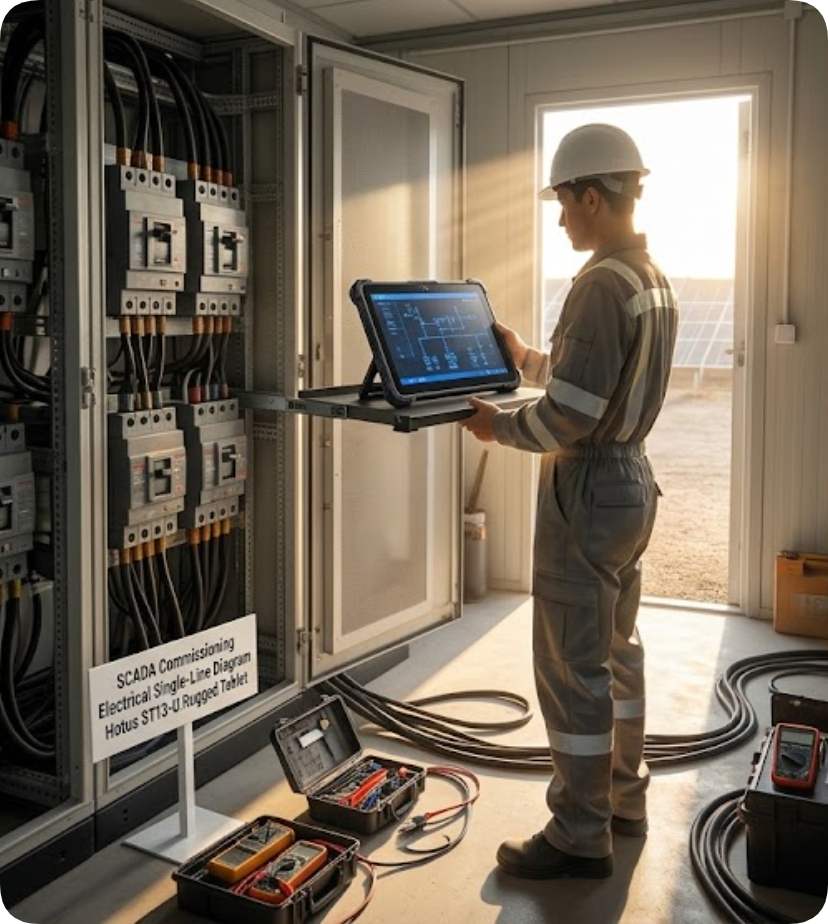
The Hotus answer is not one tablet but a three-screen lineup that maps onto the three work layers, all reading from the same asset data. At plant level sits the ST13-U rugged tablet: a 13.3-inch 1920 x 1080 IPS panel with stylus and wet-hand support, an Intel Core i5-1235U with ten cores up to 4.4 GHz, Windows 11 Pro, and Intel Iris Xe graphics. That is enough machine to run an inverter commissioning suite and a SCADA client side by side on site, on the largest screen in this comparison. The 8,000 mAh battery is removable at 60.8 Wh, the operating range is -20 to +55 degrees C, and an optional Honeywell N4680 scan engine plus TPM 2.0 turn it into a commissioning workstation that docks into a vehicle mount at night. Its honest weakness is brightness, 400 to 450 nits, so midday single-line-diagram reading wants a hood or the shade of the equipment room — the same tradeoff every sub-1000-nit screen in its price class makes.
Tagging Half a Million Modules
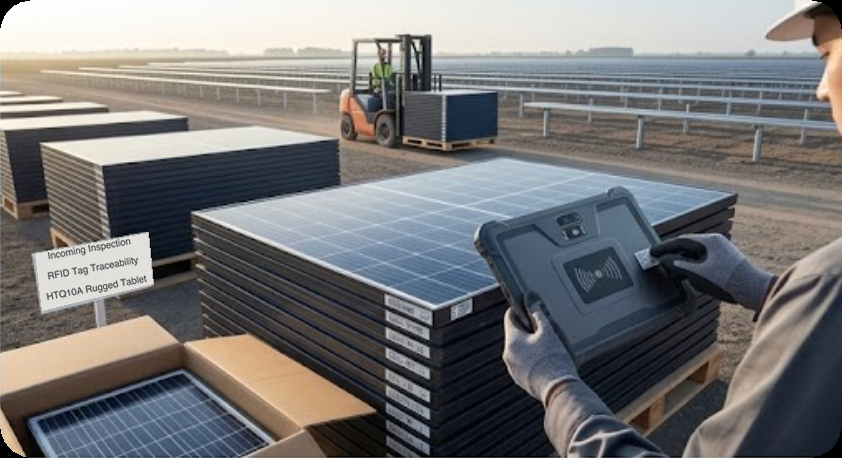
At module level, the HTQ10A Android rugged tablet carries the volume work. It is certified to IP67 and MIL-STD-810G with a 1.2-meter drop rating, it runs -20 to +55 degrees C, and its 10,000 mAh battery is removable with a quick-swap design so a pallet-receiving shift never stops to charge. The 10.1-inch Full HD panel sits under Corning Gorilla Glass and accepts gloved and wet touch, which matters when the alternative is pulling gloves off in an alkaline wind. The data-capture story is where it separates from the Samsung: the optional hardware stack includes a 1D/2D scan engine, 13.56 MHz NFC, a UHF RFID module, and a fingerprint sensor, so module serials and integration racks get captured by trigger press rather than by camera aim. At roughly 950 grams with a 13 MP rear camera, it is the device that lives in the delivery lane and the integration shed.
Putting Every Defect Back on the Map
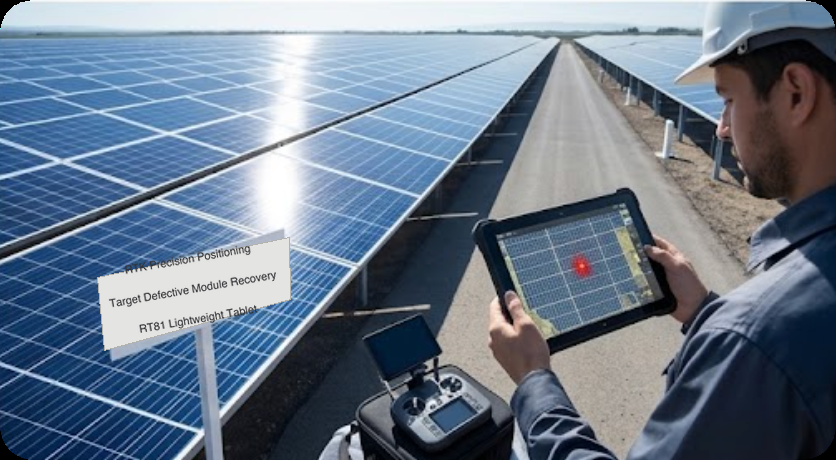
The third layer is geography. When the overnight drone pass flags 300 thermal anomalies, someone has to physically reach each one, and the difference between "somewhere near row 74" and "this module" is measured in minutes per defect. The RT81 rugged tablet addresses exactly this: an optional independent BeiDou module with RTK delivers centimeter-level positioning, so the drone's defect list imports as coordinates and the technician walks to the panel, not to the approximate string. It runs Android 16 on a Qualcomm SM6115 octa-core, weighs under 650 grams, carries IP67 sealing with a 1.2-meter drop rating, and its 10,000 mAh battery charges over Power Delivery. The 20 MP autofocus rear camera photographs the nameplate and the crack in the same shot, dual 4G SIMs keep it online across the site's dead zones, and a 12-pin Pogo dock feeds the vehicle cradle. The RTK module is optional, ordered per fleet rather than per unit, but when it is on the device the re-find-the-defect workflow stops being a search problem.
The Numbers Side by Side
| Device | Screen | Platform | Battery | Environmental | Data capture |
|---|---|---|---|---|---|
| Samsung Galaxy Tab Active5 | 8.0" 1920x1200, 600 nits, 120 Hz | Android 14, Exynos 1380 | 5,050 mAh replaceable; No Battery Mode | IP68, MIL-STD-810H, 1.5 m drop (1.8 m with cover) | Camera scan (Knox Capture), S Pen |
| Trimble T110 | 10.1" 1920x1200, 1000 nits | Windows 11 IoT Enterprise, Core Ultra 7, 32 GB / 1 TB | 8,000 mAh hot-swappable | IP65 (doors closed), MIL-STD-810H, -10 to +55 C | 8 MP camera; Empower GNSS/radio modules |
| Hotus ST13-U | 13.3" 1920x1080, 400-450 nits, stylus | Windows 11 Pro, i5-1235U (10 cores), Iris Xe | 8,000 mAh removable, 60.8 Wh | IP65, 1.2 m drop, -20 to +55 C | Optional Honeywell N4680, NFC, TPM 2.0 |
| Hotus HTQ10A | 10.1" 1920x1200, 400 nits, Gorilla Glass | Android, octa-core 2.0 GHz | 10,000 mAh removable, quick swap | IP67, MIL-STD-810G, -20 to +55 C | Optional 2D engine, NFC, UHF RFID, fingerprint |
| Hotus RT81 | 10.1" 1920x1200, 400 nits | Android 16, SM6115 | 10,000 mAh, PD fast charge | IP67, 1.2 m drop, -10 to +50 C | 20 MP AF camera, optional RTK BeiDou, 2D engine |
Choosing by Layer, Not by Logo
The honest summary is that each device here wins something real. The Active5 wins on ingress protection and pocketability, and as a rounds-and-checklists companion it is hard to beat. The T110 wins on screen brightness and compute, and for a survey crew already inside the Trimble ecosystem it is the right instrument. But a solar farm O&M team does not buy for one person; it equips a crew that has to run Windows commissioning software at plant level, capture module serials at volume, and walk to coordinates at module level — all day, in glare and dust and -20 degree mornings. A lineup where a 13.3-inch Windows workstation tablet, an IP67 scan-and-RFID tablet, and a sub-650-gram RTK unit share one data pipeline covers all three layers for less than the price of outfitting the same crew with surveying instruments, and without asking an Android tablet to pretend it speaks RS485.
If the next procurement round is for a plant this size, the useful exercise is to table the workflow first: who runs commissioning software, who receives modules, who closes out the drone's defect list. The hardware answers are already on the market, including devices designed for exactly this kind of field deployment across distributed sites; the mistake to avoid is letting one brand of one device class answer three different questions.