When I visit a school that has run a tablet fleet for more than a year, the first question the IT coordinator asks is rarely about features. It is about faults: which devices fail, how often, and whether the spare pool is the right size. In the fleets I have worked with, the answer to all three questions is shaped by one factor that most buying decisions ignore — screen size. A school that understands how an 8-inch, a 10.1-inch, and a 13.3-inch tablet fail differently can cut downtime without buying a single extra unit.
💡 Why Three Sizes, Three Failure Profiles
A tablet does not fail at random. The way it is carried, dropped, plugged in, and shared follows from how big it is and who uses it. Small units get handed around and live in bags; mid-size units sit on desks and get plugged in constantly; large units stay in one room and are treated with more care because they are expensive. That means the fault list for each size is predictable, and a troubleshooting plan that treats all three the same is wasting time on the wrong problems.
The Hotus range for education covers exactly these three tiers, and our dedicated education solutions page documents the full family. The practical split that most schools land on is an 8-inch unit for mobile and younger-year use, a 10.1-inch unit as the classroom standard, and a 13.3-inch unit for teacher stations and specialist rooms.
The 8-Inch Units That Take the Most Abuse
The ST9-J is the size that spends its life on the move. At eight inches it fits in a school bag, gets passed between students, and is the unit most likely to be dropped on a corridor floor or have a charger cable pulled hard. The faults we see on 8-inch fleets are predictable: damaged charging ports, cracked corners, and the occasional device that will not wake from sleep after a hard knock.
The good news is that these are exactly the faults a rugged build minimises. The ST9-J is sealed and reinforced, so most of those hits end in a cosmetic mark rather than a trip to the repair bench. In a fleet of fifty ST9-J units, the realistic expectation is a handful of charging-port replacements per year, which is why the spare pool for the 8-inch tier should be the largest of the three.
🎓 The 10.1-Inch Classroom Workhorse
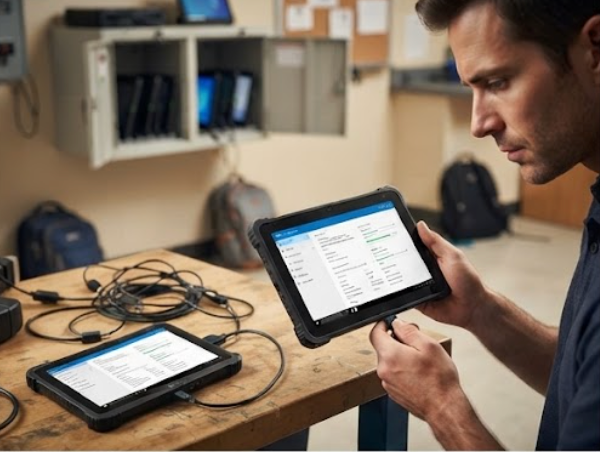
The ST11-M is the size most schools buy the most of. At 10.1 inches it is the standard classroom device — big enough for worksheets and small-group work, light enough for a charging cart. Because these units stay on desks and in carts, the fault profile shifts away from physical damage and toward daily-use issues: a stuck charging cart slot, a misbehaving peripheral, or the occasional unit that needs a clean reinstall after a shared account breaks a profile.
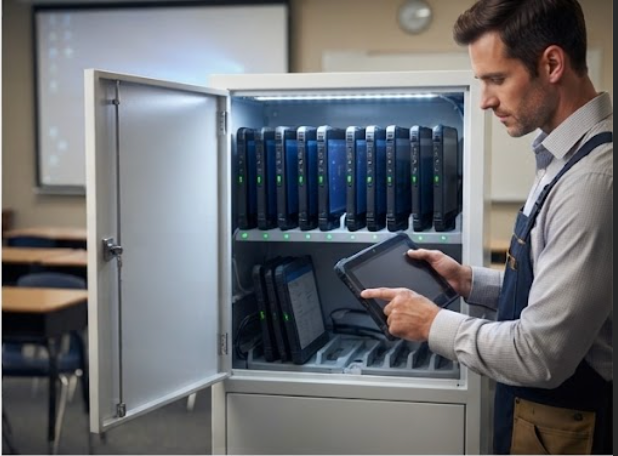
For the 10.1-inch tier, the troubleshooting lever is the charging cart. Most ST11-M faults we see are actually cart faults — a loose cable, a bay that does not seat the unit, a power supply that has tripped. Checking the cart before the tablets is the fastest fix in the whole fleet, and a school that keeps one spare cart power supply on the shelf solves most of its morning complaints.
🎓 The 13.3-Inch Teacher Station
The ST13-J is the largest and most expensive tier, and it fails least. At 13.3 inches it is used as a teacher station, a specialist-room workstation, or the device that runs the projector and the attendance system. It does not travel, it is not shared, and it is handled by adults, so the fault list is short and mostly environmental: display issues from being left on all day, heat from a closed cabinet, or a projector connection that needs re-seating.
Because the ST13-J is the tier where a failure is most disruptive — it stops a whole room — the troubleshooting rule is to keep it simple: one spare ST13-J per building, and a written check for the projector and display connections before calling for support. Most reported 13.3-inch failures turn out to be a loose HDMI cable or a power-management setting, not a hardware fault.

A Trouble-Ticket Playbook
| Fault Pattern | ST9-J 8-inch | ST11-M 10.1-inch | ST13-J 13.3-inch |
|---|---|---|---|
| Most common fault | Charging port wear | Charging cart slot / reinstall | Display or projector connection |
| Typical cause | Rough handling, cable pulls | Cart cable, shared profiles | Left on all day, loose cables |
| First check | Port and cable before device | Cart bay and PSU before tablet | HDMI and power settings |
| Spare ratio | Highest, ~10% | Medium, ~5% | One per building |
| Repair vs replace | replace port, keep unit | Reinstall or swap cart slot | Re-seat connection |
This playbook is deliberately short. Schools do not need a twenty-page manual; they need the right first check for each tier. In the fleets that follow this pattern, the average fault resolution time drops to under one lesson, because the technician starts with the most likely cause instead of working through a generic checklist.
🎯 How to Size the Spare Pool
Size the spares by tier, not by a flat percentage of the whole fleet. Put roughly ten percent of the ST9-J count into the 8-inch spare pool, about five percent of the ST11-M count into the 10.1-inch pool, and keep a single ST13-J spare per building. The 8-inch tier needs the biggest cushion because it takes the most physical hits; the 13.3-inch tier needs the smallest because it fails rarely but is the most painful to wait on.
One detail that makes the whole pool cheaper to run: all three units are Windows devices from the same rugged range, so they share chargers, management software, and the spare-account setup. A school can move an ST11-M spare into an ST9-J classroom for a day without retraining anyone or re-imaging the unit, which is the flexibility that makes a small spare pool work.
Getting Started
If you are planning a school tablet rollout or trying to reduce downtime in an existing fleet, start by counting the faults from the last term and sorting them by screen size. The pattern will tell you which tier needs more spares and which check needs to be written down. Our industrial hardware solutions overview covers the fleet-side approach, and the product pages for the ST9-J, the ST11-M, and the ST13-J have the full specifications for each tier. We work with school IT teams on the spare ratio, the cart setup, and the first-check checklist, so the fleet keeps teaching instead of waiting for a repair.