R366C-S, F502 and RS51: A Warehouse Data Capture Starter Guide
Walk into a distribution center that has just bought its first handhelds and the question is never which single device to buy. It is how to cover three different jobs with the smallest number of devices: bulk identification of a whole pallet at once, single-label scanning on a cart or bench, and a larger screen for the tasks that are really small database sessions. Those three jobs need different capture hardware, which is why this guide introduces three devices that divide the work cleanly. The warehouse handheld terminals covered here are the R366C-S UHF reader for pallet-level reads, the F502 RFID barcode scanner for everyday label work, and the RS51 handheld terminal for the applications that live on a big screen. Each section explains where the device fits, what it does best, and where another device in the same family does the job better.
💡 Why the Unit of Work Decides the Device
The reason no single handheld covers a warehouse is that the work comes in three different units. A receiving operator identifies goods in pallet-sized batches, a picker verifies one label at a time, and a supervisor resolves exceptions that are really database rows. Each unit of work has a natural capture tool, and forcing all three through one device means paying for capability you do not use on two of the three jobs. The rest of this guide walks the three units in order and names the device that fits each one.
Reading a Whole Pallet in One Pass
The most dramatic time saving in warehouse data capture comes from the UHF reader, because it changes the unit of work. A barcode scan reads one label; a UHF read can identify forty labels on a pallet in the time it takes to point the antenna and pull the trigger. The R366C-S carries a 5.5-inch screen with a Qualcomm SM6225 octa-core processor and the Impinj E710 reader engine, and it is built for the operator who walks a receiving lane pointing at pallets rather than leaning over each carton. The use case that justifies the R366C-S is any process where goods arrive pre-tagged: receiving, put-away confirmation, and the periodic cycle count that would otherwise take a full shift with a laser scanner. For a team that is new to RFID, the R366C-S is also the device that makes the business case visible, because one walk down a pallet row produces data faster than any spreadsheet estimate.
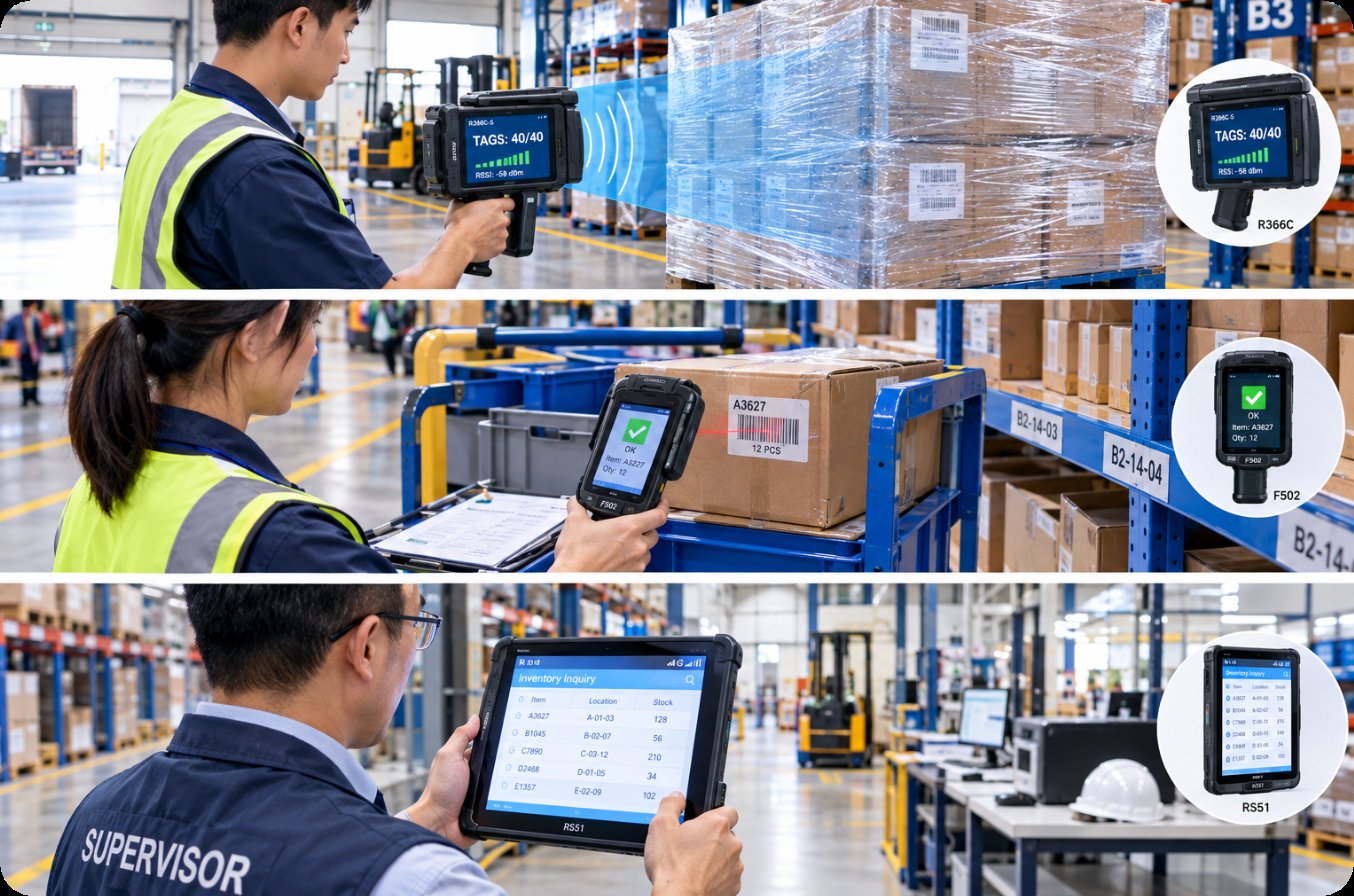
The single-pass pallet read above is the workflow that makes UHF pay for itself: the operator points the pistol-grip unit at the wrapped pallet, and the tag count appears on the screen before the operator lowers the device. The R366C-S is the right first UHF purchase for a site that is standardizing on one reader family.
Everyday Scanning on a Cart or Bench
Not every warehouse task needs a fifty-tag read. Picking verification, return processing, and bin-to-label checks are single-label jobs, and for those the fastest device is the one that wakes instantly and scans reliably at close range. The F502 RFID barcode scanner sits in this middle ground: it is a rugged PDA with a built-in barcode engine and RFID support, aimed at the operator who works from a cart or a bench rather than walking a lane. Its role in the starter kit is coverage. A site can equip a larger number of carts and benches with the F502 for the price of a smaller number of UHF readers, which matters when the daily work is mostly one-label transactions with occasional RFID checks. The F502 is also the natural training device, because the scanning behavior an operator learns on it transfers directly to the rest of the family.
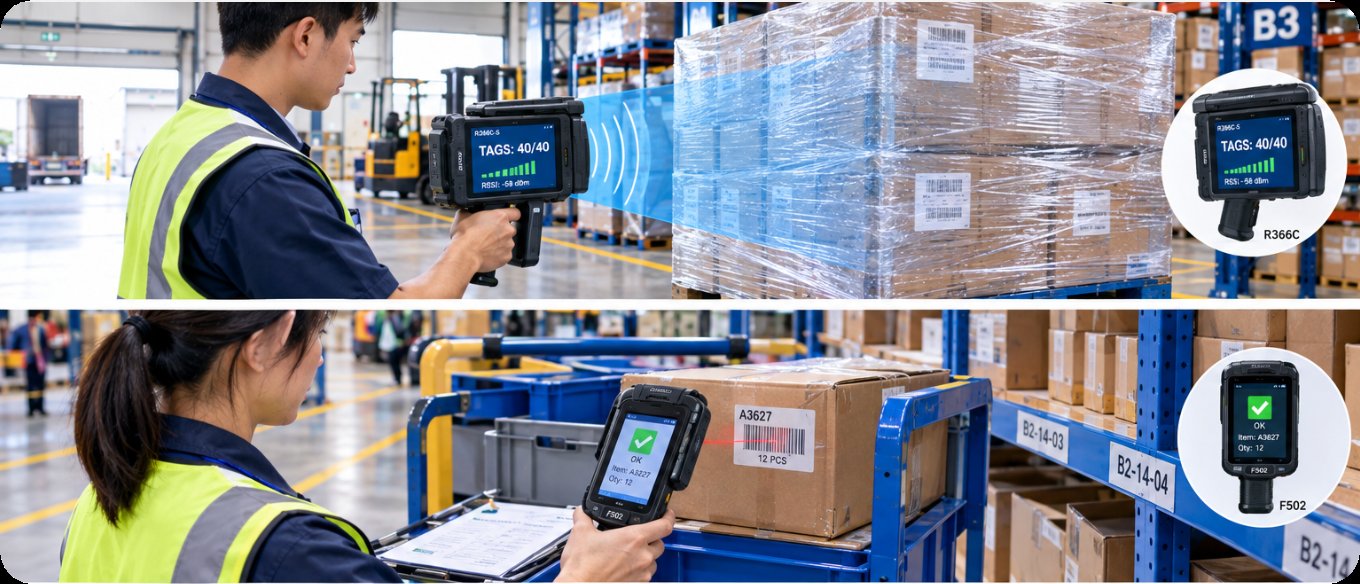
The cart-based scanning pattern above is where the F502 earns its place: short-range reads at close distance, repeated hundreds of times a shift, with the rugged body taking the bumps of the cart rail. It complements rather than competes with the pallet-level R366C-S.
🖥️ Big-Screen Tasks That Are Really Database Work
A third group of warehouse jobs is not scanning at all in the classic sense. Stock lookup, put-away assignment, damage photos, and supervisor approvals are small database sessions that happen to be performed standing up. Those jobs need a larger screen and a faster application feel, which is what the RS51 provides with its 6.3-inch FHD+ display, the same Qualcomm SM6225 octa-core platform as the R366C-S, and Android 13. Because the RS51 shares its processor and software generation with the R366C-S, an application written for one runs on the other with minimal changes, which is the quiet advantage of choosing a family rather than three random devices. The RS51 is the device that stays in the office lane and the break room as often as the aisle, because its screen is comfortable for the lookup-and-confirm rhythm of supervisory work.
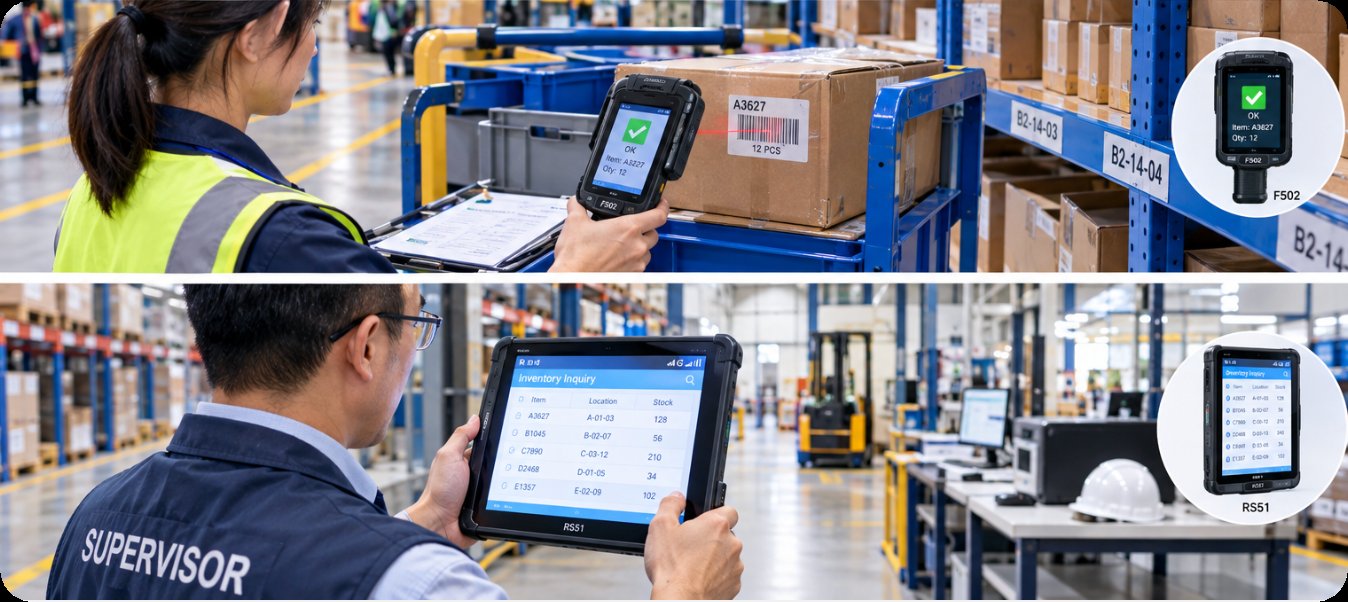
The supervisor workflow above shows the RS51 doing the job that a scanner would do poorly: reading a stock level, approving an exception, and moving to the next task without switching devices. The large screen is the feature that matters in this role, not the scan engine.
Choosing the Mix That Matches Your Process
The right starter mix depends on where the work actually happens. A receiving-heavy site that gets pre-tagged goods should weight its purchase toward the R366C-S, because one UHF reader replaces several hours of laser scanning per shift. A site dominated by picking and returns should weight toward the F502, because the volume of single-label transactions is what drives labor cost. A site with heavy supervisory lookup and approval work should make the RS51 the supervisor's daily device and let the scanning devices stay in the aisles. Most first purchases end up near a balanced split, and the reason to standardize on these three is that the family shares its application platform, so a later shift in the mix does not orphan existing software.
💰 A Simple Cost Picture for the First Purchase
Warehouse budgets rarely approve a large fleet at once, and the starter guide is written around that reality. A first purchase can begin with a small number of R366C-S units on the receiving lane, add F502 units to the carts that already have the highest transaction volume, and place one or two RS51 units with the shift supervisors. That staged entry keeps the first invoice low while building the data trail that justifies the next batch. The per-device cost falls as the site scales, but the workflow logic does not change, which means a small first order is also a safe first order.
| Job | Recommended device | Best at | Typical role |
|---|---|---|---|
| Pallet-level identification | R366C-S UHF reader | Full-pallet tag capture in one pass | Receiving, put-away, cycle count |
| Single-label transactions | F502 RFID barcode scanner | Fast close-range scanning on cart or bench | Picking, returns, bin checks |
| Lookup and approval | RS51 handheld terminal | Big-screen database work standing up | Supervisor stock lookup, approvals |
The table above is the entire starter logic in one view: match the device to the unit of work rather than buying one all-purpose unit and forcing every task through it. Sites that follow the table tend to buy less hardware overall, because each device is used at what it does best.
🎯 How to Pilot the Mix in One Week
A five-day pilot settles the sizing question faster than any spreadsheet. Day one puts the R366C-S on the receiving lane and measures how many pallets one operator clears per hour against the previous laser-scan baseline. Day two gives the F502 to the busiest picking cart and logs the same transaction throughput. Day three hands the RS51 to a supervisor for the lookup-and-approval rhythm. Days four and five let the same three operators swap roles, which is how a team discovers that the R366C-S operator also wants the RS51 for end-of-shift paperwork. By Friday the site has real numbers for each device's best role and a clear first-order split, without committing to a full fleet on day one.
Beyond the First Order: When Each Device Should Grow
The starter kit is a floor, not a ceiling. As volume grows, a site that started with the R366C-S on one lane typically adds units to the cross-dock and the returns area, because those are the next places where bulk reads replace individual scans. A site that started with the F502 adds units where new carts join the fleet and where the returns bench splits into multiple stations. The RS51 grows more slowly, because supervisory headcount does not scale with throughput, and most sites find that a handful of RS51 units serves the whole shift structure. Keeping the same family across all three growth paths is what protects the earlier software investment, and it is the reason this guide treats the three devices as one system rather than three separate purchases.
For a first deployment, the practical sequence is to confirm the receiving workflow with the R366C-S, put the F502 on the busiest cart, and hand the RS51 to the shift supervisor for a week. The broader F502, R366C-S, and RS51 product pages carry the full specification detail for each device, and the rugged mini PC solutions range covers the fixed workstations that pair with the handhelds on the bench. A field-tested look at where warehouse handheld hardware is heading rounds out the reading for a team planning its first purchase.