Most VDI ROI models assume a worker stays at one desk. A factory does not work that way. The same operator who spends the morning at a quality station needs to walk the line with the afternoon's inspection data, and the maintenance supervisor who plans from an office terminal also needs the same session on the shop floor. When the workforce moves, a fixed desktop image alone does not cover the day, and the thin client choice stops being a single device decision. This article builds the ROI case for a VDI rollout across a moving workforce using three Hotus units that share one management image: the ST13-U and ST13-J as the big-screen fixed stations, and the SH6 as the walk-around session device. The model compares the classic desk-only rollout against a layered rollout that follows the worker through the day.
💡 Why a Desk-Only Model Underprices the Real Day
The desk-only ROI model makes one assumption that fails on a factory floor: that every session ends where it started. In practice a worker logs in at a station, walks to a machine, checks a part, returns to log the result, and repeats that loop all day. Each return to the desk is dead time, and each paper note taken in between is a data-entry error waiting to happen. A layered VDI rollout removes that dead time by putting a thin client in the worker's hand for the walk part of the loop, while keeping the large screen where the detailed work happens. The real ROI question is not cost per desktop; it is cost per completed worker loop, and that is where the layered model wins.
Large Screens Where the Detail Work Happens
The layered model matches screen size to task rather than forcing one form factor on every role. Detailed work, such as quality records, CAD views, and production dashboards, earns its value from a large readable screen, and the ST13-U supplies that with its 13.3-inch panel at the quality and inspection stations. A quality operator who checks parts against a live drawing needs the full image visible at a glance, which is exactly what a 13.3-inch thin client gives that a small handheld cannot. Because the ST13-U runs the same managed VDI image as the rest of the rollout, the record started here is the same record continued later in the worker's hand.
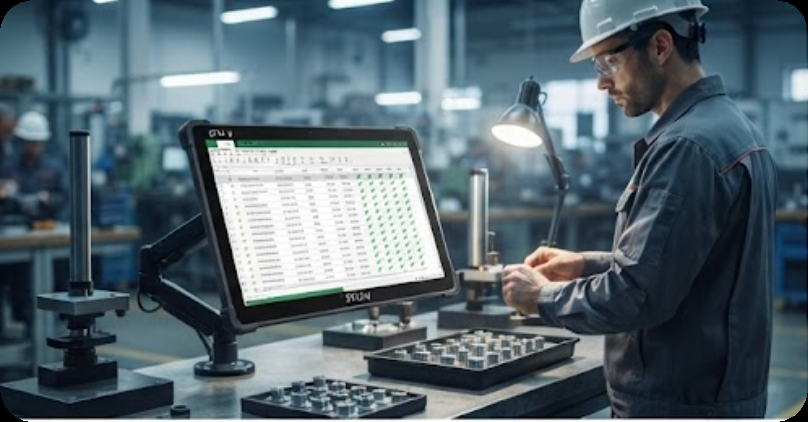
The ST13-U station above carries the quality half of the day, where a readable panel and a live drawing earn their value. The session that starts at this screen does not end when the operator stands up, because the same image follows the worker to the machine.
🖥️ A Second Big-Screen Role for Planning and Supervision
Planning and supervision need the same large-screen clarity for a different set of tasks. The ST13-J covers that role with its own 13.3-inch panel, aimed at the planners, maintenance supervisors, and shift leads who work from schedules, dashboards, and handover logs rather than from part drawings. Splitting the two big-screen units between inspection and supervision keeps each role on its own device while sharing one management image and one peripheral policy. A site that standardizes on the ST13-U for quality and the ST13-J for planning ends up with two clean job classes instead of one mixed fleet that nobody owns.
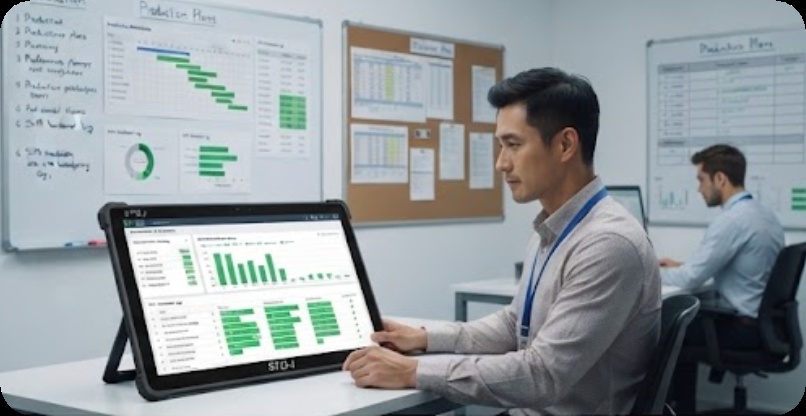
The planning role above is the second big-screen job class in the layered rollout. Keeping inspection on the ST13-U and planning on the ST13-J means each station type has a clear owner, while both still run the same managed session image as the rest of the workforce.
The Handheld That Carries the Session to the Machine
The walk-around half of the day is where the layered model finds savings the desk model cannot see. The SH6 gives the worker a VDI session at the machine, so a part check that used to mean walking back to the desk now ends at the point of inspection. The measurable gain is the loop time: what took three trips to the station becomes one continuous session that moves with the worker. The SH6 is built for that duty with a rugged body that survives the shop floor, and because it runs the same managed image as the large screens, the IT team provisions one image for the whole workforce rather than maintaining separate environments for fixed and mobile workers.
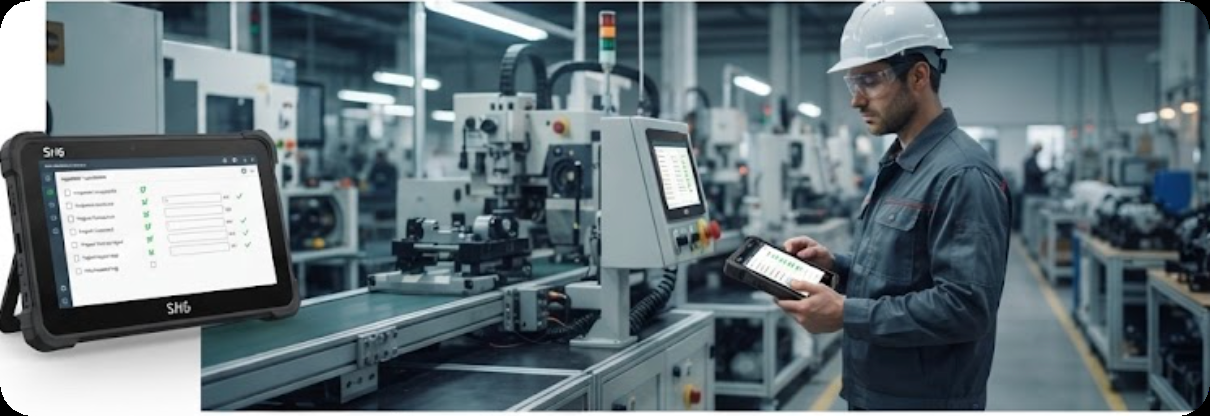
The walk-around session above is the second half of the layered day: the SH6 carries the same VDI session to the machine, closing the loop that a desk-only rollout leaves open. The worker checks the part where the part is, and the record updates in real time.
💰 Building the Layered Cost Comparison
The comparison that follows holds the workforce constant at forty operators across two shifts and compares a desk-only rollout of forty large screens against a layered rollout of twenty-four large screens plus sixteen SH6 handhelds. Both options deliver the same number of concurrent VDI sessions; the difference is where the sessions live during the walk-around part of the day. The model prices the hardware, the per-seat VDI licensing, and the estimated time saved per worker loop, and it expresses the result as payback in months and as time returned per operator per day.
| Line item | Desk-only rollout | Layered rollout (ST13 + SH6) |
|---|---|---|
| Large screens deployed | 40 | 24 |
| Handheld session devices | 0 | 16 |
| Concurrent VDI sessions | 40 | 40 |
| Trips back to desk per worker loop | 2-3 | 0-1 |
| Time returned per operator per day | Baseline | ~35-45 minutes |
| Hardware payback | Baseline | ~8 months |
The table shows the layered model spending the same session budget while removing most of the desk-return trips. The hardware payback comes from the productivity recovered from the walk-around part of the day, not from buying fewer seats.
Where the Payback Actually Comes From
The payback in a layered rollout comes from three places, and it is worth naming them so the model is honest. First, fewer desk returns mean the same headcount completes more worker loops, which shows up directly in throughput. Second, records entered at the point of inspection remove the transcription step, which cuts data-entry errors that a desk model silently accepts. Third, one managed image for both large screens and handhelds lowers the IT cost of maintaining a separate mobile environment. The desk-only model captures none of these, which is why it consistently understates what a moving workforce can gain from VDI.
When the Layered Model Is Overkill
Not every site needs the handheld layer. A back-office team that genuinely stays at its station all day will never use the walk-around half of the model, and buying SH6 units for that team would spend money on a session device that never leaves the desk. The honest trigger for the layered rollout is a measured walk-around pattern: if operators leave their stations more than a few times a shift to check work in progress, the handheld layer pays for itself; if they do not, the large-screen-only rollout is the correct answer. The value of the layered model is that it makes that trigger visible before the purchase instead of after.
Planning the Rollout in Two Phases
The practical rollout path is two phases that let a site confirm the payback before scaling. Phase one replaces the busiest stations with the ST13-U and ST13-J large screens and issues a small batch of SH6 units to the operators who walk the most, then measures the loop-time change over two weeks. Phase two expands the handheld batch to the rest of the walking workforce only if the phase-one measurement supports it. This staged approach keeps the first invoice small and ties every later purchase to measured behavior, which is the same discipline the ROI model itself asks for. A thin client VDI endpoint plan built this way covers the fixed stations and the moving workforce from one managed image, the full rugged handheld tablets range carries the walk-around side of the same rollout, and the earlier SH6 thin client VDI ROI business case shows the same reasoning applied to a different device mix.