SH5-W, HT2500 Pro Ultra and WTR PRO AMD: Dividing the Work in an Enterprise Collaboration Rollout
I have sat through many post-rollout reviews, and the technology is rarely the thing that failed. The room gets wired, the projector goes up, the machine in the cabinet is racked and imaged, and everyone returns to their own desk. Three months later somebody asks who signs for the spare handheld, and the room goes quiet. That silence is the whole story: enterprise collaboration solutions are not held together by hardware. They are held together by a staffing chart that almost nobody draws on purpose.
This is therefore not a piece about specifications. It is a piece about seats. A typical collaboration build-out puts three quite different assets into circulation, and each one fails in its own way, at its own speed. Give each a named owner and the operating model more or less writes itself.
Why Headcount, Not Hardware, Sets the Ceiling
Buying is a one-off conversation. Custody is a weekly one. Every asset in a shared space generates a small stream of decisions that no purchase order covers: who holds the spare, who checks the room before the first meeting of the day, who decides that a device has crossed the line from reliable into risky. Left unassigned, those decisions default to whoever notices first, which in practice means they default to nobody.
The pattern I trust most is to organise headcount around where an asset physically spends its day rather than around departments. An asset that travels, an asset bolted in place, and an asset in a cabinet create three genuinely different jobs. Combining them into one "IT handles it" bucket is how a room works perfectly for nine months and then quietly stops.
Three Seats That Cover the Whole Room Estate
Before naming anyone, it helps to see the whole estate on one page, because that is what makes the ownership question impossible to dodge.
| Asset | Where It Spends the Day | Seat | Failure Mode It Creates |
|---|---|---|---|
| 5.5-inch Windows handheld | Signed out, carried between floors and sites | Fleet Custodian | Missing, flat, or running an old image at the worst moment |
| Ultra short throw laser projector | Mounted in the room, never moved | Room Steward | Drift, misalignment, or a source nobody can find |
| 4-bay mini PC | Cabinet or comms closet | Capability Owner | Silent saturation of storage or sessions |
Three assets, three seats. What follows is what each seat does in a normal week, not on a launch day.
Seat One — Fleet Custodian: Assets That Travel
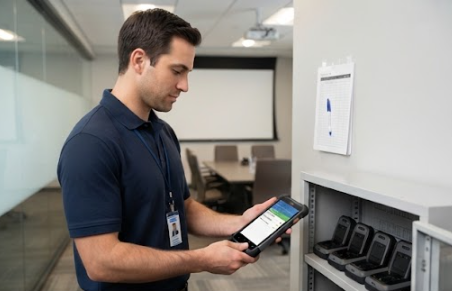
The travelling asset deserves its own owner because it is the only one that leaves the building. The SH5-W shows the class: a 5.5-inch 1080 x 1920 panel at 400 nits, an Intel quad-core processor, Windows 10 Pro, 4 GB of memory and 64 GB of storage, wrapped in a 350 g body rated IP65 with 1.2 m drop resistance and a 5,000 mAh battery good for about five and a half hours. Optional barcode scanning, UHF RFID and a docking station push it further into task work.
None of that matters if the sign-out sheet is fiction. The custodian's job is unglamorous and highly specific: maintain a spare pool sized to the devices that leave the building on a peak day, enforce a docking routine so that a handheld goes back on charge rather than into a drawer, rotate batteries on a fixed interval so that age is spread evenly across the fleet, and hold the imaging baseline so that every unit in the field runs the same build.
This seat also owns the awkward question of capability creep. A team that adds RFID to a barcode-only fleet is asking for a configuration change, not a repair, and the custodian should raise it early enough to plan. If your estate spans several form factors, it is worth mapping the whole our rugged tablet range against the tasks rather than standardising on one size for everyone.
Seat Two — Room Steward: Everything That Stays Put
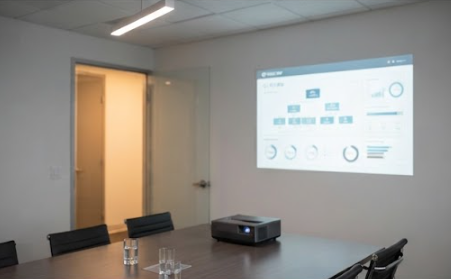
Fixed assets need a different kind of attention. The HT2500 Pro Ultra is mounted, aligned and then expected to be invisible. Its 0.233:1 throw ratio puts a 100-inch image on the wall from roughly 7.2 inches away, which removes the ceiling mount, the trailing cable run and the shadow problems that plague long throw rooms. The 4K HDR10 picture, 3,000 ANSI lumens, laser light source rated at 25,000 hours and integrated 60 W soundbar with DTS-HD and Dolby decoding make it a room appliance rather than a piece of equipment.
Appliance is exactly the trap. Weighing around 20 kg, it is not something anyone moves, so a drift in alignment or a dead input goes unnoticed until it embarrasses someone in front of an audience. The steward's week is built from short checks: confirm the picture geometry and focus before the first meeting of the day, log lamp hours so the replacement window is planned rather than discovered, and label every source so a guest laptop connects without a phone call.
Seat Three — Capability Owner: Back-End Sessions and Storage
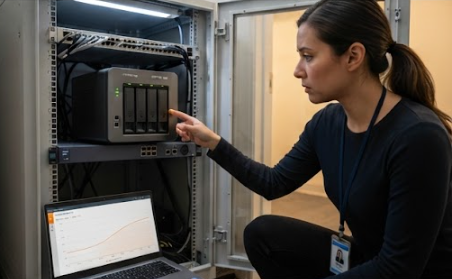
The third asset is the one nobody thinks about until it stops. The WTR PRO AMD is built to disappear into a cabinet: an AMD Ryzen 7 5825U with Radeon graphics, dual DDR4 slots, two M.2 NVMe 2280 bays and support for four SATA drives, all inside a metal chassis with two 2.5 gigabit Ethernet ports, WiFi 6 and triple 4K output over HDMI, DisplayPort and USB Type-C.
What makes this a seat rather than a purchase is that its failure is silent and cumulative. Sessions and recordings accumulate, and the first symptom is usually a complaint that something is slow, long after the cause was established. The capability owner therefore owns three rhythms: a capacity review on a fixed cadence rather than on demand, a backup verification that actually restores something instead of merely reporting success, and a patch window outside meeting hours so maintenance never competes with a room in use.
A Skills Matrix, Seat by Seat
Seats are only useful if the people filling them know what is expected. The matrix below is the most portable version of this in my experience.
| Seat | Owns | What the Spec Sheet Says | Must Know | Escalates To |
|---|---|---|---|---|
| Fleet Custodian | All travelling units, spares and docking | IP65, 1.2 m drop, 5,000 mAh, 350 g | Sign-out discipline, imaging baseline, battery rotation | Procurement for replacement, integrator for imaging |
| Room Steward | Every fixed display asset in the space | 0.233:1 throw, 3,000 ANSI lumens, 25,000 h laser | Alignment checks, source labelling, first-meeting readiness | AV contractor for hardware, facilities for mounting |
| Capability Owner | Sessions, storage and the back-end host | Dual NVMe, four SATA bays, dual 2.5 GbE, triple 4K | Capacity trending, restore testing, out-of-hours patching | Network team, storage vendor for drive health |
Two of these rows are usually easy to staff. The middle one gets skipped, because a fixed asset looks after itself right up until it does not.
Coverage Patterns: Who Is on Shift When
Naming an owner is not the same as covering the calendar. The pattern that survives contact with reality is a primary and a named backup for each seat, with the backup holding the sign-out log and the room checklist for a full week every quarter so the knowledge does not rot. Teams running a heavy schedule of business conference deployments often move the steward's daily check to the end of the previous day instead of the start of the next one, which buys a repair window that does not overlap with an event.
The First Thirty Days: Handover to Steady State
The first month is where a staffing plan either takes hold or quietly dies. Week one should be about sightlines: walk the estate, count what actually exists, and reconcile the count against the procurement record. Week two is about the routines, with the custodian running the sign-out process by hand before any automation is introduced. Weeks three and four are about proving the escalations work by triggering one small fault in each seat and watching how far it travels before somebody owns it.
After that, the chart holds. The hardware was never the hard part.
Hotus Technology builds rugged handhelds, laser projectors and compact industrial computers for teams that run shared spaces on a schedule. If you want the specification evidence behind any of the three seats above, start with our enterprise collaboration solutions and we will walk you through the numbers.