Almost every plant tells a version of the same story. A machine stops, an operator calls for help, the person who knows the machine is somewhere else, and by the time the two of them understand each other the shift has moved on. When that story is written up afterwards it usually starts with travel, which is easy to see and easy to invoice, and in most sites I visit it is no longer where the money goes.
What actually costs money is the stretch of time around a single call, and it breaks into four short windows. Each is measured in minutes, belongs to a different person, and is shortened by a different piece of hardware. Everything Hotus builds for ar-assisted inspection solutions hangs off that idea: the device is not the product, the minutes it removes are.
Why Travel Is Not the Expensive Part
Start counting the moment an operator notices something and stop when the line runs again. The split looks like this: the minutes before a call is raised, the minutes until an expert can see the scene, the minutes spent describing what the camera cannot show, and the minutes it takes to solve the same fault a second time.
Only the last of those is a training problem. The first three are hardware problems, and they are the ones a tablet decision moves. That matters, because the usual answer to a slow support process is a new procedure, and a procedure cannot fix an unreadable screen or a link that drops mid-diagnosis.
Window One — The Minutes Before the Call Goes Out
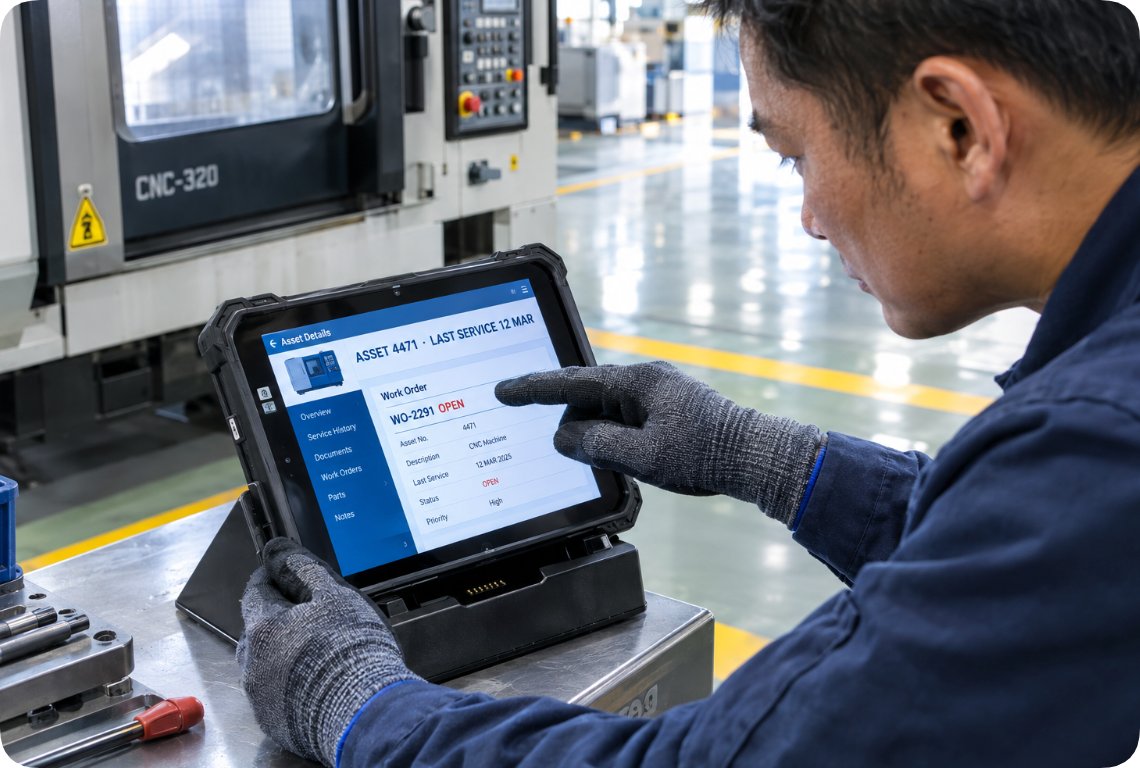
The clock does not start when the phone rings. It starts when someone decides this problem needs help, and that decision takes longer than it should: the person closest to the machine cannot see the asset history, the previous work order or the drawing, so they walk to a fixed terminal, log in, and the clock keeps running.
A HTNJ10B Rugged Tablet is the least glamorous unit in this group and, in this window, the most relevant. It runs an Intel Pentium N600 processor, four cores and four threads at 3.3 GHz, behind a 10-inch 1200 x 1920 LCD at 560 nits, with a 7H hardness 10-point capacitive surface. That brightness matters: a screen you have to shade is a screen nobody opens. It also carries RJ45, Mini HDMI, Type-C and a 12-pin Pogo connector, so it wires straight into the machine network and mirrors to a wall display without adapters. Optional 4G, NFC, a barcode scanner, a fingerprint reader and a charging dock let the same unit live stationside for a full shift, sealed to IP67 and rated for a 1.22 m drop.
Window Two — Getting the Expert Into the Room
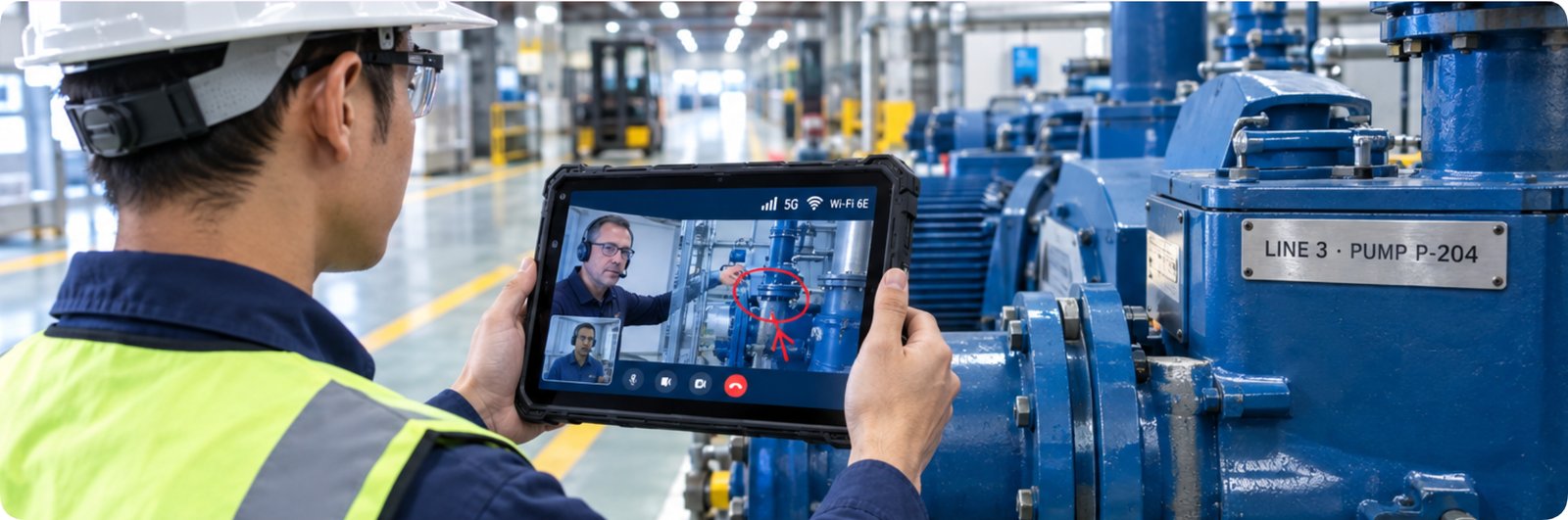
The second window runs from a call being accepted to the expert seeing and hearing what the operator sees. The usual failure here is not a total loss of signal. It is a link that stutters at the wrong moment, a picture that freezes while a serial number is read out, or a microphone that hands the expert nothing but machine noise.
The RT82 Rugged Tablet is built for that stretch. It carries 5G SA/NSA with 4x4 MIMO downlink, tri-band Wi-Fi 6E on 2.4, 5 and 6 GHz, and Bluetooth 5.2; the 6 GHz band is the one that matters in a hall where every scanner competes for airtime. Its 10.1-inch IPS FHD panel runs 1200 x 1920 at 400 nits with 10-point capacitive touch that answers through work gloves, and the chassis is IP67 with a 1.2 m drop rating and a range of -10 °C to 50 °C. Dual 2 W speakers and dual microphones with noise reduction are what keep a call usable next to a running line. GNSS covers GPS L1 and L5 alongside Glonass, Galileo, NaviC and QZSS, with an optional independent Beidou module adding RTK positioning at 2 to 5 cm.
Window Three — Marking Up the Picture Instead of Explaining It
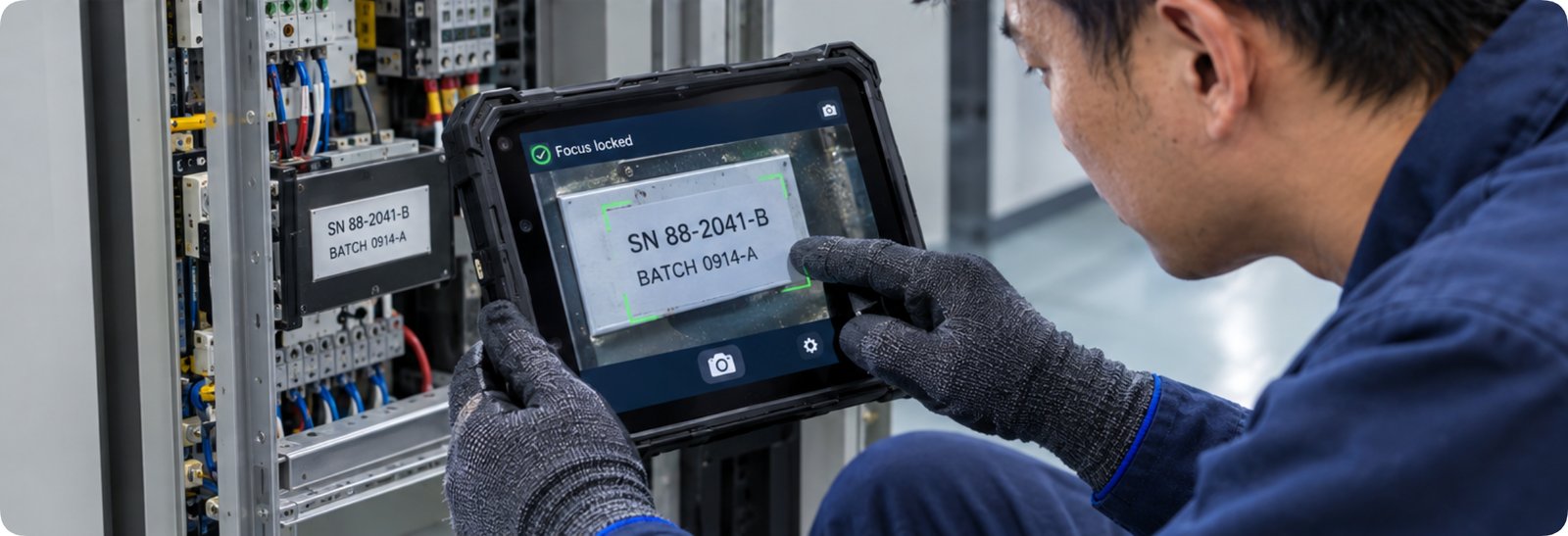
The third window is the one people underestimate, because it feels like conversation rather than delay: the time an expert spends asking an operator to move the camera a little left, then closer, then back again, waiting for a detail a better lens would have caught first time.
The RT80 Rugged Tablet answers that with a 48 MP autofocus rear camera and an optional 8 MP macro sub-camera focusing down to 2 cm, the difference between reading a nameplate and guessing at it. Underneath sits a Unisoc UIS7885 octa-core at 2.7 GHz with an 8T NPU, and memory and storage are published as 8 GB plus 128 GB with TF expansion on Android 13 or Harmony OS. The display is the same 10.1-inch FHD 1200 x 1920 at 400 nits, sealing is IP67, and the range is -10 °C to 50 °C. Optional 2D scanning at 3 mil, NFC at 13.56 MHz and a fingerprint reader let the unit capture the record while the session runs, and a 12-pin Pogo connector keeps it charged on a vehicle dock or bench. The page describes 12 to 14 hours of mixed use, which decides whether the device is still on when the second shift needs it.
Window Four — What the Session Leaves Behind
The fourth window is invisible on the day and expensive over a year. If a call ends with nothing but a closed ticket, the next identical fault starts from zero and the whole sequence runs again. What prevents that is not a line on a specification sheet, but whether the device can write a record the next person will find — photos, marked frame, asset identity, time — and hand it to the maintenance system without retyping.
This is where a range rather than a single model matters: one fleet covers a bench, a dock and a walking route, and our rugged tablet range is organised exactly that way. Two things are worth confirming before a volume order — MDM enrolment and custom OS builds — because together they decide whether that record lands in your system or in a folder on the device.
The Two Columns Worth Comparing
Strip away the language and three columns survive a side-by-side reading: what the screen and touch can do, how the unit is sealed, and what it can capture without an accessory. The table keeps to published figures only; where a page does not state something, it is left out rather than estimated.
| Model | Display and touch | Sealing | Wireless | Camera | Optional modules |
|---|---|---|---|---|---|
| HTNJ10B Rugged Tablet | 10 in LCD, 1200 x 1920, 560 nits, 10-point capacitive, 7H | IP67 | Wi-Fi 5, Bluetooth 4.2 | 5 MP front, 8 MP rear autofocus with LED | 4G, NFC, barcode scanner, fingerprint, charging dock |
| RT82 Rugged Tablet | 10.1 in IPS FHD, 1200 x 1920, 400 nits, 10-point touch | IP67 | 5G SA/NSA with 4x4 MIMO, Wi-Fi 6E tri-band, Bluetooth 5.2 | 8 MP front, 20 MP rear autofocus with flash | 2D scanner at 3 mil, NFC, independent Beidou RTK |
| RT80 Rugged Tablet | 10.1 in IPS FHD, 1200 x 1920, 400 nits, 10-point touch | IP67 | 5G SA/NSA, dual-band Wi-Fi 2.4 and 5 GHz, Bluetooth 5.0 | 8 MP front, 48 MP rear autofocus, 8 MP macro | 2D scanner at 3 mil, NFC, fingerprint, Beidou RTK, macro camera |
Two rows do not survive the grid. The HTNJ10B is rated for a 1.22 m drop and the RT82 for 1.2 m, while the RT80 page states IP67 sealing without publishing a drop figure. On power, the HTNJ10B lists a 7.6 V 3500 mAh pack, and the two 5G models are described as reaching 12 to 14 hours of mixed use rather than a capacity in milliamp hours. If a deployment mixes vehicle docks with remote work, those two points are worth confirming with an engineer. For sites where the call itself is the main event, remote assistance deployments are the reference point we usually begin with.
Turning Four Segments Into One Number
Accounting by window beats a single blended figure for one reason: it tells you which part of the problem your budget is actually buying, and it keeps a supplier's claimed saving out of your model. Each row below names a segment, the measurement that belongs to it, and the input only your own site can supply.
| Segment | What the clock covers | Input to collect on site | What shortens it |
|---|---|---|---|
| Window One | The stretch between the first observation and a call being raised | Minutes lost per stop, and stops per shift | A station-side unit with the asset record already open |
| Window Two | The stretch between a call being accepted and an expert seeing the scene | Share of calls that fail to connect on the first attempt | A link that holds: 5G with 4x4 MIMO, Wi-Fi 6E, noise-reduced audio |
| Window Three | Time spent describing what the camera cannot show | Back-and-forth minutes per call | Close-focus capture and on-screen marking instead of verbal directions |
| Window Four | Time to solve the same fault the next time it appears | Repeat faults per quarter and their resolution time | A session record the next technician can find and search |
Notice what is missing: no currency figures, no assumed saving, no hours-per-call invented by either side. Those blanks are why the model stands up in front of a finance team.
Assumptions Worth Verifying, and the Test That Settles Them
Two assumptions carry most of the weight. The first is call volume: if a site raises only a handful of remote calls a month, no device pays for itself on this account alone, and the argument has to rest on the recording, scanning and checking work the unit does the rest of the time. The second is first-attempt connection. If calls already connect cleanly, the gain in Window Two is small and attention belongs on windows one and three.
Both can be settled before a fleet decision. Put a single unit on the two or three calls a month that hurt most, the ones that previously ended in a visit, and watch whether the connection holds on your network and whether close-up capture replaces half the questions.
Request a sample unit and put the four windows on a stopwatch. The tablet that wins will not be the one with the longest specification sheet. It will be the one that removed the minutes you could never see on an invoice.