SH6, HTQ10A and HTXUK10A-55: Running a Digital Signage Network on Two Timetables
I have sat through enough rollout reviews to know that a signage estate rarely fails in a busy season because a screen dies. It fails because two clocks on the same site are running at different speeds. One belongs to the people walking past the display. The other belongs to whoever approves and publishes what appears on it. Everything physical — the enclosure, the mount, the network drop — is settled months earlier. What nobody settles is which clock the plan is actually built against. When the two drift apart, the first symptom is stale content on a crowded floor, and by then the correction is no longer cheap.
When the Floor Fills Faster Than the Content Changes
Traffic at a site does not switch on the day a season is announced. It builds quietly for two or three weeks while the numbers still look ordinary, and the people standing in front of a panel notice the gap before any dashboard does. The material on that panel, meanwhile, moves at the speed of an approval chain: a draft, a review, a brand check, a scheduled deployment slot. Those two rates were never going to match, and nobody is at fault for that. The mistake is planning the season as though only one of them exists — which is what most digital signage deployments do until the first busy weekend teaches them otherwise. The practical question is not how to speed up the approvals. It is how to keep the equipment from becoming the reason the second clock cannot move at all.
The Quiet Window Is Shorter Than It Looks
Content only gets replaced while nobody is watching. In a slow month that window is most of the morning; in a peak week it can collapse to a narrow slot before the doors open. Anything that requires a restart, a firmware push, or a physical visit to the panel has to fit inside it, and the list of panels that need attention rarely fits alongside it. That is the reason an estate should be sorted by how long each location can tolerate a dark screen, rather than by how new the hardware is. A panel in a corridor can sit blank for an hour. A panel above a till queue cannot sit blank for a minute. Once the ranking exists, work can be batched against it, and a package prepared in advance can be pushed in one action instead of five.
The Handheld That Walks the Site Before Opening
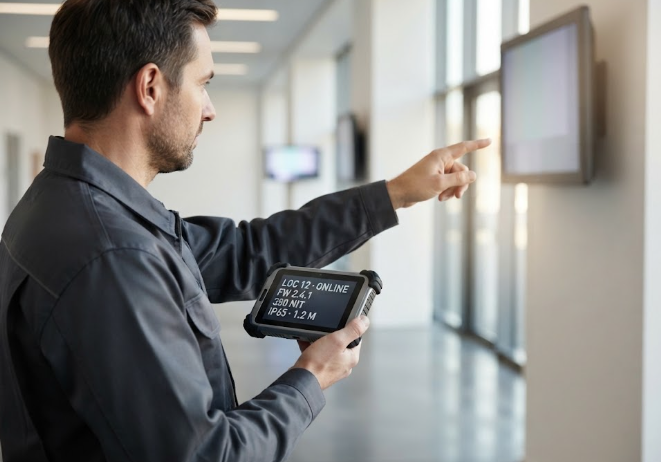
Somebody has to confirm, on site, that every panel woke up, is running the right brightness for the light in that space, and is showing the version that was approved. That walk is the one task that cannot be done from a desk, and it is why a compact companion device earns its place in the plan. The SH6 rugged handheld is built for exactly this kind of round: a 6.5-inch HD+ display at 380 nits, 10-point capacitive touch, Windows 11 Pro on an Intel N100 quad-core with 8 GB of memory and a 256 GB drive, and a body measuring 178.3 x 83 x 23 mm at roughly 460 g. Its IP65 shell and 1.2 m drop rating cover the doorframes and service stairs a checklist round always involves, the 5,000 mAh battery at 7.6 V is rated for up to 4.5 hours of continuous work, and the operating range runs from -20 °C to 55 °C. Wi-Fi 6, Bluetooth 5.2 and global 4G LTE bands keep the device on the network while the technician is walking, and GPS, BDS and GLONASS positioning means each panel check can be logged against the location it actually belongs to.
The Panel the Queue Actually Touches
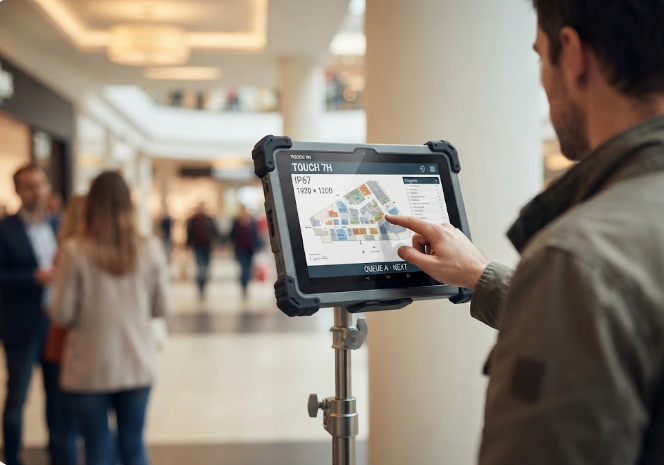
Not every screen in an estate is only watched. Some are pressed, swiped and leaned on by people who are already impatient, and those units take punishment that no wall-mounted display ever sees. The HTQ10A is positioned for that role: a 10-inch LCD at 1920 x 1200 with 560 nits of brightness, a 10-point capacitive panel hardened to 7H, and Android 12 running on an MTK 8788 octa-core with 8 GB of memory and 128 GB of storage. Its protection figures are the ones that matter in a public area — IP67 water resistance and a 1.22 m drop rating — and the 7,000 mAh battery at 3.8 V is sealed in place, so there is nothing for a visitor to remove. The body is 284 x 175 x 15 mm, the operating range spans -20 °C to 60 °C, and the interface set includes Mini HD, USB, Type-C, a combined TF and SIM slot and a 12-pin POGO connector for a dock. Optional 4G, NFC, scanning and fingerprint modules can be specified if the deployment calls for them.
The Screen That Carries the Day
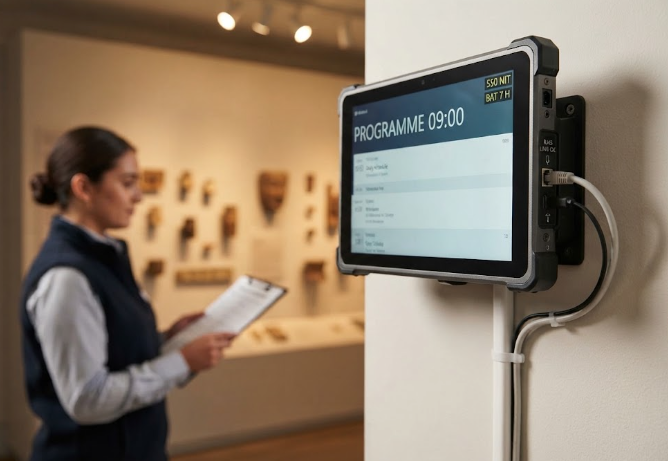
The panel that runs the programme for a whole floor has a different job from the interactive one, and it usually has a cable to prove it. The HTXUK10A-55 pairs a 10-inch LCD at 1920 x 1200 with 550 nits of brightness, upgradeable to 700 nits, with Windows 11 on an Intel Core i7-1255U running 10 cores and 12 threads at a 2.70 GHz all-core turbo, backed by 16 GB of memory and a 128 GB drive. The battery is 11,200 mAh at 7.6 V, detachable, and rated for 7 hours of working time — enough that a scheduled power interruption does not have to become an outage. It carries an RJ45 port and a COM port alongside Mini HD, USB, Type-C and a 12-pin POGO connector, which is what makes a wired backhaul practical at a fixed location. The shell is IP65 rated, the unit measures 284 x 189 x 32 mm, and it operates from -20 °C to 60 °C, with optional GNSS, RFID and RS232 or RS485 depending on how the site is wired.
Published Figures Compared
| Unit | Display | Touch | Battery | Protection | Dimensions |
|---|---|---|---|---|---|
| SH6 | 6.5-inch HD+, 380 nits | 10-point capacitive | 5,000 mAh at 7.6 V, up to 4.5 hours | IP65, 1.2 m drop | 178.3 x 83 x 23 mm |
| HTQ10A | 10-inch LCD, 1920 x 1200, 560 nits | 10-point capacitive, 7H | 7,000 mAh at 3.8 V, sealed | IP67, 1.22 m drop | 284 x 175 x 15 mm |
| HTXUK10A-55 | 10-inch LCD, 1920 x 1200, 550 nits | 10-point capacitive, 7H | 11,200 mAh at 7.6 V, detachable, 7 hours | IP65 | 284 x 189 x 32 mm |
Two cautions belong under that table rather than inside it. First, the 55 series page states IP65 without publishing a drop figure, so none is inferred here. Second, the weights are not comparable: the SH6 figure of roughly 460 g is an unpacked weight, while the HTQ10A and HTXUK10A-55 pages list One G.W. values of 1.7 kg and 2.0 kg that include packaging. They measure different things. Anyone comparing them should open our rugged tablet range and read each sheet on its own terms, because a specification is only useful if you know which quantity it names.
Calls That Get Expensive After Opening Week
Some decisions are cheap in a quiet month and painful once footfall arrives, and most of them are structural rather than technical. The field structure behind a content template is one: adding a line to a layout is an afternoon in advance and a full re-approval cycle in season. The mounting height and angle of a panel is another, because changing it means a ladder, a permit and a closure. The way devices are numbered and bound to locations matters too, since a mislabelled unit turns every remote action into a guessing game. Cable routes belong on the same list, along with anything that depends on a supplier's lead time. Teams that treat these as procurement questions rather than design questions tend to discover the cost only when the floor is full. Framing them as part of the wider industrial hardware solutions picture, decided before the season rather than during it, is what keeps a rollout predictable.
Getting Both Clocks to Agree
The honest summary is that a signage estate cannot be made to run on one clock. Traffic will always move first and content will always trail it, and no amount of hardware changes that. What hardware can do is remove the reasons the second clock stalls — a panel that will not boot in the cold, a unit that cannot be reached over the network, a device that has to be carried back to a desk before it can be updated. Choose units for the conditions they will actually meet, rank locations by how long they can go dark, and prepare the packages before the season rather than during it. When those three things are done, the gap between the two clocks stops being an emergency and becomes a scheduling detail. The devices are the easy part once the order of work is right.