An outbound picking wave consolidates release orders into a single route, eliminating redundant travel time across the warehouse floor. However, wave efficiency relies on terminal uptime. When the RS50 handheld terminal, R366C-S UHF reader, and N60 inventory PDA drop offline or misread tags during peak volume, picking waves halt and dock bottlenecks quickly form. This operational guide details practical failure points encountered in live warehouse environments and provides tactical troubleshooting protocols to keep your picking waves moving. Explore our logistics and warehouse solutions page to analyze full deployment workflows, or review the complete industrial hardware lineup for detailed unit specs.
Preventing Mid-Wave Power Failure & Battery Management
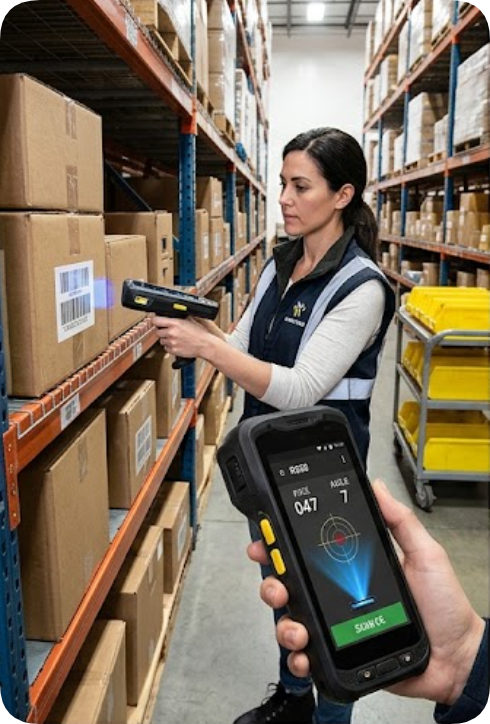
Unscheduled terminal shutdowns mid-aisle are a primary cause of wave delay. The RS50 handheld terminal features a 4800mAh removable battery with Power Delivery (PD) fast charging, enabling rapid power restoration during short shift intervals. To eliminate power-loss stalls on the line:
- Mandate immediate docking of handhelds on charging carts as soon as a picking wave closes.
- Stage one fully charged spare battery per picking cart for quick hot-swapping without leaving the aisle.
- Avoid relying on low-battery warnings mid-shift; establish proactive dock-and-charge routines.
Resolving UHF RFID Read Misses at Dock Doors
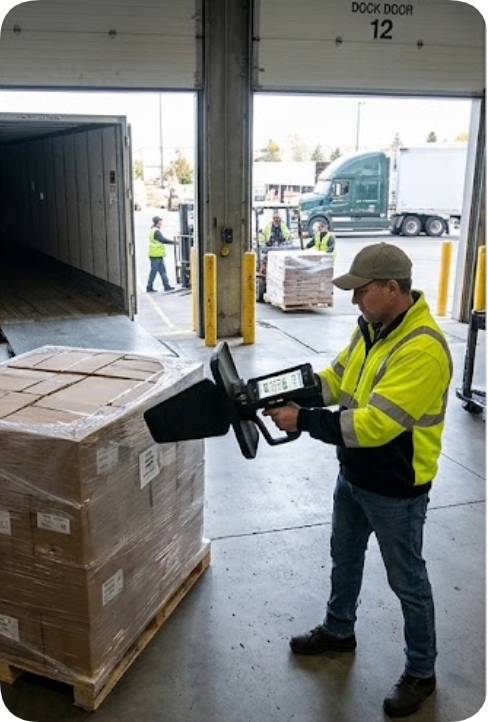
The R366C-S UHF reader integrates an Impinj E710 module with a 4dBi high-gain antenna, engineered for 10 to 20-meter read ranges and processing speeds exceeding 900 tags per second. However, physical interference from steel pallet racks, liquid containers, and metallic packaging can attenuate signal propagation at the loading dock.
When bulk scans report dropped tags, execute these preliminary checks:
- Antenna Orientation: Adjust reader angles so the RF beam intersects pallet faces directly rather than grazing sides.
- Frequency Band Alignment: Confirm the reader’s region setting matches local regulatory bands (FCC: 902–928MHz, ETSI: 865–868MHz, or SRRC: 840–845MHz / 920–925MHz). Mismatched frequency configurations lead to intermittent reads that mimic hardware failure.
Eliminating Shift-Change Inventory Count Discrepancies
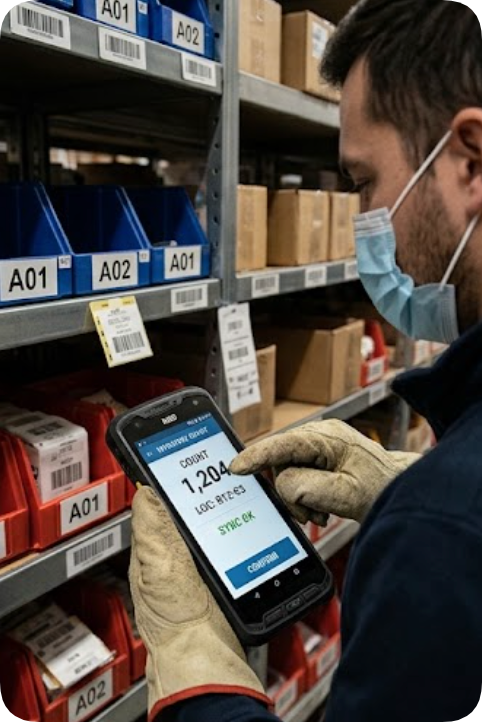
Discrepancies between physical picks and system inventory counts often stem from asynchronous data uploads rather than scanning errors. While offline data capture on the RS50, N60, and R366C-S prevents data loss in Wi-Fi dead zones, pending offline queues must be cleared before handovers.
Configure your Warehouse Management System (WMS) to enforce a receipt acknowledgment step before pickers sign off on completed waves. Treat any device displaying a "pending sync" flag as actively open until full transmission is verified. For in-depth analysis of data synchronization strategies across unstable networks, review our hardware comparison articles.
Optimizing Barcode Capture on Damaged Cartons
Outbound shipping containers frequently suffer label abrasion, moisture exposure, or tape distortion. Both the RS50 and N60 incorporate high-precision 2D imagers capable of decoding down to 3mil resolution, significantly outperforming legacy laser scanners on damaged codes.
To maintain high scan throughput:
- Clean terminal optical windows at the start of every shift.
- Equip picking carts with mobile re-printers to re-label unreadable cartons immediately.
- Leverage the N60 inventory PDA's wet-hand and glove-touch display compatibility to prevent input errors in cold storage or high-moisture dock areas.
Maintaining RF Connectivity in High-Density Storage Aisles
High-bay storage racks and dense inventory act as structural barriers to 2.4GHz and 5GHz Wi-Fi signals. The RS50 and N60 feature dual-band 802.11ac Wi-Fi complemented by cellular fallback capability. When connection dropouts occur in narrow aisles, re-evaluate network Access Point (AP) placement: position APs down aisle cross-intersections rather than relying on centralized zone coverage, and allow devices to utilize 4G/5G WWAN fallback during high-traffic network peaks.
Managing Battery Performance in Cold Storage Operations
Operating picking waves in refrigerated or frozen storage environments degrades lithium-ion battery voltage and discharge rates. Store spare batteries in insulated, temperature-regulated pouches on picking carts. Swap degraded cells promptly rather than pushing depleted units. Never place cold batteries directly onto fast chargers—allow cells to reach ambient temperature prior to recharging. The R366C-S features a high-capacity 10000mAh pack designed for extended operational duty, while the RS50 utilizes a modular hot-swap design for rapid field replacement.
Hardware Specification Matrix
The table below outlines key technical specifications critical to picking wave deployment. Note: The RS50 holds an official IP67 ingress protection rating and 1.2m drop tolerance. Protection ratings and battery specifications for the R366C-S and N60 should be verified against operational requirements prior to full-fleet deployment.
| Specification | RS50 Handheld Terminal | R366C-S UHF Reader | N60 Inventory PDA |
|---|---|---|---|
| Display | 6.3-inch FHD+ IPS (1080x2340) | 5.5-inch HD+ IPS (720x1440) | 5.99-inch FHD IPS (1080x2160) |
| Processor | UNISOC UIS7885 Octa-Core 2.7GHz + 8T NPU | Qualcomm SM6225 Octa-Core 2.4GHz | Cortex-A76/A53 Octa-Core 2.0GHz |
| Memory | 8GB + 128GB (Expandable to 512GB TF) | 4GB + 64GB (Expandable to 256GB TF) | 4GB + 64GB / Up to 6GB + 128GB |
| Data Capture | Optional 2D Barcode (≥3mil), NFC | UHF RFID Impinj E710, 10–20m range, ≥900 tags/s | 2D Imager (Honeywell N6703) |
| Operating System | Android 13 / Harmony OS | Android 13 | Android 10 |
| Battery Capacity | 4800mAh Removable, PD Fast Charge | 10000mAh Removable, PD Fast Charge | Contact Vendor for Specification |
| Rugged Rating | IP67, 1.2m Drop Resistance | Contact Vendor for Specification | Contact Vendor for Specification |
Strategic device assignment optimizes workflow: deploy the RS50 for mobile scan-and-confirm picking, the R366C-S for bulk pallet validation at dock doors, and the