📱 Hotus HCAR5000 MI, WTR PRO AMD and Palm-sized miniPC for Digital Signage Kiosks
A kiosk, menu board, or video wall lives outdoors, in lobbies, and on factory floors where a tower cannot survive and a stick PC runs out of ports. This comparison puts three Hotus mini PCs-the HCAR5000 MI, the WTR PRO AMD, and the Palm-sized miniPC-up against two established commercial benchmarks, the ASUS ExpertCenter PN65 and the Intel NUC 13 Pro. All five are small, VESA-mountable computers, but they diverge on CPU headroom, storage architecture, display output, and price. Browse our explore our mini pc solutions to see the full line before you decide.
📱 Why Digital Signage Demands a Purpose-Built Mini PC
A signage player runs unattended for years, often 24/7, behind a thin display or inside a kiosk enclosure with poor airflow. Consumer small-form-factor boxes throttle, fill their single drive, or lack the video outputs a multi-screen wall needs. A purpose-built mini PC answers with a low-power but capable CPU, dual storage for OS and assets, multiple 4K-ready outputs, and a chassis rated for continuous duty. It also needs to disappear: VESA mount, silent cooling, and remote management so a field tech never has to open the cabinet. The five units below all meet that baseline, so the real decision is about port density, storage, and total cost of ownership.
🔋 The Hotus HCAR5000 MI Pairs Ryzen Power with Flexible Storage
The HCAR5000 MI builds on an AMD Ryzen 5000H series processor (5900HX, 5800H, or 5600H) with Radeon Vega graphics, up to 64 GB of DDR4-3200 memory, and a flexible storage layout that mixes a 128 GB to 1 TB NVMe SSD with an optional 500 GB to 1 TB 7200 rpm HDD. Connectivity is generous for a player node: one RJ45, three USB 3.0, two USB 2.0, a DisplayPort 2.0b, a 3.5 mm audio jack, and a Type-C port that carries video. At 202 x 212 x 65 mm and 2455 g, it runs Windows 10/11 or a Linux soft-router OS, making it a sensible choice for a single 4K menu board or an information kiosk where local HDD caching of large media assets matters more than multi-screen output.
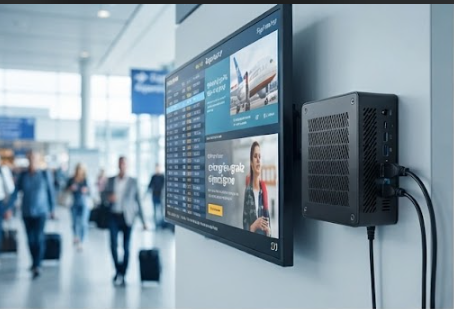
💾 The WTR PRO AMD Doubles as a Four-Bay NAS for Signage Backends
The WTR PRO AMD runs an AMD R7 5825U or Intel N100 with Radeon or UHD graphics and ships in a metal chassis built around storage: two M.2 NVMe 2280 slots plus a four-SATA version that turns the box into a local NAS. It carries two 2.5 G Ethernet ports, two USB 3.0, two USB 2.0, a Type-C, a TF card slot, and a 3.5 mm jack, with one HDMI, one DisplayPort, and one Type-C for display. At 22.8 x 15 x 18.5 cm and 5 kg with a 120 W adapter, it is the heaviest of the trio, but its triple 4K output and dual 2.5 G links make it the natural backend for a small signage network that needs a central asset server rather than a thin client per screen.
📱 The Palm-sized miniPC Drives Triple 8K Displays Silent Around the Clock
The Palm-sized miniPC is the standout for pure display work: an Intel 12th Gen Core low-power part from i3-1215U up to i9-12900HK (up to 12 cores, 16 threads), dual-channel DDR4-3200 or DDR5-5200 up to 64 GB, and a storage architecture of two M.2 NVMe slots plus two 2.5-inch SATA bays reaching 12 TB. It pushes triple 8K output through two HDMI 2.1 ports and one Type-C, backed by five USB 3.2 Type-A ports, 2.5 G Ethernet, Wi-Fi 6, and Bluetooth 5.2. At just 800 g with a PC+ABS case and sub-30 dB operation, it is explicitly positioned by Hotus for digital signage and video-wall control, driving three 4K panels from a single silent, fan-friendly node that fits behind the display.
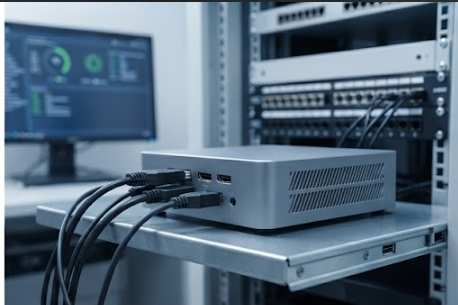
💡 The Benchmarks: ASUS ExpertCenter PN65 and Intel NUC 13 Pro
The ASUS ExpertCenter PN65 is a commercial mini PC built on an Intel Core Ultra 7 155H or Ultra 5 125H with Intel Arc graphics, up to 64 GB of DDR5-5600, and dual M.2 PCIe 4.0 SSDs in a 0.9 L chassis with rich USB, DisplayPort, and HDMI plus ASUS Control Center enterprise management and a 3-year warranty. The Intel NUC 13 Pro is the classic small signage standard: an Intel Core i7-1360P (12 cores, 16 threads) or i5-1340P with Iris Xe, up to 64 GB of DDR4-3200, dual M.2 PCIe 4.0 SSDs, dual Thunderbolt 4, USB and HDMI in a 0.7 L body, with optional vPro and a 3-year warranty. Both are proven, brand-backed options, and both carry a per-unit price well above a factory-direct Hotus configuration.
Side-by-Side Specification Comparison
| Dimension | Hotus HCAR5000 MI | Hotus WTR PRO AMD | Hotus Palm-sized | ASUS PN65 | Intel NUC 13 Pro |
|---|---|---|---|---|---|
| CPU | AMD Ryzen 5000H | AMD R7 5825U / Intel N100 | Intel 12th Gen up to i9-12900HK | Intel Core Ultra 7/5 | Intel i7-1360P / i5-1340P |
| Memory | DDR4 up to 64 GB | DDR4 slots | DDR4/DDR5 up to 64 GB | DDR5 up to 64 GB | DDR4 up to 64 GB |
| Storage | 1x NVMe + 1x HDD | 2x NVMe + 4x SATA | 2x NVMe + 2x SATA | 2x M.2 PCIe 4.0 | 2x M.2 PCIe 4.0 |
| Display out | DP 2.0b + Type-C | HDMI + DP + Type-C | 2x HDMI 2.1 + Type-C (triple 8K) | DP + HDMI (rich) | 2x TB4 + HDMI |
| Network | 1x RJ45 | 2x 2.5 G Ethernet | 2.5 G + Wi-Fi 6 | Standard LAN + Wi-Fi | Standard LAN + Wi-Fi |
| Management | None listed | None listed | None listed | ASUS Control Center | vPro optional |
| Warranty | Standard | Standard | Standard | 3 years | 3 years |
| Price band | Value | Value | Value | $550-900 | $500-800 |
🎯 How to Choose: A Practical Decision Framework
| If your signage need is... | Best Hotus pick | Why | Consider the competitor when... |
|---|---|---|---|
| Single 4K kiosk with local media cache | HCAR5000 MI | Ryzen CPU + SSD/HDD mix, low cost | You need vPro fleet management (NUC 13 Pro) |
| Central asset server for many screens | WTR PRO AMD | Four-SATA NAS, dual 2.5 G, triple 4K | You prefer a single-vendor enterprise SLA (ASUS PN65) |
| Multi-screen video wall, silent 24/7 | Palm-sized miniPC | Triple 8K, 800 g, sub-30 dB, 12 TB storage | You require Arc graphics or Control Center (ASUS PN65) |
| Brand-backed compliance procurement | Any Hotus model | Lower TCO, flexible specs | Strict corporate approved-vendor list (ASUS / Intel) |
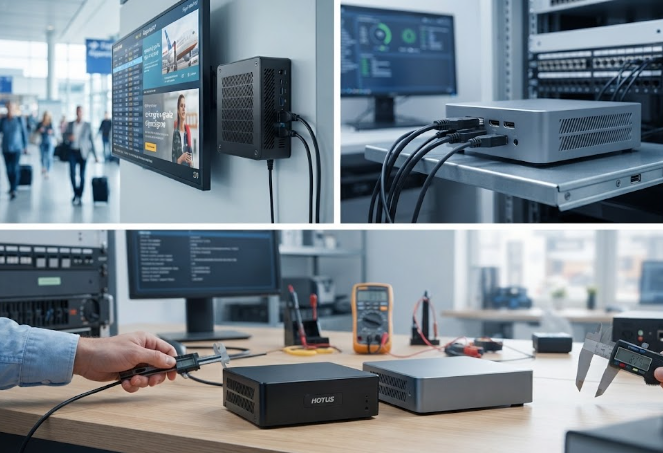
💰 Conclusion: Balancing Cost, Performance and Reliability
For most digital signage rollouts, the Hotus trio covers the full spectrum from a cheap single-screen kiosk (HCAR5000 MI) through a four-drive signage backend (WTR PRO AMD) to a silent triple-8K video-wall node (Palm-sized miniPC), at a total cost of ownership far below the ASUS PN65 or Intel NUC 13 Pro. The named benchmarks still win when procurement demands vPro, ASUS Control Center, or a brand warranty on the approved list. If you also evaluate rugged handhelds or tablets for the same site, see our related rugged tablet lineup, or browse more device comparisons across the Hotus catalog.