The remote work argument spent three years on whether people should be home at all. That debate is finished, and what replaced it is more interesting and much harder to buy for. Distributed teams I have worked with no longer ask what a person needs; they ask which days that person is where. A Tuesday spent writing looks nothing like a Thursday spent in four video calls, and neither looks like a Friday on a client site. Once you accept that, the idea of one machine serving all of it starts to look like the compromise it always was. This is how the purchasing unit is changing, and what each part of the week actually needs.
💡 Why the Unit of Purchase Changed from Person to Day
Standardising on a single laptop per employee was a procurement convenience, not a design decision. It worked when everyone sat in one building doing broadly similar things. It stops working when the same person runs a build on Monday, hosts interviews on Tuesday, and travels Thursday. What teams are buying now is a small kit matched to day types, which sounds more expensive until you notice it is roughly the same money spent on machines that each get used properly instead of one machine compromised three ways.
The shift shows up in support tickets too. The complaints are no longer "my computer is slow" but "this thing is wrong for what I am doing today" — a battery complaint on a travel day, a thermal complaint on a render day. That is a configuration problem wearing a hardware problem's clothes, and it is what home office hardware planning now has to answer.
The Desk Anchor: Sustained Compute Where You Sit
Deep work days still happen at a desk, and they are the days that punish thin-and-light designs. Compiling, rendering, large spreadsheets, and long data pulls all want sustained power rather than bursty responsiveness, which is exactly what a thermally limited laptop cannot hold for hours. A small desktop that never has to conserve battery behaves completely differently under that load.
The HCAR5000 MI sits in that role because its AMD Ryzen 5000H platform is built for sustained output in a chassis with real airflow. Paired with the monitors and keyboard already on the desk, it turns the home workspace into the place the heavy work happens, and it stays there. Nothing gets packed up at the end of the day, which means the desk is already in the state you left it.
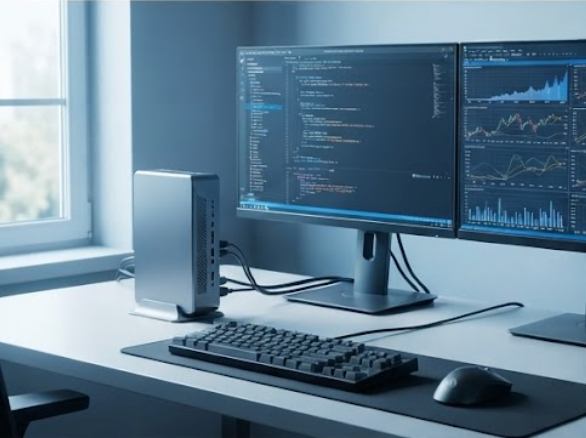
An HCAR5000 MI mini PC anchoring a home desk with dual monitors.
The second benefit is separation. When the heavy machine is the desk machine, the portable devices stay light because nobody expects them to render.
Moving Around the House Without Losing Your Session
The day that breaks a single-laptop plan is the one spent mostly at home but not at the desk. Reviewing a document from the kitchen table, taking a call from a quieter corner, or stepping outside for an hour — each move means closing a lid, losing the session, and re-establishing context. People solve this badly by carrying the fourteen-inch machine from room to room, which is how a lot of hinges and screens die.
The ST9-J fits that gap because an 8-inch Windows tablet is genuinely one-handed, and Windows means the applications are the same ones running on the desk machine rather than a mobile variant with half the features. Moving between rooms becomes picking up a tablet instead of relocating a workstation, and the session survives because the desktop is still running.
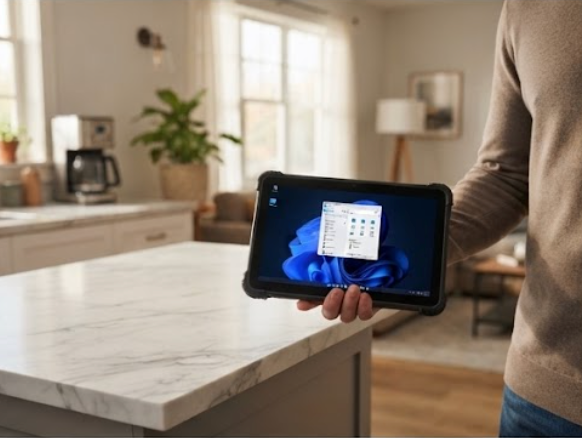
An ST9-J tablet carried between rooms during a working day.
Remote desktop into the anchor machine is what makes this work. The tablet is a window onto a computer that never moved, so nothing has to be saved, synced, or reopened.
Leaving the House: What Travels and What Survives
Travel days are a different problem again, and the constraint is not performance. It is whether the device survives a bag, works on hotel Wi-Fi, and can be pulled out and used standing up in a lobby. Consumer tablets handle the first two and fail the third; laptops handle all three and are heavier than the day requires.
The SH6 is a handheld Windows tablet built for exactly this, and its value on a travel day is that it is meant to be held. Standing at a client reception, walking a site, or working from a train table are all situations where a device on a lap is awkward and a device in one hand is fine. Running Windows keeps it useful for the same business software rather than a reduced mobile app.
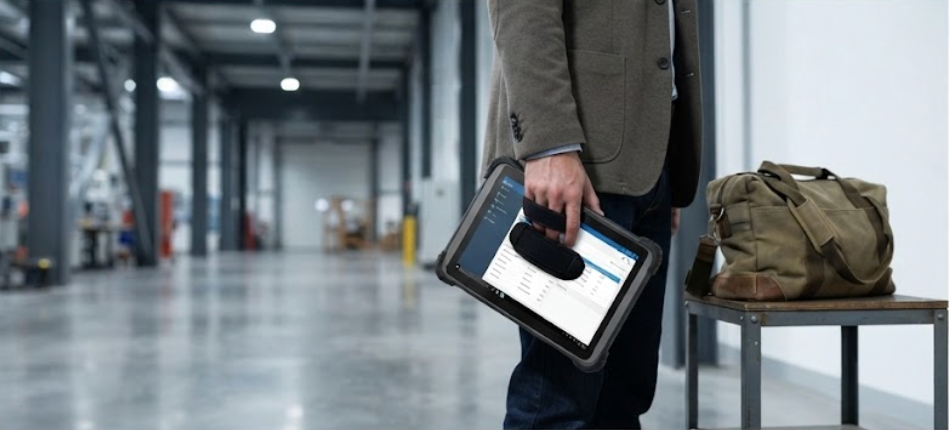
An SH6 handheld tablet in use away from the desk.
Sealing and drop tolerance stop being industrial jargon here. A tablet that gets carried daily rather than placed on a desk will eventually be dropped, and the difference between a device that survives and one that becomes a ticket is measured over about two years.
Windows Consistency Is the Quiet Requirement
The requirement nobody writes down is that all three devices run the same operating system. When the desk machine, the around-the-house tablet, and the travel tablet all run Windows, the same licensed software installs on each, the same scripts run, and there is no class of task that silently cannot be done on one of them. Mixed-OS kits look flexible on a spec sheet and produce a steady trickle of "I can't do this from here" complaints in practice.
This is also why the handheld class has moved toward Windows for field roles. The work is not apps; it is the same business software everyone else is running.
🏭 Durability Is No Longer an Industrial-Only Spec
A durable chassis used to mean a warehouse. In distributed work it means a kitchen counter, a hallway where a child runs past, a bag under an airline seat. The failure modes are domestic now, and they are just as terminal. Teams that specified by environment rather than by job title ended up with devices that lasted, and teams that bought consumer hardware for home use replaced it on a cycle nobody budgeted for.
The pattern is consistent enough that I now treat home deployment as a light industrial environment. Not because people are careless, but because furniture designed for living is harder on equipment than furniture designed for working.
Matching Devices to Four Kinds of Days
| Day type | Dominant activity | Device that fits | Why the others struggle |
|---|---|---|---|
| Focus day | Builds, renders, long analysis | HCAR5000 MI | Portables throttle under sustained load |
| Meeting day | Video calls, document review | HCAR5000 MI plus ST9-J | One screen is not enough for calls and notes |
| Around-the-house day | Review, light edits, calls | ST9-J | A laptop is awkward to relocate repeatedly |
| Travel day | Client site, transit, lobby work | SH6 | Laptops are heavy; consumer tablets lack full software |
The table is the purchasing argument. One device cannot sit in all four rows without giving something up on every one of them, and the row a person sits in most often is the one that determines which compromise they live with.
What IT Teams Are Standardising On
The kits converging in practice look like a desk machine, a small Windows tablet for movement inside the home, and a handheld for travel — not all three for everyone, but the combination available and assigned by role. Support gets simpler, because there are three known configurations instead of forty, and replacement stock is three part numbers.
The cost conversation also improves. A desk mini PC plus two tablets is comparable to one high-spec laptop and has the advantage of each piece being replaceable independently. When the travel device breaks, the person is not entirely without a computer.
A Sensible Order for Building the Kit
Start with the desk, because that is where the hours are. Add the small tablet next, since remote desktop makes it immediately useful rather than a second computer to maintain. Add the handheld last, and only for people whose week genuinely includes a site or a client visit. Teams that bought in this order reported the fewest unused devices; teams that bought all three at once for everyone ended up with drawers of tablets.
If you are mapping this out for a team, our earlier field notes on remote hardware choices cover the failure cases in more detail, and the rugged tablet range lists which handheld sizes suit which travel patterns.
Stop buying for a person and start buying for a week. The days are different, and once the kit reflects that, the complaints about the wrong tool mostly disappear on their own.