Every autumn I watch the same thing happen in the homes of people who take pictures seriously. A summer of travel, a wedding, a child's first term at school, a house move - all of it lands on the same drive in the same fortnight, and the box that was comfortable in March is suddenly full. What follows is almost never a capacity decision. It is a sorting decision that got postponed, and a machine that has to keep serving while you make it.
I have set up enough household storage to know that the useful question is not how many terabytes a family owns. It is which of those terabytes could be produced again if the drive died tomorrow. Rebuildable data and unrebuildable data deserve different machines and different habits, and once you separate them the hardware choice becomes much easier to defend.
What a Holiday Influx Adds to a Home Archive
The weeks after a holiday do not trickle. A single trip can push several thousand stills and a few dozen long video clips through a card reader in two sittings, and the follow-on work - duplicates, previews, a second export for the family group chat - continues for another week. Add a phone that has been backing up silently all along and the archive can grow by a quarter in a month.
The awkward part is that this arrives while the machine is still doing everything else. Someone is streaming from it in the evening, a laptop is syncing a work folder, and the nightly backup window is already scheduled. Growth and traffic land at the same time, which is exactly why the thin weeks in between are worth using rather than the busy ones.
Sorting the Archive by Whether It Can Be Rebuilt
I split a household archive into three groups and stop thinking about it after that. The top group is the material that cannot be produced again: original footage of people who will not be in that room twice, photographs of documents that were shredded afterwards, recordings of a voice. The middle group is expensive to rebuild but possible - a film library, a software archive, a decade of saved game state. The bottom group is anything already sitting somewhere else on the internet.
That sort is the whole plan, and it changes what you buy. If you are still choosing between form factors, it helps to look at a range built for always-on household work rather than office desks, such as these mini pc solutions, and then decide how many copies each group is worth.
The Layer That Only Exists Once
The top group is usually the smallest and the least organised. It is whatever was on the camera when the card was pulled, plus the scans that never made it out of a downloads folder. Households routinely keep exactly one copy of it, on the same drive that holds the replaceable material, and treat the whole volume as equally important.
Giving that layer its own home is cheap. It needs far less space than the film library, so it can live on a small always-on unit that is easy to reach and easy to copy from, instead of being buried in the same pool as everything else.
💡 Why the Duplicate Belongs in Another Building
A second copy on a second drive in the same room protects against hardware failure and almost nothing else. Fire, flooding and theft take both. The practical fix is dull: keep the working copy at home and move a periodic duplicate somewhere else - a relative's house, an office drawer, a small unit at a second address that syncs on a schedule.
📱 Small Units Earn Their Place by Never Sleeping
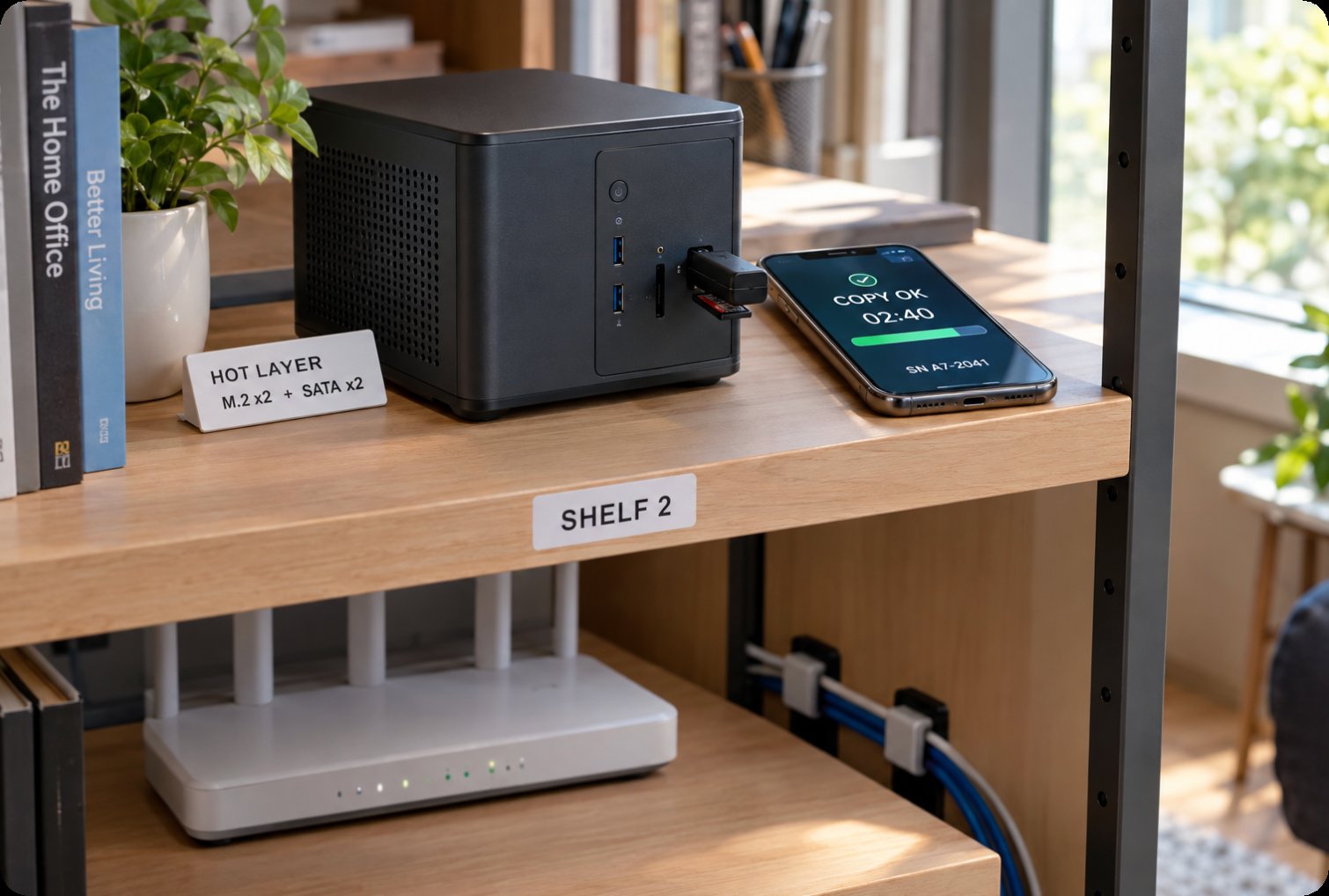
The Palm-sized miniPC is the one I would put on the top layer of the sort. It weighs 800g, which means it can sit behind a monitor or on a shelf without needing a rack, and it runs Intel 12th Gen Core processors from an i3-1215U up to an i9-12900HK, so a household can size it to the job rather than to a price point. Dual-channel DDR4 3200 or DDR5 5200 memory takes up to 64GB, and the storage layout is the part that matters here: two M.2 2280 NVMe slots at PCIe 3.0 x4 alongside two 2.5-inch SATA bays, which is up to 4TB of NVMe plus 8TB of SATA inside something the size of a paperback.
In a home setting that combination is more useful than a bigger single pool. The NVMe side can hold the unrebuildable layer and its indexes, hot and quick to copy; the SATA side takes the bulk that is merely expensive to replace. Five USB 3.2 Type-A ports mean the card reader, the phone backup cable and an external archive drive can all stay connected instead of being swapped, and two HDMI 2.1 ports plus a Type-C output at 8K@60Hz let it drive a television directly. It runs Windows 11 or Linux, and the case is PC+ABS, so it is a quiet desk object rather than a piece of infrastructure.
A Bay Count That Tracks the Growth Curve
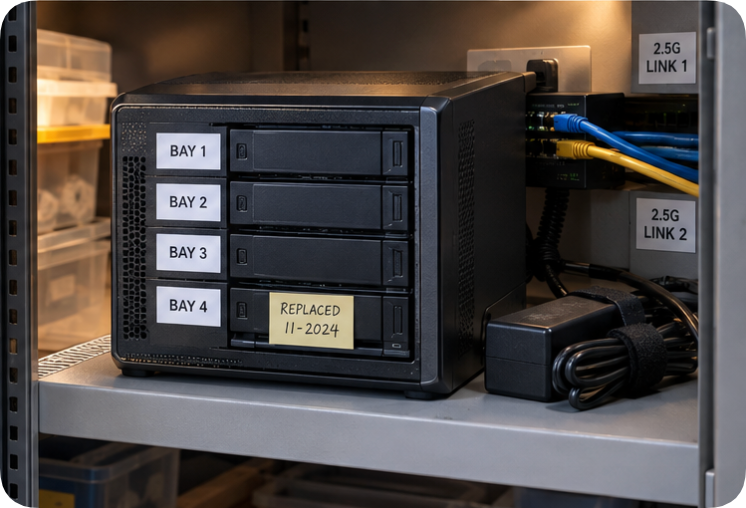
The WTR PRO AMD is the unit I would treat as the main library, and it is built on a four-SATA platform with a metal body. It takes AMD Ryzen 7 5825U or Intel N100 silicon, dual DDR4, and two M.2 NVMe 2280 slots on top of the SATA capacity, so the working set and the shelf can grow independently. Networking is where it separates itself: two 2.5G Ethernet ports and Wi-Fi 6 mean an archive can serve the house over one link while an offsite sync runs over the other without either one starving.
It measures 22.8cm by 15cm by 18.5cm and weighs 5kg, which is a deliberate trade. That mass and the DC 19V-6.32A 120W supply are what let it sit in a cabinet and accept sustained writes from four drives without being repurposed as a desktop. It also drives a triple-screen 4K setup through HDMI, DP and Type-C, so it can double as the machine someone actually uses during the day - the same box that is copying at night.
🖥️ A Screen That Lives in the Store Room
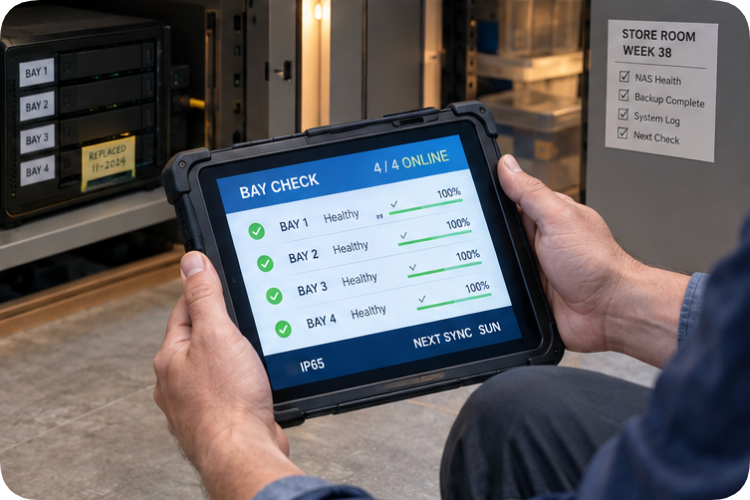
The <a href="https://www.hotusprojector.com/products/rugget-tablet/885.html" title="Hotus ST11-M 10.1" Rugged Industrial Tablet">ST11-M is the odd one out until you have spent an evening kneeling in front of a cabinet with a laptop balanced on a drive box. It is a 10.1-inch rugged tablet running an Intel Core i5 with IP65 sealing and expansion that is meant for enterprise use, which in a house translates to one thing: it can live in the store room, in the garage, or on a shelf above the rack and be picked up with dusty hands.
Its job in this plan is inspection rather than storage. It is the screen you use to check which bay is reporting a problem, whether the duplicate actually completed, and how much room is left before the next influx, without booting a desktop or unplugging anything. The same sealing makes it the right unit for carrying to a second address when the offsite copy is refreshed. If you need a different size, it is worth looking through the rest of our rugged tablet range before settling.
| Item | Palm-sized miniPC | WTR PRO AMD | ST11-M |
| Role in the plan | Hot layer for the unrebuildable files | Main library on four bays | Inspection and offsite hand-carry |
| Processor | Intel 12th Gen Core, i3-1215U to i9-12900HK | AMD Ryzen 7 5825U or Intel N100 | Intel Core i5 |
| Memory | DDR4 3200 or DDR5 5200, up to 64GB | Dual DDR4 | Not stated on the product page |
| Storage layout | 2x M.2 2280 NVMe plus 2x 2.5-inch SATA | 4-SATA platform plus 2x M.2 NVMe 2280 | Expansion-led, not a storage host |
| Networking | Wi-Fi 6 plus Bluetooth 5.2 | 2x 2.5G Ethernet plus Wi-Fi 6 | Not stated on the product page |
| Footprint | 800g, PC+ABS case | 22.8 x 15 x 18.5cm, 5kg, metal body | 10.1-inch, IP65 sealed |
| Best fit | Always-on shelf unit near the desk | Cabinet unit that never moves | Store room and field checks |
Read the table as a division of labour rather than a ranking. The two storage units answer different questions, and neither replaces the tablet.
Sequencing is straightforward. Put the small unit in first and give it the top layer alone. Add the four-bay machine when the middle group outgrows a pair of drives. Buy the tablet when you find yourself avoiding the check.
🔮 Notes to Keep Before the Next Influx
Two lists are worth keeping somewhere that is not the machine itself. The first records what is in the unrebuildable layer and where its second copy currently sits, because a duplicate nobody can find is not a duplicate. The second records the bay count, the drive models in use, and the date each was added, so that a failure in a busy month is a lookup rather than an archaeology project.
Neither list takes an evening. Both are the reason a household can absorb a heavy month without discovering, three weeks later, that the only copy of something irreplaceable was on the drive that failed first.
If the household setup is only one part of a wider hardware picture, the same units appear in Industrial Hardware Solutions alongside the machines used for field and factory work, which is a useful second reference when the next purchase has to serve more than one room.