Most home storage setups do not fail because the hardware was wrong. They fail because everything about them lives in one person's head. Whoever set the thing up is the only one who knows the password, the only one who knows which drive holds what, and the only one who knows what to do when a folder disappears. That is not a configuration problem. It is a staffing problem, and a household is a strange place to solve it, because nobody gets hired, nobody gets a job title, and nobody notices the risk until the day the one person is unreachable. The three units below split that load in a way that matches how homes actually work.
One Password and One Person Who Knows It
Think about what it takes to open a home archive. There is the account on the machine, the unlock code for the encrypted volume if there is one, the router page, and whichever cloud or remote service sits in front of it. In a household these usually converge into one memory, held by whoever is most interested in the setup. Everyone else has been given access by that person, which means everyone else can reach the files but cannot repair the arrangement that makes the files reachable.
That is the first job to split. The machine itself does not care who types the password, so the work is entirely in deciding that a second person should be able to type it too, and then making that true. A household that runs its archive on a small desktop such as the mini PC range has an advantage here that a proprietary appliance does not: the operating system is Windows or Linux, the accounts are ordinary accounts, and a second administrator can be added without a support ticket.
Someone Has to Notice Before the Bays Fill
The second job is the one nobody volunteers for, because nothing bad happens while it is being neglected. A home archive grows slowly. Phone photos, scanned paperwork, the video project that seemed like a good idea in the spring. Capacity is not consumed in one dramatic event, it is consumed in a slope, and the slope is invisible from the outside because the box does not look any different when it is eighty per cent full.
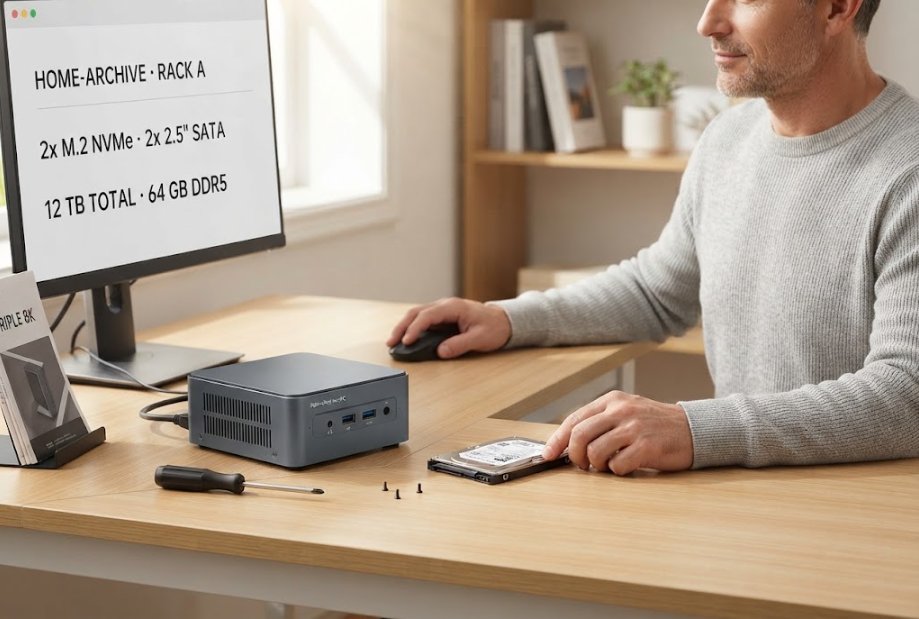
This is where a machine with real expansion earns its place. The Palm-sized miniPC takes two M.2 2280 NVMe slots and two 2.5-inch SATA bays, which comes to roughly 4 TB of NVMe plus 8 TB of SATA at current drive sizes. The point is not the twelve terabytes. The point is that whoever has the watching job can add a single drive instead of replacing the machine, and can do it without taking the archive offline for a weekend. Watching the number is a real duty, and it should belong to someone who is not the same person who picked the hardware in the first place.
Where the Rack Gets Its Screen
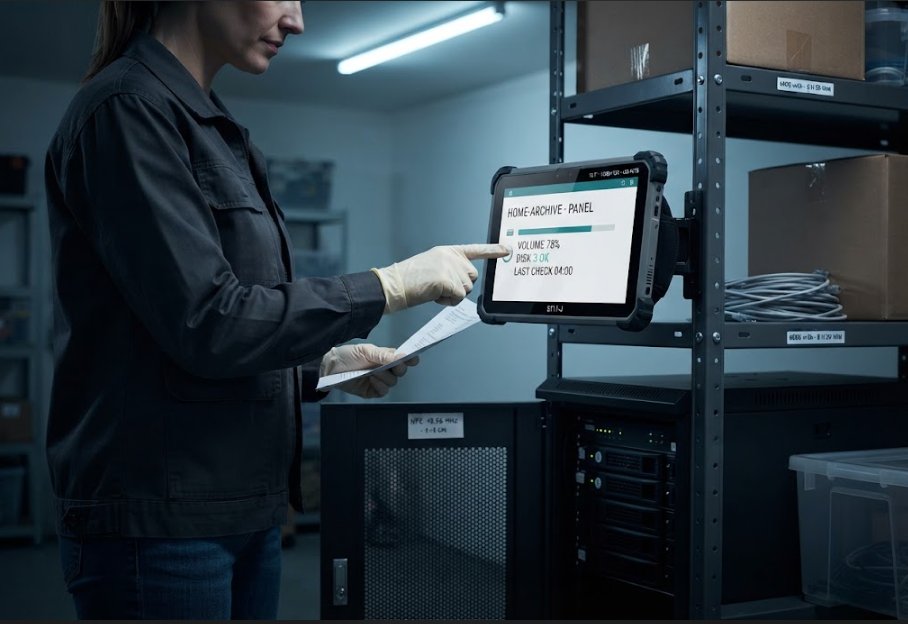
A shelf in a store room is a poor place to check anything. The machine is there because it is quiet and out of the way, and that is exactly why nobody looks at it. What changes the behaviour is a display that can stay in the same room and survive the same room. A store room is dusty, occasionally cold, and not always well lit, and the panel that gets checked is the panel that can be touched with a wet hand and read at an angle.
The ST11-J is the unit that fits this job, with a 10.1-inch panel at 1200 by 1920, ten-point touch that works with a stylus or a damp hand, and NFC that reads a tag at one to three centimetres. A machine room panel mounted on a bracket is not decoration. It is the thing that turns a monthly good intention into a habit, because the reading is available at the moment somebody walks past.
Who Can Get In When the Owner Is Away
The test of a household arrangement is a holiday. The person who knows everything is three time zones away, a drive has started clicking, and the family needs one file off the archive. This is not a rare scenario. It is the normal condition of a home archive for two or three weeks a year, and it is precisely when the gap between access and understanding shows up.
Two things make that week survivable. The first is that somebody else has administrator rights and knows where the logs are, which is a decision made months earlier and written down. The second is that the equipment itself can be operated by a person who is not an enthusiast. This is why we keep coming back to our rugged tablet range for roles like this. A device that boots into a panel with four numbers on it does not require the absent person on the phone.
A Handheld That Answers From Another City
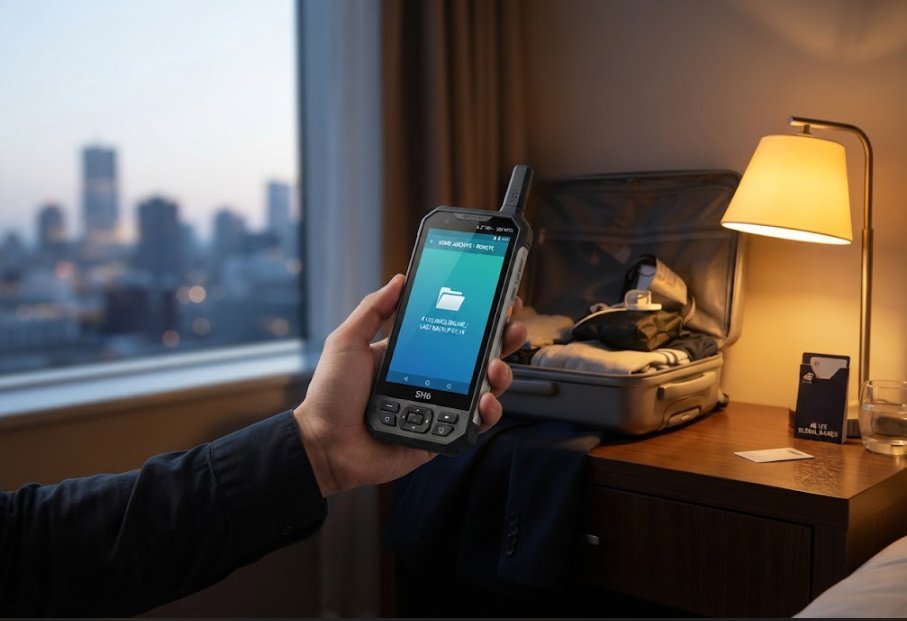
There is one more version of the same problem, and it is the one that gets solved last. The person who is away is often the person who cares most, and a phone call asking someone at home to read a screen out loud is a slow way to diagnose anything. What is needed is a way for the absent person to look at the state of the archive directly, with no intermediary and no laptop.
A pocket-sized unit does that job well. The SH6 is a 6.5-inch handheld running Windows 11 Pro on an Intel N100, at 460 g, with Wi-Fi 6, Bluetooth 5.2 and 4G LTE on global bands, plus NFC at 13.56 MHz. It is rated IP65 and survives a 1.2 m drop, which matters more than it sounds when the alternative is carrying a fragile laptop into an attic. A small handheld that opens the interface the same way the desktop does removes the phone call entirely.
A Spare Key Held Somewhere Else
Splitting the work is only half of it. The other half is making sure that the split survives an absence, and that is a matter of where the credentials physically live. A password manager shared by two people beats a memory held by one, and a sealed note in a fireproof box beats both if the two people travel together. The detail that matters is that the second copy must be reachable without the first person and without the archive itself, because a recovery code stored only on the machine being recovered is not a recovery code.
Where the Second Person Learns the Setup
Credentials are the easy part. Capability is harder, because the second person has to be taught while the system is healthy, not during the incident. A household walkthrough takes an hour if it is done deliberately. Where the drives are, what the storage layout looks like, which folders are irreplaceable and which can be rebuilt, how to put a drive back into the array, and what the normal readings look like on a quiet Tuesday so that an abnormal one is actually noticeable.
The value of the panel in the store room shows up again here. Teaching someone to check a number on a screen takes minutes. Teaching the same person to open a terminal and interpret output takes weeks of interest that they may not have. Choosing hardware that presents its state plainly is, in effect, choosing a shorter handover.
The Night Someone Deletes the Wrong Folder
The last job is the one everybody imagines, though it is rarely a disaster. Someone consolidates folders, tidies a structure that looked untidy, and removes a directory that turns out to have been load-bearing. At eleven at night, the question is not whether the archive has a backup. It is whether anyone still awake knows how to restore from it, and whether the person who does know can be reached.
A home archive that has been staffed properly answers both. Somebody else has the rights, somebody else has walked through the restore once on a quiet afternoon, and the equipment in the store room still shows what the volumes looked like before. None of that comes from buying more storage. It comes from treating three jobs as three jobs, and from refusing to let one person carry all of them.
The Figures the Three Units Carry
The three units sit in different roles, and the published numbers make the separation easier to see. What follows is taken from each product page rather than from a summary, because the details that decide a household deployment are usually the small ones.
| Specification | SH6 | Palm-sized miniPC | ST11-J |
|---|---|---|---|
| Role in the setup | Pocket unit for checking from anywhere | Archive host with expansion bays | Fixed panel in the store room |
| Operating system | Windows 11 Pro | Windows 11 or Linux | Windows 10 or 11 Pro |
| Processor | Intel N100 quad-core | Intel 12th Gen Core, to i9-12900HK | Intel Celeron N5100 quad-core |
| Memory | 8 GB, 16 GB option | To 64 GB DDR4 or DDR5 | 8 GB, 4 GB option |
| Storage | 256 GB, 512 GB option | 2x M.2 NVMe plus 2x 2.5-inch SATA, about 12 TB | 256 GB, 512 GB option |
| Display | 6.5-inch HD+, 380 nits | Triple 8K output | 10.1-inch IPS 1200x1920, 420 nits |
| Touch | 10-point capacitive | Not applicable | 10-point, stylus and wet hand |
| Battery | 5000 mAh, to 4.5 h | Mains power | 6000 mAh, about 8 h 30 min |
| Wireless | Wi-Fi 6, BT 5.2, 4G LTE | Wi-Fi 6, BT 5.2, 2.5G Ethernet | Wi-Fi 5, BT 4.2, 4G LTE |
| NFC | 13.56 MHz | Not published | 13.56 MHz, 1 to 3 cm |
| Protection | IP65, 1.2 m drop | Not published | Not published |
| Dimensions | 178.3 x 83 x 23 mm | Not published | 268.9 x 176.8 x 18 mm |
| Weight | 460 g | 800 g | 1150 g |
What Goes on the Handover Note
Write down four things and the household arrangement stops depending on memory. Where the machine is and what it is called. Who holds administrator rights besides the person who set it up. What the normal storage reading looks like, so an abnormal one can be recognised. And where the spare credentials are kept, in a place that does not require the archive to be working.
Four lines is enough. The households that lose data are rarely the ones that chose the wrong drive. They are the ones where all four lines lived in one head, and that head was somewhere else when it mattered. If you are sorting out a home archive and want to know which of these three units belongs in which job, send us the layout you have now and the number of people who use it, and we will tell you where each one fits. For a wider look at how these units compare with competing hardware, our product comparisons and competitor analysis covers the same ground from a different angle.