I have stood in enough back corridors to notice a pattern that repeats across retail chains, clinics and transport hubs: the signage network stopped being a collection of screens a long time ago, and it has not yet admitted what it became. Every new site adds displays faster than it adds people to look after them. Screens outnumber the staff who feed them by a wider margin every quarter, and the industry's response is finally splitting the hardware into two kinds that answer to two different rhythms — a player that stays put and a handheld that walks. Mixing those roles on one device used to be the budget answer; now it is the bottleneck.
Screens Now Outnumber the Hands That Feed Them
The arithmetic is unforgiving. A mid-sized site that ran six panels three years ago runs twenty today, and the AV team did not triple. Content cycles keep compressing — weekly promotions, same-day menu changes, emergency notices — while the maintenance window stays exactly where it was, after closing. The old model, one powerful PC per screen or a jumble of sticks behind each panel, quietly breaks under that load: too many licenses, too many power bricks, too many places for a failed update to hide. The trend lines all point one way, toward a shared digital signage network where a few committed players drive many panels and a mobile device audits them all. That split is what the current hardware generation is built around.
🖥️ The Box Behind the Screen Becomes Infrastructure
When one machine drives four or more panels, its job description changes from gadget to infrastructure. It gets a fixed address on the network, a labelled power feed and a place in the asset register, and nobody repurposes it for a weekend task. Playback duty also punishes the wrong kind of hardware in ways an office PC never sees: continuous decode for fourteen hours a day, thermal load inside a closed cabinet, and recovery behavior that matters more than benchmark peaks. This is why the mini PC slot in a signage rack is specified differently from the desk slot — smaller chassis, steadier thermals, and outputs that map onto real panel layouts rather than a single desk monitor.
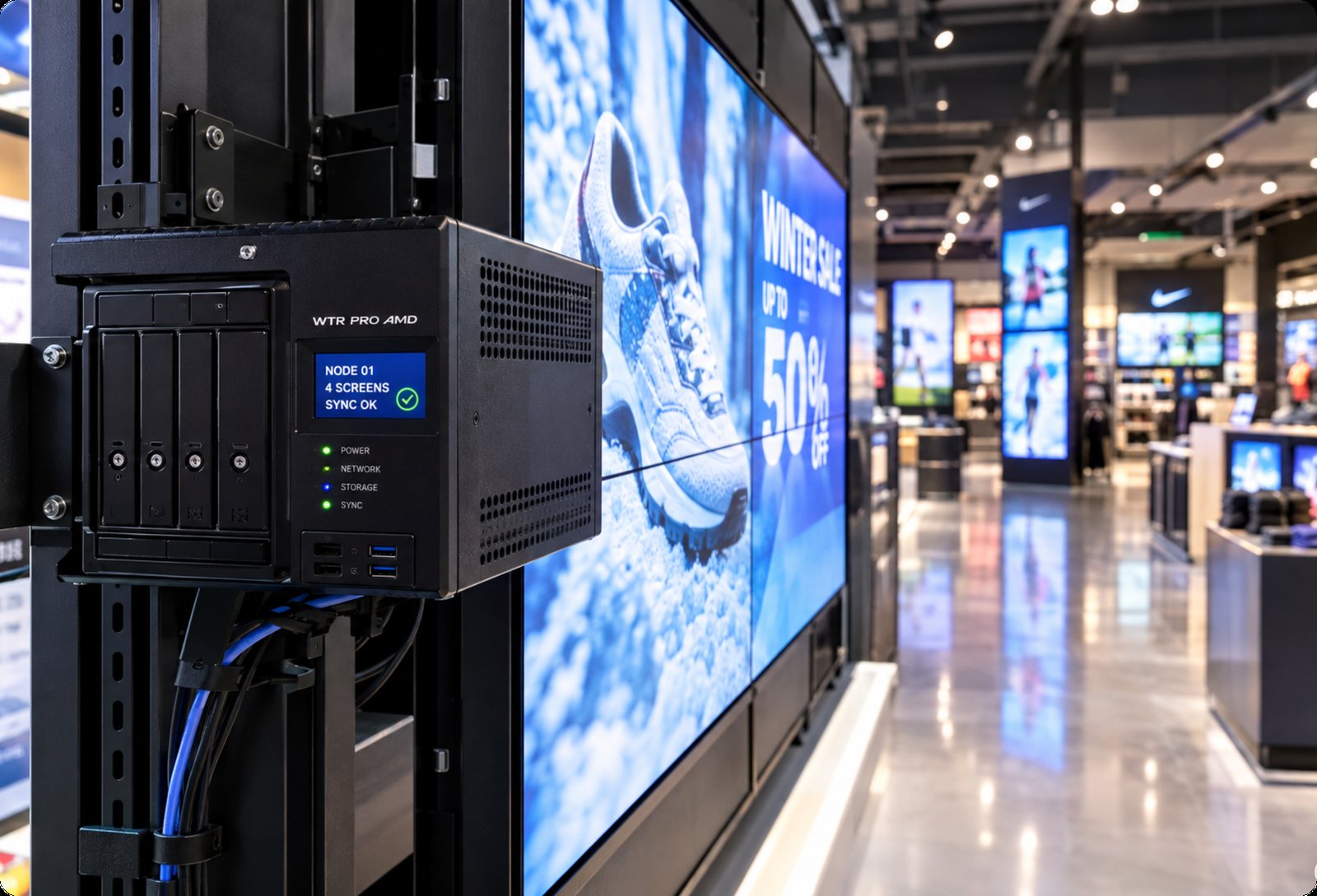
A Desktop Where a Locked Appliance Used to Sit
The WTR PRO AMD takes the infrastructure role literally. It runs Windows 11 on an AMD Ryzen 7 5825U with Radeon graphics, which means the playback box accepts the same management tooling as every other PC on the corporate network — domain policies, remote updates, staged reboots at 03:00 instead of a ladder and a USB stick. The chassis measures 22.8 × 15 × 18.5 cm and weighs about five kilograms, so it mounts where the panels are and stays there. What makes it unusual in this company is the four-bay storage frame: a signage server that also holds the media library locally keeps playback immune to a wan circuit that blinks during the lunch rush, and cached playlists simply ride through the outage. For a flagship store where the video wall is the window display, that combination — a full desktop OS plus local media redundancy — is the difference between a network and a row of separate screens.
🖧 The Cabinet Machine That Answers to a Master Switch
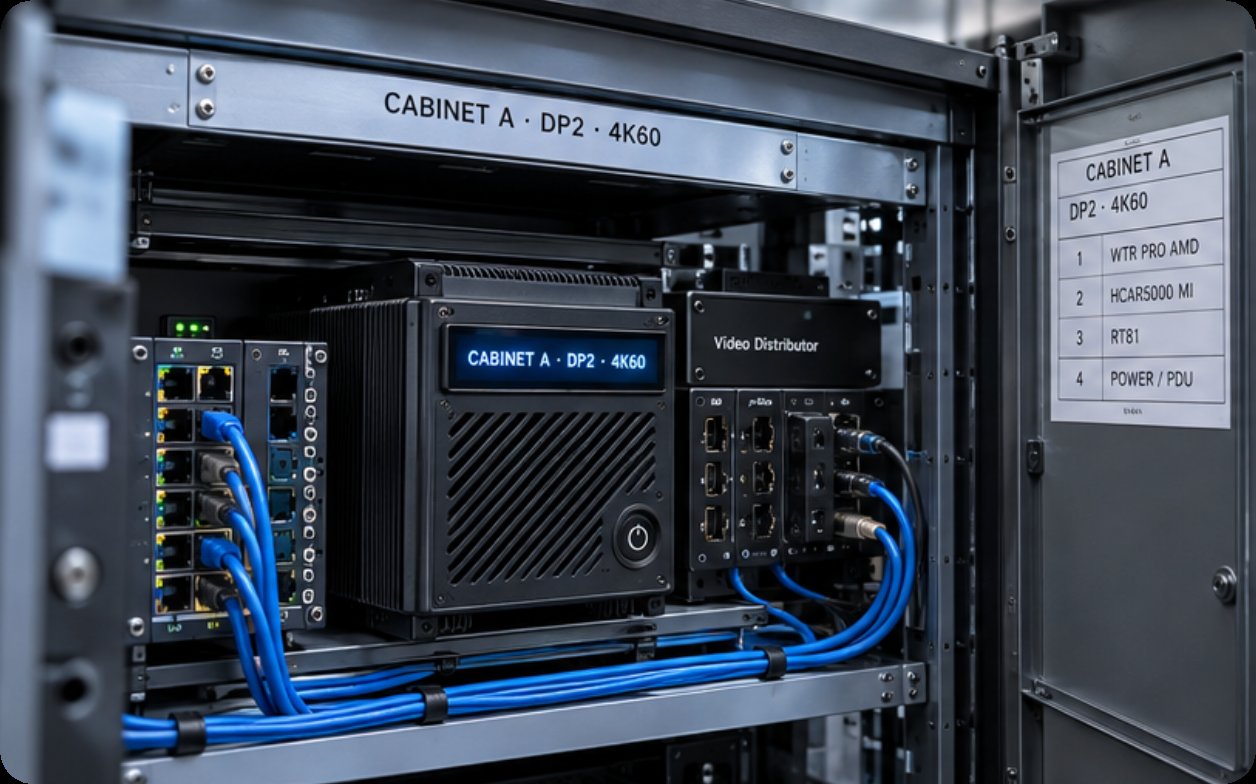
The HCAR5000 MI occupies the middle of the trend, and it is the machine most often misjudged for a reason: the same chassis sells into soft-router builds, so signage buyers assume it is the lesser option. In playback duty the specification reads differently. A Ryzen 5000H series processor — 5900HX, 5800H or 5600H by configuration — with Radeon graphics drives high-resolution panels without breaking a sweat, and DDR4 at 3200MHz scaling to 64GB leaves room for a player that previews content while it broadcasts. Storage flexes from an M.2 2280 SSD between 128GB and 1TB to a 2.5-inch 7200rpm drive for archives, and the port set covers the wiring closet honestly: RJ45, three USB 3.0, two USB 2.0, DisplayPort 2.0b and a Type-C that carries video. At 202 × 212 × 65 mm and 2455 grams it slips into a locked cabinet beside the panel controllers, boots with the site's master switch, and asks for attention roughly four times a year. Windows 10 or 11 ships as standard, with a Linux build offered for operators who standardize on open playback stacks.
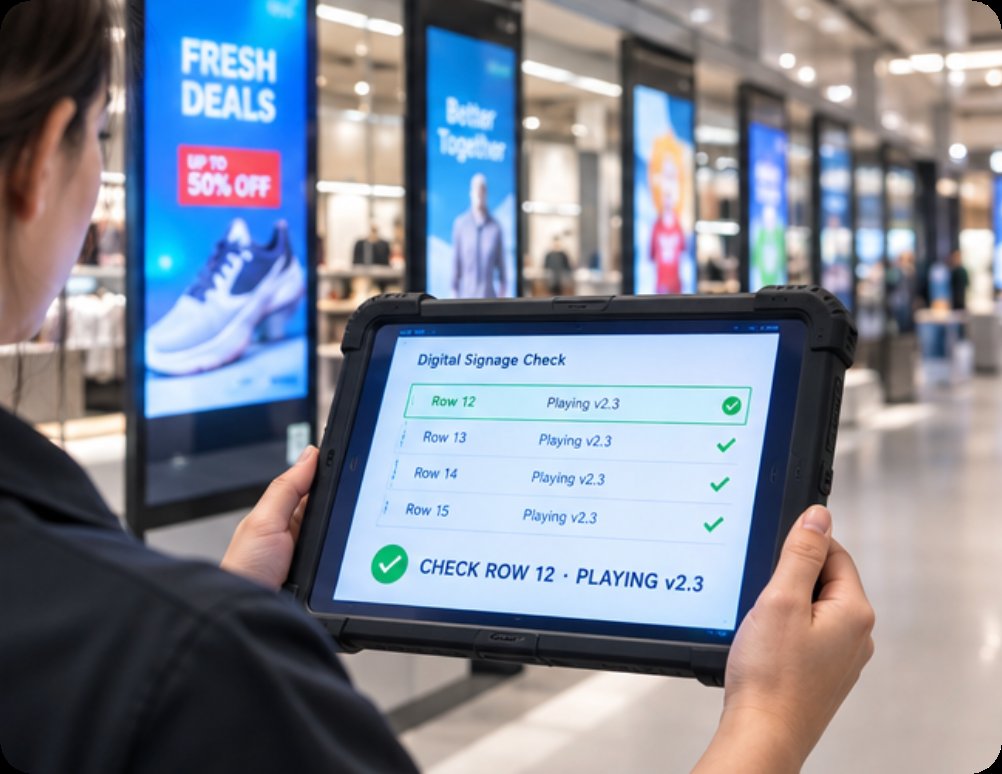
The Tablet That Walks the Rows at Opening
The third device in the trend does not live behind a screen at all. The RT81 rugged tablet represents the verification end of the split: the device a floor supervisor carries at opening to confirm that row twelve is actually playing version 2.3 and not yesterday's campaign. Its 10.1-inch FHD panel at 400 nits stays legible next to a lit display wall, a Qualcomm SM6225 octa-core at 2.0GHz handles the audit app and the CMS dashboard at once, and Android 13 keeps the device enrollable in the same mobile device management tree as the rest of the fleet. Storage runs from 4GB+64GB to 8GB+128GB with a TF card taking it to 256GB, and the 4G modem matters more than it sounds — the tablet checks panels in a storeroom, a basement corridor or a parking level where the site Wi-Fi was never wired. Drop ratings and sealed ports are not marketing here; a device that gets carried along rows of fixtures six days a week lives a life no cabinet machine will ever see.
The Spec Sheets, Side by Side
| Model | Role in the Network | Processor / OS | Memory & Storage | Display & Outputs | Where It Lives |
|---|---|---|---|---|---|
| WTR PRO AMD | Flagship player, media server | AMD Ryzen 7 5825U, Radeon / Windows 11 | Standard SODIMM config; 4-bay local storage frame | Multi-display outputs; drives video walls | Mounted at the panel bank, 22.8 × 15 × 18.5 cm, ~5 kg |
| HCAR5000 MI | Cabinet player, multi-panel driver | Ryzen 5000H (5900HX/5800H/5600H), Radeon / Win 10 or 11, Linux optional | DDR4 3200 up to 64GB; M.2 2280 128GB–1TB or 2.5" 7200rpm | DP 2.0b + USB-C video + RJ45 | Locked cabinet, 202 × 212 × 65 mm, 2455 g |
| RT81 Rugged Tablet | Floor audit and content verification | Qualcomm SM6225 octa-core 2.0GHz / Android 13 | 4/8GB + 64/128GB, TF to 256GB | 10.1" FHD, 400 nits; 4G LTE | Carried on the floor, sealed and drop-rated |
🖥️ Choosing by Duty, Not by Screen Count
The temptation in a growing estate is to buy one model everywhere, and the trend argues against it. Panels that anchor the brand story deserve the WTR PRO AMD: a full desktop OS, local media redundancy, and management tooling the IT department already runs. Rows of secondary panels — corridor wayfinding, queue lines, staff-room boards — are the HCAR5000 MI's territory, where per-unit cost compounds across a dozen units and the Ryzen 5000H still leaves headroom for seasonal 4K creative. The RT81 is not competing with either; it is the device that tells you whether the other two are doing their jobs. Budget the audit handheld as deliberately as the players, and the network stops being a bet on nobody looking.
What Changes After the Pilot Quarter
Sites that complete one honest pilot season tend to report the same shift: the conversation moves from "which screen" to "which schedule." The players settle into asset registers with four-a-year service expectations, the handheld becomes part of the opening walk beside the till check, and content operations finally run at the speed the marketing calendar assumes. That is what moving past the single screen actually means — not more panels, but a network where feeding them costs one walk instead of one work order. Explore our mini PC range to size the player tier, and read our product comparisons and competitor analysis before the next budget round. When you are ready to plan a split like this for your own estate, send us the panel count and the content calendar, and we will map the players and the audit devices around both.