Most compliance writing about field hardware starts with the record. It describes the audit trail, the retention window, the export format, everything that proves afterwards what happened on site. That is a real problem, but it is the second one a service team meets. The first one arrives at the gate, before any work starts, when a host site's own rules decide whether a device is allowed in at all. A permit has to be produced, a method statement has to match the job, an induction may have to be repeated, and an escort may have to stay within sight. None of that is about the record. It is about access.
Three handhelds sit at different points on that curve. The N60 Inventory Management PDA carries the documents and reads the asset tag. The R860-S PDA prints a label on the spot, which is what many barriers actually ask for. The RT81 Rugged Tablet offers a screen large enough for a supervisor to read over a shoulder. This article follows one visit from the barrier to the sign-off and asks, at each step, which device answers the site's question and which part of the answer is still a sheet of paper.
Where the Checks Begin
The checks a site imposes are rarely about the hardware specification. They are about what the host cannot verify: whether a sealed unit has been dropped, whether a battery was swapped outside the service network, whether the software last saw a patch. So the site asks for something it can hold. A permit signed that morning, a method statement naming the panel, an induction card that has not expired. Many field maintenance visits lose more time at that desk than at the machine. A device earns its place by shortening the gap between the question and a credible answer, and anything that adds a walk back to the van costs more than it saves.
A Handle That Holds the Paperwork
The N60 is the lightest of the three and the easiest to keep in a pocket, which matters when the paperwork has to be produced at a barrier rather than at a desk. Its 5.99in IPS panel runs at 1080×2160 and accepts multi-touch through gloves and wet hands, a detail that decides whether a technician can open a stored method statement in the rain without taking anything off. The 4GB+64GB configuration, expandable to 6GB+128GB, is enough for a document store, a scan log and the handful of applications one visit actually uses. At 164.5mm by 79.4mm by 12.3mm it disappears into a jacket pocket.
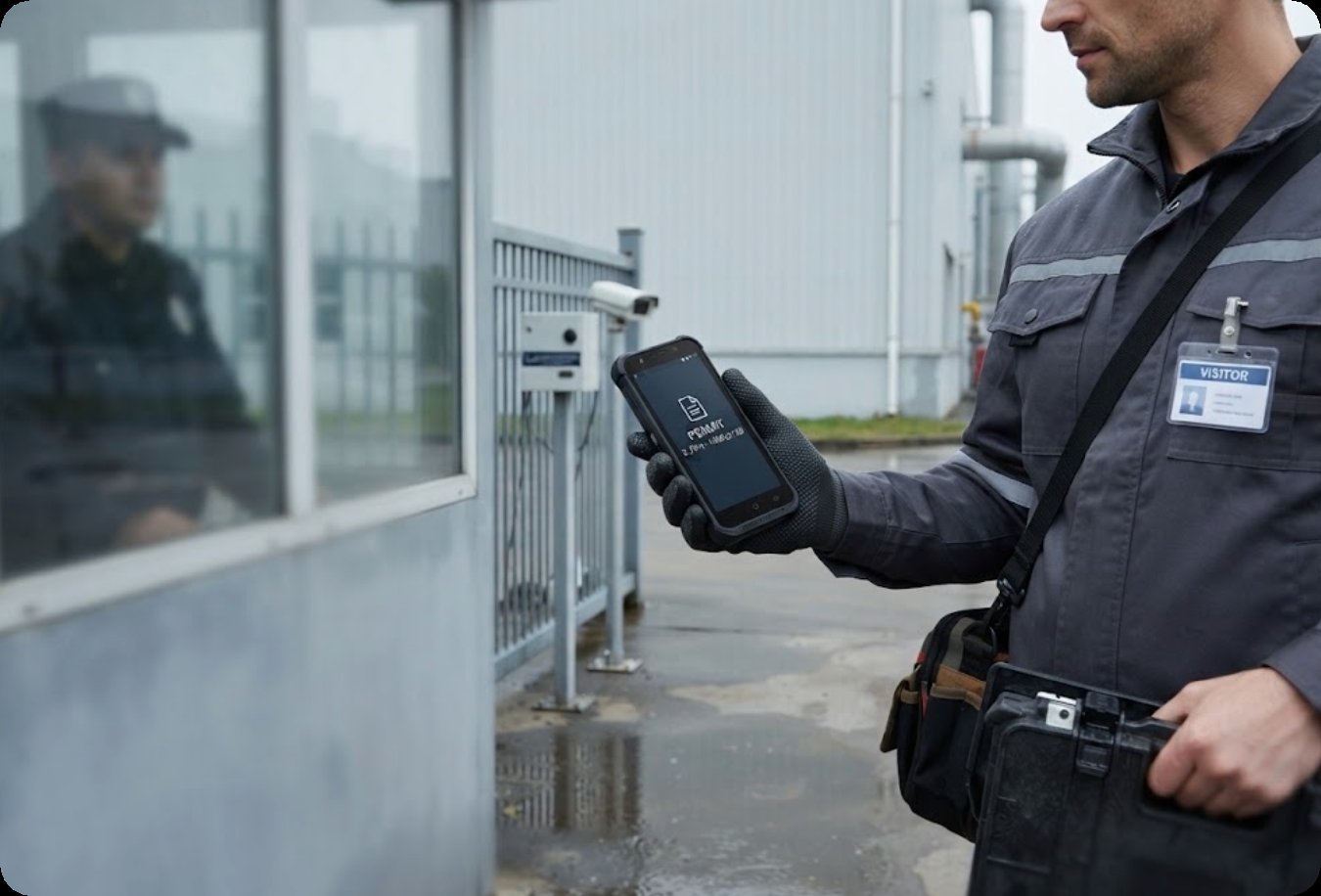
Connectivity is the part that keeps the entry check short. The N60 covers 5G, 4G, 3G and 2G, with dual-band WLAN on 2.4GHz and 5GHz, so a permit pulled from a customer portal or a shared drive arrives without a trip to a desk. The optional Honeywell N6703 imager reads the 2D codes that most plants now print on their assets, and the 13.56MHz NFC module handles the tags that replaced them. A 4200mAh removable battery gives better than twelve hours of working time and over 350 hours on standby, with a fast charge under ninety minutes.
Printing an Entry Label at the Barrier
Some sites do not want a document shown on a screen. They want a sticker on the panel, printed when the job is opened, carrying the date, the work order and the technician's name. The R860-S answers that directly, because the thermal printer sits in the body rather than travelling as a separate accessory. It prints at 70mm per second onto 57mm-wide label or receipt paper, so a single roll covers a barrier label in the morning and a receipt for the customer at the end. The mechanism includes black-mark detection, paper-out and overheat protection, which is the difference between a tool and a temperamental peripheral.
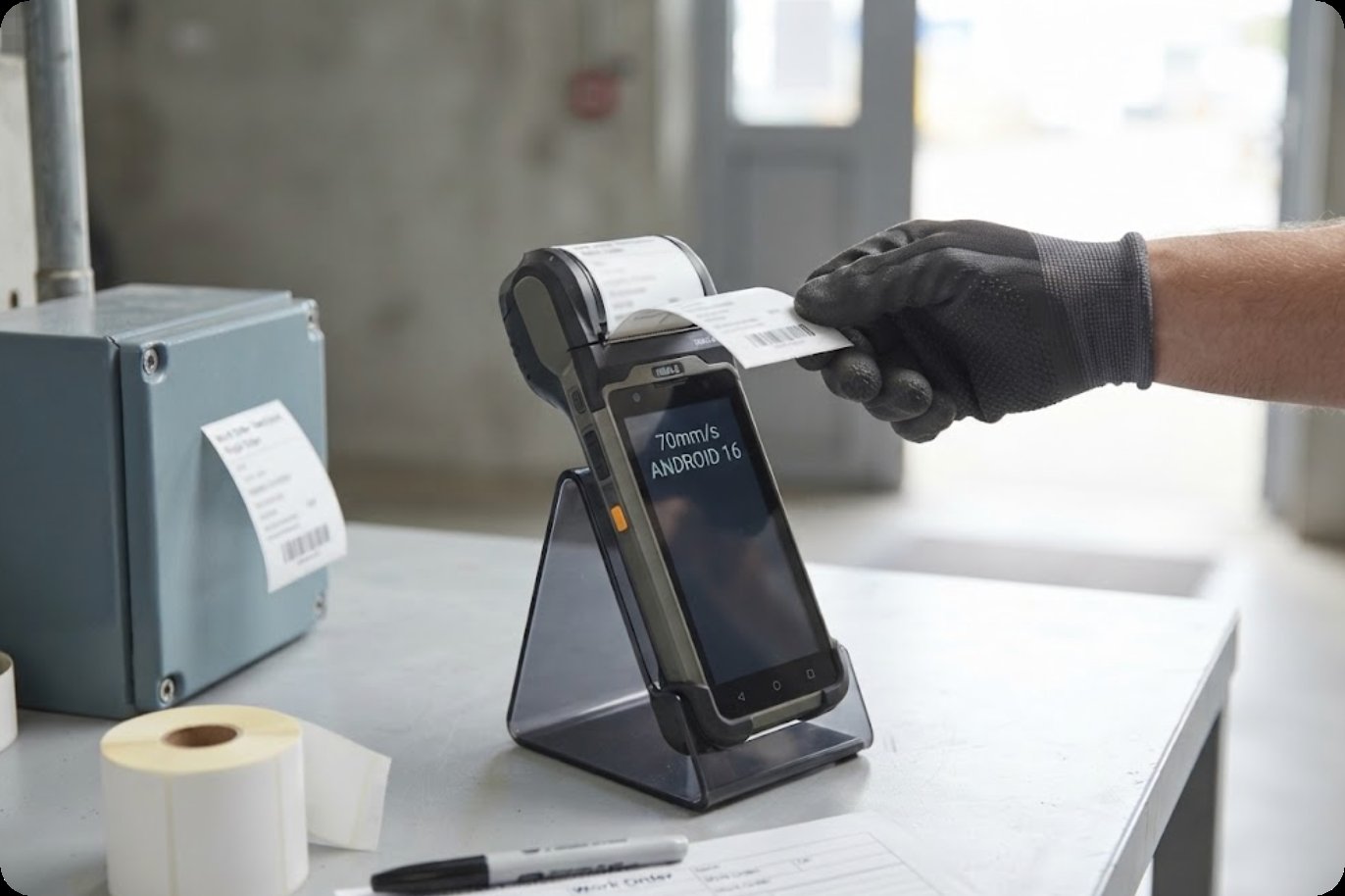
Underneath the printer it is a 5.5in industrial handheld running Android 16, with a 720×1440 IPS panel, 4GB of RAM and 64GB of storage expandable by TF card. The 5600mAh battery is detachable, so a second cell can charge in a cradle while the first is in use, and it holds for more than 350 hours on standby. The working range starts at -10°C and reaches 50°C, with humidity up to 95% non-condensing, which puts an autumn morning at an outdoor barrier inside the envelope rather than at its edge. The whole unit stays under 500g with the printer fitted.
🖥️ A Screen the Supervisor Can Read
A different problem appears when the check has to be witnessed instead of shown. An induction briefing around a 5.5in window is awkward. A supervisor standing behind a technician cannot read it, and a second person ends up holding the device rather than using it. The RT81 puts a 10.1in IPS panel at 1200×1920 and 400 nits in that role, with ten-point capacitive touch. At that size a method statement, a drawing or a stored permit reads at arm's length without passing anything between hands, and the brightness figure is what keeps it legible beside an open doorway in daylight.
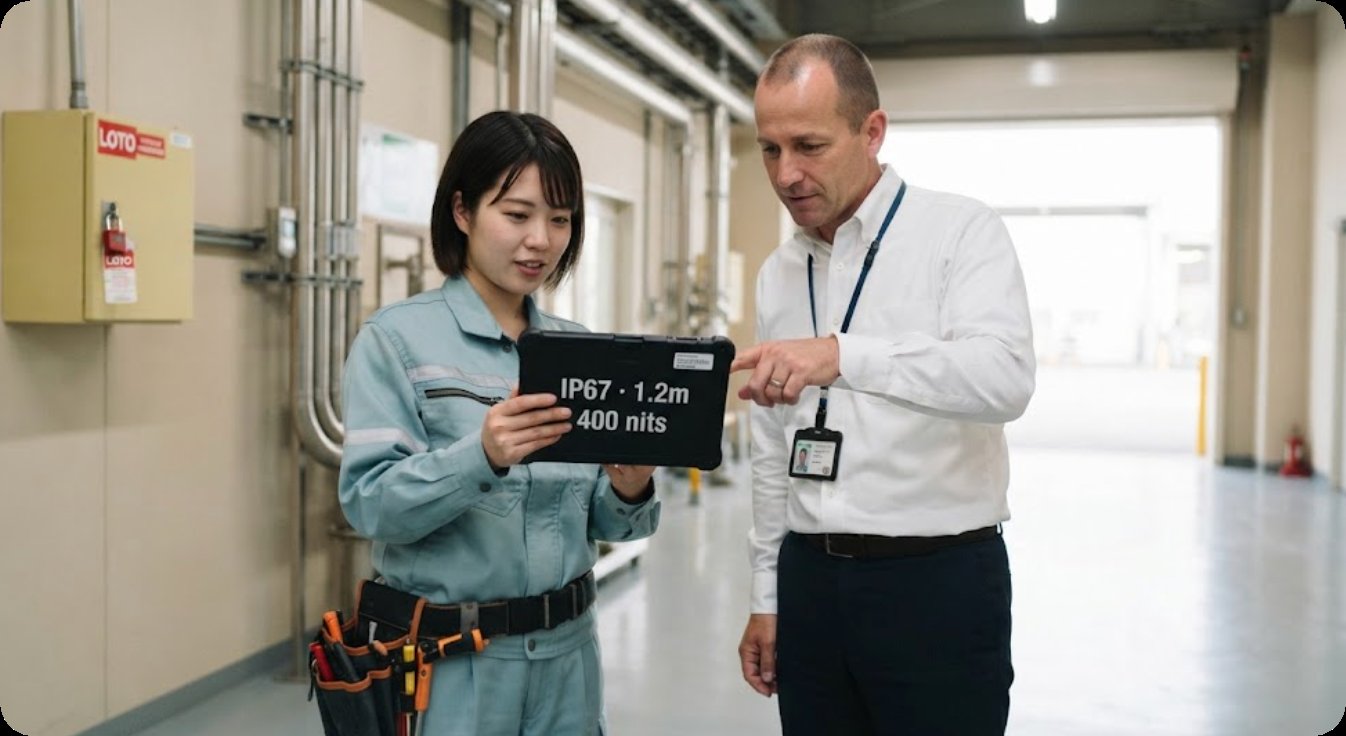
The rest of the specification leans the same way. The sealed 10000mAh battery is rated for a full day rather than a shift, and the chassis carries IP67 with 1.2m drop protection across the same -10°C to 50°C band as the handheld. Dual-band Wi-Fi and 4G LTE with regional band variants keep the tablet on the customer's network where the site permits it. Independent BeiDou coverage with optional RTK lets a reading be traced to a position rather than to a written note. The unit weighs under 650g at 252mm by 170mm by 14.6mm.
Reading the Three Side by Side
The two tables below are deliberately different. The first compares only the fields all three publish, so nothing is guessed and no cell sits empty. The second returns to the visit itself and asks, for each check the site performs, which unit answers it and what still has to be carried separately.
| Unit | Operating system | Display | Memory | Battery | Body |
|---|---|---|---|---|---|
| N60 Inventory Management PDA | Android 10.0 | 5.99in IPS, 1080×2160, gloves and wet hands | 4GB+64GB, up to 6GB+128GB | 4200mAh removable, over 12h working | 164.5 × 79.4 × 12.3mm |
| R860-S PDA | Android 16 | 5.5in IPS, 720×1440 | 4GB+64GB, TF card to 256GB | 5600mAh detachable, over 350h standby | 177 × 80 × 45mm, under 500g |
| RT81 Rugged Tablet | Android 13 | 10.1in IPS, 1200×1920, 400 nits | 4GB+64GB or 8GB+128GB, TF card to 256GB | 10000mAh sealed | 252 × 170 × 14.6mm, under 650g |
| Check at the gate | What the site asks for | Answered by | Still on paper |
|---|---|---|---|
| Permit and method statement | A document produced at the desk, on demand | N60 | The signature block |
| Barrier label or asset tag | A printed identifier for the panel or crate | R860-S | The paper roll |
| Induction brief | A display a supervisor reads over a shoulder | RT81 | A stand, or a second pair of hands |
| Evidence photographs | An image tied to the work order | R860-S and RT81 | N60 publishes no camera figure |
| Traced readings | A position rather than an estimate | RT81 | A clear view of sky |
Where Each One Stops Short
None of the three removes paper entirely. The N60 publishes no camera figure, so photographic evidence stays with whichever of the other two is on the van, and its display is too small for anyone standing behind the technician to follow. The R860-S pays for its printer in thickness: at 45mm deep it will not sit flat in a pocket, and the roll is one more consumable a dispatch office has to stock. The RT81 asks for both hands. Choosing between them means choosing which part of the visit you will leave on a form.
What the Paperwork Does Not Cover
A site's rules rarely mention the device at all. They name the technician, the permit holder, the isolation point and the person who signs the work back in. A handheld that produces a clean, dated document buys time at the desk, but it cannot certify a battery that was swapped outside the service network, and it cannot prove a calibration certificate is current unless that certificate is stored somewhere the technician can reach it. The practical question is not whether a device is compliant. It is whether the paperwork behind that compliance is available at the moment somebody asks to see it.
Setting Up the First Visit
Before the first visit, load the permit template, the method statement and the current calibration certificate into the unit that will actually be carried, and keep a printed fallback in the case for sites that still stamp paper. Decide in advance who prints the barrier label, because a printer that stays in the van is a printer nobody uses. Then match each step of the visit to the unit answering it: our industrial hardware range covers the devices, and the product comparisons cover the trade-offs between them. The entry check itself is a conversation with the customer's safety team, and it is worth having a week early.